
1. Introduction
Welcome to the user manual for your new TOVO Scientific Calculator, model TS-259. This calculator is designed to support a wide range of mathematical and scientific applications, from basic arithmetic to advanced graphing functions. It is suitable for students and professionals in various fields, including Pre-Algebra, Algebra I & II, Geometry, Trigonometry, Calculus, AP Calculus, AP Statistics, Biology, Chemistry, Physics, Finance, and Business.
This manual provides detailed instructions on setting up, operating, maintaining, and troubleshooting your calculator to ensure optimal performance and longevity.
2. Product Overview
The TOVO TS-259 is a versatile scientific calculator featuring a large display and an intuitive interface. It offers over 360 functions, including advanced graphing capabilities.
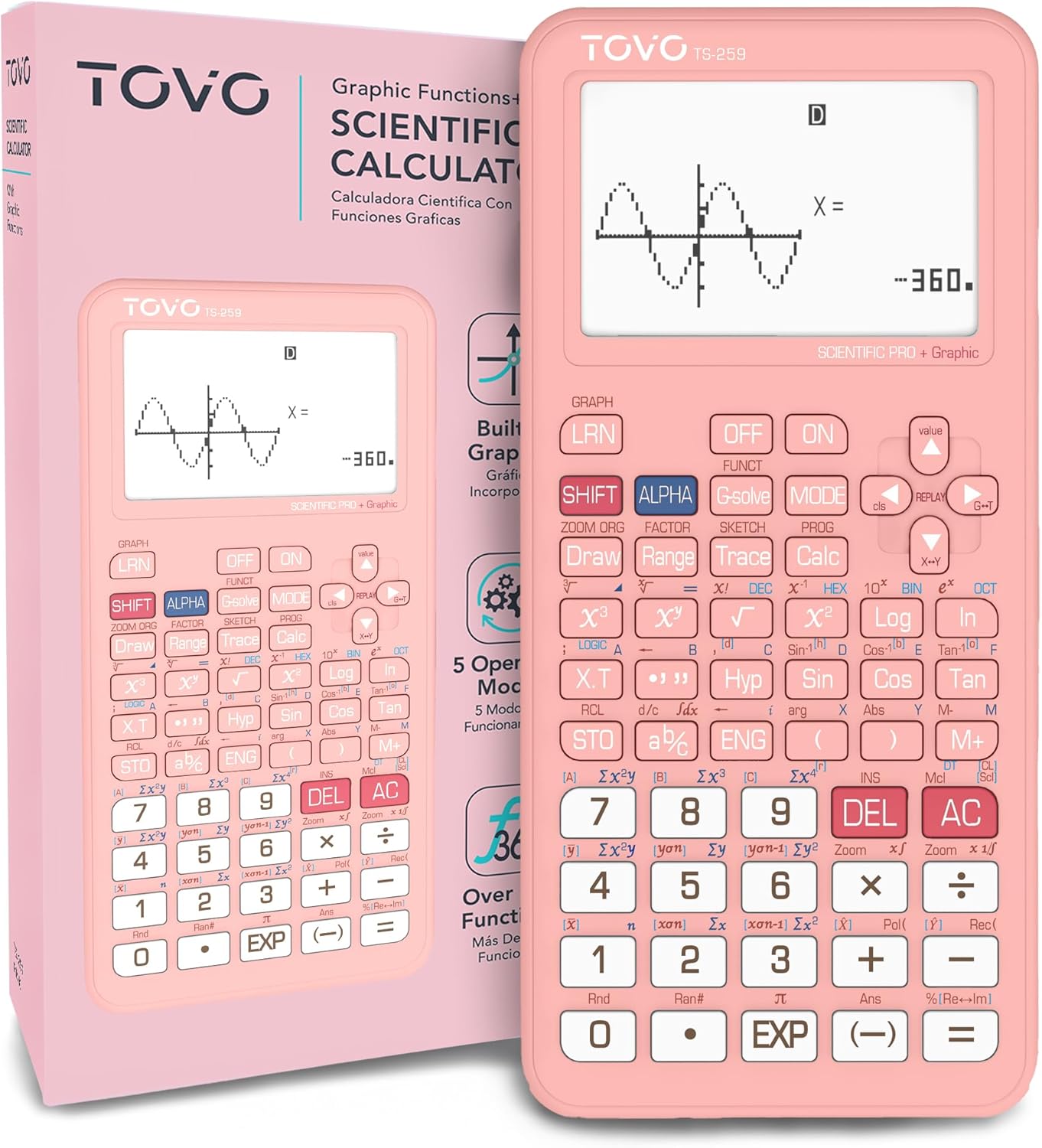
Image: The TOVO Scientific Calculator TS-259 in pink, showcasing its large screen and button layout.
Key Features:
- Scientific Calculator with Graphic Function: Displays graphs and equations simultaneously on a large screen for detailed viewing and corrections.
- Multiple Operating Modes: Offers Angle Measurement, Calculation, and Display modes to suit various needs.
- Over 360 Functions: Includes fractions, statistics, complex number calculations, linear regression, standard deviation, permutations, and variable solutions.
- Intuitive Interface: Designed for ease of use for both beginners and advanced users.
- Protective Cover: Comes with a durable cover to protect the calculator.
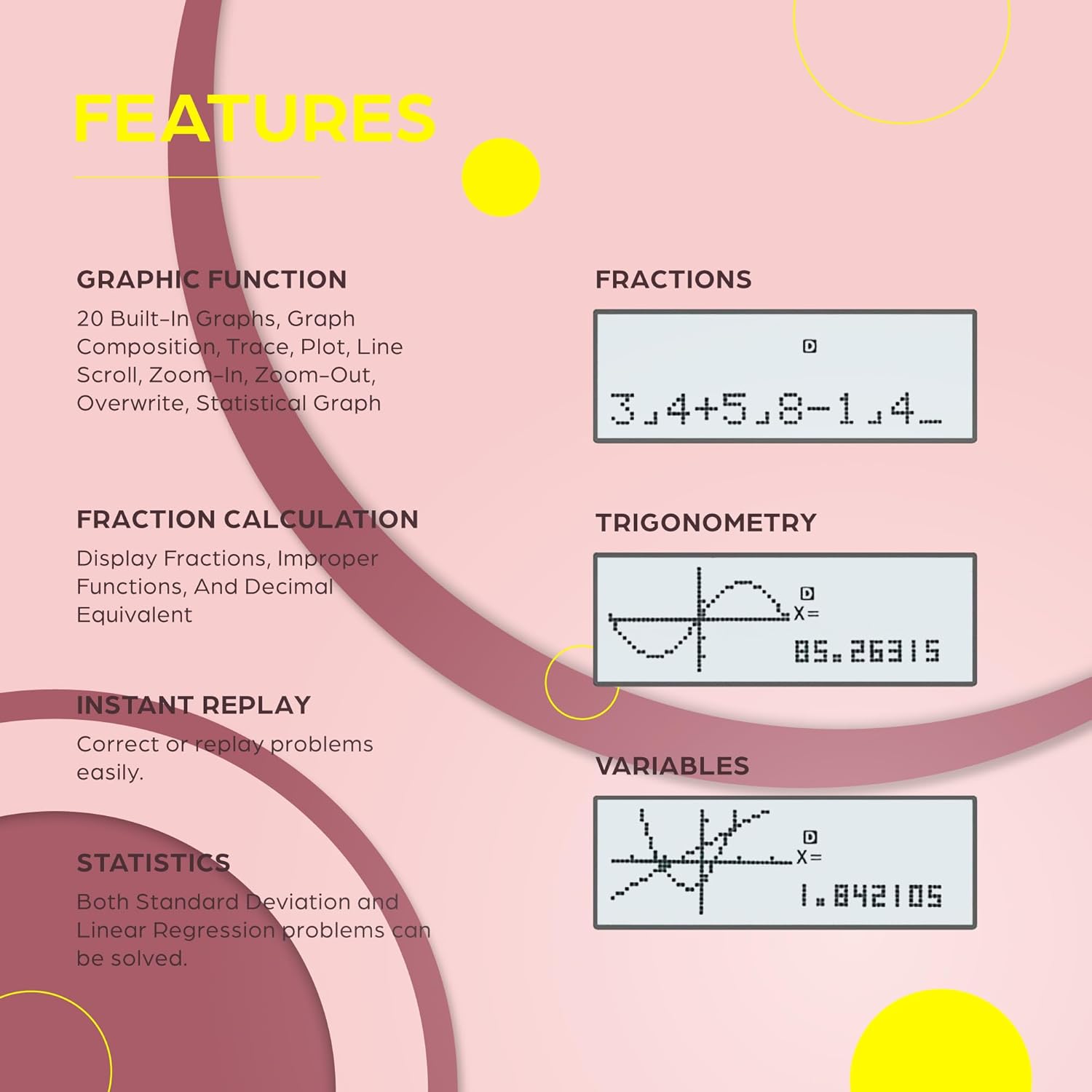
Image: Visual representation of key features including graphic function, fractions, fraction calculation, trigonometry, instant replay, statistics, and variables.

Image: Close-up of the TOVO TS-259 calculator highlighting its large 3-inch display, which is 3.25 times larger than standard scientific calculators.
3. Setup
3.1 Initial Power On
To turn on the calculator, press the ON button located on the top right of the keypad. If the calculator does not turn on, please ensure the batteries are correctly installed. The calculator is battery-powered.
3.2 Resetting the Calculator
If you encounter issues or the calculator fails to turn on, locate the small reset button on the back of the unit. Use a thin, pointed object (like a paperclip) to gently press the reset button. This will restore the calculator to its factory default settings.
4. Operating Instructions
4.1 Understanding Operating Modes
The TS-259 calculator offers three primary operating modes:

Image: Diagram illustrating the three operating modes: Angular Measurement, Calculation, and Display.
- Angular Measurement: Set units for angles (Degrees, Radians, Grades).
- Calculation: Perform various computations including standard computation, complex numbers, standard deviation, regression, and base-n calculations.
- Display: Configure how results are shown (Normal, Fixed Decimals, Significant Digits).
To switch between modes, press the MODE button and select the desired option from the menu that appears on the screen.
4.2 Basic Operations and Functions
The calculator supports over 360 functions. Here are some common operations:
- Arithmetic: Use the standard numeric keys and operators (+, -, ×, ÷).
- Fractions: Input and calculate fractions. The calculator can display fractions, improper fractions, and decimal equivalents.
- Trigonometry: Access sine (Sin), cosine (Cos), and tangent (Tan) functions. Use SHIFT + Sin/Cos/Tan for inverse functions (Sin⁻¹, Cos⁻¹, Tan⁻¹).
- Logarithms and Exponentials: Use Log for base-10 logarithm and Ln for natural logarithm. SHIFT + Log for 10ˣ and SHIFT + Ln for eˣ.
- Square Roots and Powers: Use √ for square root and x² for squaring. For other powers, use xʸ.
- Variables: Store and recall values using variable memories.
- Instant Replay: Correct or replay previous problems easily using the replay function.

Image: Overview of versatile function capabilities including utilities, probability, statistics, basic functions, algebra, and geometry.
4.3 Graphing Functions
The TS-259 calculator is equipped with graphing capabilities, allowing you to visualize mathematical functions. It includes 20 built-in graphs and supports user-generated graphs.
- Graph Display: The large screen allows for simultaneous display of graphs and equations.
- Graph Composition: Combine multiple functions on a single graph.
- Trace and Plot: Explore points on the graph using the trace function and plot specific points.
- Zoom: Zoom in and out of graphs to view details or a broader perspective.
- Line Scroll: Navigate along the graph line.
- Statistical Graph: Generate graphs for statistical data.
Refer to the detailed instruction manual that came with your calculator for in-depth guidance on specific graphing operations and advanced functions.

Image: The detailed instruction manual provided with the TOVO TS-259 calculator, showing examples of graph operations.
5. Maintenance
5.1 Cleaning
To clean the calculator, use a soft, dry cloth. For stubborn marks, slightly dampen the cloth with water. Avoid using harsh chemicals, abrasive cleaners, or solvents, as these can damage the calculator's surface and internal components.
5.2 Battery Replacement
The calculator is battery-powered. When the display dims or the calculator becomes unresponsive, it may be time to replace the batteries. Refer to the battery compartment on the back of the calculator for instructions on how to open it and replace the batteries with the correct type and polarity. Always dispose of old batteries responsibly.
5.3 Storage
When not in use, store the calculator in a cool, dry place, away from direct sunlight and extreme temperatures. Utilize the provided protective cover to prevent scratches and damage to the screen and keys.

Image: The TOVO TS-259 calculator shown with its protective sliding cover, designed to shield the device from damage.
6. Troubleshooting
6.1 Calculator Does Not Turn On
- Ensure the ON button is pressed firmly.
- Check the batteries. Replace them if they are low or depleted.
- Press the reset button on the back of the calculator using a thin, pointed object. This can resolve many power-related issues.
6.2 Display Issues
- If the display is dim, replace the batteries.
- If the display shows unusual characters or is frozen, try pressing the reset button.
6.3 Incorrect Calculation Results
- Verify that the calculator is in the correct operating mode (e.g., Degrees vs. Radians for trigonometric functions).
- Double-check your input and the order of operations.
- If issues persist, perform a reset.
7. Specifications
| Attribute | Detail |
|---|---|
| Model Name | TS-259 |
| Brand | CATIGA |
| Calculator Type | Graphing, Scientific |
| Color | Pink |
| Power Source | Battery Powered |
| Item Weight | 7.4 ounces |
| Package Dimensions | 7.05 x 3.7 x 1.18 inches |
| Manufacturer | CATIGA |
8. Warranty and Support
The TOVO Scientific Calculator TS-259 comes with a 365-day limited warranty. If you experience any issues with your calculator that are not resolved by the troubleshooting steps, please contact our customer support team.
We are committed to providing prompt assistance and aim to respond to all inquiries within 24 hours. For support, please refer to the contact information provided with your product packaging or visit the official CATIGA website.