
1. Introduction
This manual provides essential information for the safe and efficient operation, maintenance, and troubleshooting of your ECOVACS DEEBOT X11 OMNICYCLONE Robot Vacuum and Mop Cleaner. Please read this manual thoroughly before using the product and retain it for future reference.
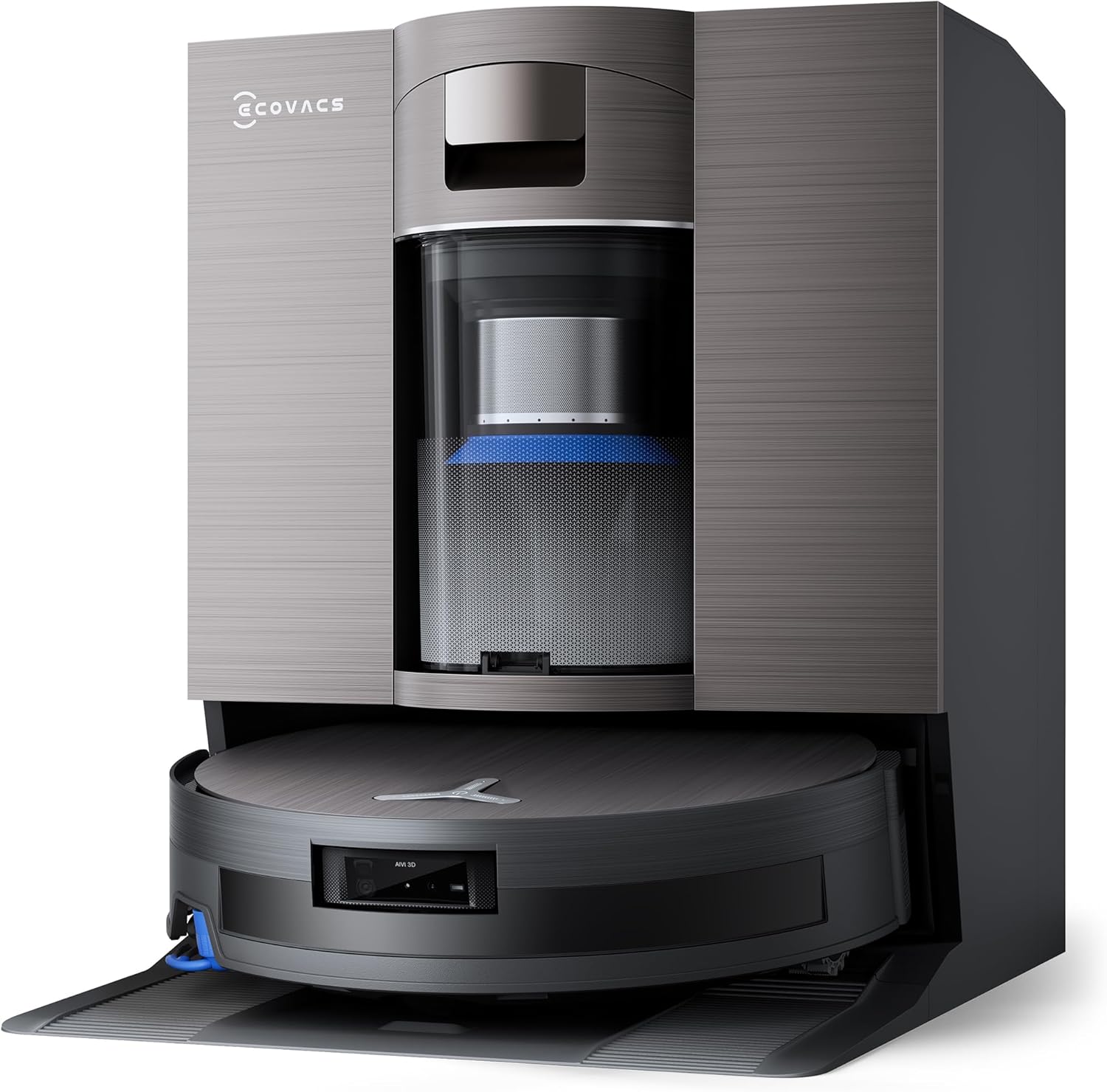
The ECOVACS DEEBOT X11 OMNICYCLONE Robot Vacuum and Mop Cleaner, shown with its accompanying OMNI station.
2. Setup
2.1 Unpacking
Carefully remove all components from the packaging. Ensure all items listed in the "Included Components" section are present.
- DEEBOT Robot Vacuum (with filter, main brush, floor washing roller pre-installed)
- OMNI Station (with two water tanks)
- Power Cable
- Side Brush
- Quick Guide
- User Manual (PDF version available for download)
2.2 OMNI Station Placement
Place the OMNI Station on a hard, level surface against a wall. Ensure there is at least 0.5 meters (1.6 feet) of clear space on both sides and 1.5 meters (4.9 feet) in front of the station for optimal robot navigation and docking.
2.3 Initial Charging
Connect the OMNI Station to a power outlet. Place the DEEBOT onto the charging contacts of the OMNI Station. Allow the robot to fully charge before its first use. The indicator light on the robot will show charging status.
2.4 App Connection
Download the ECOVACS HOME app from your device's app store. Follow the in-app instructions to connect your DEEBOT X11 OMNICYCLONE to your home Wi-Fi network (2.4GHz recommended). This enables advanced control, scheduling, and mapping features.

The ECOVACS HOME app provides advanced control options, including room and zone cleaning.
3. Operating Instructions
3.1 Cleaning Modes
The DEEBOT X11 OMNICYCLONE offers various cleaning modes accessible via the ECOVACS HOME app:
- Auto Cleaning: The robot automatically cleans the entire floor area.
- Area Cleaning: Select specific rooms or zones to clean.
- Custom Cleaning: Draw a custom area on the map for the robot to clean.
- Mopping Mode: Engages the OZMO ROLLER 2.0 for wet cleaning.
- Vacuum Only Mode: Disables mopping for vacuuming carpets or dry areas.
3.2 PowerBooster Technology
The PowerBooster technology ensures continuous cleaning by dynamically reserving power and restoring 6% of battery during 3-minute mop cleaning pauses. This allows for uninterrupted cleaning cycles across large areas up to 1,000 m².

The PowerBoost technology allows the DEEBOT to recover battery charge during cleaning pauses at the OMNI station.
3.3 Suction and Mopping Performance
The BLAST solution provides up to 19,500 Pa suction power, effectively removing fine dust and pet hair from various surfaces. The OZMO ROLLER 2.0 system applies 3800 Pa pressure and scrubs at 200 rpm for deep cleaning. The New TruEdge technology extends the mop's reach by 1.5 cm for thorough edge cleaning.

The OZMO ROLLER 2.0 with New TruEdge technology ensures thorough cleaning along edges.
3.4 Adaptive Climbing System
The TruePass 4WD Adaptive Climbing System allows the DEEBOT to overcome obstacles such as thresholds up to 2.4 cm for single steps and 4 cm for continuous steps. The robot activates auxiliary climbing wheels when encountering insurmountable obstacles.

The TruePass 4WD Adaptive Climbing System enables the robot to navigate over various floor transitions.
3.5 Smart Features
- AI 2.0 Stain Detection: The robot customizes its cleaning strategy based on stain type and severity, performing quick cleaning for light stains or Deep Re-mop for stubborn ones.
- Hot Water Immersion Washing: The OMNI station uses 75°C hot water to clean the mop roller, ensuring effective stain removal and hygiene.
- Automatic Mop and Brush Lifting: The DEEBOT intelligently lifts its mop and side/main brushes when detecting carpets or moving between wet and dry areas to prevent cross-contamination and keep carpets dry.

The robot automatically lifts its mop and brushes to prevent wetting carpets or spreading dirt.
4. Maintenance
Regular maintenance ensures optimal performance and extends the lifespan of your DEEBOT X11 OMNICYCLONE.
4.1 OMNI Station Maintenance
- Automatic Emptying: The OMNI Station features a bagless, two-stage cyclonic separation system for automatic dustbin emptying. Regularly empty the dust collection tray in the OMNI Station.
- Water Tanks: Empty the dirty water tank and refill the clean water tank as needed. The OMNI Station also performs hot water cleaning of the mop roller.

The OMNI station's bagless automatic emptying system simplifies maintenance.
4.2 Robot Components
- Main Brush and Side Brushes: Periodically remove and clean the main brush and side brushes. The anti-tangle design helps reduce hair entanglement, but occasional cleaning is still necessary.
- Filter: Clean or replace the HEPA filter as recommended by the manufacturer to maintain suction efficiency.
- Mop Roller: The OMNI Station automatically cleans the mop roller. However, inspect it regularly for wear and tear and replace if necessary.
- Sensors: Wipe the robot's sensors with a dry cloth to ensure accurate navigation.

The anti-tangle design of the side and main brushes minimizes hair entanglement, simplifying cleaning.
5. Troubleshooting
If you encounter issues with your DEEBOT X11 OMNICYCLONE, refer to the following common problems and solutions:
| Problem | Possible Cause | Solution |
|---|---|---|
| Robot does not start or respond. | Low battery; Power switch off; Robot stuck. | Charge the robot; Ensure power switch is ON; Clear any obstructions. |
| Poor cleaning performance. | Full dustbin; Clogged filter; Worn brushes; Low suction mode. | Empty dustbin; Clean/replace filter; Clean/replace brushes; Select higher suction mode in app. |
| Robot cannot return to OMNI Station. | Station obstructed; Robot too far; Wi-Fi issue. | Ensure clear path to station; Manually place robot near station; Check Wi-Fi connection. |
| Mopping leaves streaks or is ineffective. | Dirty mop roller; Insufficient water; Incorrect cleaning solution. | Ensure mop roller is clean (OMNI station cleans it); Refill clean water tank; Use recommended cleaning solutions. |
| Robot gets stuck frequently. | Obstacles (cables, small items); High thresholds. | Clear floor of obstacles; Use virtual boundaries in app; The TruePass system handles thresholds up to 4cm. |
For more detailed troubleshooting, refer to the ECOVACS HOME app or the full user manual (PDF).
6. Specifications
| Feature | Detail |
|---|---|
| Brand | ECOVACS |
| Model Name | X11 OMNICYCLONE |
| Recommended Surfaces | Marble, Laminate, Linoleum, Tiles, Carpet, Wood, Vinyl, Bamboo, Concrete |
| Special Features | BLAST and 19,500 Pa Suction, Hot Water Immersion Washing, TruePass 4WD Adaptive Climbing System, Automatic Emptying, OZMO ROLLER 2.0 Instant Automatic Mop Washing Technology, PowerBooster Charging Technology |
| Color | Black |
| Control Unit Type | App Control |
| Filter Type | HEPA |
| Battery Life | 300 Minutes |
| Battery Cell Composition | Lithium Ion |
| Voltage | 20 Volts |
| Dustbin Capacity | 1.6 Liters |
| Power Source | Battery Powered |
| Batteries Included | Yes |
| Item Dimensions (LxWxH) | 49.3L x 38W x 46.5H cm |
| Item Weight | 15.97 Kilograms |
| Included Components | Power cable*1, DEEBOT*1 (with filter *1, main brush *1, floor washing roller*1), Quick Guide*1, User Manual*1, Side brush*1, OMNI Station*1 (with water tank *2) |
7. Support & Warranty
For further assistance, please refer to the official ECOVACS website or contact customer support.
- Official User Manual (PDF): Download PDF Manual
- ECOVACS Brand Store: Visit ECOVACS Store on Amazon
Warranty Information
Warranty details are typically provided with the product packaging or available on the official ECOVACS website. Please retain your proof of purchase for warranty claims.


