
1. Introduction
This manual provides essential information for the safe and efficient operation of your Aromadd U2 Smart Waterless Diffuser. Please read these instructions thoroughly before use and retain them for future reference.
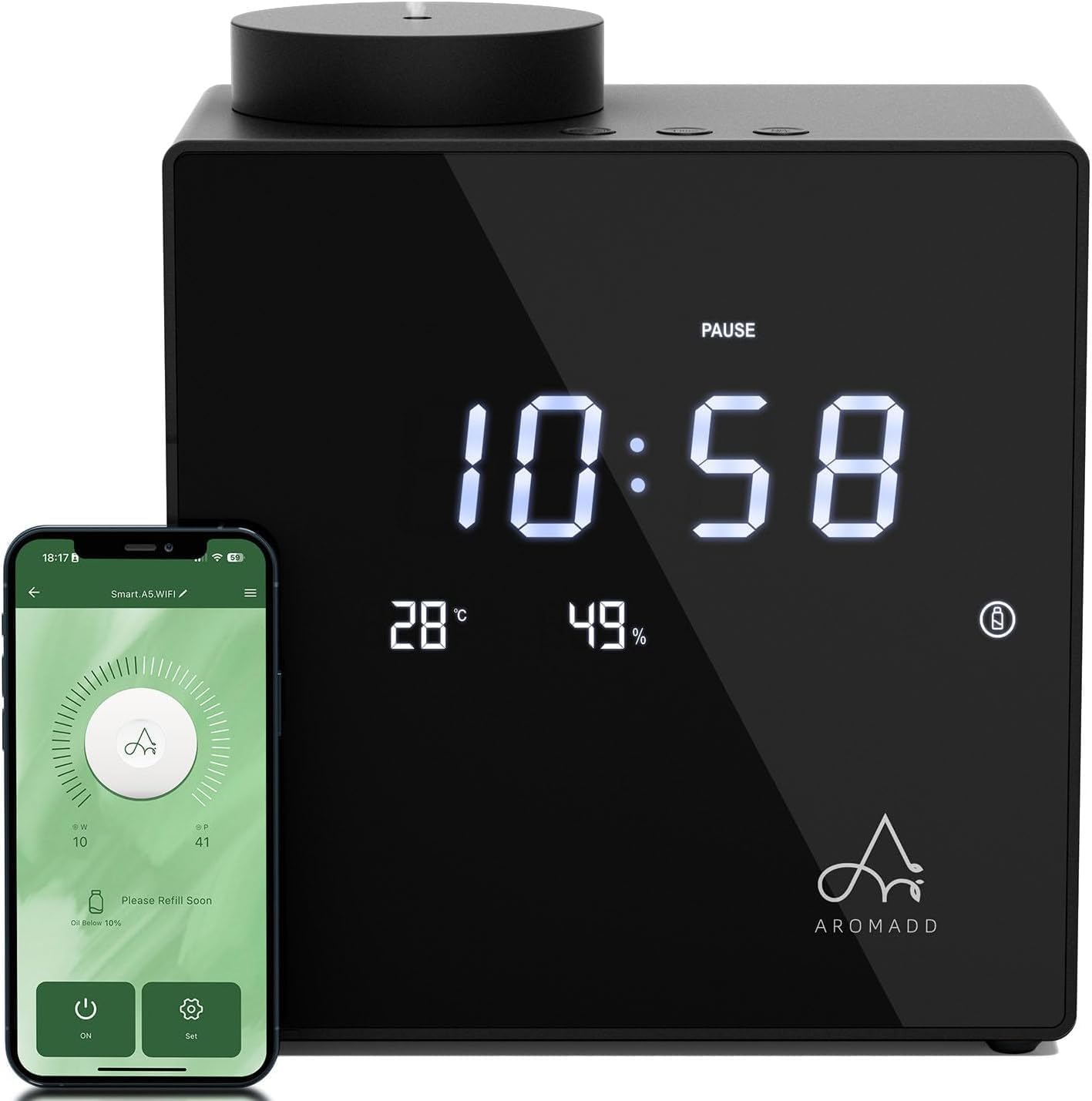
Image 1.1: Aromadd U2 Smart Waterless Diffuser and companion app.
The Aromadd U2 is a multi-functional smart scent system designed to disperse essential oils using advanced cold-air diffusion technology. It features a digital clock, real-time temperature and humidity sensors, and an essential oil level monitor. The device offers 7 adjustable scent intensity levels and 9 timer settings, controllable via integrated buttons or a dedicated smartphone application.
Video 1.1: Overview of the Aromadd U2 Smart Waterless Diffuser features.
2. Safety Information
To ensure safe operation, observe the following precautions:
- Keep the device on a stable, flat surface to prevent tipping.
- The device is equipped with an intelligent tilt-sensor that automatically stops misting if tipped over.
- Use only recommended essential oils. Do not use water or other liquids.
- Keep out of reach of children and pets.
- Do not disassemble or attempt to repair the device yourself. Contact customer support for assistance.
- Ensure the power adapter is compatible with your local voltage and properly connected.

Image 2.1: The Aromadd U2 Diffuser is designed with safety features for households with children and pets.
3. Package Contents
Verify that all items are present in the package:
- Aromadd U2 Smart Waterless Diffuser
- Power Adapter
- Instruction Manual
- Empty Essential Oil Bottle (200ml)
4. Product Overview
The Aromadd U2 features a sleek design with an acrylic front panel and aluminum alloy body. Key functionalities include:
- Cold-Air Diffusion: Produces ultra-fine 1μm mist droplets to preserve essential oil properties.
- Coverage: Effective for areas up to 2,000 sq.ft.
- Capacity: 200ml / 6.76oz refillable essential oil bottle.
- Environmental Display: Integrated digital clock, real-time temperature, and humidity sensors.
- Oil Level Monitor: Smart low-oil alert system.
- Scent Control: 7 adjustable scent intensity levels.
- Timer Settings: 9 preset timer options.
- Control: Manual buttons and smart app control via Bluetooth.
- Quiet Operation: Runs at under 31dB.
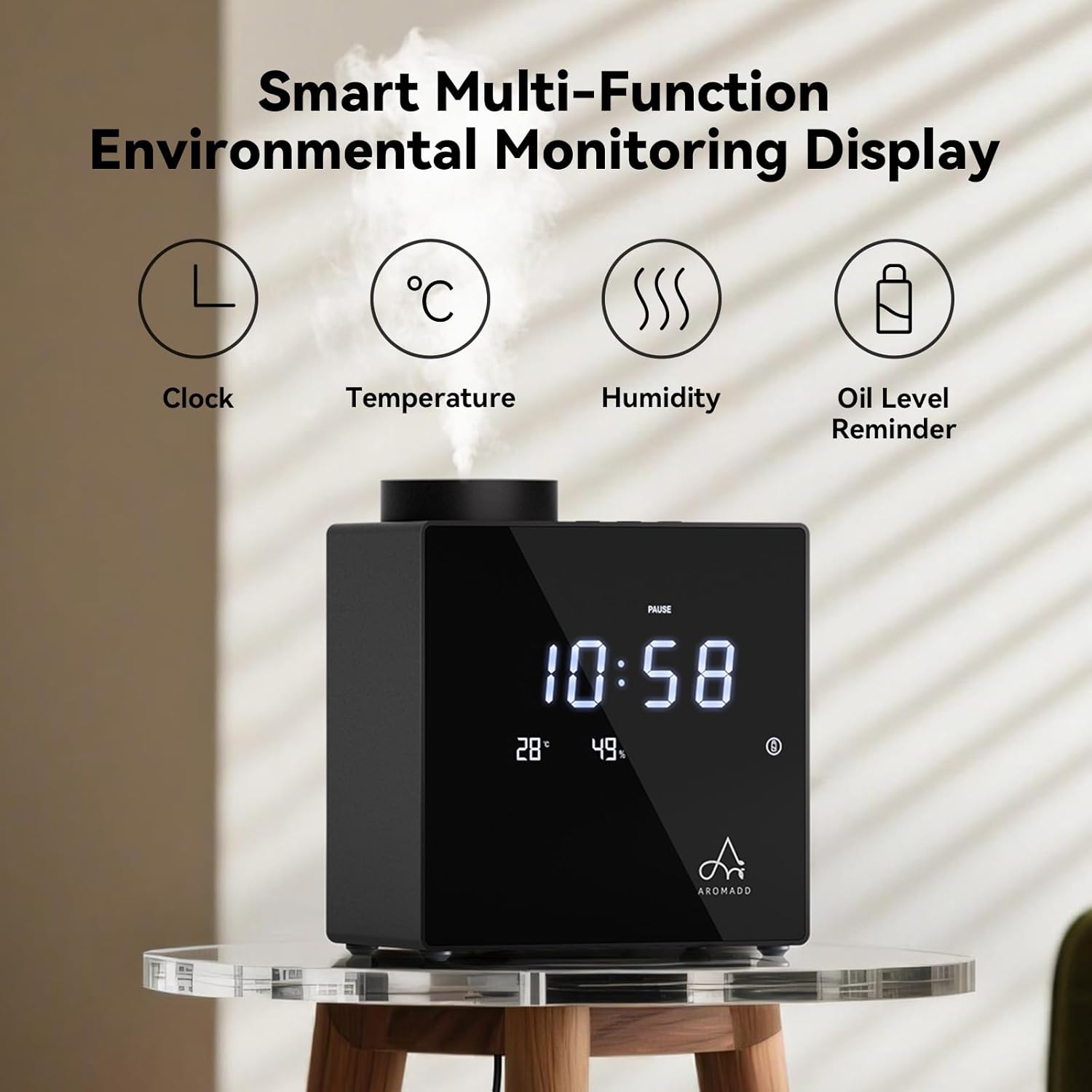
Image 4.1: Smart Multi-Function Environmental Monitoring Display.

Image 4.2: Internal components illustrating cold-air diffusion technology.

Image 4.3: Illustration of the diffuser's wide coverage area.
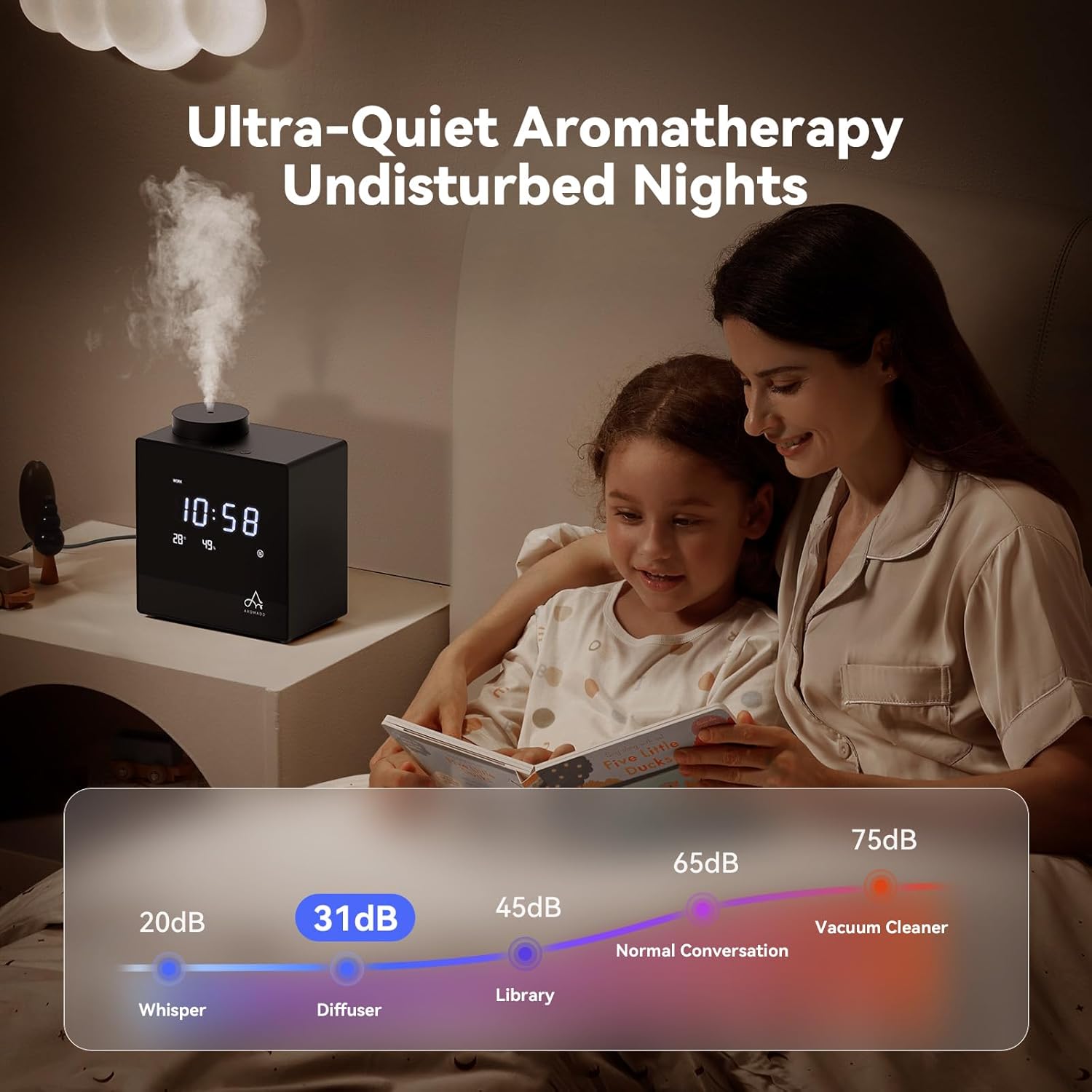
Image 4.4: The diffuser operates quietly, suitable for bedrooms.
5. Setup
5.1. Filling Essential Oil
- Remove the top cover of the diffuser.
- Unscrew the empty essential oil bottle from the atomizer.
- Carefully fill the bottle with your desired essential oil.
- Screw the bottle back onto the atomizer securely.
- Replace the top cover.
5.2. Power Connection
Connect the power adapter to the diffuser and then plug it into a suitable power outlet.
5.3. App Download and Device Connection
- Download the 'AROMADD' app from the Apple App Store or Google Play.
- Register and log in to your account within the app.
- Enable Bluetooth on your smartphone.
- In the app, navigate to 'Connect the Device' and select your Aromadd U2 diffuser from the list.
- Enter the initial Bluetooth password '1234' when prompted. If this fails, try '0000'.
Video 5.1: Aromadd U2 Pro App Quick Start Guide for setup and connection.
6. Operating Instructions
6.1. Manual Controls
The diffuser can be operated using the buttons located on the top panel:
- Power Button: Press and hold for 2 seconds to power on/off. Short press to switch mist mode.
- Level Button: Cycles through 7 scent intensity levels.
- Time Button: Cycles through 9 preset timer settings.
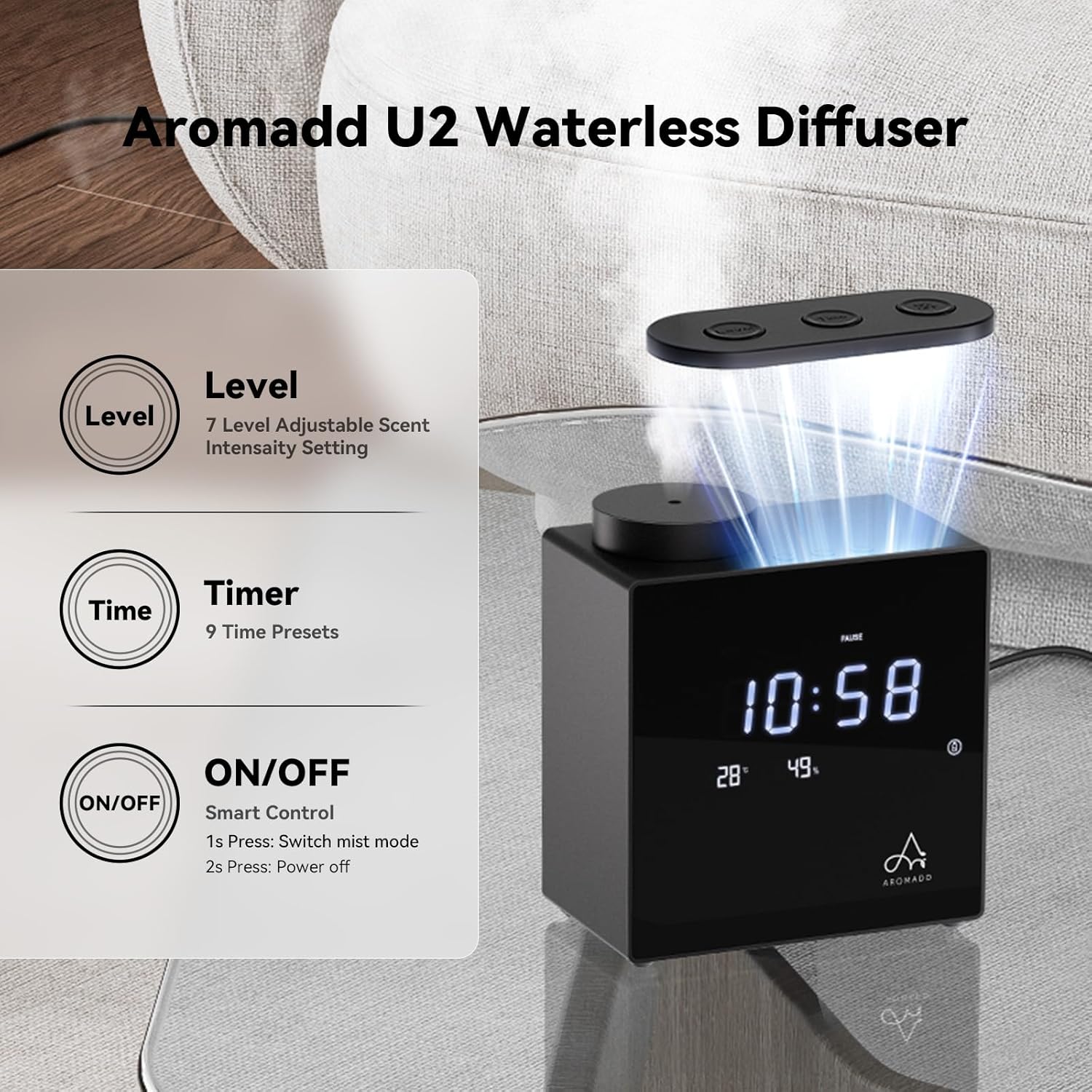
Image 6.1: Manual control buttons for the Aromadd U2 Diffuser.
6.2. App Control
The AROMADD app provides comprehensive control over your diffuser:
- Power On/Off: Control the device remotely.
- Scent Intensity: Adjust between 7 levels.
- Scheduling: Create advanced schedules by setting work days, start/end times, mist intensity, and rest periods.
- Oil Level Monitoring: View real-time essential oil levels.

Image 6.2: App interface for controlling the Aromadd U2 Diffuser.
7. Maintenance
Regular cleaning ensures optimal performance and longevity of your diffuser:
- Clean the device once a month using 90%+ alcohol.
- Ensure the device is powered off and unplugged before cleaning.
- Wipe the exterior with a soft, dry cloth.
- For the atomizer, remove the essential oil bottle and clean the atomizer nozzle with a cotton swab dipped in alcohol.
- Allow all parts to dry completely before reassembling and using.
8. Troubleshooting
If you encounter issues with your Aromadd U2 Diffuser, refer to the following common solutions:
| Problem | Possible Cause | Solution |
|---|---|---|
| No mist is being diffused. | Essential oil bottle is empty or low. Atomizer nozzle is clogged. Device is not powered on. | Refill essential oil. Clean the atomizer nozzle. Ensure the device is powered on and connected to power. |
| Weak scent output. | Scent intensity level is too low. Room size exceeds coverage. | Increase scent intensity via buttons or app. Ensure device is placed optimally for room size. |
| Device not connecting to app. | Bluetooth is off. Incorrect password. Device is out of range. | Ensure Bluetooth is enabled. Re-enter password '1234' or '0000'. Move device closer to your smartphone. |
| Device turns off unexpectedly. | Timer setting expired. Low oil alert activated. Device was tipped over. | Check timer settings. Refill essential oil. Ensure device is on a stable surface. |
If the problem persists, please contact Aromadd customer support.
9. Specifications
| Feature | Detail |
|---|---|
| Brand | Aromadd |
| Model Name | U2 |
| Color | Black |
| Product Dimensions | 6.7"L x 3.4"W x 6"H |
| Item Weight | 3.41 pounds |
| Material | Acrylic Front Panel, Aluminum Alloy Body |
| Capacity | 200 Milliliters |
| Coverage | 2000 Sq.Ft |
| Special Features | 7 Levels & 9 Smart Timers, Button & App Control, Smart Multi-Function Environmental Monitoring Display, Tilt Sensor |
| Auto Shutoff | No (except for tilt sensor activation) |

Image 9.1: Product dimensions of the Aromadd U2 Diffuser.
10. Warranty and Support
For warranty information, please refer to the documentation included with your purchase or visit the official Aromadd website. For customer support, including questions, feedback, or issue resolution, utilize the 'Customer Support' section within the AROMADD app. This section provides direct contact options and access to product operation videos.
