
1. Introduction
Thank you for choosing the PayLessHere 32-Inch Vintage Computer Desk. This desk is designed for versatility and durability, suitable for various uses in home offices, studies, or bedrooms. It features a sturdy metal frame and a water-resistant, scratch-proof surface. This manual provides essential information for safe assembly, proper use, and maintenance of your new desk.
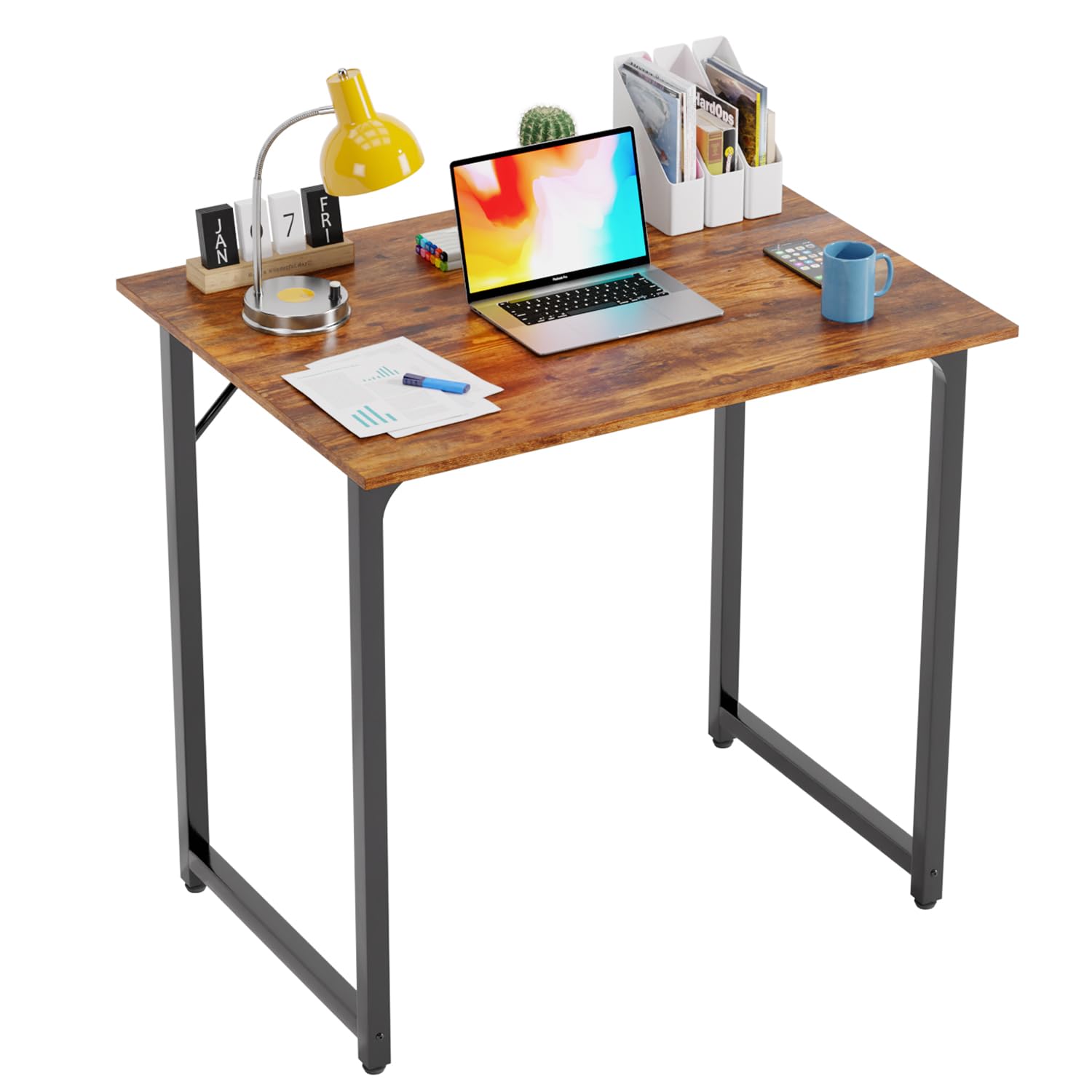
Figure 1: Assembled PayLessHere 32-Inch Vintage Computer Desk.
2. Safety Information
- Read all instructions carefully before assembly and use.
- Keep all packaging materials away from children.
- Ensure all screws and fasteners are securely tightened before use. Periodically check and re-tighten as needed.
- Do not overload the desk. Refer to specifications for weight capacity.
- Avoid placing hot items directly on the desk surface without protection.
- Do not stand or sit on the desk.
- Place the desk on a level surface to prevent wobbling. Use the adjustable feet to stabilize if necessary.
3. Package Contents
Please verify that all components are present before beginning assembly. If any parts are missing or damaged, please contact customer support.
| Part | Description | Quantity |
|---|---|---|
| A | Desktop Panel | 1 |
| B | Left Leg Frame | 1 |
| C | Right Leg Frame | 1 |
| D | Support Bars (Pre-attached to leg frames) | 2 |
| E | Screws (M6x15mm) | 8 |
| F | Allen Wrench | 1 |
| G | Adjustable Feet (Pre-attached to leg frames) | 4 |
4. Setup and Assembly
Assembly typically requires one person and takes approximately 15-30 minutes. A screwdriver is recommended in addition to the included Allen wrench.
- Unpack and Identify Parts: Carefully unpack all components and lay them out on a soft, clean surface (e.g., a carpeted floor) to prevent scratches. Identify each part using the list in Section 3.
- Attach Leg Frames to Desktop: Place the desktop panel (A) upside down on your protected surface. Align the pre-drilled holes on the left leg frame (B) with the corresponding holes on the desktop. Insert screws (E) and partially tighten them with the Allen wrench (F). Repeat for the right leg frame (C).
- Secure Support Bars: The triangular support bars (D) are pre-attached to the leg frames. Ensure they are properly extended and aligned with their connection points on the desktop. Fully tighten all screws (E) connecting the leg frames and support bars to the desktop. Do not overtighten.
- Adjust Feet: Carefully flip the assembled desk upright. The adjustable feet (G) are pre-attached to the bottom of the leg frames. Turn each foot clockwise or counter-clockwise to level the desk on uneven surfaces.

Figure 2: Product Dimensions.
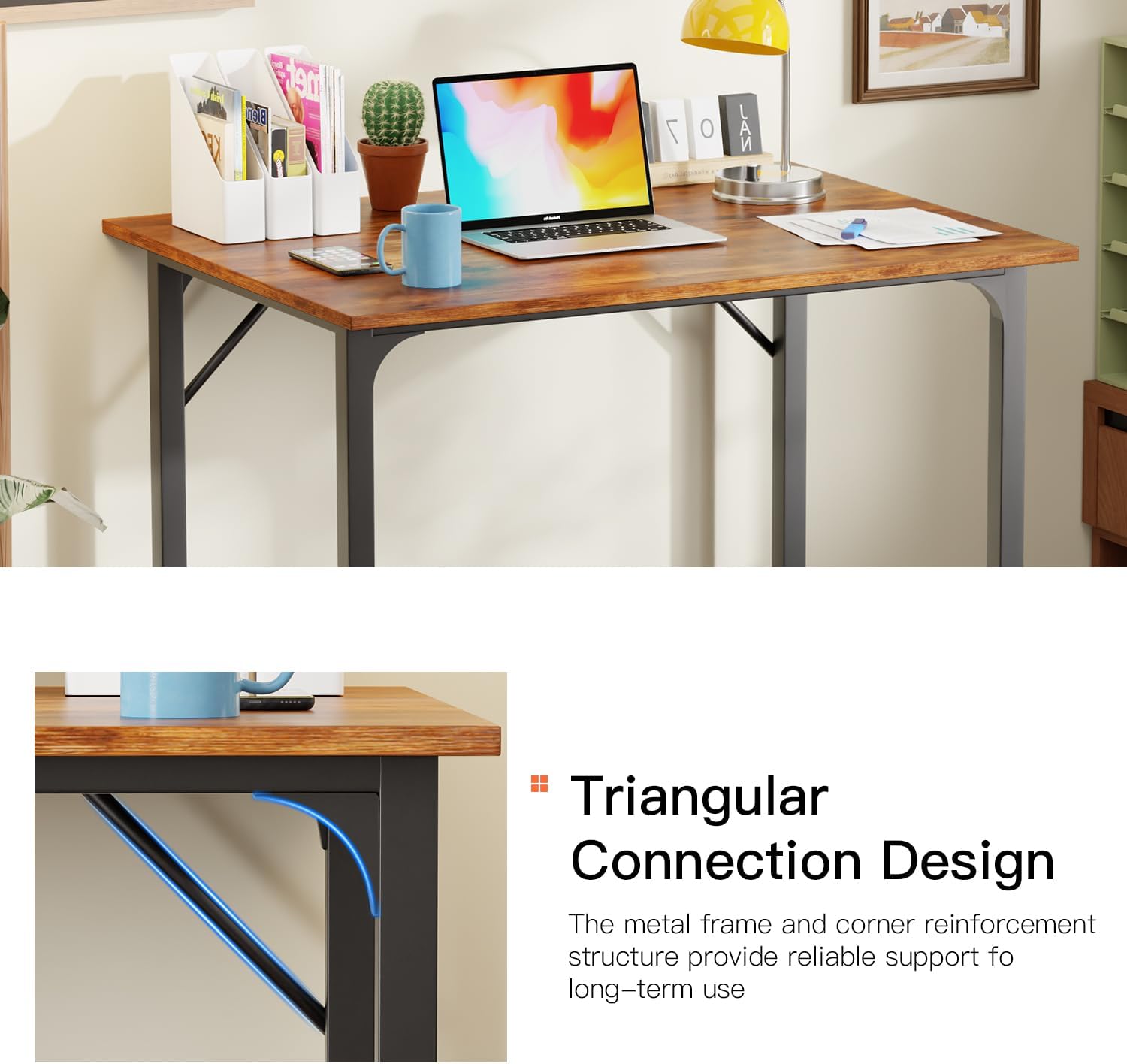
Figure 3: Triangular Connection Design for enhanced stability.

Figure 4: Adjustable feet for leveling the desk.
Assembly Video Guide
For a visual guide on assembly and features, please watch the video below:
Video 1: "Compact, Sturdy Metal Desk for Home+Office - 32 Inch, Brown" by Eve. This video demonstrates the assembly process and highlights key features of the desk.
5. Operating and Usage
- Placement: Position the desk in your desired location, ensuring it is on a stable and level surface.
- Leveling: Use the adjustable feet at the bottom of the legs to fine-tune the desk's stability and prevent wobbling. Turn them clockwise to raise a corner or counter-clockwise to lower it.
- Surface Protection: Although the desktop is scratch-proof and water-resistant, using coasters for drinks and mouse pads for computer peripherals is recommended to prolong its lifespan.
- Weight Capacity: The desk is designed to support standard office equipment such as laptops, monitors, and books. Avoid placing excessively heavy items on the surface.
6. Maintenance
- Cleaning: Wipe the desk surface with a damp cloth. For stubborn marks, use a mild, non-abrasive cleaner. Dry immediately with a clean cloth.
- Avoid Harsh Chemicals: Do not use harsh chemicals, abrasive cleaners, or solvents, as these can damage the finish.
- Regular Checks: Periodically check all screws and connections to ensure they remain tight. Re-tighten if any looseness is detected.
- Environmental Conditions: Avoid exposing the desk to extreme temperatures or humidity, which can affect the material integrity.
7. Troubleshooting
| Problem | Possible Cause | Solution |
|---|---|---|
| Desk is wobbly | Uneven floor; loose screws | Adjust the leveling feet at the bottom of the legs. Ensure all assembly screws are securely tightened. |
| Parts do not fit during assembly | Incorrect orientation of parts; manufacturing defect | Review the assembly instructions and diagrams carefully to ensure parts are oriented correctly. If issues persist, contact customer support. |
| Surface scratches easily | Excessive force or sharp objects; misinterpretation of 'scratch-proof' | While the surface is scratch-resistant, it is not impervious to all damage. Avoid dragging sharp objects across the surface. Use protective mats for heavy use areas. |
8. Specifications
| Feature | Detail |
|---|---|
| Brand | PayLessHere |
| Model Number | CD-H3250-Vintage |
| Product Dimensions (D x W x H) | 20"D x 32"W x 30"H (50.8 cm x 81.3 cm x 76.2 cm) |
| Item Weight | 16 pounds (7.26 kg) |
| Color | Vintage |
| Style | Vintage |
| Top Material Type | Wood |
| Base Material | Metal |
| Finish Type | Powder Coated |
| Special Feature | Adjustable Height (via leveling feet) |
| Tabletop Thickness | 0.59 inches (1.5 cm) |
| Recommended Number of People for Assembly | 1 |
| Tools Recommended For Assembly | Screw Driver |
9. Warranty and Support
PayLessHere products are manufactured to high-quality standards. For specific warranty information, please refer to the documentation included with your purchase or contact PayLessHere customer service directly. If you encounter any issues or have questions regarding your desk, please reach out to our support team for assistance.
Contact Information: Please visit the official PayLessHere website or your retailer's support page for current contact details.