
Introduction
Thank you for choosing the EINSEO Thermos-C Smart Male Masturbator. This device is designed to provide a customizable and immersive experience with advanced features including multiple thrusting patterns, real-warm heating, and intelligent APP control. Please read this manual thoroughly before use to ensure safe and optimal operation.
Safety Information
- This product is intended for adult use only.
- Clean the device before and after each use.
- Use only water-based lubricants with this device. Other types of lubricants may cause damage to the TPE sleeve material.
- Do not soak the main device body in water. The inner sleeve is removable for cleaning.
- Do not rinse the interior of the main device body directly with water.
- Ensure the device is fully charged before prolonged storage.
- Store the device safely out of the reach of children.
- If the device malfunctions, power it off and perform a full recharge before resuming regular usage.
- Please note: A 5-volt power supply is recommended for charging.
Package Contents
- 1 x EINSEO Thermos-C Smart Male Masturbator
- 3 x Replaceable Signature TPE Sleeves (various textures)
- 1 x USB-C Charging Cable
- 1 x Magnetic Phone Holder
- 1 x User Manual
- 1 x Small pack of water-based lubricant
Setup
Charging the Device
Connect the dedicated USB-C charging cable to the charging port on the device. Connect the USB end of the charging cable to a computer or a USB charging adapter (5V recommended). During normal charging, the indicator light on the product will flash. When charging is complete, the indicator light will remain on. Approximate charging time is 180 minutes for up to 50 minutes of use.
Inserting/Replacing Sleeves
- Remove the lid from the device.
- Gently pull out the inner sleeve from the main body.
- Insert a new desired sleeve, ensuring it is properly seated within the device.
- Replace the lid.
APP Connection (JoyHub)
Download the JoyHub APP by scanning the QR code provided in the manual or visiting joyhub.net/app. Press and hold the power button on the device for 3 seconds to turn it on. Turn on the Bluetooth function on your smartphone and follow the APP instructions to add the device. The app allows for voice-sync, motion-sync, and adaptive smart modes.
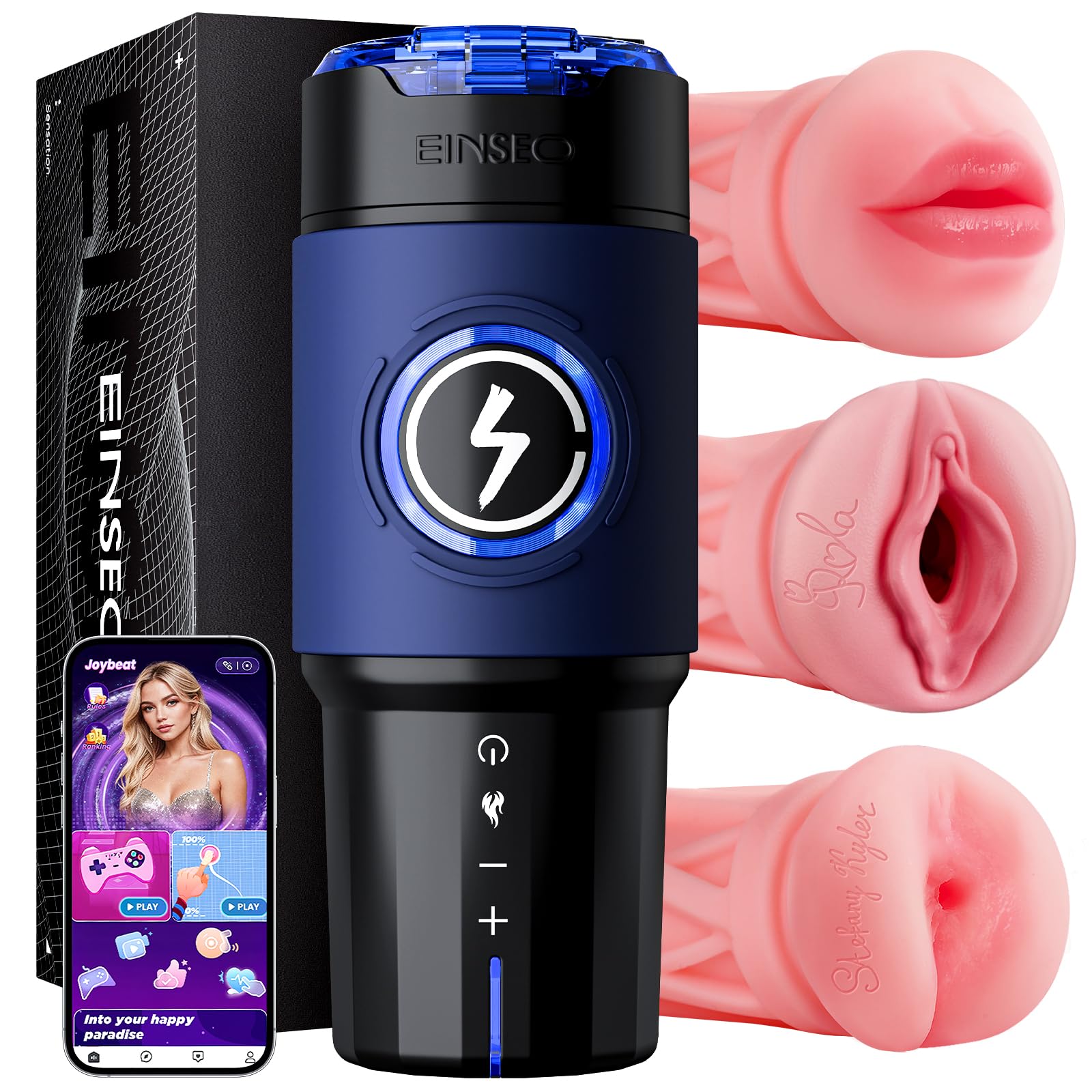
Image: EINSEO Thermos-C Smart Male Masturbator with phone showing APP control and features like App Control, AI Lover, Thrusting, and Heating.
Operating Instructions
Device Controls
- Power Button: Hold for 2 seconds to power on (standby). Short press to start/switch 5 thrusting modes. Hold again to power off.
- "+" Key: Short press to increase speed (5 levels). Long press for burst mode. Press any key to return to level 1.
- "-" Key: Short press to decrease speed. Long press for 2 seconds to pause. Press any key to resume.
- Heating Button: In standby mode, short press to activate heating mode.
Key Features
- Thrusting System: Enjoy 5-speed thrusting performance up to 550 strokes per minute, from gentle to intense.
- 360° RealWarm Heating: Advanced full-length heating warms the sleeve evenly up to 107°F (42°C). Activate pre-heating via the APP.
- AI Lover Interactive Mode: Your virtual partner can chat, react in real-time, and automatically adjust thrusting patterns.
- APP Video Sync: Use the detachable magnetic phone holder for hands-free control and immersive video sync mode, aligning motion with on-screen rhythm.

Image: AI Companion feature with real-time AI feedback adjusting frequency to your rhythm.

Image: High-speed thrusting performance up to 550 strokes per minute, powered by a quiet brushless motor.
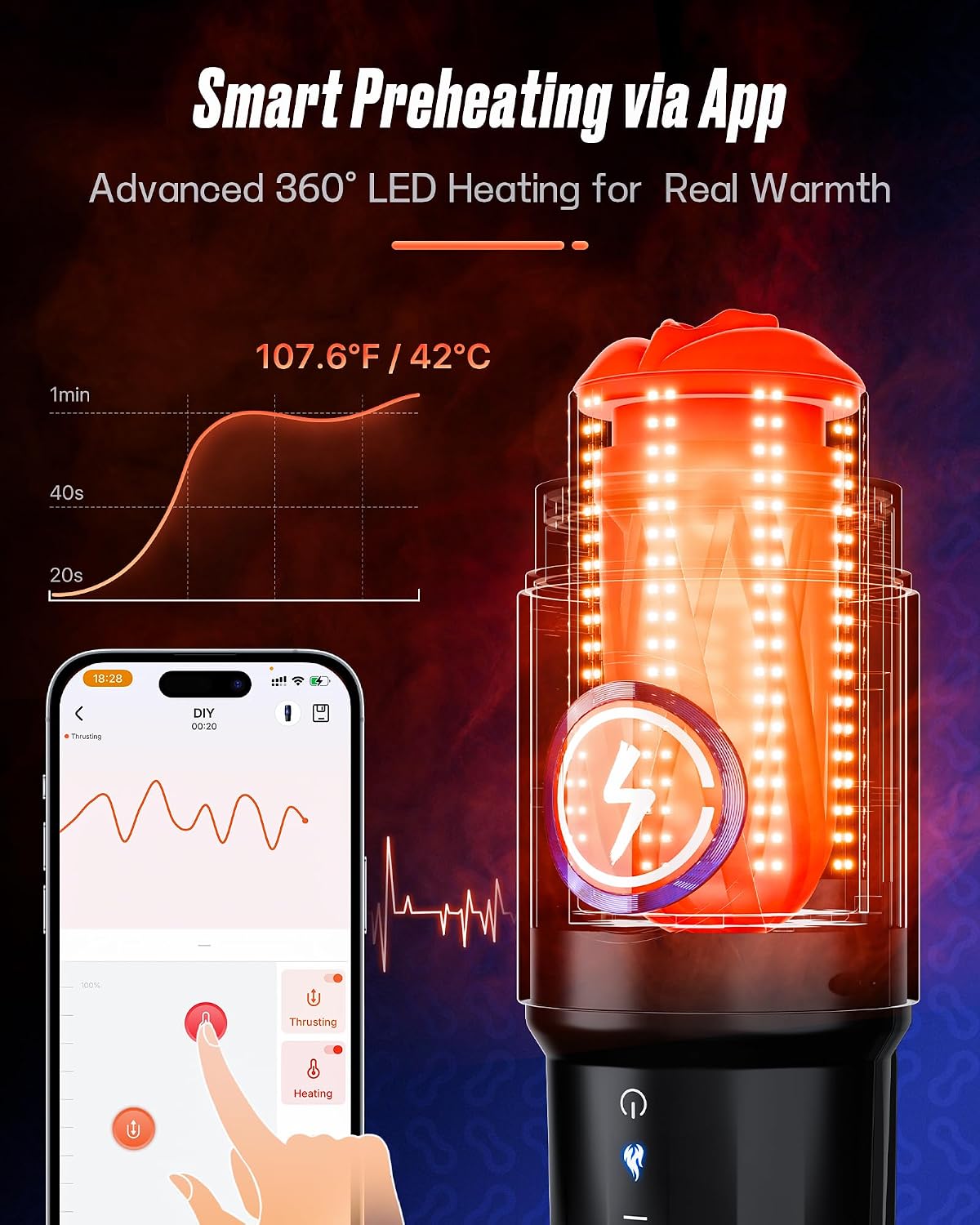
Image: Smart Preheating via App, showing advanced 360° LED Heating for Real Warmth up to 107.6°F / 42°C.
Official Product Videos
Video: Official product video from EINSEO Store demonstrating the features of the male masturbator. Duration: 0:26.
Video: Official product video from EINSEO Store showcasing the male masturbator's functionalities. Duration: 0:28.
Maintenance & Cleaning
To ensure hygiene and longevity of your device, proper cleaning is essential after each use.
- Remove the inner sleeve from the main device body.
- Rinse the inner sleeve thoroughly with water and mild soap.
- Dry the inner sleeve completely before reassembling.
- Reassemble the device for next use.
Important: Avoid water entering the main device body. Do not soak the main unit in water or rinse its interior directly with water.

Image: Step-by-step guide for disassembling, cleaning, and reassembling the inner sleeve, with a warning to avoid water in the main body.
Troubleshooting
- If the device malfunctions, power it off and perform a full recharge before resuming regular usage.
- To maintain battery quality, fully charge the device at least once every six months.
- Ensure your hands are dry before handling the product to avoid electrical shock or burns.
Specifications
| Feature | Detail |
|---|---|
| Item Model Number | Thermos-C |
| Package Dimensions | 12.57 x 8 x 5 inches |
| Weight | 4.48 Pounds |
| Batteries | 1 Lithium Polymer batteries required (included) |
| Material | Acrylic (outer shell), TPE (sleeves) |
| Color | Black |
| Water Resistance Level | Water Resistant (sleeves only, main unit not waterproof) |
| Operating Time | Approx. 50 minutes |
| Charging Time | Approx. 180 minutes |
| Noise Level | Under 48dB |
Warranty & Support
This product is covered by a Product Warranty for 1 YEAR from the Original Date of Purchase against defects due to fault of production or materials. The product warranty covers working parts of the Product and does NOT cover the following:
- The product warranty has not been activated.
- Unusual methods of use or methods of use deemed inappropriate or otherwise mentioned in this user manual as invalidating the warranty.
- Damage caused during delivery of the product, transportation of the product or accidents.
- Damage caused by natural disasters or use at incorrect voltage.
- Cosmetic damage caused by normal use of the product.
For customer support, please contact: support@einseotoy.com