
1. Introduction
Thank you for choosing the MorePro HM57 Fitness Tracker Smart Watch. This manual provides essential information for setting up, operating, and maintaining your device. Please read it carefully to ensure optimal performance and a complete understanding of its features.

Image 1.1: MorePro HM57 Smart Watch, Orchid Purple variant.
2. What's in the Box
Upon opening your MorePro HM57 package, verify that all components are present:
- MorePro HM57 Smart Watch with Band
- Charging Cable
- User Manual (this document)

Image 2.1: Packaging contents of the MorePro HM57 Smart Watch.
3. Setup Guide
3.1. Charging the Device
Before initial use, fully charge your MorePro HM57 Smart Watch. Connect the magnetic charging cable to the charging points on the back of the watch and plug the USB end into a power adapter (not included) or a computer's USB port. A full charge typically takes approximately 2 hours.
Video 3.1: Demonstration of charging the MorePro HM57 Smart Watch.
3.2. App Installation
To unlock all features and synchronize data, download the companion app. The MorePro HM57 is compatible with smartphones running Android 7.0 / iOS 13.0 and above. Search for the official MorePro app in your device's app store (Google Play Store for Android, Apple App Store for iOS).
3.3. Device Pairing
After installing the app and ensuring your watch is charged:
- Enable Bluetooth on your smartphone.
- Open the MorePro app and follow the on-screen instructions to create an account or log in.
- Select 'Add Device' or a similar option within the app.
- The app will search for nearby devices. Select 'MorePro HM57' from the list.
- Confirm the pairing request on both your phone and the watch if prompted.

Image 3.1: The MorePro HM57 Smart Watch is compatible with Android and iOS devices.
4. Operating Instructions
4.1. Basic Navigation
The MorePro HM57 features a responsive touchscreen for navigation. Swipe left, right, up, or down to access different functions and menus. Press the side button to return to the home screen or wake the device.
4.2. Health Monitoring
Your watch continuously monitors key health metrics:
- Heart Rate: Provides 24/7 heart rate tracking.
- Blood Pressure: Monitors blood pressure levels. Note: This device is not intended for medical use. Consult a healthcare professional for medical advice.
- Blood Oxygen (SpO2): Measures blood oxygen saturation.
- Sleep Tracking: Analyzes sleep patterns, including deep, light, and wake-up phases.

Image 4.1: Health monitoring features displayed on the watch face.
Video 4.1: Overview of health and fitness features of the MorePro HM57 Smart Watch.
4.3. Fitness Tracking
The watch supports over 120 sports modes. To start a workout:
- Swipe to the 'Sports' or 'Workout' menu on your watch.
- Select your desired activity (e.g., running, cycling, walking, climbing).
- The watch will begin tracking steps, distance, calories burned, heart rate, and training time.

Image 4.2: Real-time tracking of steps, calories, and distance.
4.4. Call and Message Functions
With Bluetooth 5.2, you can manage calls and notifications directly from your wrist:
- Make/Answer Calls: Use the built-in dual microphones and AAC high-fidelity speaker.
- Notifications: Receive alerts for emails, text messages, and social media apps (e.g., Facebook, WhatsApp, Instagram).

Image 4.3: Seamless call functionality on the MorePro HM57 Smart Watch.
4.5. Reminders and Other Features
The watch includes several practical features:
- Sedentary Reminder: Prompts you to move after periods of inactivity.
- Drinking Water Reminder: Helps maintain hydration.
- Women's Wellness Management: Tracks menstrual cycle, ovulation, and security periods.
- Alarm Clock: Set alarms for daily schedules.
- Weather: Real-time weather updates.
- Calculator: Basic calculator function.
- Camera Remote Control: Control your phone's camera remotely.
- Music Control: Manage music playback on your phone.
- Find Phone/Watch: Locate your paired device.
- Stopwatch & Timer: For precise timing.
- Guided Breathing Exercises: Helps to relax and de-stress.
- Voice Assistant: Syncs with your smartphone's AI for hands-free queries and replies.
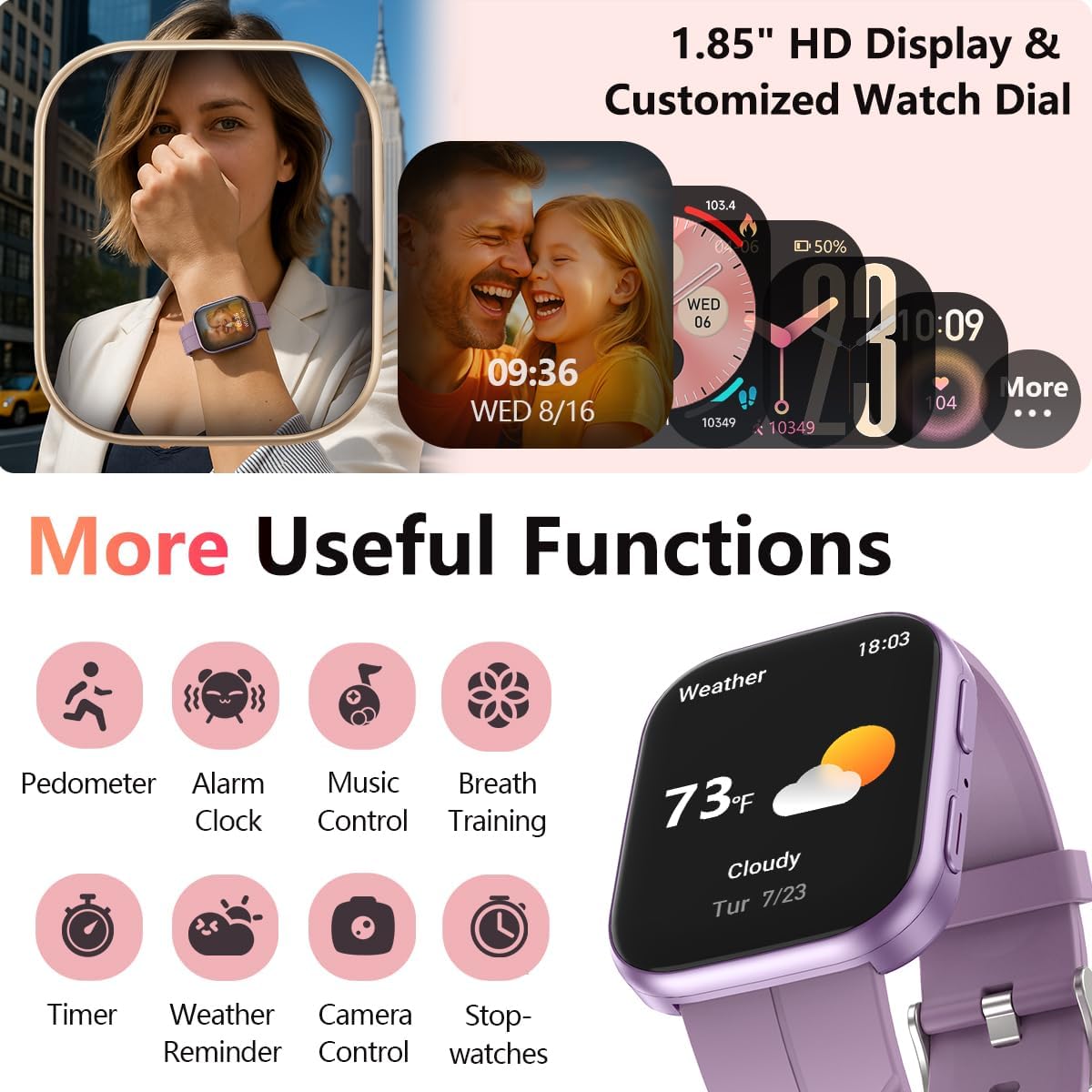
Image 4.4: Overview of additional useful functions.
Video 4.2: Quick demonstration and features overview of the MorePro HM57 Smart Watch.
5. Maintenance
5.1. Cleaning Your Watch
Regularly clean your watch and band to prevent skin irritation and maintain functionality. Use a soft, damp cloth to wipe the screen and band. Avoid harsh chemicals or abrasive materials.
5.2. Water Resistance
The MorePro HM57 has an IP67 water resistance rating, meaning it is resistant to splashes and brief immersion in water up to 1 meter. It is suitable for daily use and light water exposure. It is not suitable for diving, surfing, hot showers, or prolonged submersion.
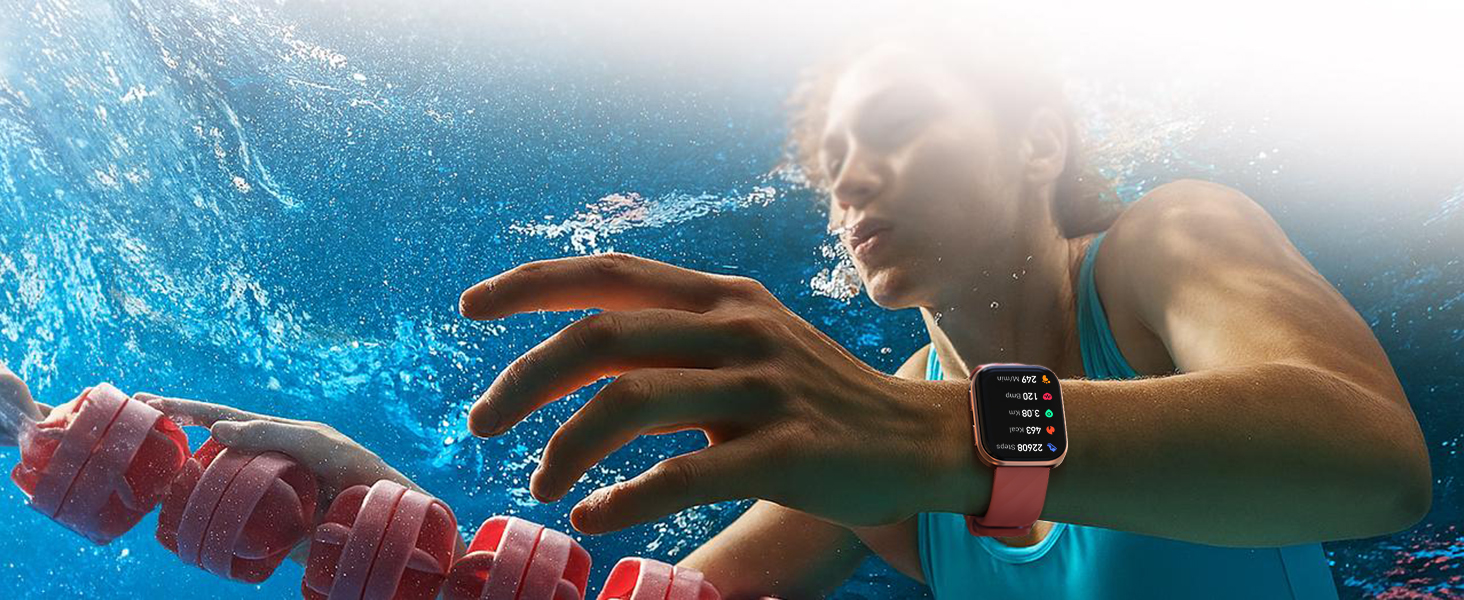
Image 5.1: The MorePro HM57 Smart Watch features IP67 water resistance.
5.3. Battery Life and Charging
The watch features a 300mAh battery. A full charge provides approximately 7 days of normal use and up to 20 days of standby time. Battery performance may vary based on usage patterns and activated features. Always use the provided magnetic charging cable.
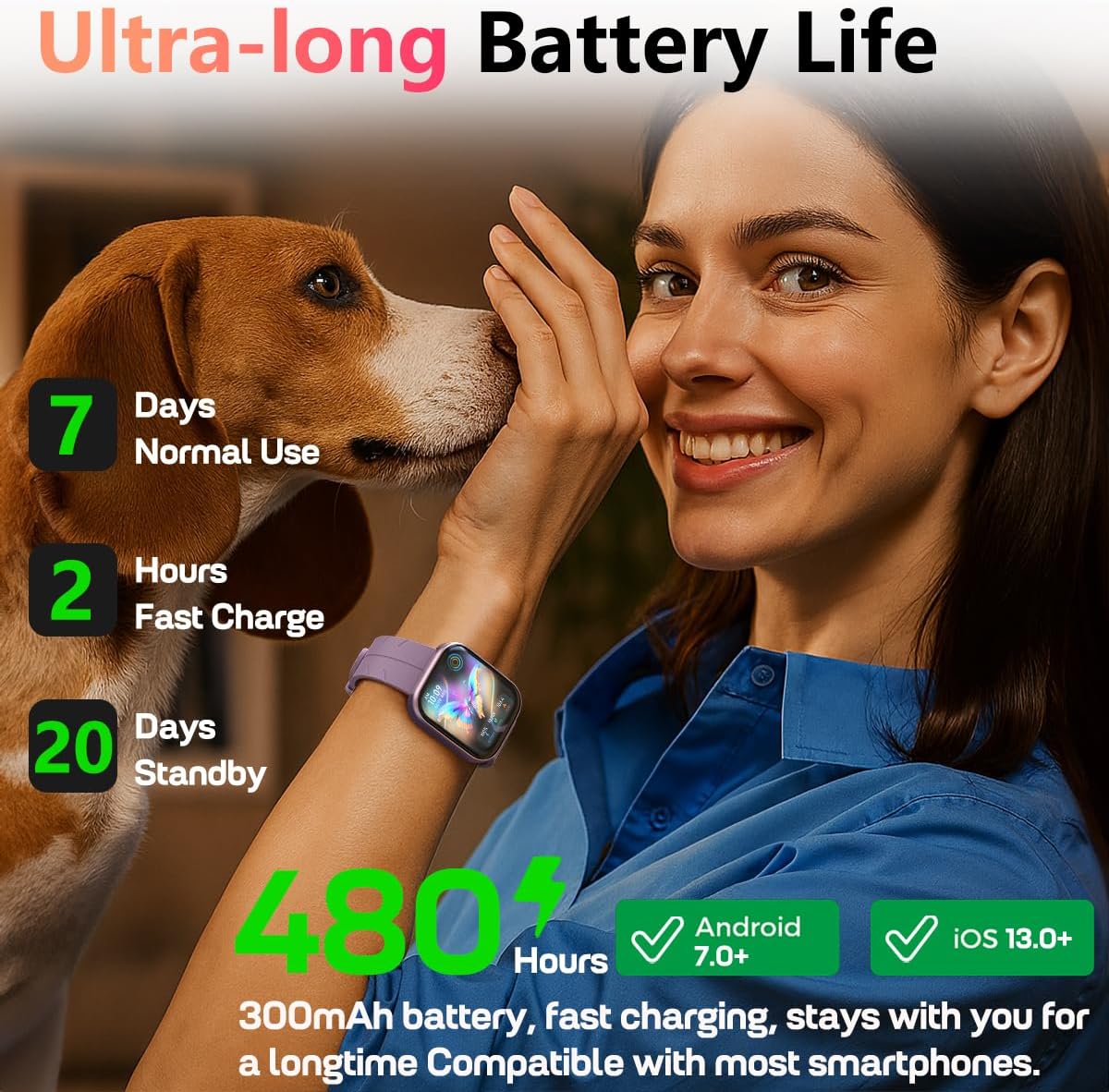
Image 5.2: Battery life and charging information for the MorePro HM57.
6. Troubleshooting
If you encounter issues with your MorePro HM57 Smart Watch, refer to the following common solutions:
- Device Not Turning On/Charging: Ensure the charging cable is correctly aligned with the magnetic contacts on the watch. Try a different USB power source. If the watch becomes hot during charging, disconnect it immediately and contact support.
- Pairing Issues: Ensure Bluetooth is enabled on your phone and the watch is within range. Restart both your phone and the watch. Try unpairing and re-pairing the device through the app.
- Inaccurate Health Readings (BP, Sleep, Steps):
- Blood Pressure: Readings may vary. This device is not a medical instrument. For accurate blood pressure measurements, use a certified medical device.
- Sleep Tracking: Ensure the watch is worn snugly during sleep. Environmental factors and movement can affect accuracy.
- Step Count: Factors like arm movement, gait, and wearing position can influence step count accuracy. Ensure the watch is worn securely on your wrist.
- Notifications Not Appearing: Check app permissions on your smartphone to ensure the MorePro app has access to notifications. Verify that notifications are enabled within the MorePro app settings.
- Short Battery Life: Reduce screen brightness, disable unnecessary features (e.g., continuous heart rate monitoring if not needed), and limit frequent screen wake-ups.
If problems persist, refer to the Warranty & Support section for further assistance.
7. Specifications
| Feature | Detail |
|---|---|
| Model Name | MorePro HM57 |
| Operating System Compatibility | Android 7.0 / iOS 13.0 and above |
| Connectivity Technology | Bluetooth 5.2 |
| Screen Size | 1.85 Inches |
| Display Type | LCD |
| Resolution | 320 x 180 |
| Battery Capacity | 300 mAh |
| Battery Charge Time | 2 Hours |
| Normal Use Battery Life | Up to 7 Days |
| Standby Time | Up to 20 Days |
| Water Resistance Rating | IP67 (1 Meter Depth) |
| Metrics Measured | Blood Pressure, Heart Rate, Menstrual Cycle, Sleep Duration, Step Count |
| Sports Modes | 120+ (Climbing, Cycling, Fitness, Running, Walking, etc.) |
| Band Material Type | Silicone |
| Band Width | 22 Millimeters |
| Memory Storage Capacity | 128 MB |
Video 7.1: A general overview of the MorePro Health Fitness Tracker Watch.
8. Warranty & Support
8.1. Product Warranty
The MorePro HM57 Smart Watch comes with a 2-year standard warranty. This warranty covers manufacturing defects and ensures replacement service for quality issues. Please retain your proof of purchase for warranty claims.
8.2. Customer Support
For any questions, technical assistance, or warranty claims, please contact MorePro customer support. Refer to the contact information provided on the MorePro official website or within the companion app for the quickest response.


