
1. Product Overview
The HOLEWOR Portable Handheld Biometric Gun Safe provides secure and convenient storage for handguns and other valuables. Designed for portability and quick access, it features multiple unlocking methods and environmental monitoring to ensure the safety of your items. Its compact size and durable construction make it suitable for use at home, in a vehicle, or during travel.
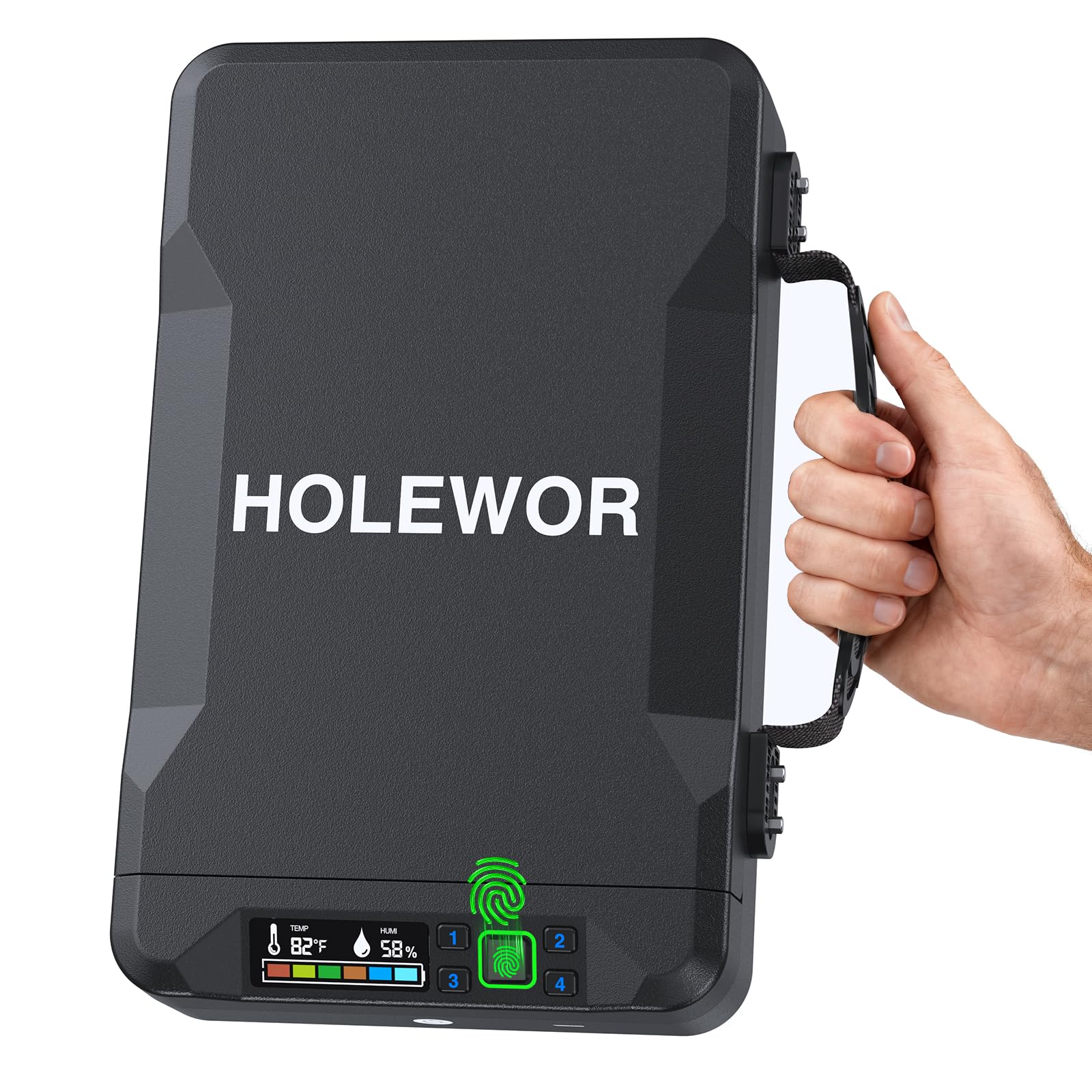
Image 1: The HOLEWOR Portable Handheld Biometric Gun Safe, showcasing its compact design and integrated handle.
2. Package Contents
Before setup, ensure all items are present in the package:
- HOLEWOR Portable Handheld Biometric Gun Safe
- 2 Backup Keys
- USB-C Cable (for emergency power)
- Steel Security Cable (40.16 inches)
- Screwdriver and extra screws
- Cleaning Cloth
- 4 AAA Batteries
- User Manual
3. Setup
3.1 Battery Installation
The safe requires 4 AAA batteries for operation. To install:
- Open the safe using the mechanical key.
- Locate the battery compartment inside the safe.
- Use the provided screwdriver to unscrew the battery compartment cover.
- Insert 4 AAA batteries, ensuring correct polarity.
- Replace the battery compartment cover and secure it with the screw.
3.2 Registering Fingerprints
The safe can store up to 50 unique fingerprints for quick biometric access.
- Open the safe.
- Locate the setting button inside the safe (usually a small button near the control panel).
- Short press the setting button.
- Press the number '3' key on the control panel. The fingerprint scanner light will flash green.
- Place your finger on the fingerprint scanner. Lift and place your finger three times, ensuring the entire fingerprint is scanned from multiple angles for optimal recognition.
- A successful registration will be indicated by a green light. Repeat for additional fingerprints as needed.

Image 2: Biometric Quick Access - The fingerprint scanner allows for rapid and secure entry.
3.3 Setting a Passcode
The safe can store up to 8 unique 6-digit passcodes.
- Open the safe.
- Short press the setting button inside the safe.
- Press the number '1' key on the control panel. The numeric keypad will start flashing.
- Enter your desired 6-digit passcode.
- Press the number '1' key again to confirm. A successful registration will be indicated by a green light.

Image 3: Passcode Access - The numeric keypad allows for entry using a 6-digit code.
4. Operating the Safe
4.1 Unlocking Methods
The HOLEWOR safe offers three convenient ways to unlock:
- Biometric Fingerprint: Place a registered finger on the scanner. The lid will pop open automatically.
- Passcode: Enter your registered 6-digit passcode on the numeric keypad. The lid will pop open automatically.
- Mechanical Key: In case of battery failure or forgotten codes, insert one of the provided keys into the keyhole and turn to unlock.

Image 4: Multiple Unlocking Options - The safe can be opened using biometric fingerprint, a numeric passcode, or a traditional key.
4.2 Emergency Power Supply
If the internal batteries are depleted and you do not have access to the mechanical keys, the safe can be temporarily powered via its USB-C port.
- Locate the USB-C port on the front of the safe.
- Connect the provided USB-C cable to a power source (e.g., power bank, car charger).
- Once temporary power is supplied, you can use your registered fingerprint or passcode to unlock the safe.
Note: The USB-C port provides temporary power for unlocking only and does not charge the internal AAA batteries.

Image 5: External Power Supply - The USB-C port allows for temporary power to unlock the safe if batteries are depleted.


