
Introduction
Thank you for choosing the Bestier Night Stand Set 2. This modern nightstand set features a stylish arched front door, curved profile edges, and a recessed pedestal base. It offers ample storage with a large drawer and an open shelf, along with a built-in charging station for convenience. This manual provides detailed instructions for assembly, operation, maintenance, and troubleshooting to ensure optimal use and longevity of your product.
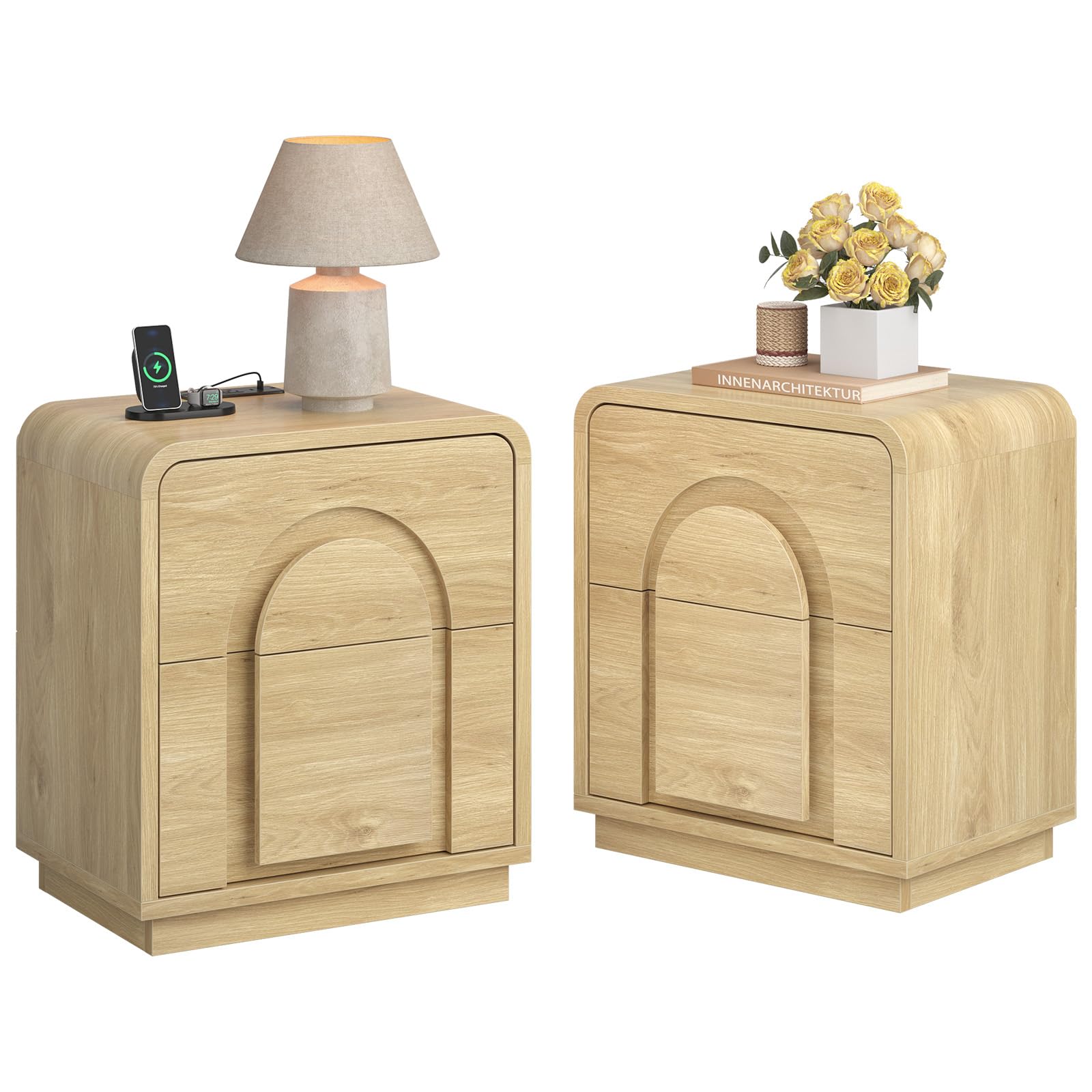
Image: The Bestier Night Stand Set 2 positioned next to a bed, showcasing its design and functionality with a lamp and charging phone on top.
Safety Guidelines
- Always follow assembly instructions carefully. Ensure all parts are securely fastened before use.
- Do not exceed the maximum weight capacity: 66 lbs for the tabletop and 22 lbs for the drawer.
- Keep liquids away from the charging station to prevent electrical hazards.
- Ensure the power cord is not pinched or damaged during assembly or placement.
- Place the nightstand on a flat, stable surface to prevent tipping.
- Use the included anti-tip kit to secure the nightstand to a wall, especially in homes with children or pets.
Package Contents
Before beginning assembly, verify that all components listed below are present and undamaged.
- Night Stand Components (for two units)
- Assembly Guide
- Charging Station (pre-installed or separate)
- Installation Tool (Hex Key, Screw Driver)
- L-shaped anti-tip kit
- H-type backboard clips
Setup and Assembly
Follow these steps to assemble your Bestier Night Stand. It is recommended to have a second person for easier assembly.
Assembly Video Guide
Video: A detailed assembly direction video for the Bestier Nightstand with 2 Drawers, demonstrating each step of the construction process.
General Assembly Steps
- Unpack and Identify Parts: Lay out all components on a clean, soft surface. Refer to the included assembly guide to identify each part and hardware.
- Assemble the Frame: Connect the side panels to the top and bottom panels using the provided hardware. Ensure all connections are snug.
- Install Drawer Slides: Attach the drawer slides to the inner frame of the nightstand. The half drawer slides are pre-installed for easier setup.
- Assemble Drawers: Construct the drawers according to the guide. Insert the assembled drawers into the slides.
- Attach Back Panel: Secure the back panel using the H-type backboard clips.
- Install Charging Station: If not pre-installed, carefully place the charging station into its designated slot on the tabletop and secure it.
- Final Checks: Ensure all screws are tightened and the nightstand is stable. Attach the L-shaped anti-tip kit to the back of the nightstand and secure it to a wall stud.

Image: The nightstand with its two drawers pulled open, illustrating the internal storage space and integrated curved design.
Operating the Charging Station
The Bestier Night Stand is equipped with a convenient charging station to power your electronic devices.
- Power Connection: Plug the 4.9 ft power cord from the charging station into a standard 120V AC wall outlet.
- AC Outlets: Use the two 125V/12A AC outlets for devices such as lamps, laptops, or other small appliances.
- USB Ports: Utilize the 1 USB port (5V/2A) for charging smartphones, tablets, and other USB-powered devices.
- Type-C Port: Use the 1 Type-C port (5V/2A) for compatible devices, offering faster charging for modern electronics.
Ensure devices are properly connected and the charging station is powered on for functionality.

Image: A close-up view of the nightstand's top surface, highlighting the integrated charging station with a phone and tablet connected.
Care and Maintenance
Proper care will help maintain the appearance and longevity of your nightstand.
- Cleaning: Wipe the surface with a damp cloth. Avoid harsh chemicals or abrasive cleaners, which can damage the finish.
- Spills: Immediately wipe up any spills to prevent water damage or staining.
- Sunlight: Avoid prolonged exposure to direct sunlight to prevent fading or discoloration of the wood finish.
- Heat: Do not place hot items directly on the surface. Use coasters or protective pads.
- Inspection: Periodically check all hardware connections and tighten if necessary to ensure stability.
Troubleshooting
If you encounter any issues with your Bestier Night Stand, refer to the following common solutions:
- Wobbly Nightstand: Ensure all screws and bolts are securely tightened. Check that the nightstand is on a level surface. Adjust the feet if applicable.
- Drawers Not Sliding Smoothly: Verify that the drawer slides are correctly installed and aligned. Ensure no obstructions are in the drawer tracks. Lubricate slides with a silicone-based spray if needed.
- Charging Station Not Working:
- Check if the power cord is securely plugged into both the charging station and the wall outlet.
- Test the wall outlet with another device to ensure it is functional.
- Ensure the device you are trying to charge is compatible with the USB/Type-C port specifications (5V/2A).
- If the issue persists, contact customer support.
- Missing Parts: If any parts are missing upon unboxing, refer to the package contents list and contact customer support with the specific part numbers.
Product Specifications
Detailed specifications for the Bestier Night Stand Set 2, Model B2020D.
| Feature | Detail |
|---|---|
| Brand | Bestier |
| Model Name | B202052DUS-LOGBT |
| Model Number | B2020D |
| Product Dimensions | 15.63"D x 20.47"W x 23.62"H |
| Item Weight | 80.6 pounds (for the set) |
| Maximum Weight Recommendation (Tabletop) | 66 pounds |
| Maximum Weight Recommendation (Drawer) | 22 pounds |
| Frame Material | Engineered Wood (P2-grade) |
| Color | Natural Oak |
| Number of Drawers | 2 |
| Charging Station | 2 AC outlets (125V/12A), 1 USB port (5V/2A), 1 Type-C port (5V/2A) |
| Power Cord Length | 4.9 ft |
| Product Care Instructions | Wipe with Damp Cloth |
| Included Components | Assembly Guide, Charging Station, Installation Tool, Anti-tip kit |
| Recommended Tools for Assembly | Hex Key, Screw Driver (included) |

Image: A diagram illustrating the product dimensions (20.5"W x 15"D x 23.6"H) and maximum load capacities for the tabletop (66 lbs) and drawers (22 lbs).
Warranty and Customer Support
Bestier products are designed for quality and durability. For specific warranty information regarding your Night Stand Set 2, please refer to the warranty card included in your package or visit the official Bestier website.
If you have any questions, require assistance with assembly, or need to report missing/damaged parts, please contact Bestier Customer Support:
- Online Support: Visit the Bestier official website for FAQs and contact forms.
- Email: Refer to your purchase documentation for the customer service email address.
- Phone: Check the Bestier website or included documentation for customer service phone numbers.
Please have your model number (B2020D) and purchase date ready when contacting support.