1. Important Safety Information
Please read all instructions carefully before installation and use. Retain this manual for future reference.
- Ensure all components are securely fastened before each ride. Loose parts can cause accidents.
- Do not obstruct your view of the road or controls with the phone mount or bottle holder.
- Verify that your phone is securely seated in the mount before riding.
- Avoid adjusting the mount or holder while operating your motorcycle or bicycle. Pull over to a safe location if adjustments are needed.
- Do not overload the bottle holder beyond its intended capacity.
- Regularly inspect the mount and holder for signs of wear or damage. Replace any damaged components immediately.
2. Product Overview
The Lamicall Motorcycle Phone Mount and Bike Water Bottle Holder is designed to provide secure and convenient access to your smartphone and hydration during rides. This combined system offers robust construction and versatile mounting options.

Image 2.1: Overview of the Lamicall Motorcycle Phone Mount and Bike Water Bottle Holder. The image displays both the phone mount and the water bottle holder side-by-side, showcasing their individual designs and attachment mechanisms.
2.1. Phone Mount Features
- Adjustable Arm: Allows for 720° rotation for optimal viewing angles.
- Anti-Vibration Design: Features a cushioned pad, metal connection rod, damping spring, and damping board to reduce shakes and ensure a steady ride.
- Wide Compatibility: Accommodates smartphones from 4.7 to 6.7 inches.
- Secure Grip: Designed to hold your phone firmly in place.
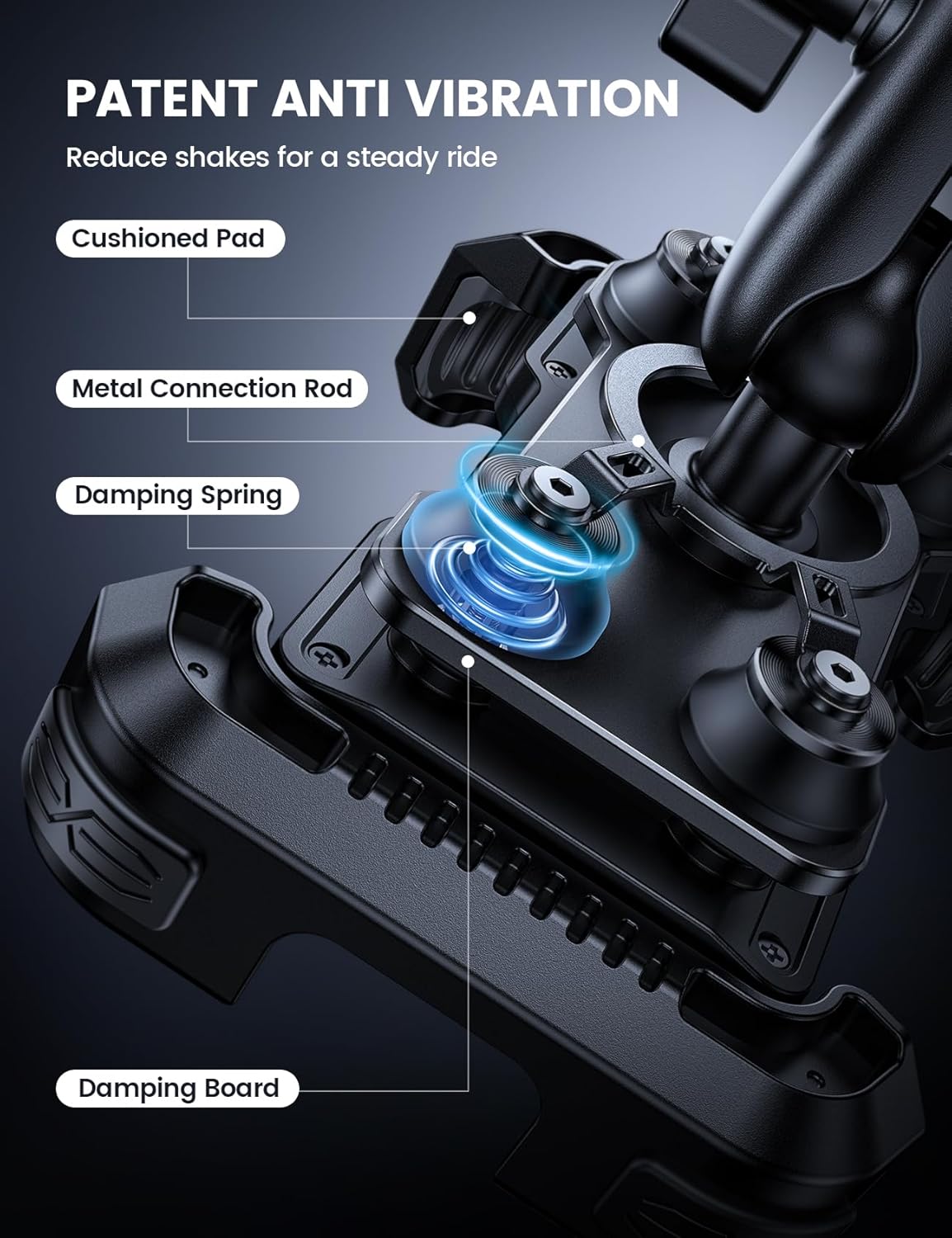
Image 2.2: Detailed view of the phone mount's anti-vibration system. The image highlights the cushioned pad, metal connection rod, damping spring, and damping board, illustrating how these components work together to minimize vibrations.

Image 2.3: Illustration of the phone mount's wide compatibility. The image shows various phone sizes (16 Pro Max, 15 Pro, SE3) fitting into the mount, indicating support for devices between 4.7 and 6.7 inches.
2.2. Water Bottle Holder Features
- Spring Design: Accommodates water bottles with diameters between 2.28 and 3.39 inches.
- Easy Access: Designed for quick and easy insertion and removal of bottles at a 45-degree angle.
- Tracker Storage: Integrated compartment for an AirTag or Tile Mate (tracker not included).
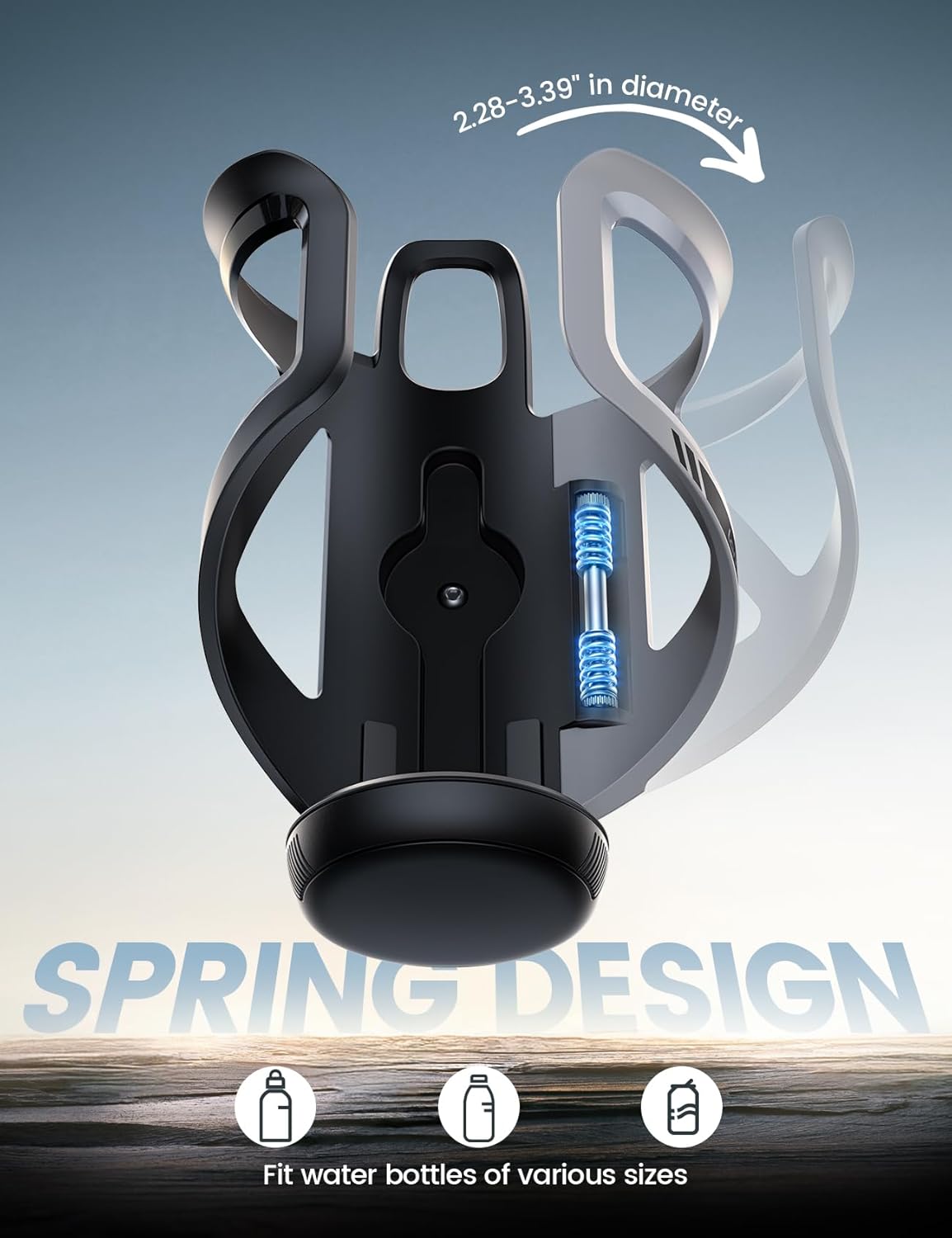
Image 2.4: Close-up of the water bottle holder's spring design. The image highlights the adjustable mechanism that allows it to securely hold bottles with diameters ranging from 2.28 to 3.39 inches.

Image 2.5: View of the water bottle holder's integrated tracker storage. The image shows a compartment designed to fit an AirTag or Tile Mate, providing a secure location for a tracking device.
3. Setup and Installation
Follow these steps to properly install your Lamicall Phone Mount and Water Bottle Holder.
3.1. Phone Mount Installation
- Choose Mounting Location: Select a handlebar section that is between 0.78 and 1.38 inches in diameter. Ensure it does not interfere with steering or controls.
- Attach Clamp: Open the clamp mechanism and position it around the chosen handlebar section. Tighten the screws securely until the mount is firm and does not rotate freely.
- Adjust Angle: Loosen the adjustment knob on the arm to set the desired viewing angle. Once positioned, tighten the knob firmly to lock it in place.

Image 3.1: Illustration of the phone mount's handlebar compatibility. The image shows the mount attached to a motorcycle handlebar, with an inset detailing the clamp mechanism and indicating compatibility with handlebars between 0.78 and 1.38 inches in diameter, suitable for motorcycles, bikes, and scooters.
3.2. Water Bottle Holder Installation
The water bottle holder offers two primary mounting options:
- Handlebar Mounting: Attach the holder's clamp to the handlebar, similar to the phone mount. Ensure it is positioned conveniently for access without obstructing controls.
- Down Tube Mounting: Attach the holder's clamp to the bicycle's down tube. This option is ideal for bicycles where handlebar space is limited.

Image 3.2: Depiction of the two mounting options for the water bottle holder. The top panel shows the holder mounted on a bicycle handlebar, while the bottom panel shows it mounted on the bicycle's down tube, demonstrating its versatility.
4. Operating Instructions
4.1. Using the Phone Mount
- Insert Phone: Gently expand the phone mount arms and place your smartphone into the cradle. Ensure it is centered and held firmly by all four corners.
- Adjust Viewing Angle: If needed, loosen the adjustment knob, rotate the phone to your preferred orientation (portrait or landscape), and tilt it for optimal viewing. Tighten the knob securely. The mount allows for 720° rotation.
- Remove Phone: Gently press the release mechanism (if applicable) or expand the arms to retrieve your phone.
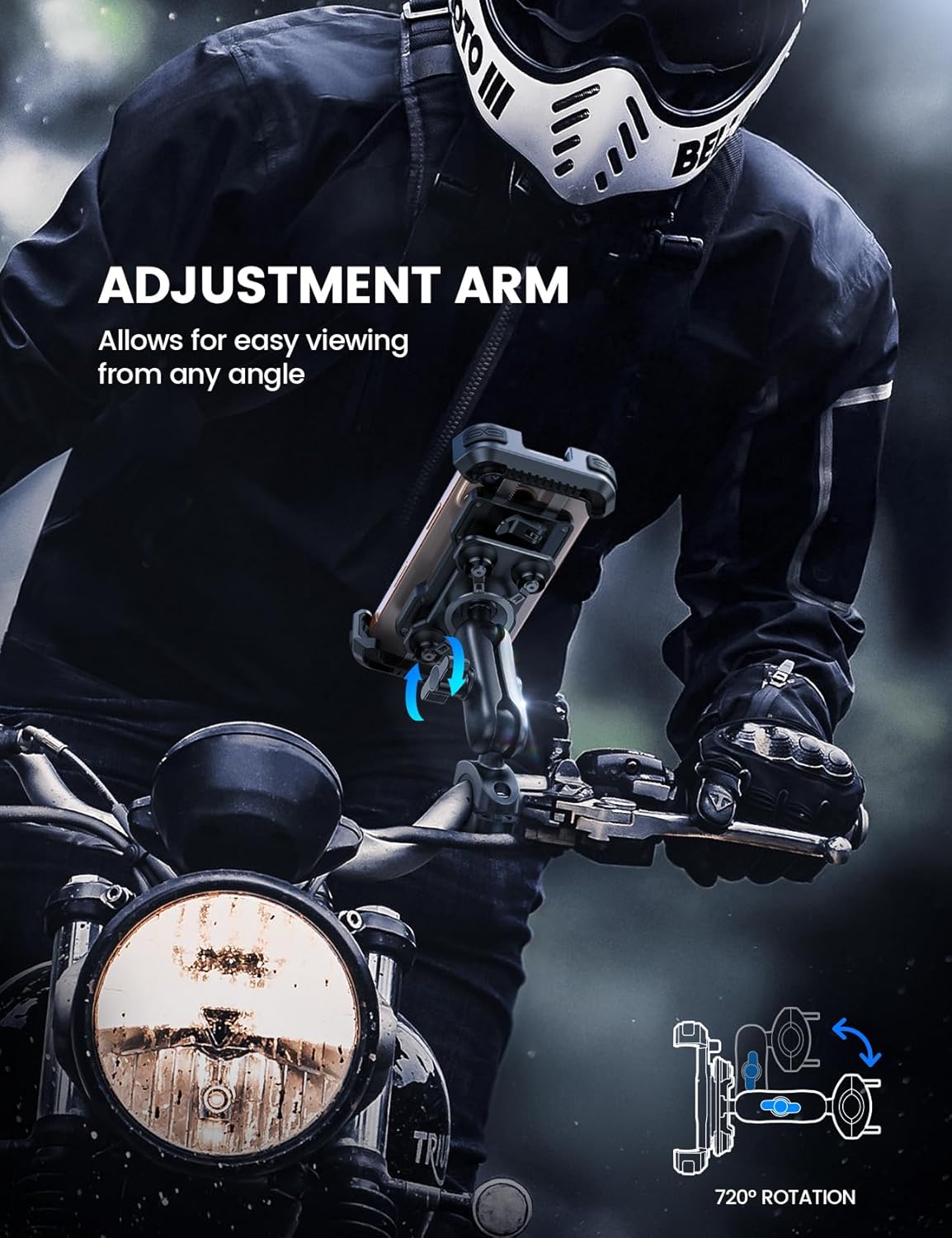
Image 4.1: Demonstration of the phone mount's adjustment arm. The image shows a phone mounted on a motorcycle, with arrows indicating the 720-degree rotation capability of the adjustment arm for easy viewing from any angle.
4.2. Using the Water Bottle Holder
- Insert Bottle: Hold your water bottle at approximately a 45-degree angle and slide it into the holder. The spring design will adjust to secure the bottle.
- Remove Bottle: Grasp the bottle and pull it out at a 45-degree angle.
- Tracker Storage: If using a tracker, open the designated compartment at the bottom of the holder and insert your AirTag or Tile Mate. Close the compartment securely.

Image 4.2: Illustration of easy access to the water bottle holder. The image shows a person inserting a water bottle into the holder at a 45-degree angle, demonstrating the convenient design for quick access.
5. Maintenance
- Cleaning: Wipe the mount and holder with a damp cloth to remove dust and dirt. Avoid harsh chemicals or abrasive cleaners.
- Inspection: Periodically check all screws and connections to ensure they remain tight. Inspect the plastic and metal components for any cracks, bends, or signs of fatigue.
- Storage: If not in use for extended periods, store the product in a cool, dry place away from direct sunlight.
6. Troubleshooting
| Problem | Possible Cause | Solution |
|---|---|---|
| Mount feels loose or rotates | Clamp screws are not tight enough. | Tighten the clamp screws firmly. Ensure the mount is on a suitable handlebar diameter. |
| Phone vibrates excessively | Adjustment knob is loose; phone not seated correctly. | Ensure the adjustment knob is tightened. Verify the phone is securely gripped by all four corners of the mount. |
| Water bottle is not secure | Bottle diameter is outside the specified range (2.28-3.39 inches). | Use a water bottle that fits within the specified diameter range. |
7. Specifications
- Brand: Lamicall
- Model (ASIN): B0FHPWJGMB
- Phone Compatibility: 4.7 - 6.7 inch smartphones
- Handlebar Diameter (Phone Mount): 0.78 - 1.38 inches
- Bottle Diameter (Water Bottle Holder): 2.28 - 3.39 inches
- Features: 720° rotation, Anti-vibration design, Tracker storage (for AirTag/Tile Mate)
- First Available: July 7, 2025
8. Warranty and Support
Lamicall products are designed for durability and performance. For warranty information, technical support, or assistance with your product, please contact Lamicall customer service through their official website or the retailer where the product was purchased.
Please have your model number (B0FHPWJGMB) and purchase date available when contacting support.