
Introduction
Thank you for choosing the Fockety Invisible Sleeping Earbuds. These ultra-mini Bluetooth 5.3 wireless earbuds are designed to provide a comfortable audio experience, especially for side sleepers, while offering passive noise cancellation for a peaceful environment. This manual provides essential information on how to set up, operate, maintain, and troubleshoot your earbuds to ensure optimal performance.
Product Overview
Key Features
- Passive Noise Cancellation: Physically blocks external interference like snoring and traffic noise, creating a peaceful listening environment.
- Ultra-Thin and Lightweight Design: Ergonomically designed for comfortable and secure fit, ideal for all-night wear, especially for side sleepers.
- Clear Calls & Language Translation: Built-in high-definition noise-cancelling microphone for clear calls. Supports real-time translation in multiple languages.
- All-Day Comfort: Splash-proof and sweat-resistant, suitable for various activities including running, working, cycling, and household tasks.
- Versatile Use with Ambient Sound Mode: Enjoy music, movies, and calls. Adjustable ambient sound mode allows awareness of surroundings (e.g., alarms, conversations) for safety.
- Bluetooth 5.3 Connectivity: Ensures stable and efficient wireless connection.
Comfort and Stability

Image: The earbuds are designed for stable and comfortable wear, even during sleep.
High-Fidelity Audio
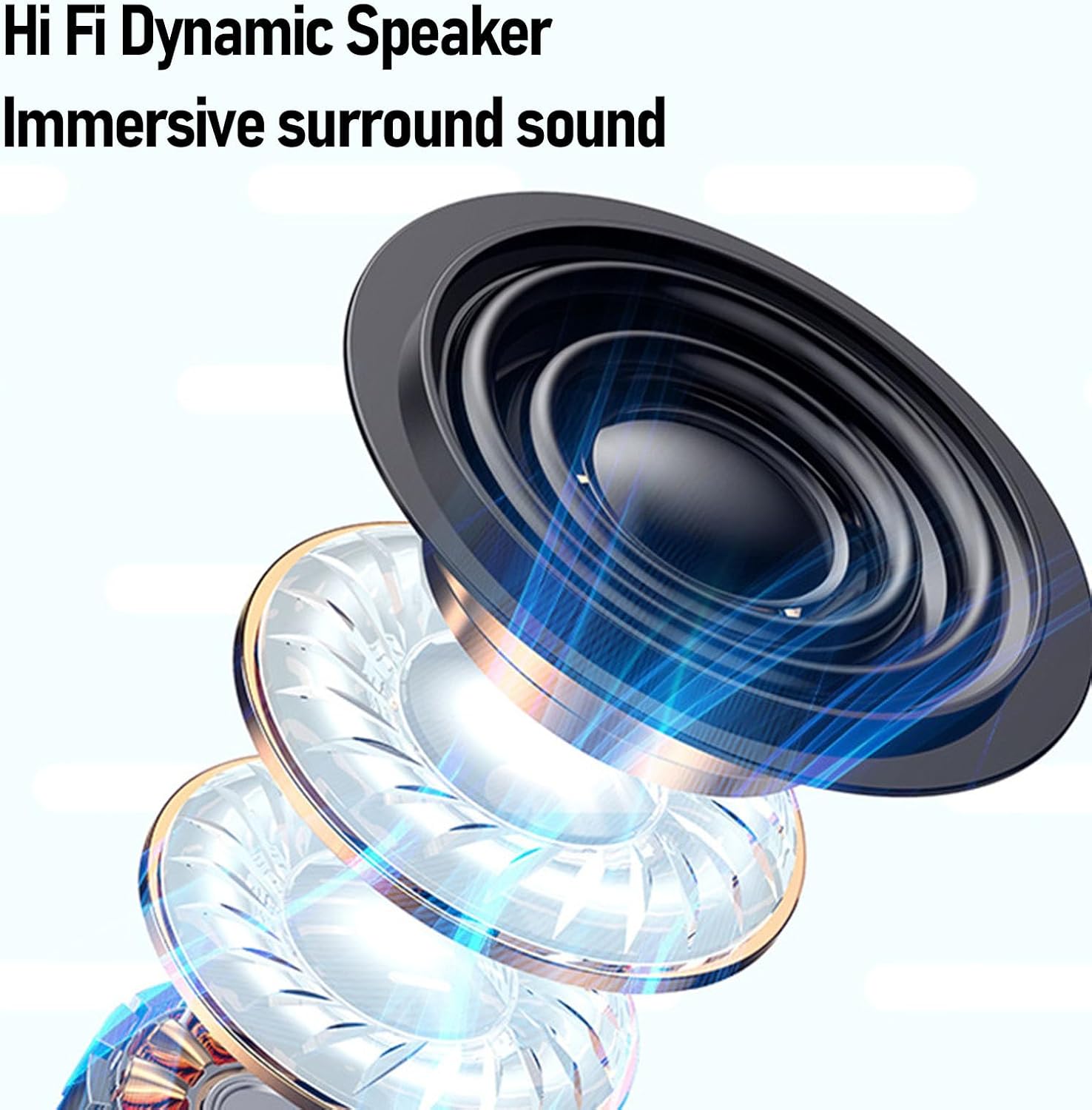
Image: Internal view of the Hi-Fi dynamic speaker, designed for immersive sound.
Package Contents

Image: The package includes two earbuds, a circular charging case, a USB charging cable, and a wrist strap.
- 2 x Fockety Invisible Sleeping Earbuds
- 1 x Charging Case
- 1 x USB Charging Cable
- 1 x Wrist Strap
- 1 x Software Card (if applicable, for specific functions)
Setup
1. Charging the Earbuds and Case

Image: The compact charging case for the earbuds.
- Place both earbuds into the charging case. Ensure they are correctly seated in their respective slots.
- Connect the USB charging cable to the charging port on the case and plug the other end into a USB power source (e.g., computer, wall adapter).
- The indicator lights on the case will show the charging status. A full charge typically takes approximately 1-2 hours.
- Once fully charged, disconnect the charging cable. The earbuds will automatically charge when placed in the case, and the case itself holds multiple charges.
2. Pairing with a Bluetooth Device
- Open the charging case. The earbuds will automatically enter pairing mode, indicated by a flashing light (refer to product for specific light indicators).
- On your device (smartphone, tablet, etc.), enable Bluetooth.
- Search for available Bluetooth devices. Select "Fockety Earbuds" (or similar name) from the list.
- Once connected, the earbuds will indicate successful pairing (e.g., a voice prompt or solid light).
- The earbuds will automatically reconnect to the last paired device when taken out of the case, if Bluetooth is enabled on the device.
3. Wearing the Earbuds

Image: The ergonomic design ensures a comfortable fit, even for side sleepers.
- Identify the left (L) and right (R) earbuds.
- Gently insert each earbud into your ear canal.
- Adjust the earbud until it feels secure and comfortable. The ultra-thin design is specifically made to be comfortable for side sleeping.
Operating Instructions
Touch Controls

Image: Overview of earbud touch controls.
| Action | Function |
|---|---|
| Tap the function key once | Answer / Hang up call |
| Long press | Wake up voice assistant |
| Long press for 3 seconds | Reject call |
| Click once | Play / Pause music |
| Double click on left/right earbud | Previous / Next song |
| 3 taps on left/right earbud | Volume increase / decrease |
| Touch continuously 3 times (no connection during startup) | Switch between Chinese / English |
| Touch continuously 6 times (no connection during startup) | Restore playback settings |
Noise Cancellation and Ambient Sound Mode

Image: The earbuds effectively block distracting noises for a peaceful experience.
The earbuds feature passive noise cancellation, which means they physically block out ambient sounds. For situations where you need to be aware of your surroundings, the adjustable ambient sound mode can be activated. Refer to the touch controls or your device's Bluetooth settings for specific activation methods.
Language Translation
The earbuds support real-time translation in multiple languages. This feature typically requires a compatible translation application on your connected device. Consult the application's instructions for details on how to utilize this function.
Maintenance
Cleaning
- Regularly clean the earbuds and charging case with a soft, dry, lint-free cloth.
- Do not use abrasive cleaners, alcohol, or chemical solvents.
- Ensure the charging contacts on both the earbuds and the case are clean and free of debris to maintain proper charging.
Storage
- When not in use, store the earbuds in their charging case to protect them and keep them charged.
- Store the device in a cool, dry place, away from extreme temperatures and direct sunlight.
Water Resistance
The earbuds are splash-proof and sweat-resistant, making them suitable for exercise and light rain. They are not designed for submersion in water. Avoid exposing them to heavy rain, showering, or swimming.
Troubleshooting
| Problem | Possible Solution |
|---|---|
| Earbuds not pairing |
|
| No sound from earbuds |
|
| Earbuds not charging |
|
| Poor call quality |
|
| Resetting Playback Settings | If there is no connection during startup, touch the earbuds continuously 6 times to restore playback settings. |
Specifications
| Feature | Detail |
|---|---|
| Model Number | Focketyewqrkctmb1-13 |
| Bluetooth Version | 5.3 |
| Earbud Battery Capacity | 25mAh |
| Charging Case Battery Capacity | 240mAh |
| Frequency Range | 20 Hz - 20,000 Hz |
| Control Method | Voice (via touch controls) |
| Water Resistance | Splash-proof, Sweat-resistant |
| Material | Polycarbonate (PC), Acrylonitrile Butadiene Styrene (ABS) |
| Compatible Devices | Phones, Tablets |
| Dimensions (Package) | 13 x 9 x 5 cm |
| Weight (Package) | 70 g |
Warranty and Support
Warranty Information
This product comes with a 90-day manufacturer's warranty from the date of purchase. This warranty covers manufacturing defects and workmanship. It does not cover damage caused by misuse, accidents, unauthorized modifications, or normal wear and tear. Please retain your proof of purchase for warranty claims.
Customer Support
For technical assistance, warranty claims, or any questions regarding your Fockety Invisible Sleeping Earbuds, please contact our customer support team. Refer to the product packaging or the retailer's website for the most up-to-date contact information.
You may also visit the official Fockety brand store for additional resources and FAQs: Fockety Brand Store