1. Introduction
The Wurkkos HD02 is a versatile and durable flat LED flashlight designed for a wide range of applications, from outdoor adventures to detailed work. It features four distinct light sources: a powerful spotlight, adjustable folding wing lights, a UV light, and a green light. Built with aircraft-grade aluminum and an IPX6 waterproof rating, the HD02 is engineered for reliability and performance.
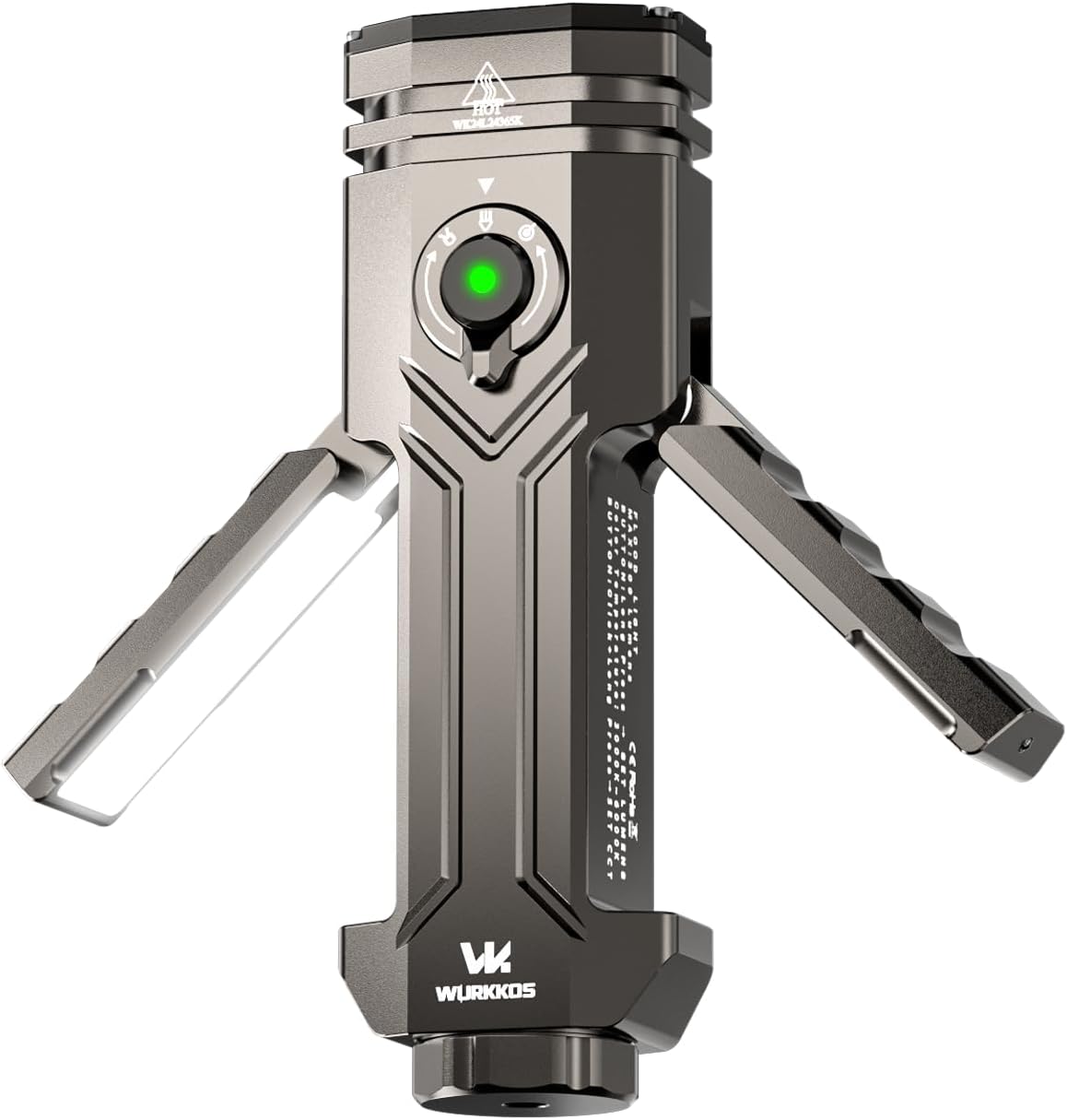
Image 1.1: Wurkkos HD02 Flat LED Flashlight with its compact design.
2. What's in the Box
- Wurkkos HD02 Flat LED Flashlight
- USB-C Charging Cable
- Lanyard
- Instruction Manual
- 5000mAh 21700 Lithium-Ion Battery (pre-installed)
3. Setup
3.1 Battery Installation and Preparation
Before initial use, ensure the insulating sheet is removed from the battery compartment. The battery is typically pre-installed with an orange insulating disc to prevent accidental discharge during transport.
- Unscrew the tail cap of the flashlight.
- Remove the orange insulating disc located between the battery and the tail cap.
- Screw the tail cap back on securely.

Image 3.1: Remove the insulating sheet from the battery before first use.
3.2 Initial Charging
The HD02 comes with a partially charged 5000mAh 21700 Lithium-Ion battery. For optimal performance, fully charge the device before its first use.
- Locate the USB-C charging port on the side of the flashlight, usually protected by a rubber gasket.
- Connect the provided USB-C cable to the flashlight and to a 5V/2.4A compatible power source.
- The indicator light on the flashlight will show charging status (e.g., red for charging, green for fully charged). A full charge typically takes about 2.5 hours.
4. Operating Instructions
4.1 General Operation (Spotlight)
The main spotlight is controlled by the central button and the rotary dial.
- Power On/Off: Single-click the central button to turn the spotlight on or off. The flashlight memorizes the last brightness setting.
- Stepless Dimming: When the spotlight is on, long-press the central button to adjust brightness infinitely. Long-press again within 1 second to reverse the dimming direction. If you dim again after 1 second, the direction will not change. The light will flash once when it reaches maximum brightness.
- Lowest Setting: When the device is off, long-press the central button to enter the lowest brightness setting (10 lumens).
- Ultra-Bright Mode (3200 Lumens): In any state (except locked mode), double-click the central button to enter the highest brightness (ultra-bright mode). Double-click again to return to the lowest setting.
- Strobe Mode: In any state (except locked mode), triple-click the central button to enter the strobe mode.
- Lockout Mode: To prevent accidental activation, quickly click the central button four times to enter lockout mode. The flashlight will blink twice if the button is pressed while locked. Repeat the four-click sequence to unlock.
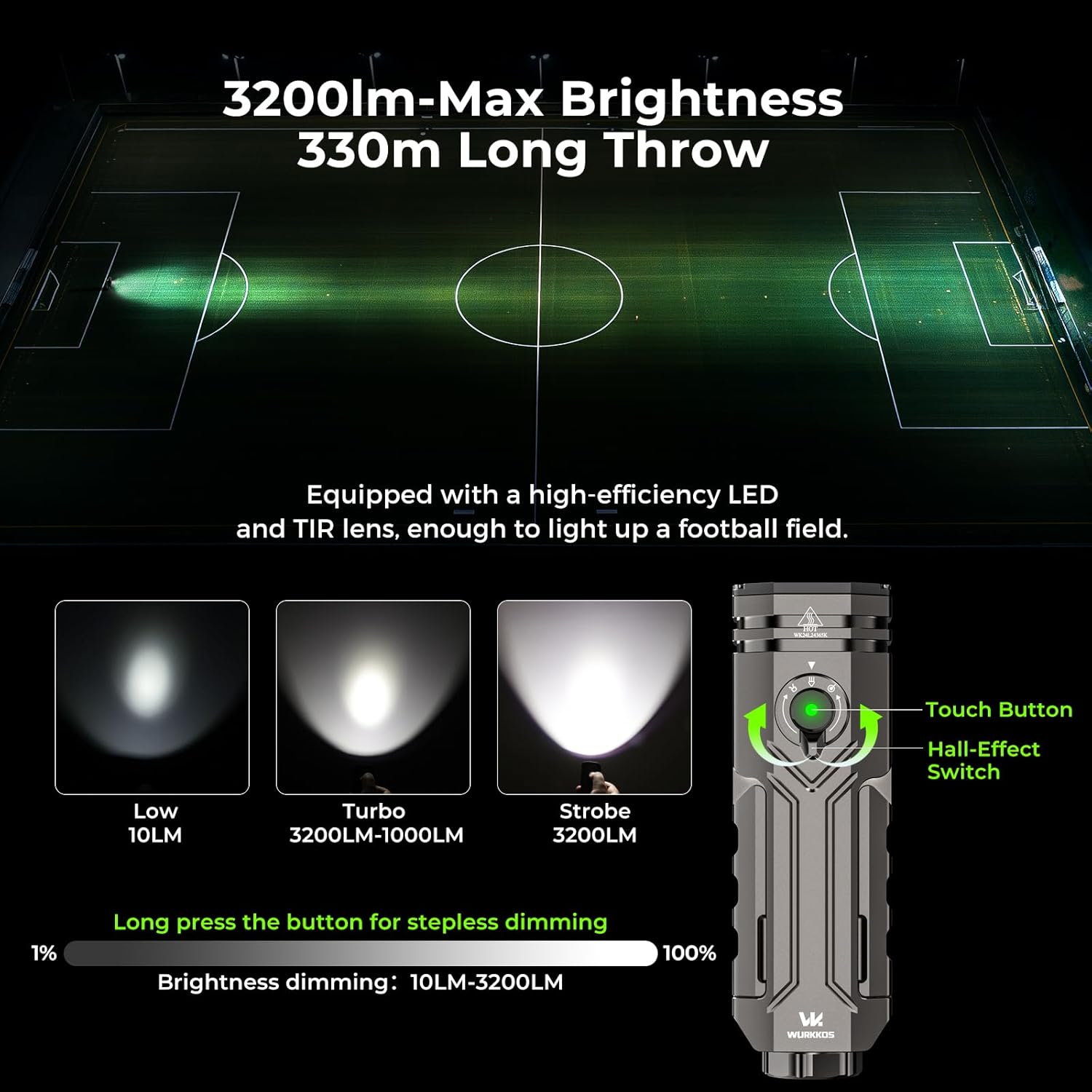
Image 4.1: Spotlight brightness adjustment and control interface.
4.2 Mode Selection (Rotary Dial)
The rotary dial allows you to select between the main spotlight, UV light, and green light.
- Rotate the dial to the desired icon: spotlight, UV light, or green light.
- Once a mode is selected, use the central button for on/off and brightness adjustments specific to that mode.

Image 4.2: The control hub with rotary dial for mode selection.
4.3 Flood Light (Folding Wings)
The HD02 features unique folding wing lights for broad area illumination.
- Activation: Simply pull out the folding wings from the main body. A Hall effect sensor automatically turns on the floodlights.
- Brightness Adjustment: Long-press the central button to adjust the brightness of the floodlights (5 lumens to 300 lumens).
- Color Temperature Adjustment: Click and long-press the central button to adjust the color temperature between 3000K (warm light) and 6500K (cool light).
- Deactivation: Fold the wings back into the body to turn off the floodlights.
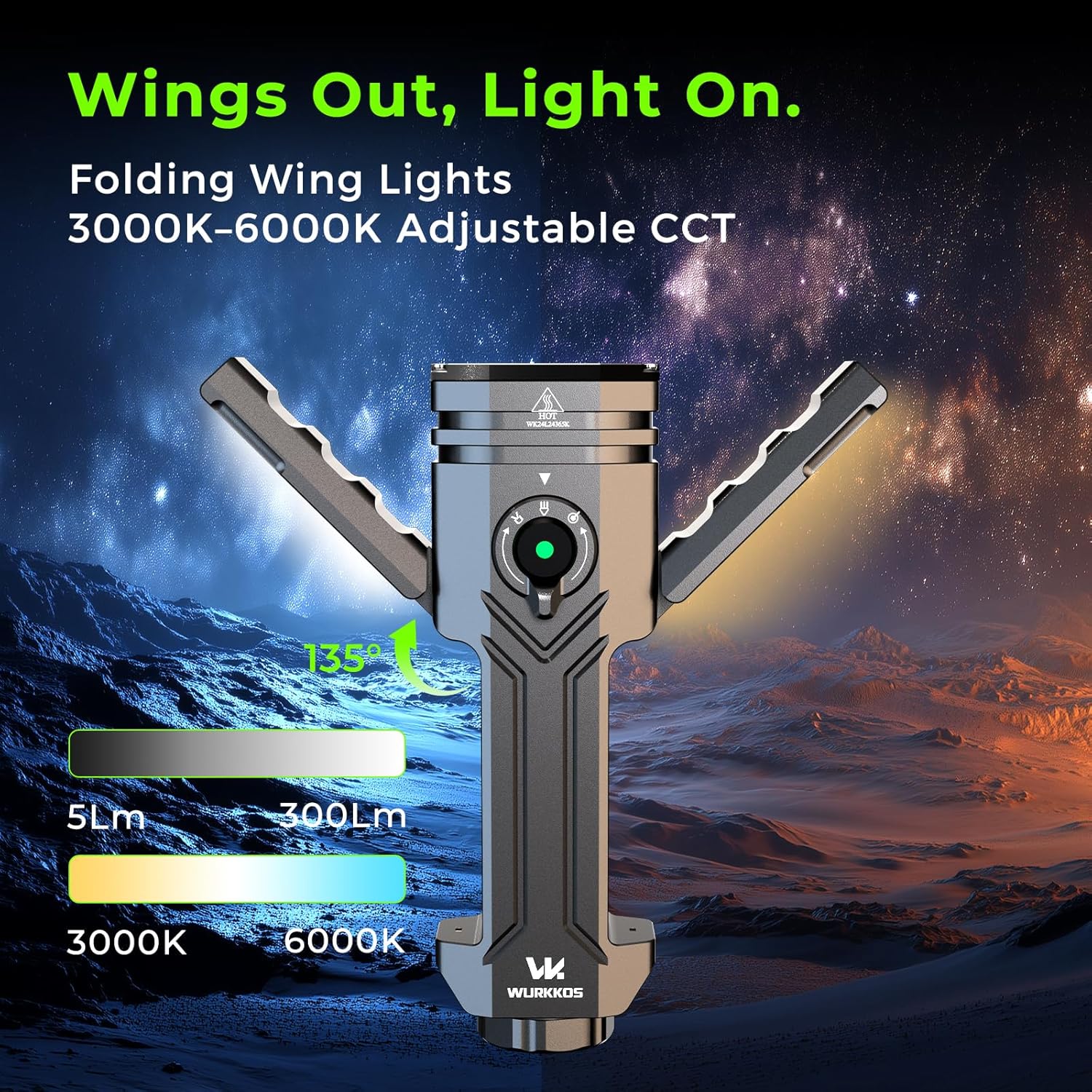
Image 4.3: Folding wings extended, providing adjustable color temperature lighting.
4.4 Placement Methods
The HD02 offers multiple ways to position the light for hands-free operation.
- Magnetic Tail: The strong magnetic base allows the flashlight to be securely attached to metal surfaces.
- Tripod Mount: A 1/4-inch-20 threaded interface on the tail cap enables attachment to standard tripods or stands.
- Belt Clip: Use the integrated clip to attach the flashlight to a belt, pocket, or backpack strap for easy access.

Image 4.4: Various placement options for the Wurkkos HD02.
Video 4.1: Official demonstration of the Wurkkos HD02's four-in-one beam deformation capabilities.
5. Maintenance
5.1 Charging
The HD02 features a 5000mAh 21700 Lithium-Ion battery with Type-C bidirectional charging. This allows for fast charging of the flashlight and can also be used to charge other devices.
- Connect the USB-C cable to the flashlight's port.
- The indicator light will display the battery level: solid green (75%-100%), flashing green (50%-75%), solid red (25%-50%), flashing red (less than 25% - low power warning).

Image 5.1: Battery level indicators and Type-C charging port.
5.2 Battery Replacement
The 21700 battery is replaceable, allowing for continuous use by swapping in a fresh battery.
- Unscrew the tail cap.
- Carefully remove the depleted 21700 battery.
- Insert a new, compatible 21700 flat-top or button-top rechargeable cell (without PCB).
- Securely screw the tail cap back on.
5.3 Cleaning
To maintain optimal performance, periodically clean the flashlight body and lens with a soft, damp cloth. Avoid using harsh chemicals or abrasive materials.
6. Troubleshooting
- Light not turning on: Ensure the battery insulating sheet has been removed and the tail cap is fully tightened. Check if the battery is charged.
- Intermittent operation: Verify that the battery is inserted correctly and fully charged. Ensure all connections are clean and secure.
- Overheating: The spotlight's turbo mode can generate significant heat. If the flashlight becomes too hot, reduce the brightness level. The device has built-in thermal regulation to prevent damage.
- Lockout mode: If the flashlight is unresponsive, it may be in lockout mode. Quickly click the central button four times to unlock it.
7. Specifications
| Feature | Description |
|---|---|
| Model | HD02 |
| Brand | Wurkkos |
| Material | 6061 Aircraft Aluminum |
| Light Source Type | LED |
| White Brightness (Spotlight) | Max 3200 Lumens |
| Flood Light Brightness | Max 300 Lumens |
| Color Temperature (Flood Light) | 3000K-6500K (Stepless Adjustment) |
| UV Light | 365nm |
| Green Light | Yes |
| Battery | 5000mAh 21700 Lithium-Ion (Rechargeable) |
| Charging | Type-C Bidirectional (5V/2.4A) |
| Water Resistance | IPX6 |
| Drop Resistance | 1 Meter |
| Dimensions | 3"D x 5"W x 4"H (Product) |
| Item Weight | 6.7 ounces |
8. Safety Information
- Do not shine the flashlight directly into eyes, as the high brightness can cause temporary vision impairment.
- Keep out of reach of children.
- Avoid disassembling the flashlight, as this may void the warranty and cause damage.
- The flashlight may become hot during prolonged use at high brightness levels. Handle with care.
- Use only recommended 21700 Lithium-Ion batteries.
9. Warranty and Support
For warranty information, technical support, or any inquiries regarding your Wurkkos HD02 flashlight, please refer to the official Wurkkos website or contact their customer service directly. Contact details are typically provided in the packaging or on the manufacturer's website.
Video 9.1: Official product video showcasing the Wurkkos HD02's features and functionality.


