
1. Safety Warnings
Before using the Valano D005 Hair Clipper, please read and understand all safety instructions. Failure to follow these instructions may result in injury or damage to the device.
- Water Exposure: Avoid direct contact with water. This device is not waterproof. Do not use it in the shower or bath.
- Eye and Skin Contact: Exercise caution to prevent blades from coming into direct contact with eyes or sensitive skin areas.
- Children: Keep the device out of reach of children. This appliance is not intended for use by persons with reduced physical, sensory or mental capabilities, or lack of experience and knowledge, unless they have been given supervision or instruction concerning use of the appliance by a person responsible for their safety.
- Power Source: Use only the provided USB charging cable. Ensure the power source voltage is compatible with the device.
- Maintenance: Follow recommended cleaning and maintenance procedures to ensure safe and optimal performance.
- Damage: Do not operate the device if it is damaged in any way. Contact customer support for assistance.
2. Product Overview
2.1 What's Included
The Valano D005 Hair Clipper package includes the following items:

Image: The Valano D005 Hair Clipper, along with its various attachments and accessories, displayed neatly in its retail packaging. This image illustrates the complete contents of the product box, including the main trimmer unit, different trimmer heads, guide combs, charging cable, cleaning brush, and oil bottle.
- Valano D005 Main Unit
- Versatile Hair Trimmer Head
- Precision Detail Trimmer Head
- Nose & Ear Trimmer Head
- 9 Guide Combs (various lengths)
- USB Charging Cable
- Cleaning Brush
- Lubricating Oil Bottle
2.2 Key Features
The Valano D005 Hair Clipper is designed for efficient and precise grooming with the following features:

Image: A transparent view of the Valano D005 Hair Clipper, highlighting its internal motor and components. Text overlays indicate '6700 RPM Powerful Motor', 'Low Noise', 'Safety', and 'Stable Performance', emphasizing the device's operational characteristics.
- Powerful Motor: Equipped with a 6700 RPM motor for consistent cutting performance.
- Low Noise Operation: Engineered for quiet use during grooming.
- Safety Design: Features an R-shaped blade design for gentle skin contact, minimizing accidental nicks or irritation.
- Durable Blades: Titanium and ceramic steel T-blades offer sharpness and longevity.
- Constant Speed Technology: Prevents pulling or snagging, even with heavy or thick hair.
2.3 Interchangeable Components
The D005 system includes multiple heads and guide combs for various grooming tasks:
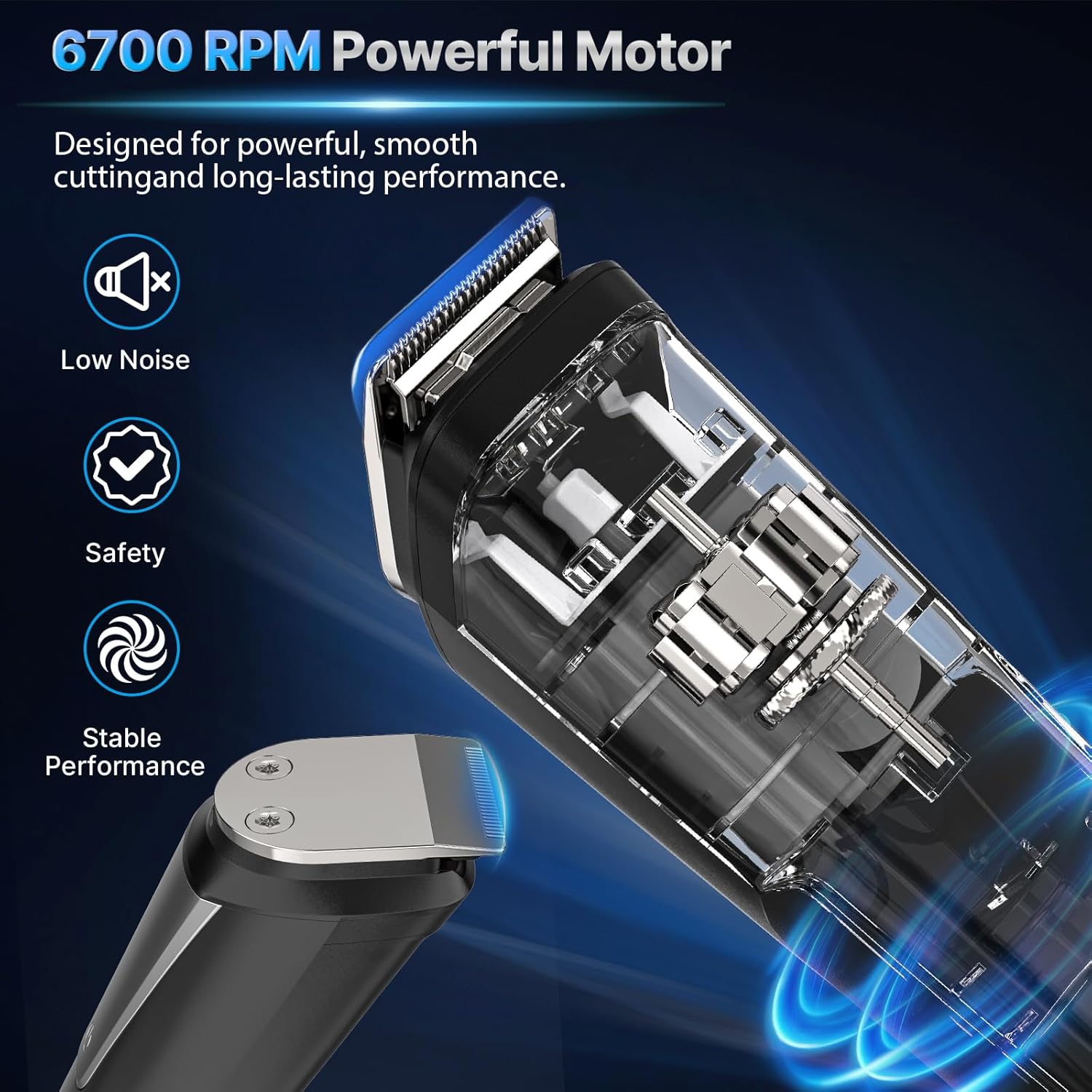
Image: The Valano D005 Hair Clipper main unit shown alongside its interchangeable heads: a full-size hair trimmer, a precision trimmer, and a nose & ear trimmer. Below these, a selection of nine guide combs with various lengths (from 1mm to 16mm) are displayed, illustrating the versatility of the grooming kit.
- Full-Size Hair Trimmer: For general hair cutting and styling.
- Precision Trimmer: For detailed work, edging, and creating sharp lines.
- Nose & Ear Trimmer: For safely removing unwanted hair from nose and ears.
- Guide Combs: Ranging from 1mm to 16mm for customizable hair lengths.
3. Setup
3.1 Initial Charge
Before first use, fully charge the device. A full charge takes approximately 1.6 hours and provides up to 90 minutes of cordless operation.

Image: The Valano D005 Hair Clipper connected via its USB cable to a power source, illustrating the charging process. Icons for computer, laptop, USB charger, and power bank are shown, indicating various compatible charging methods. The image also highlights the 1.6-hour quick charge time for 90 minutes of cordless use.
- Connect the USB charging cable to the charging port at the bottom of the clipper.
- Plug the other end of the USB cable into a compatible USB power source (e.g., computer, laptop, USB wall adapter, power bank).
- The indicator light on the clipper will illuminate during charging. It will change or turn off when fully charged (refer to specific model indicator behavior).
3.2 Attaching and Detaching Trimmer Heads
To change the trimmer head:
- Ensure the device is turned off.
- Grip the current trimmer head firmly and gently pull it upwards to detach it from the main unit.
- Align the desired trimmer head with the main unit and press it down until it clicks securely into place.
3.3 Attaching and Detaching Guide Combs
Guide combs are used with the full-size hair trimmer head to achieve desired hair lengths.
- Ensure the device is turned off and the full-size hair trimmer head is attached.
- Select the desired guide comb.
- Align the comb with the teeth of the trimmer head and slide it on until it locks into position.
- To remove, gently lift the comb from the back and slide it off.
4. Operating Instructions
The Valano D005 offers versatile grooming options. Always ensure your hair is clean and dry before trimming for best results.

Image: A collage demonstrating the Valano D005 Hair Clipper's three main functions: a man using the versatile hair trimmer for sideburns and necklines, another man using the precision detail trimmer for beard styling and edging, and a third man using the nose & ear trimmer for unwanted facial hair. This illustrates the 3-in-1 functionality for precision grooming.
4.1 General Hair Trimming (Full-Size Hair Trimmer)
- Attach the full-size hair trimmer head and the desired guide comb.
- Turn on the device by pressing the power button.
- Start trimming against the direction of hair growth, using slow, even strokes.
- For a clean, polished look, trim sideburns, necklines, and facial hair as needed.
4.2 Precision Trimming (Precision Detail Trimmer)
- Attach the precision detail trimmer head. No guide comb is typically used for this head.
- Turn on the device.
- Use the trimmer to create sharp lines, define beard edges, or trim intricate areas.
- Hold the trimmer at a slight angle to the skin for optimal precision.
4.3 Nose & Ear Trimming (Nose & Ear Trimmer)
- Attach the nose & ear trimmer head.
- Turn on the device.
- Gently insert the trimmer tip into the nostril or ear canal.
- Move the trimmer in a circular motion to trim unwanted hair. Do not insert too deeply.
4.4 General Tips for Best Results
- Always ensure the blades are clean and lubricated before use.
- Trim against the direction of hair growth for a closer cut.
- Use short, controlled strokes.
- Stretch the skin taut in areas with loose skin to ensure an even trim.
5. Maintenance
Regular cleaning and maintenance will prolong the life of your Valano D005 Hair Clipper and ensure optimal performance.
5.1 Cleaning the Blades and Heads
- Ensure the device is turned off and unplugged from any charging source.
- Detach the trimmer head from the main unit.
- Use the provided cleaning brush to remove any loose hair from the blades and inside the trimmer head.
- The trimmer heads can be rinsed under running water. Ensure they are completely dry before reattaching or storing. Do not rinse the main unit.
5.2 Lubricating the Blades
To maintain blade sharpness and smooth operation, lubricate the blades regularly (e.g., after every few uses).
- Apply 1-2 drops of the provided lubricating oil onto the blades of the trimmer head.
- Turn on the device for a few seconds to allow the oil to distribute evenly.
- Wipe off any excess oil with a soft cloth.
5.3 Storage
- Store the clipper and its accessories in a cool, dry place, away from direct sunlight and moisture.
- Use the provided pouch or original packaging for organized storage.
6. Troubleshooting
If you encounter any issues with your Valano D005 Hair Clipper, refer to the following troubleshooting guide:
| Problem | Possible Cause | Solution |
|---|---|---|
| Clipper does not turn on. | Battery is depleted. | Charge the device fully (refer to Section 3.1). |
| Poor cutting performance or pulling hair. | Blades are dirty or not lubricated. Hair is too thick or wet. | Clean and lubricate the blades (refer to Section 5.1, 5.2). Ensure hair is dry. Trim smaller sections. |
| Trimmer head detaches easily. | Head not properly attached. | Ensure the head clicks securely into place (refer to Section 3.2). |
| Device gets hot during use. | Extended continuous use. | Allow the device to cool down. Ensure blades are clean and lubricated. |
7. Specifications
Detailed specifications for the Valano D005 Hair Clipper:
| Feature | Detail |
|---|---|
| Model Number | D005 |
| Brand | Valano |
| Power Source | Battery Powered (Rechargeable) |
| Battery Type | 1 C-type battery (included) |
| Charging Time | Approx. 1.6 hours |
| Operating Time | Up to 90 minutes (cordless) |
| Blade Material | Stainless Steel, Titanium, Ceramic |
| Body Material | Plastic |
| Dimensions (L x W x H) | 11.6 x 6.5 x 18.7 cm (4.57 x 2.56 x 7.36 inches) |
| Weight | 350 grams (0.77 lbs) |
| Special Features | Travel size, Rechargeable, Detachable head |
| Target Audience | Men |
8. Warranty & Support
Valano is committed to providing quality products and customer satisfaction.
8.1 Product Warranty
- This product comes with a 1-year warranty from the date of purchase, covering manufacturing defects.
- Please retain your proof of purchase for warranty claims.
8.2 Return Policy
- Enjoy a 365-day free return policy for eligible purchases. Refer to your retailer's specific return terms and conditions.
8.3 Customer Support
For any questions, concerns, or technical assistance, please contact Valano customer support. We offer 24-hour VIP support to assist you.
- Online Support: Visit the official Valano website for FAQs and contact information.
- Email Support: Refer to your product packaging or the Valano website for the dedicated support email address.