
1. Introduction and Overview
The ToLife Dehumidifier Model TZ-C2 is designed to efficiently reduce humidity in various indoor spaces, improving air quality and comfort. This manual provides essential information for safe and effective operation of your dehumidifier, suitable for areas up to 1000 square feet.

Image: ToLife Dehumidifier Model TZ-C2, showcasing its compact and modern design.
2. Product Features
- High-Efficiency Dehumidification: Utilizes semiconductor condensation technology for quiet operation while effectively extracting moisture, aiming to keep humidity levels below 45%.
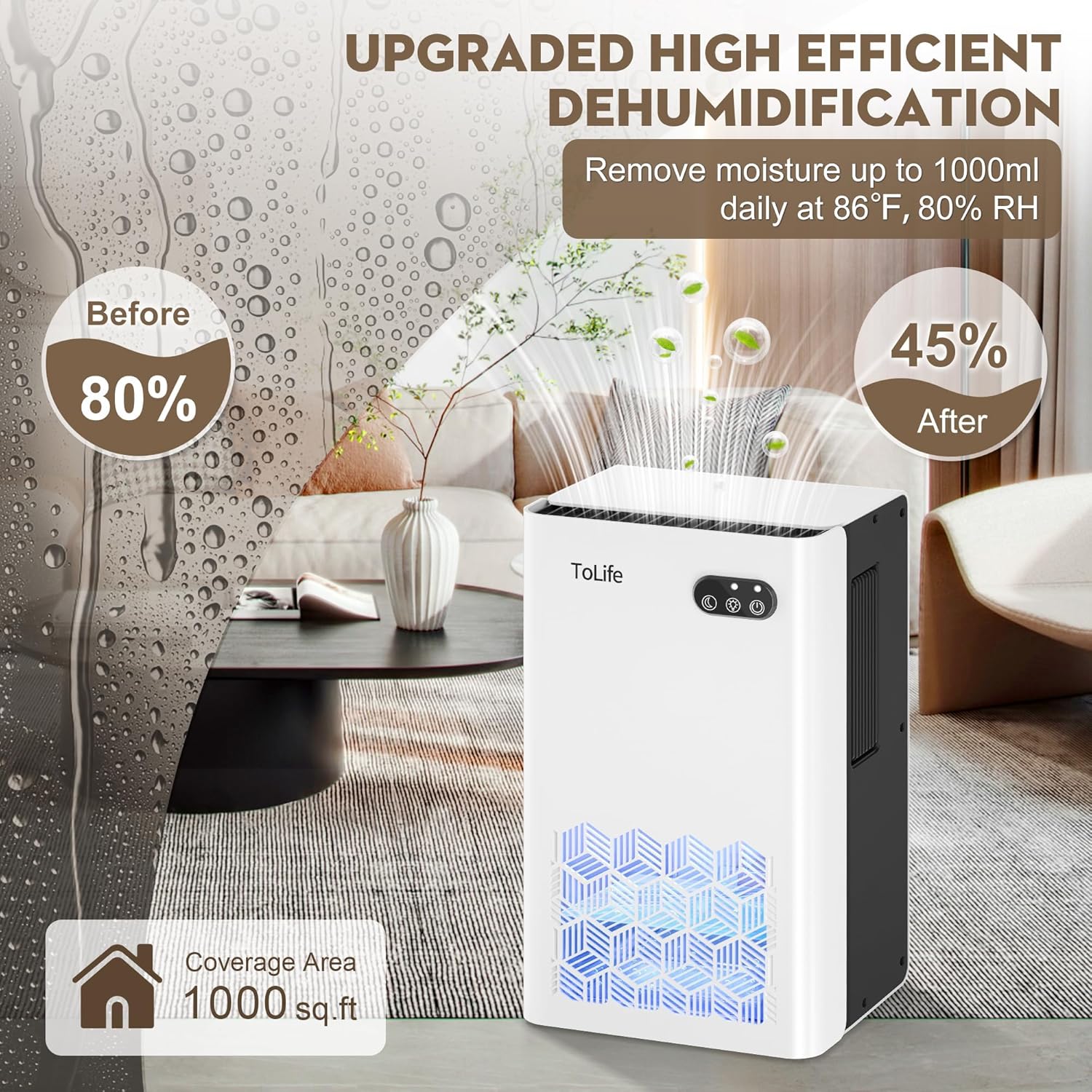
Image: Visual representation of the dehumidifier's efficiency in reducing room humidity.
- Dual Dehumidifier Modes: Offers a powerful mode for rapid moisture elimination and a low-speed sleep mode (under 30 dB) for quiet operation during rest.

Image: Illustration of the two operational modes: Night Mode and Powerful Mode.
- Seven-Color Ambiance Lighting: Features 7 constantly changing LED colors. Users can select and lock a preferred color, allowing it to function as a night light to enhance room ambiance.

Image: The dehumidifier showcasing its 7-color LED lighting options.
- Automatic Shutdown Protection: Equipped with an intelligent auto-shutoff function that activates when the 95 oz water tank is full or improperly placed, preventing water overflow and ensuring safety.

Image: Diagram showing the automatic shut-off feature when the water tank is full.
- Portable Design: Compact dimensions (8.27"L x 5.55"W x 13.78"H) and integrated handles allow for easy relocation to various small spaces such as bedrooms, bathrooms, basements, and closets.

Image: The dehumidifier in different rooms, emphasizing its suitability for various small spaces.
3. Setup Instructions
- Unpack: Carefully remove the dehumidifier and all packaging materials from the box.
- Placement: Place the unit on a flat, stable surface in the desired location. Ensure there is at least 8 inches (20 cm) of space around the air inlets and outlets for optimal airflow.
- Power Connection: Plug the power adapter into the dehumidifier's power port, then plug the adapter into a standard electrical outlet.
- Initial Check: Ensure the water tank is correctly inserted before powering on the unit.
4. Operating Instructions
Power On/Off
- To Power On: Press the Power Button (
 ) once. The unit will start operating in Powerful Mode.
- To Power Off: Press the Power Button again.
Mode Selection
- Powerful Mode: The default mode for efficient and fast dehumidification.
- Sleep Mode: Press the Mode Button (
 ) to switch to Sleep Mode. In this mode, the fan speed is reduced for quieter operation, and the LED lights will turn off automatically.
LED Light Control
- Cycle Colors: When the unit is on, the LED lights will cycle through 7 different colors.
- Lock Color: Press the Light Button (
 ) once to pause on the current color.
- Turn Off Lights: Press the Light Button again to turn off the LED lights. Pressing it a third time will resume the color cycling.
Water Tank Management
- Removing the Tank: Gently pull the water tank from the back of the unit.
- Emptying: Discard the collected water.
- Re-inserting: Slide the empty tank back into the unit until it clicks securely into place. The dehumidifier will automatically resume operation if it was running before removal.
- Auto Shut-off: The unit will automatically stop operating when the water tank is full or not correctly installed.
5. Maintenance
Regular maintenance ensures optimal performance and longevity of your ToLife Dehumidifier.
- Cleaning the Water Tank: Empty the water tank regularly. Clean it with mild soap and water if necessary to prevent mold or mildew buildup. Rinse thoroughly.
- Cleaning the Exterior: Wipe the exterior of the dehumidifier with a soft, damp cloth. Do not use abrasive cleaners, solvents, or harsh chemicals.
- Air Inlets/Outlets: Periodically check and gently clean any dust or debris from the air inlets and outlets to maintain efficient airflow.
6. Troubleshooting
If you encounter issues with your dehumidifier, please refer to the following common problems and solutions:
- Dehumidification Effect Not Obvious:
- Ensure all doors and windows in the operating area are closed.
- Check that the front air inlet and back air outlet are not blocked.
- The ambient air humidity might be lower than 42% RH, which is the target humidity level.
- This dehumidifier is designed for small spaces (up to 1000 sq.ft); its effect may be less noticeable in larger areas.
- Dehumidifier Stops Working After a Period of Use:
- Check if the water tank is full. If so, empty it and re-insert it correctly.
- The dehumidifier may automatically stop running after 48 hours of continuous operation to improve its lifespan. Restart the unit if needed.
- If the issue persists, ensure the product is not damaged or burned out. Contact customer support if necessary.
7. Specifications
| Feature | Detail |
|---|---|
| Brand | ToLife |
| Model Name | TZ-C2 |
| Product Dimensions | 8.27"D x 5.55"W x 13.78"H |
| Item Weight | 5.85 pounds (2.66 Kilograms) |
| Floor Area Coverage | Up to 1000 sq.ft |
| Water Tank Capacity | 95 Fluid Ounces |
| Special Features | Automatic Shutoff, Portable, Quiet Operation, Removable Tank, Sleep Mode, 7-Color LED Light |
| Number of Speeds | 2 |
| Wattage | 93 watts |
| Recommended Uses | Bedroom, Basement, Bathroom, Closet, RV, Home |
| Material | Plastic |
8. Warranty and Support
For detailed warranty information, product registration, or customer support, please refer to the documentation included with your product packaging or visit the official ToLife website. You may also contact ToLife customer service directly for assistance with any product-related inquiries.
For additional resources and product information, visit the ToLife Store on Amazon.
