
1. Introduction
This manual provides essential information for the safe and efficient installation, operation, and maintenance of your SUKFLOW Micro Inverter 1200W. This device is designed for balcony power plants or household power consumption, offering a reliable solution for converting solar energy into usable AC power. It features integrated MPPT, WiFi connectivity for app control, and an IP67 waterproof rating for durability.
2. Safety Instructions
- Read Thoroughly: Before installation or operation, read this entire manual carefully.
- Qualified Personnel: Installation and maintenance should only be performed by qualified personnel familiar with electrical systems and local electrical codes.
- Electrical Hazard: This device processes electrical power. Incorrect installation or operation can lead to electric shock, fire, or serious injury.
- Low DC Voltage: The inverter operates with a maximum DC voltage of 60V, which reduces the risk of high-voltage hazards from the solar panels. However, always treat electrical components with caution.
- Environmental Conditions: Ensure the inverter is installed within its specified operating temperature range (-40°C to +65°C) and in a well-ventilated area.
- Water Protection: The inverter is IP67 certified, meaning it is protected against dust and temporary immersion in water. However, avoid submerging the device or exposing it to high-pressure water jets.
- Disconnection: Before performing any maintenance or troubleshooting, ensure the inverter is disconnected from both the solar panels (DC input) and the AC grid.
3. Product Overview
3.1 Key Features
- Flexible Compatibility: Features an independent two-channel MPPT, compatible with two photovoltaic modules (200-625W rated power each), providing a maximum output of 1200W.
- Extremely Durable: IP67 certified housing and an operating temperature range from -40°C to +65°C ensure weatherproof and reliable operation. Natural convection cooling maintains performance in various conditions.
- Intelligent and Highly Efficient: Achieves a peak efficiency of 96% and an MPPT efficiency over 99.5%, maximizing energy yield. Built-in WiFi/Bluetooth enables remote monitoring via a dedicated app for yield analysis, performance adjustment, and OTA updates.
- Plug and Play System: Designed for easy installation with low DC voltage (maximum 60V) for enhanced safety and fire protection.
3.2 Included Components
- SUKFLOW Micro Inverter 1200W
- 5-meter AC Cable
- Mounting Accessories
- Instruction Manual (this document)
4. Setup and Installation
The SUKFLOW Micro Inverter is designed for a straightforward 'plug and play' installation. Please follow these steps carefully. Refer to the diagram below for visual guidance.
- Mount the Inverter: Securely mount the micro inverter in a suitable location, ensuring proper ventilation and access for connections. Use the provided mounting accessories.
- Connect PV Modules: Connect the DC output cables from your two photovoltaic modules to the corresponding DC input connectors on the micro inverter. Ensure correct polarity (positive to positive, negative to negative). Each module should have a power output between 300W and 550W.
- Connect AC Cable: Attach the included 5-meter AC cable to the AC output port of the micro inverter.
- Connect to Grid: Plug the other end of the 5-meter AC cable into a standard EU power outlet. The inverter will automatically begin converting DC power from the solar panels into AC power for your home grid.
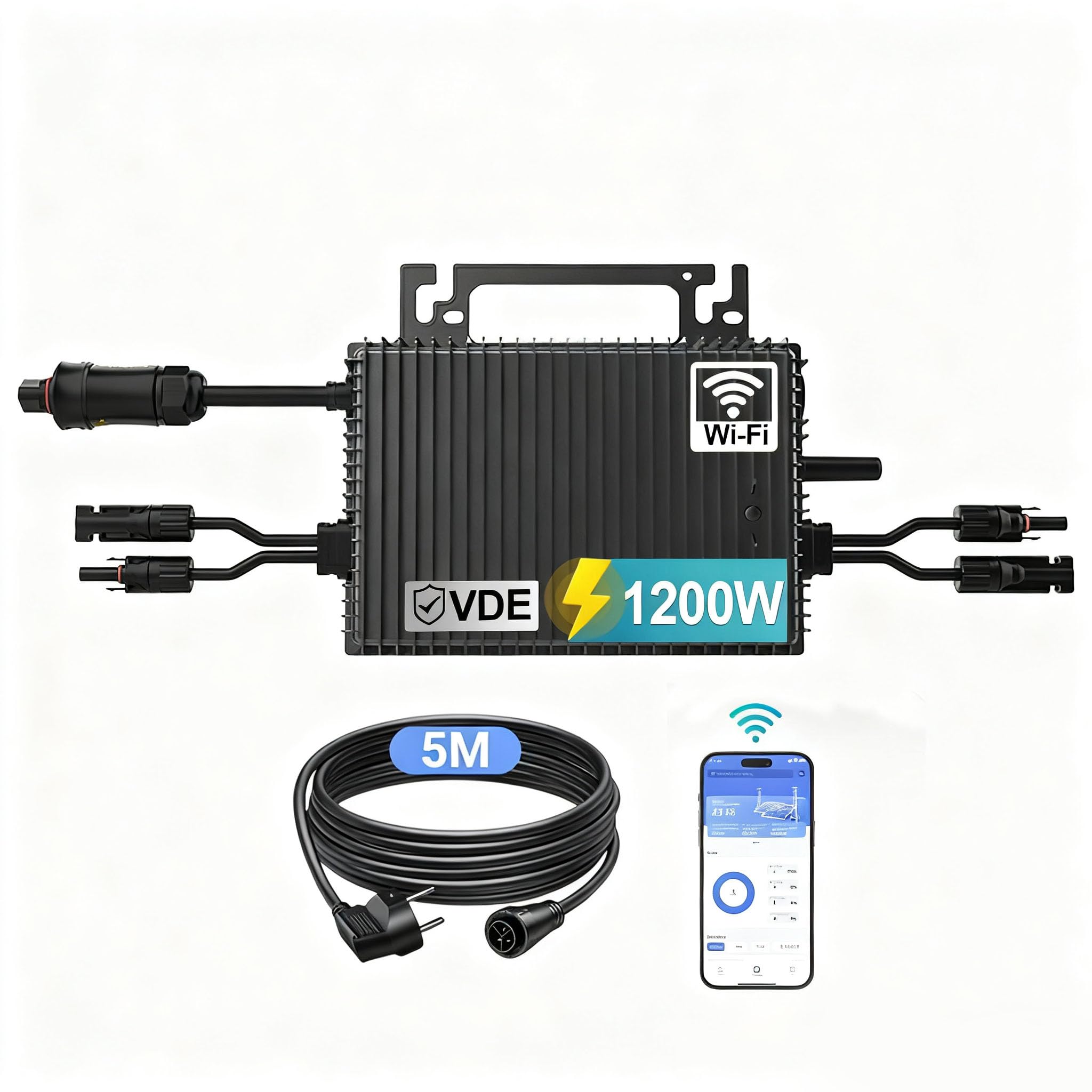
Figure 1: This diagram illustrates the wiring for the SUKFLOW Micro Inverter. Two photovoltaic modules, each providing 300-550W, connect to the DC inputs of the inverter. The inverter then connects to an EU power outlet via the included 5-meter AC cable.
5. Operating Instructions
Once installed and connected, the SUKFLOW Micro Inverter operates automatically. It will begin converting solar energy into AC power as soon as sufficient sunlight is available.
5.1 App Control and Monitoring
The inverter features built-in WiFi/Bluetooth for remote monitoring and control via a dedicated mobile application. Follow these general steps to set up app connectivity:
- Download App: Download the official SUKFLOW monitoring app from your device's app store.
- Register/Login: Create an account or log in if you already have one.
- Add Device: Follow the in-app instructions to add your micro inverter. This typically involves connecting to the inverter's WiFi hotspot or pairing via Bluetooth.
- Monitor Performance: Once connected, you can monitor real-time energy yield, analyze performance data, adjust settings, and receive Over-The-Air (OTA) updates for the inverter's firmware.
6. Maintenance
The SUKFLOW Micro Inverter is designed for minimal maintenance due to its durable IP67 rating and natural convection cooling. However, periodic checks are recommended to ensure optimal performance and longevity.
- Visual Inspection: Periodically inspect the inverter and all cables for any signs of damage, wear, or corrosion. Ensure all connections are secure.
- Cleaning: If the inverter surface becomes dirty, gently clean it with a soft, damp cloth. Do not use abrasive cleaners or high-pressure water. Ensure the inverter is disconnected from power before cleaning.
- Ventilation: Ensure that the area around the inverter remains clear to allow for proper natural convection cooling.
7. Troubleshooting
If you encounter issues with your SUKFLOW Micro Inverter, consider the following basic troubleshooting steps:
- No Power Output:
- Check if the solar panels are receiving sufficient sunlight.
- Verify all DC and AC connections are secure and correctly plugged in.
- Ensure the AC outlet is functional.
- App Connectivity Issues:
- Ensure your mobile device's WiFi or Bluetooth is enabled.
- Check if the inverter is within range of your WiFi router (if using WiFi).
- Restart the inverter by disconnecting and reconnecting the AC power.
- Low Power Production:
- Check for shading on the solar panels.
- Ensure solar panels are clean.
- Verify that the PV module power ratings are within the inverter's compatible range (200-625W per module).
For more detailed diagnostics, refer to the monitoring app. If problems persist, contact customer support.
8. Specifications
| Specification | Value |
|---|---|
| Brand | SUKFLOW |
| Model Name | Mikro Wechselrichter 1200w |
| Model Number | B0FHP5C249 |
| Recommended Uses | Home, Office |
| Power Source | Solar Powered |
| Output Power | 1200 Watts |
| Peak Output Power | 1200 Watts |
| Peak Efficiency | 96% |
| Output Voltage | 230 Volts (AC) |
| Electrical Output Waveform | Pure Sine Wave |
| Included Components | Solar PV inverter + with 5 m AC cable |
| Energy Specifications Met | CE, VDE, EN 50549, IEC 62321 |
9. Warranty and Support
SUKFLOW offers a 2-year warranty for this Micro Inverter 1200W. The product meets various certifications including EN 50549, VDE 4105, and IEC 62321, ensuring compliance with safety and performance standards.
If you have any questions regarding installation, operation, troubleshooting, or require technical assistance, please contact SUKFLOW customer support. Refer to your purchase documentation or the product packaging for specific contact details.


