
1. Introduction
This manual provides detailed instructions for the safe and efficient operation, installation, and maintenance of your Kenmore KM8K-R 8,000 BTU Window Air Conditioner. Please read this manual thoroughly before using your air conditioner and retain it for future reference.
The Kenmore KM8K-R is designed to provide reliable cooling for medium-sized rooms up to 350 sq. ft., offering features such as remote control, digital display, and multiple operating modes for enhanced comfort.
2. Important Safety Instructions
To reduce the risk of fire, electrical shock, or injury when using your air conditioner, follow these basic precautions:
- Read all instructions before using the appliance.
- Plug into a grounded 3-prong outlet. Do not remove the grounding prong.
- Do not use an adapter.
- Do not use an extension cord.
- Disconnect power before servicing.
- Do not operate any air conditioner with a damaged cord or plug.
- Do not block air openings.
- Use two or more people to move and install the air conditioner.
- Ensure the unit is installed securely in a window according to installation instructions.
- The electrical box is fire-resistant for added safety.
3. Product Features
The Kenmore KM8K-R air conditioner is equipped with several features designed for optimal comfort and efficiency:
- 8,000 BTU Cooling Capacity: Effectively cools rooms up to 350 sq. ft.
- Multi-Mode Operation: Includes Cooling, Sleep, Auto, and Eco modes.
- Three Fan Speeds: Adjust airflow for personalized comfort.
- Digital Controls & Remote: Easy-to-use touch panel and included remote control for convenient operation.
- Energy Efficient: Features a CEER rating of 10.9 to help reduce energy consumption.
- Washable Air Filter: Reusable filter improves air quality and simplifies maintenance.
- Auto-Restart: Automatically resumes previous settings after a power outage.
- Self-Evaporating Condensate System: Reduces internal moisture buildup for consistent operation.
- Fire-Resistant Electrical Box: Provides an additional layer of safety.
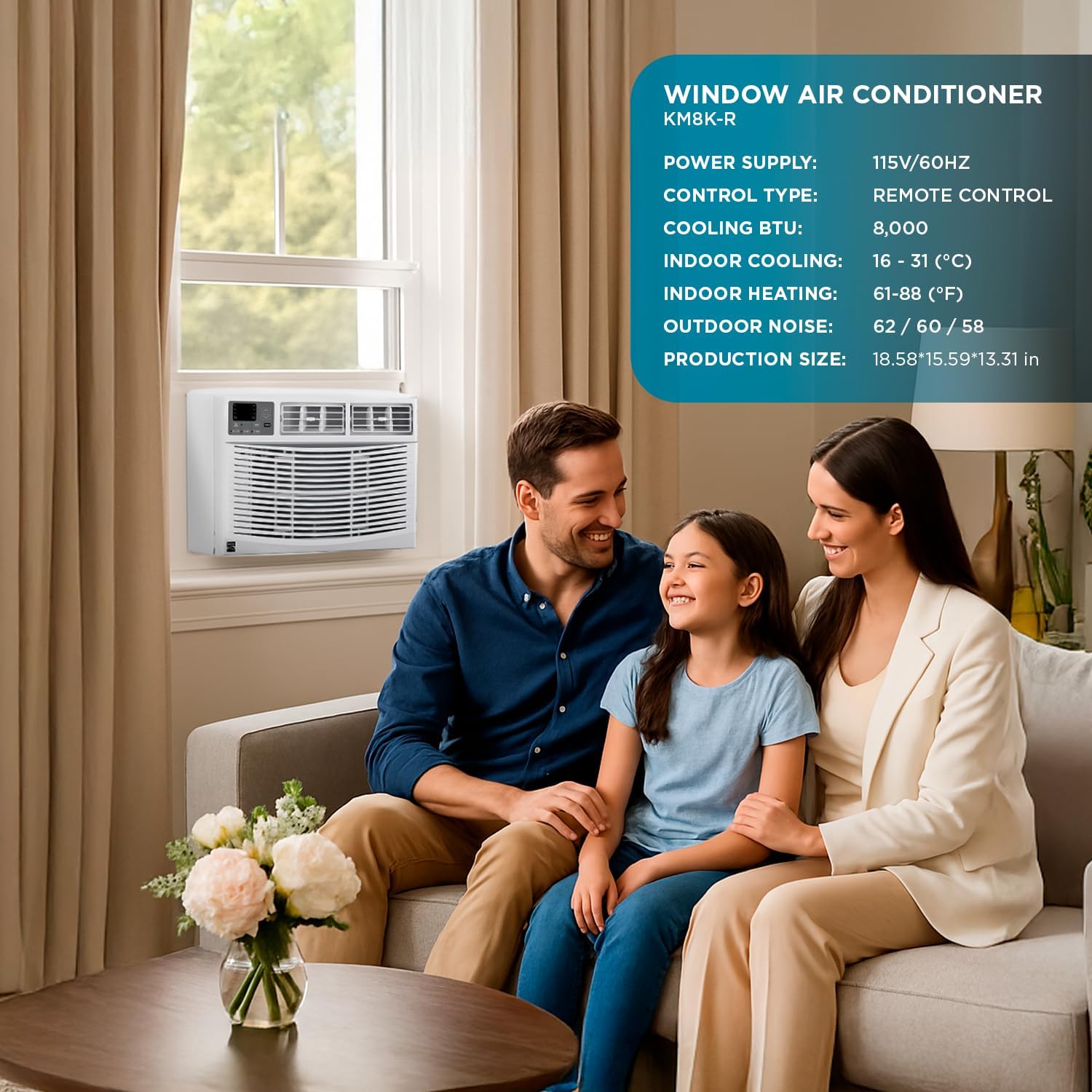
Image: Kenmore KM8K-R 8,000 BTU Window Air Conditioner installed in a window, with a family relaxing nearby. This image shows the Kenmore KM8K-R window air conditioner properly installed in a window, providing cooling for a living space.
4. Setup and Installation
The Kenmore KM8K-R is designed for easy installation in most standard windows. It is recommended that two people install the unit due to its weight (approximately 69.4 lbs).
4.1 Unpacking
- Carefully remove the air conditioner from its packaging.
- Check for any shipping damage. If the unit is damaged, do not install it. Contact customer support.
- Ensure all included components are present: Air Filter (pre-installed), Remote Control.
4.2 Window Requirements
The unit requires a window opening with a maximum width of 18.58 inches and a maximum height of 13.31 inches. The product dimensions are 15.59"D x 18.58"W x 13.31"H.
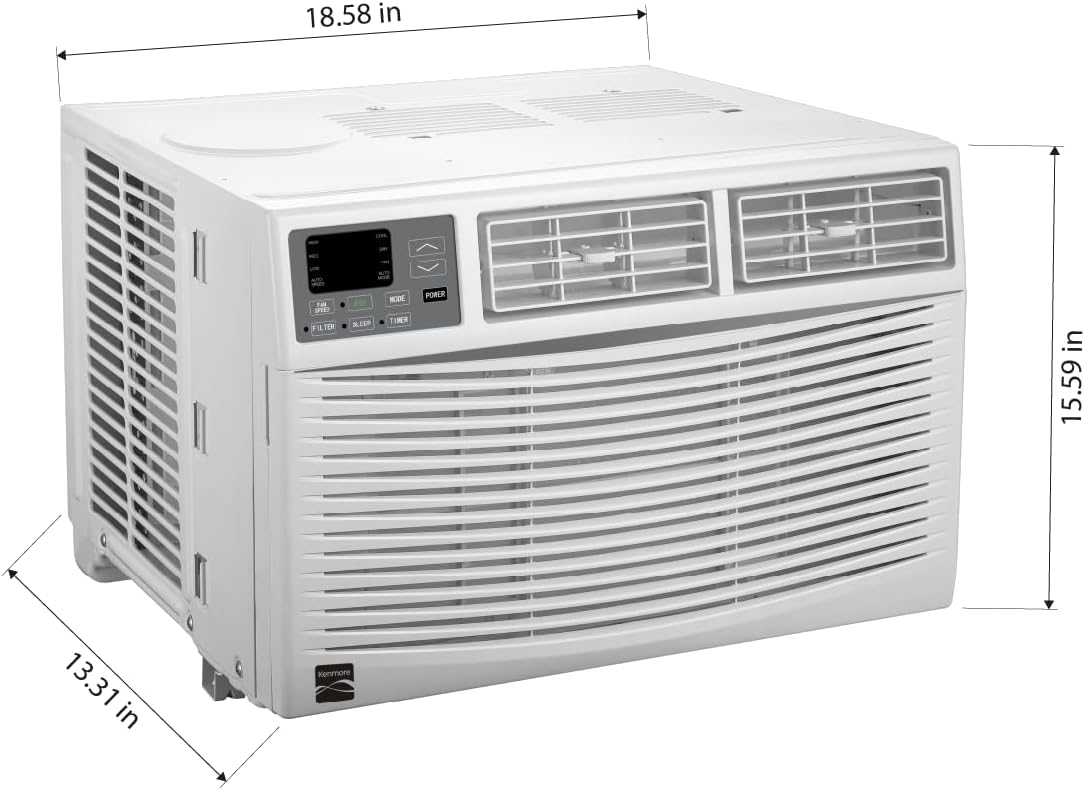
Image: Diagram showing the dimensions of the Kenmore KM8K-R 8,000 BTU Window Air Conditioner. This diagram provides the exact measurements of the Kenmore KM8K-R air conditioner: 18.58 inches width, 15.59 inches height, and 13.31 inches depth.
4.3 Electrical Requirements
The air conditioner operates on a 115V / 60Hz power supply. It comes with a 4.9 ft. power cord. Ensure your electrical outlet meets these specifications and is properly grounded. Do not use extension cords or adapters.
4.4 Installation Steps
Refer to the detailed installation guide included with your product for specific step-by-step instructions. Generally, installation involves:
- Preparing the window opening.
- Attaching the top mounting rail and side panels.
- Placing the unit into the window opening.
- Securing the unit with brackets and screws.
- Sealing any gaps to prevent air leakage.
5. Operating Instructions
Your Kenmore KM8K-R air conditioner can be operated using the control panel on the unit or the included remote control.
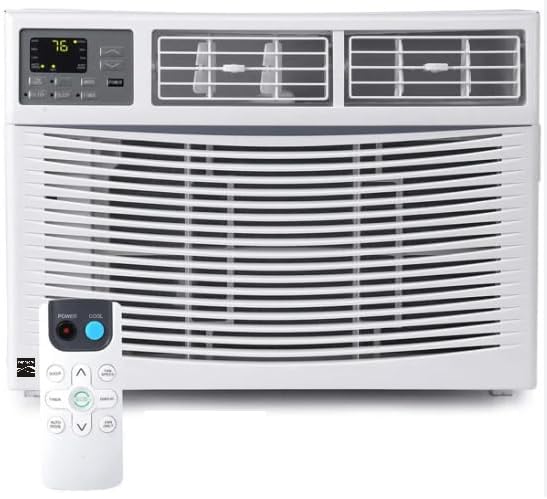
Image: Front view of the Kenmore KM8K-R 8,000 BTU Window Air Conditioner. A clear front view of the Kenmore KM8K-R window air conditioner, highlighting its control panel and air vents.
5.1 Control Panel and Remote Control
The digital display shows the current temperature and settings. Buttons on the control panel and remote allow you to:
- Power On/Off: Turn the unit on or off.
- Mode Selection: Cycle through Cooling, Fan Only, Eco, and Sleep modes.
- Temperature Adjustment: Set your desired temperature (Indoor Cooling range: 16-31°C / 61-88°F).
- Fan Speed: Select Low, Medium, or High fan speed.
- Timer: Program the unit to turn on or off at specific times.
5.2 Operating Modes
- Cooling Mode: Provides maximum cooling. Adjust temperature and fan speed as desired.
- Fan Only Mode: Circulates air without cooling. Useful for ventilation.
- Eco Mode: Saves energy by cycling the compressor and fan on and off once the set temperature is reached.
- Sleep Mode: Gradually increases the set temperature over several hours to conserve energy and provide comfortable sleeping conditions.
- Auto Mode: Automatically selects the appropriate operating mode (Cooling or Fan Only) and fan speed based on the room temperature.

Image: Person sleeping comfortably with the Kenmore KM8K-R air conditioner providing quick cooling at an ideal temperature. This image illustrates the comfort provided by the air conditioner's quick cooling and sleep mode, maintaining an ideal temperature for rest.
6. Maintenance
Regular maintenance ensures optimal performance and longevity of your air conditioner.
6.1 Cleaning the Air Filter
The reusable air filter should be cleaned every two weeks, or more often depending on usage and air quality.
- Turn off the air conditioner and unplug it from the power outlet.
- Open the front panel and carefully slide out the air filter.
- Wash the filter with warm, soapy water. Rinse thoroughly.
- Allow the filter to air dry completely before reinserting it. Do not use hot water or dry with direct heat.
- Reinstall the dry filter and close the front panel.
6.2 General Cleaning
- Wipe the cabinet with a soft, damp cloth. Do not use harsh cleaners or abrasive materials.
- Ensure the air intake and exhaust vents are free from obstructions.
- The self-evaporating condensate system manages internal moisture, reducing the need for manual draining under normal operating conditions.
7. Troubleshooting
Before contacting customer service, review this section for common issues and solutions.
| Problem | Possible Cause | Solution |
|---|---|---|
| Air conditioner does not start. | No power; tripped circuit breaker; unit unplugged. | Check power cord connection; reset circuit breaker; ensure unit is plugged into a live outlet. |
| Unit does not cool sufficiently. | Dirty air filter; blocked air intake/exhaust; room too large; windows/doors open. | Clean air filter; clear obstructions; ensure room size is within specifications; close windows and doors. |
| Water dripping outside. | Normal operation in high humidity. | This is normal. The self-evaporating system handles most condensate, but some dripping may occur. |
| Unit is noisy. | Loose installation; fan obstruction; normal compressor noise. | Ensure unit is securely installed; check for obstructions in fan area; some compressor noise is normal (62 Decibels). |
8. Specifications
| Brand | Kenmore |
| Model Name | KM8K-R |
| Cooling Power | 8,000 British Thermal Units |
| Floor Area Coverage | Up to 350 Square Feet |
| Product Dimensions (D x W x H) | 15.59"D x 18.58"W x 13.31"H |
| Item Weight | 69.4 Pounds |
| Voltage | 115.0 V |
| Wattage | 730 W |
| Efficiency (CEER) | 10.9 |
| Noise Level | 62 Decibels |
| Refrigerant | R-32 |
| Installation Type | Window |
| Control Method | Remote, Touch |
| Included Components | Air Filter, Remote Control |
| UPC | 860013726928 |
9. Product Overview Video
Video: Official product video demonstrating the features and operation of the Kenmore KM8K-R Window Air Conditioner. This video provides a visual guide to the air conditioner's functions and benefits.
10. Warranty and Support
Your Kenmore KM8K-R Window Air Conditioner comes with a 1-year limited warranty. For detailed warranty information, please refer to the warranty card included with your product.
For technical assistance, troubleshooting beyond this manual, or to inquire about warranty service, please contact Kenmore America customer support. Contact information can typically be found on the product packaging or the official Kenmore website.
You can also visit the official Kenmore Store for more information: Kenmore Store on Amazon


