
1. Introduction
The MERACH Under Desk Bike Pedal Exerciser is a versatile fitness machine designed for arm and leg exercise, physical therapy, and active sitting. Featuring quiet magnetic resistance and smart app connectivity, it allows users to integrate exercise seamlessly into their daily routines, whether at the office or at home. This manual provides comprehensive instructions for setup, operation, maintenance, and troubleshooting to ensure optimal performance and user safety.
2. Package Contents
Please ensure all components are present before assembly:
- Main Exerciser Unit
- Front Stabilizer Bar
- Rear Stabilizer Bar
- Left Pedal
- Right Pedal
- Pedal Straps (pre-attached to pedals)
- Resistance Bands (2)
- Non-Slip Mat
- User Manual (this document)
- AAA Battery (1)
- Assembly Wrench

Figure 1: Quick 10-Minute Assembly - All components included in the package.
3. Setup & Assembly
Follow these steps to assemble your MERACH Under Desk Bike:
- Attach Stabilizer Bars: Secure the front and rear stabilizer bars to the main unit using the provided screws and wrench. Ensure they are firmly tightened for stability.
- Install Pedals: Attach the left (L) and right (R) pedals to their respective cranks. Note that the pedals are marked for correct orientation. Tighten securely.
- Install AAA Battery: Open the battery compartment on the main unit and insert the provided AAA battery. Close the compartment. The LCD monitor should power on automatically.
- Attach Resistance Bands: Connect the resistance bands to the designated attachment points on the front stabilizer bar.
- Position Non-Slip Mat: Place the non-slip mat on the floor where you intend to use the exerciser. Position the exerciser on top of the mat to prevent sliding during use.
Video 1: Assembly Guide. This video demonstrates the step-by-step assembly process of the MERACH Under Desk Bike, including attaching stabilizers, pedals, and resistance bands.
4. Operating Instructions
The MERACH Under Desk Bike offers versatile exercise options:
4.1 Leg Exercise (Bicycling)
Place the exerciser on the non-slip mat on the floor. Sit comfortably on a chair and place your feet on the pedals. Adjust the pedal straps for a secure fit. Begin pedaling in a smooth, continuous motion. You can pedal forwards or backwards.
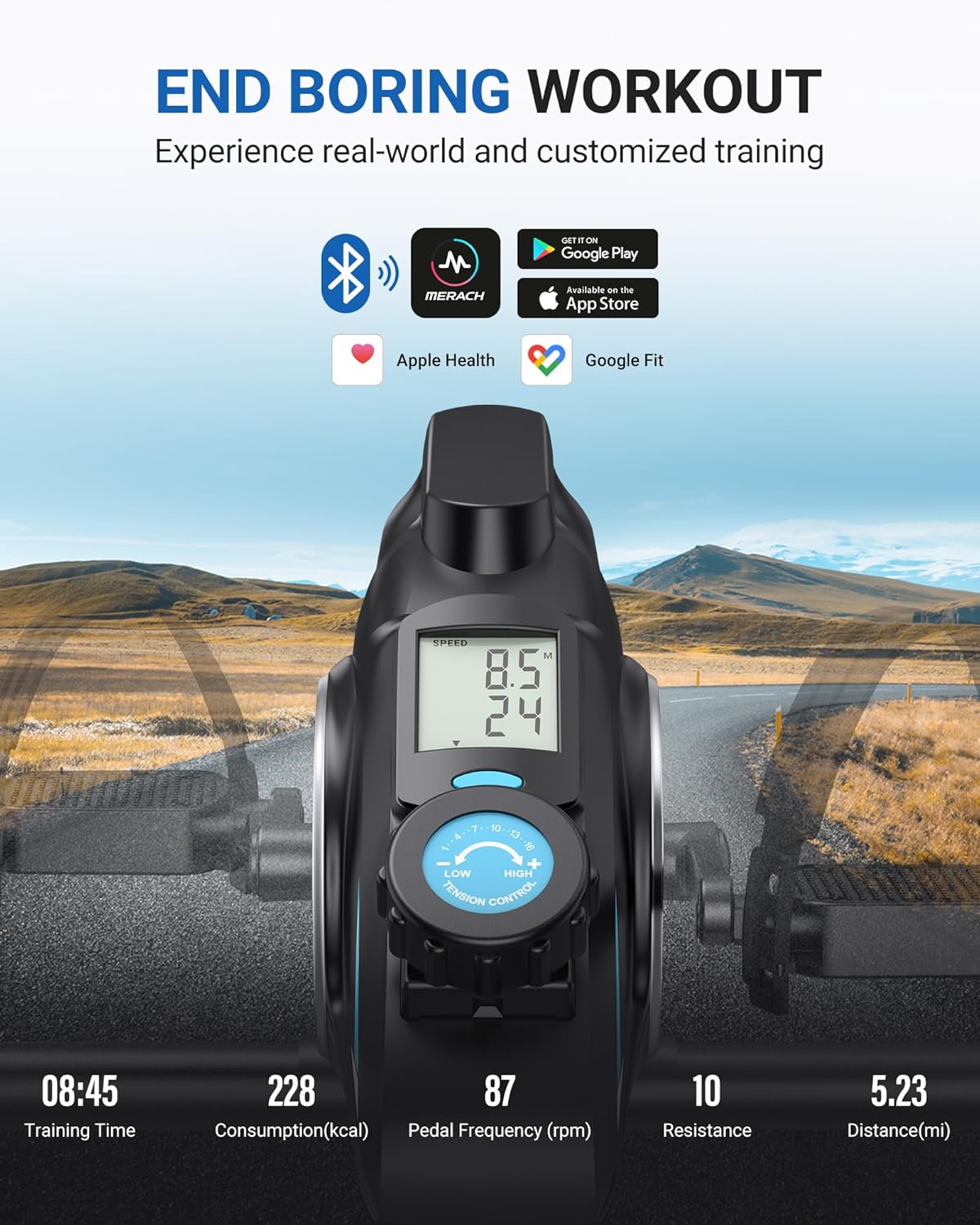
Figure 2: Dual-Use - Leg Exercise with Resistance Bands.
4.2 Arm Exercise
Place the exerciser on a sturdy table. Sit in front of it and place your hands on the pedals. Use the resistance bands for additional upper body workout. Begin pedaling with your hands in a smooth, continuous motion.

Figure 3: Dual-Use - Arm Exercise.
4.3 Resistance Adjustment
The exerciser features 16 levels of magnetic resistance. Turn the tension control knob located on the main unit clockwise to increase resistance (higher intensity) or counter-clockwise to decrease resistance (lower intensity).

Figure 4: Silent Magnetic Power - Resistance Dial.
4.4 LCD Monitor
The integrated LCD display shows real-time workout data including scan, speed, time, distance, and calories burned. Press the blue button below the display to cycle through different metrics or to reset the data.
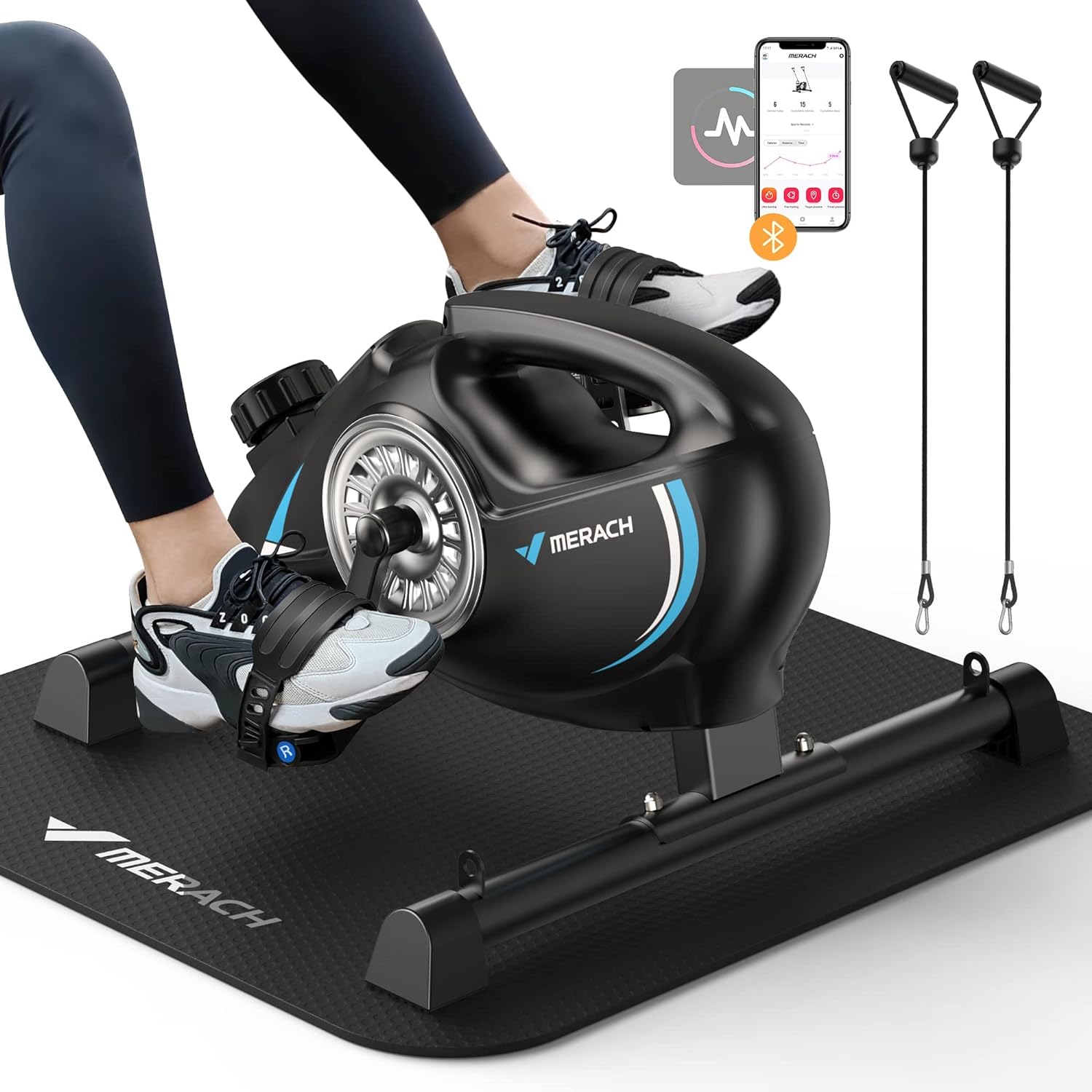
Figure 5: LCD Monitor Displaying Workout Data.
4.5 MERACH App Connectivity
Enhance your workout experience by connecting the exerciser to the free MERACH App. The app offers various training modes (free training, target, timed practice) and tracks your progress with live metrics. It is compatible with Apple Health and Google Fit.
Video 2: How to connect Merach Under Desk Bike to iPhone. This video demonstrates the process of connecting the exerciser to the MERACH App on an iPhone, showing app features and data tracking.
5. Maintenance & Care
To ensure the longevity and optimal performance of your MERACH Under Desk Bike, follow these maintenance guidelines:
- Cleaning: Wipe down the exerciser with a damp cloth after each use to remove sweat and dust. Avoid using abrasive cleaners or solvents.
- Storage: Store the exerciser in a cool, dry place away from direct sunlight and extreme temperatures. Its portable design allows for easy storage.
- Pedal Straps: Periodically check the tightness of the pedal straps and adjust as needed to ensure a secure fit for your feet.
6. Troubleshooting
If you encounter any issues with your MERACH Under Desk Bike, please refer to the following common solutions:
- LCD Monitor Not Displaying:
- Check if the AAA battery is correctly installed and has sufficient charge. Replace if necessary.
- Ensure the battery compartment is securely closed.
- Exerciser Slides During Use:
- Ensure the non-slip mat is properly placed under the exerciser.
- Verify that the stabilizer bars are firmly attached and tightened.
- If using on a very smooth surface, consider placing the exerciser against a wall or a heavier object for added stability.
- Pedals Feel Loose or Wobbly:
- Check that the pedals are securely tightened to the cranks.
- Ensure the pedal straps are adjusted snugly around your feet.
- Resistance Not Changing:
- Verify that the tension control knob is turning freely and engaging the resistance mechanism.
- App Connectivity Issues:
- Ensure Bluetooth is enabled on your mobile device.
- Make sure the MERACH App has the necessary permissions (e.g., Bluetooth, location).
- Try restarting the app and the exerciser.
For more detailed troubleshooting or persistent issues, please refer to the official Troubleshooting Guide (PDF) available on the product page or contact MERACH customer support.
7. Specifications
| Feature | Specification |
|---|---|
| Brand | MERACH |
| Model Number | MR-S04 |
| Product Dimensions (D x W x H) | 23.62"D x 21.8"W x 12.59"H |
| Item Weight | 18 Pounds |
| Maximum Weight Recommendation | 280 Pounds |
| Number of Resistance Levels | 16 |
| Display Type | LCD |
| Power Source | Battery Powered (1 AAA battery included) |
| Material | Alloy Steel |
8. Warranty & Support
MERACH stands behind the quality of its products. When you purchase a MERACH Under Desk Bike, you are entitled to a one-year manufacturer's warranty. In the event of any quality issues or for technical support, please contact us directly. We are committed to providing reliable products that are user-friendly, safe, and durable.
For customer support, please refer to the contact information provided in your product packaging or on the official MERACH website.