
ANNKE FCD800
Contents
ANNKE FCD800 4K 8MP Dual Lens PoE Security Camera
Instruction Manual
Model: FCD800 | Brand: ANNKE
1. Introduction
Thank you for choosing the ANNKE FCD800 4K 8MP Dual Lens PoE Security Camera. This manual provides essential information for the proper installation, operation, and maintenance of your security camera. Please read this guide thoroughly before use and retain it for future reference.
2. What's in the Box
Verify that all items listed below are included in your package:
- 1x 8MP Dual Lens PoE Camera
- 1x 1M Network Cable
- 1x Drill Template & Screw Bag
- 1x Wall Sticker & Quick Start Guide

Image: Package contents of the ANNKE FCD800 camera.
3. Key Features
- Flawless 180° Panorama & 4K UHD: Dual-lens design provides a 180° panoramic view, capturing 4K UHD footage at 20fps.
- Smart Dual-light Color Night Vision: Automatically switches from black & white to full-color night vision upon detecting a person or vehicle, with up to 100ft range.
- AI Human/Vehicle Detection: Advanced Motion 2.0 AI technology accurately identifies people and vehicles, reducing false alarms and sending instant alerts.
- Two-Way Audio: Built-in microphone and speaker enable real-time two-way communication and synchronized audio recording.
- Reliable Sound & Light Alarm: Features automated or manual sound and light alerts to deter intruders, with 12 built-in alarms and custom sound options.
- Remote Access & 512GB Max Storage: Supports continuous 24/7 recording with up to 512GB microSD card storage (not included) and remote monitoring via web, PC, or mobile app.
4. Setup & Installation
4.1 Unboxing and Initial Inspection
Before installation, carefully unbox the camera and its accessories. Inspect all components for any signs of damage. Refer to the 'What's in the Box' section to ensure all parts are present.
Video: An unboxing demonstration of the ANNKE FCD800 4K PoE Security Camera, showing the contents and initial handling.
4.2 Mounting the Camera
Use the provided drill template to mark the screw holes on your desired mounting surface. Ensure the surface is stable and can support the camera's weight. Secure the camera using the supplied screws and wall plugs.
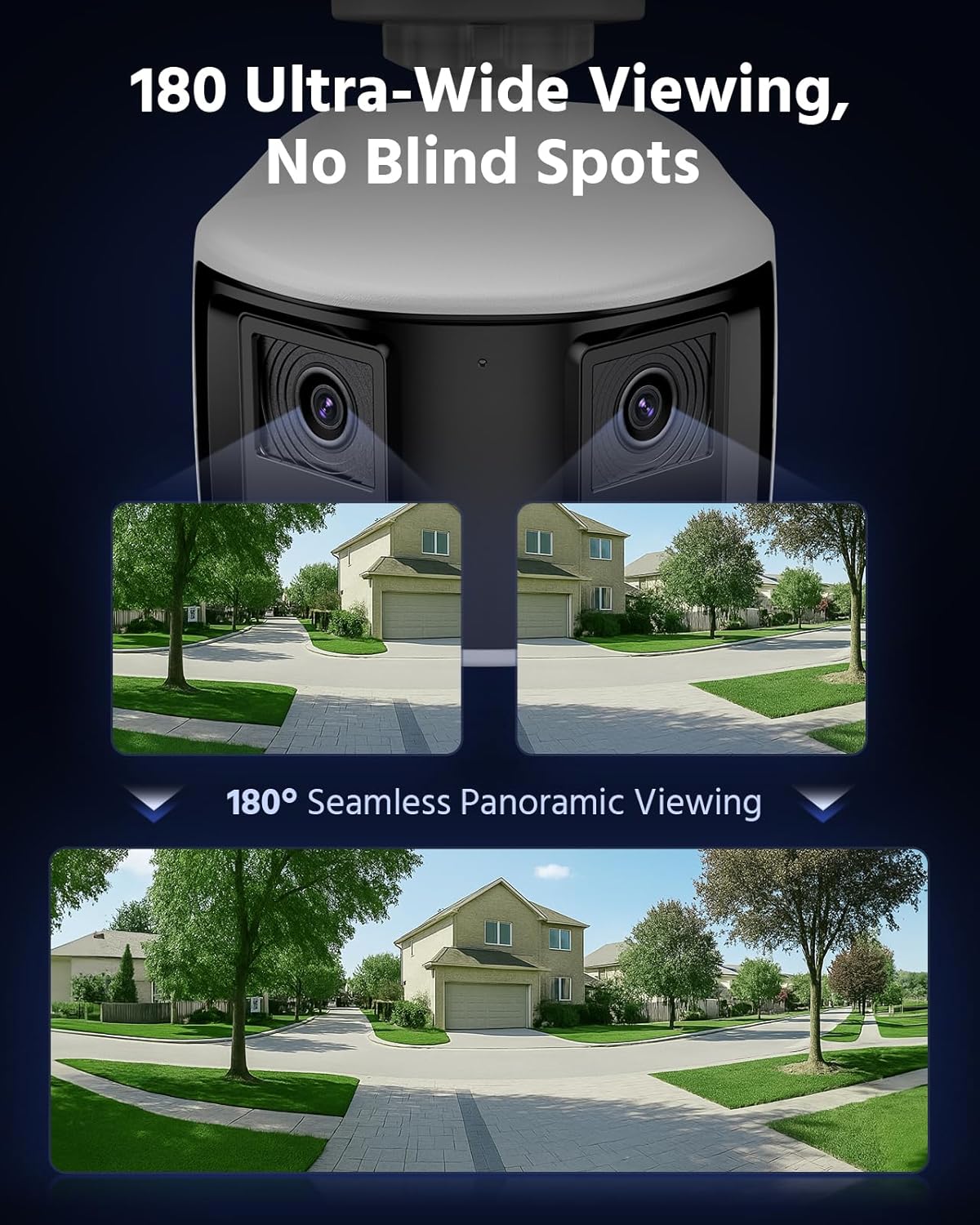
Image: The ANNKE FCD800 camera mounted, showcasing its wide field of view.
4.3 Power and Network Connection
The FCD800 camera supports Power over Ethernet (PoE), allowing both power and data transmission through a single Ethernet cable. Alternatively, it can be powered via a DC 12V adapter (not included) and connected to your network via the Ethernet cable.
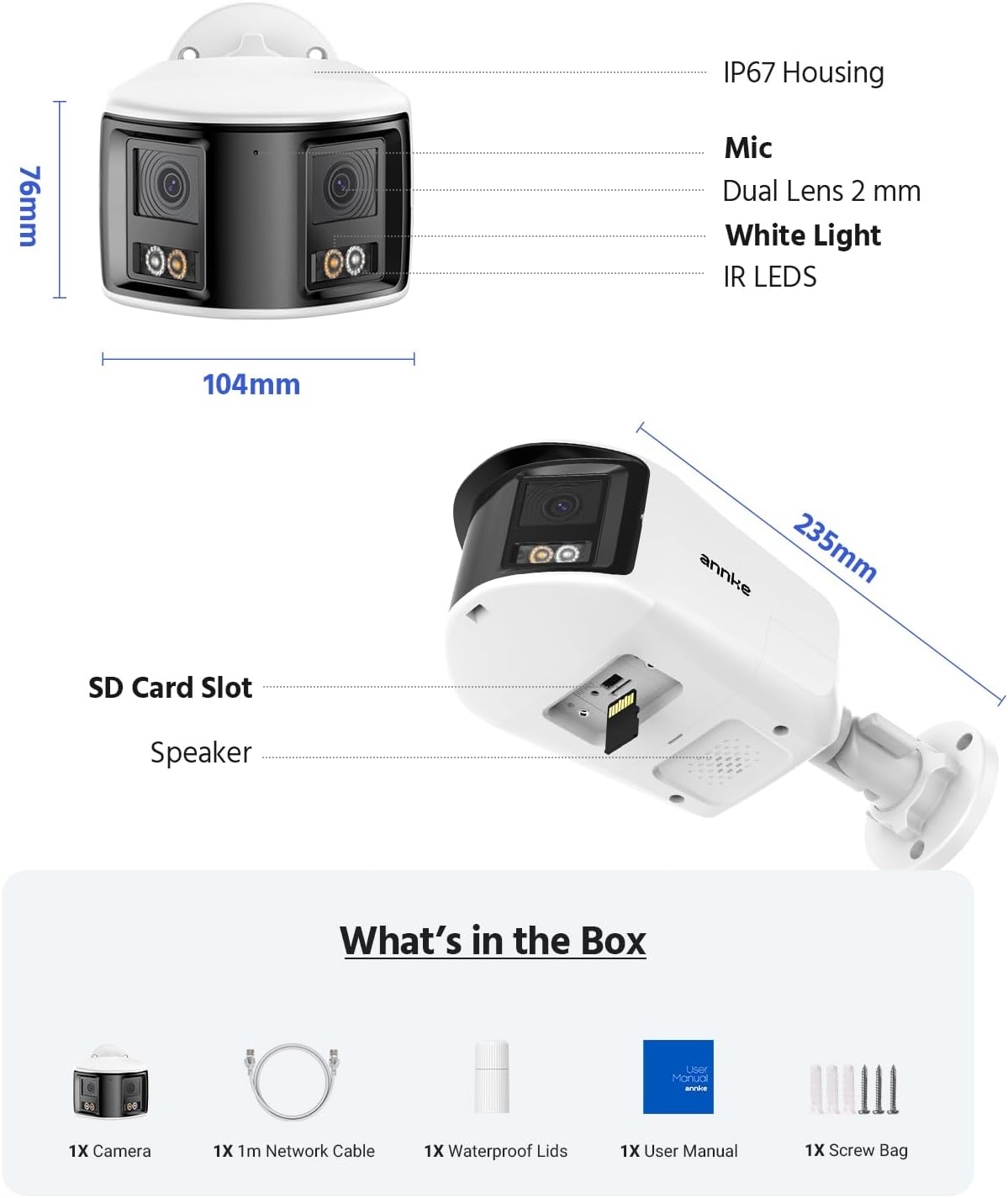
Image: Flexible power and data connection options for the camera.
5. Operating Instructions
5.1 Remote Access and Monitoring
Access your camera's live feed and recordings remotely using the ANNKE mobile application, PC client, or web browser. Ensure your camera is connected to the internet for remote functionality.

Image: Remote access to camera feeds on various devices.
5.2 Night Vision Modes
The camera offers three night vision modes:
- Color Mode: Provides vivid full-color night vision.
- IR Mode: Standard black & white infrared night vision, effective up to 100ft.
- Smart Dual-Light Mode: Operates in IR mode normally, then activates white light for full-color vision upon human or vehicle detection.
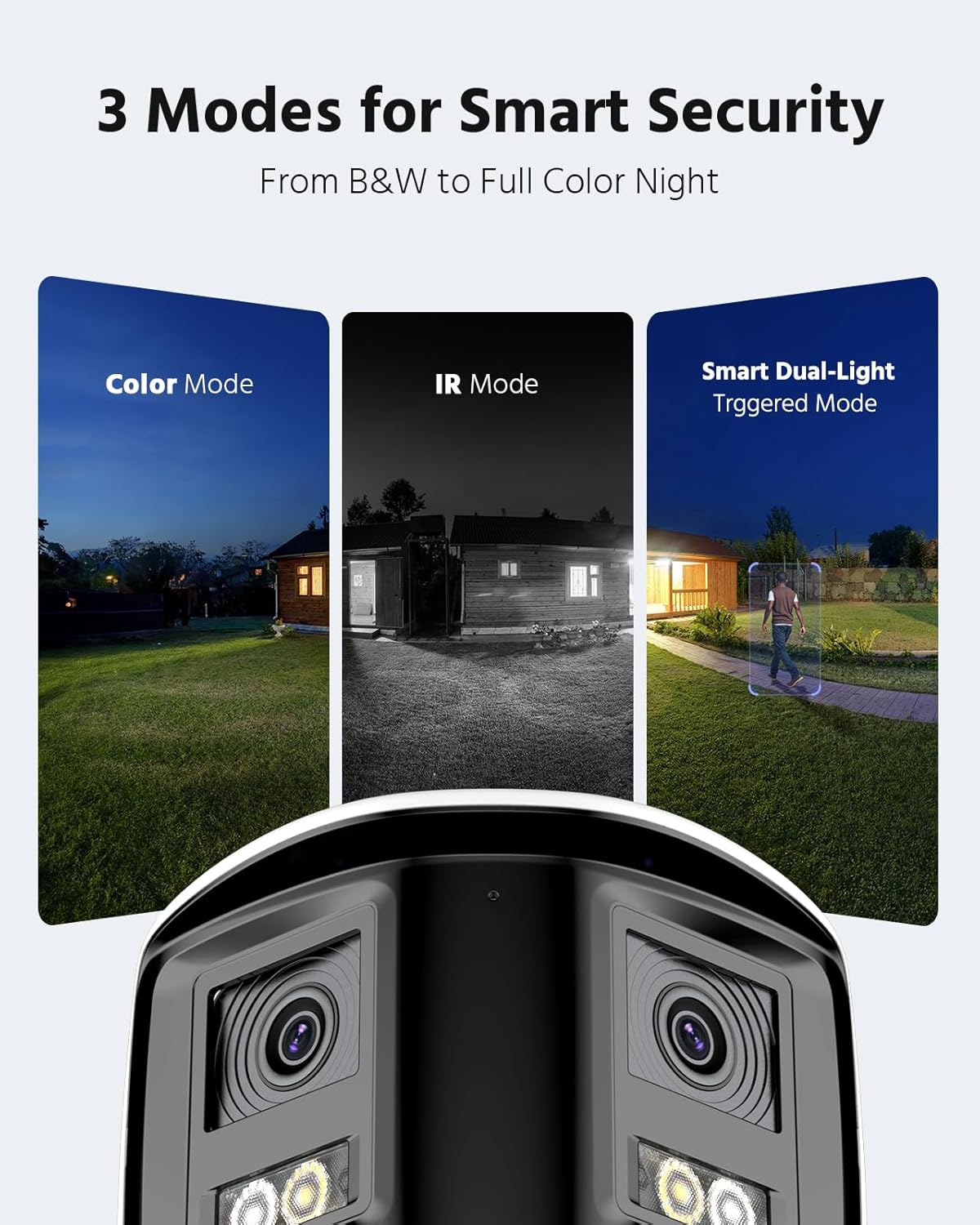
Image: Visual representation of the three smart security modes.
5.3 AI Human/Vehicle Detection
The camera's AI technology distinguishes between human and vehicle movements, sending precise alerts to your connected devices. This minimizes notifications from irrelevant movements like animals or swaying branches.

Image: AI Human and Vehicle Detection in action.
5.4 Two-Way Audio and Alarms
Utilize the two-way audio feature to communicate with visitors or deter unwanted individuals. The integrated sound and light alarm can be triggered automatically upon detection or manually via the app to provide an immediate deterrent.

Image: Real-time two-way audio communication via the mobile app.
6. Storage Options
The ANNKE FCD800 supports local storage via a microSD card (up to 512GB, not included) for continuous 24/7 recording. It is also compatible with ANNKE NVR systems (not included) for extended recording and centralized management.

Image: Flexible recording options including microSD and NVR compatibility.
7. Maintenance
To ensure optimal performance and longevity of your ANNKE FCD800 camera, follow these maintenance guidelines:
- Regular Cleaning: Gently wipe the camera lens and housing with a soft, damp cloth to remove dust and dirt. Avoid abrasive cleaners.
- Firmware Updates: Periodically check for and install firmware updates via the ANNKE app or software to ensure your camera has the latest features and security enhancements.
- Connection Check: Regularly inspect all cable connections for wear or damage, especially for outdoor installations, to maintain stable power and data transmission.
8. Troubleshooting
If you encounter issues with your ANNKE FCD800 camera, refer to the following common problems and solutions:
- No Power: Ensure the PoE connection is active or the DC 12V adapter is correctly connected and receiving power. Check the Ethernet cable for damage.
- No Video Feed: Verify network connectivity. Restart the camera and your network router/NVR. Check firewall settings if accessing remotely.
- Motion Detection Issues: Adjust sensitivity settings in the camera's software. Ensure the detection zone is correctly configured. Clear any obstructions in the camera's field of view.
- Audio Problems: Check microphone and speaker settings in the app. Ensure volume levels are appropriate.
For further assistance, consult the comprehensive user manual available on the ANNKE website or contact ANNKE customer support.
9. Specifications
| Feature | Detail |
|---|---|
| Model Number | I91EV |
| Effective Still Resolution | 8 MP |
| Viewing Angle | 180 Degrees |
| Frame Rate | 20 frames per second |
| Night Vision Range | 98 Feet |
| Low Light Technology | Night Color |
| International Protection Rating | IP67 (Waterproof) |
| Connectivity Technology | Wired (Ethernet) |
| Power Source | Corded Electric (PoE compatible) |
| Special Features | 2-Way Audio, Motion Sensor, Night Vision, Weather Proof |
| Indoor/Outdoor Usage | Indoor, Outdoor |
| Compatible Devices | NVR |
| Item Weight | 2.03 pounds |
| Package Dimensions | 10.24 x 5.63 x 4.61 inches |
10. Warranty and Support
For warranty information, please refer to the documentation included with your purchase or visit the official ANNKE website. ANNKE provides customer support and technical assistance for their products. If you require help with installation, configuration, or troubleshooting, please contact ANNKE customer service through their website or the contact details provided in your product packaging.
Video: A product overview of the ANNKE 4K UHD PoE Security Camera, highlighting its features and benefits.
Ask a question about this manual
Ask about setup, troubleshooting, compatibility, parts, safety, or missing instructions. Manuals+ will review the question and use this page’s manual context to help answer it.