
HOTT C229
HOTT C229 Desktop Portable CD Player Instruction Manual
Model: C229
1. Introduction
Thank you for choosing the HOTT C229 Desktop Portable CD Player. This device combines classic CD playback with modern connectivity options, including Bluetooth 5.3, AUX, USB, and TF card support. It features built-in speakers, a remote control, and customizable RGB lighting. This manual provides detailed instructions to help you set up, operate, and maintain your new CD player for optimal performance.
2. What's in the Box
Please check the package contents to ensure all items are present:
- CD Player x 1
- Remote Control x 1
- 3.5mm Audio Cable x 1
- USB Type-C Cable x 1
- User Manual x 1
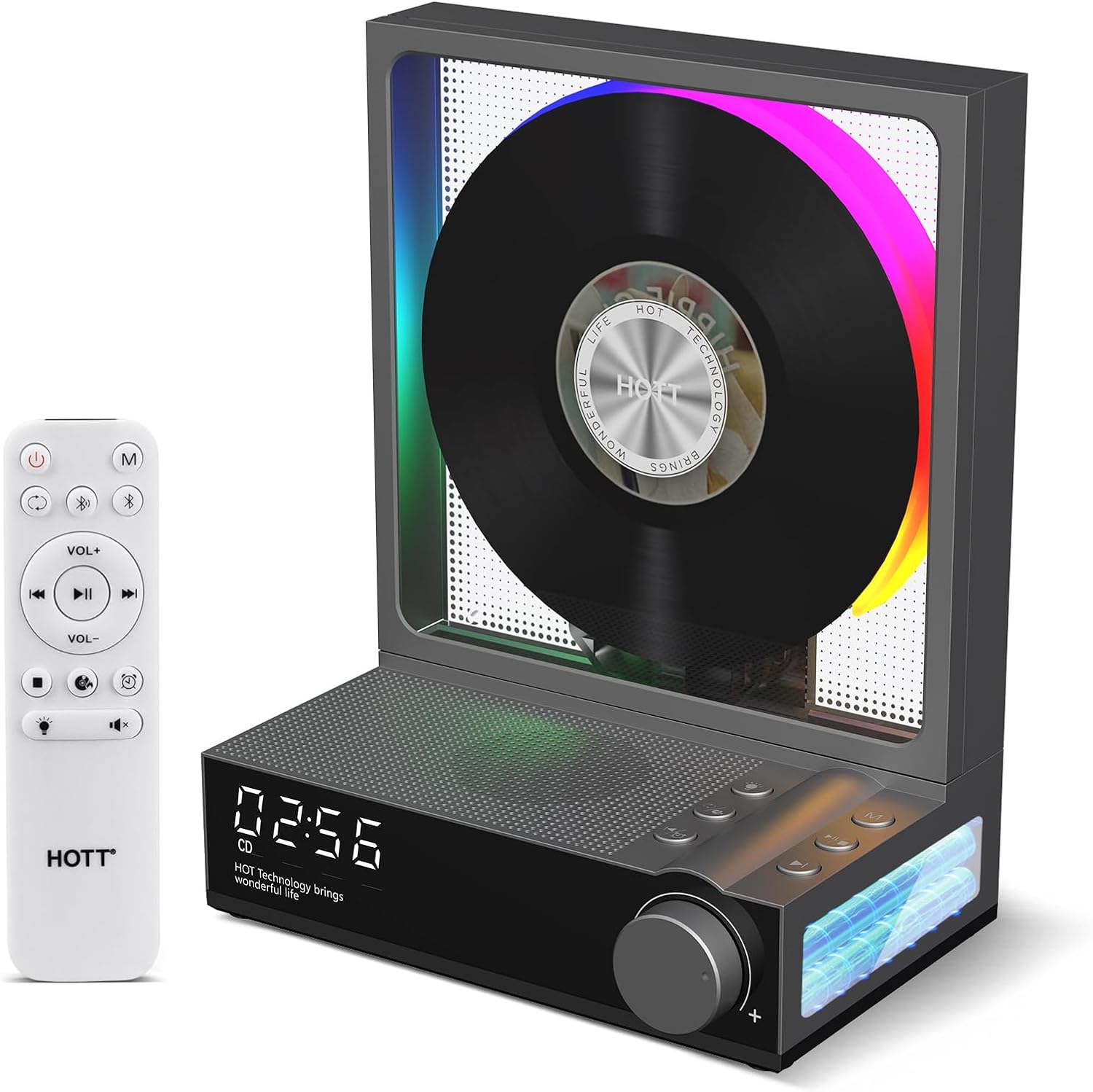
Image: The HOTT C229 Desktop Portable CD Player in grey, shown with its remote control. The player features a visible CD spinning with RGB lights, a digital display, and control buttons. The remote control is white with various playback and volume buttons.
3. Product Features
- Bluetooth 5.3 Connectivity: Supports seamless audio transfer to wireless speakers or headphones with stable connection and low latency. Features both wireless Bluetooth receiver and transmitter functions.
- AUX-in Port: Allows connection to external analog audio devices, enhancing versatility.
- Long-lasting Battery: Equipped with a 4000mAh battery, providing 8-14 hours of continuous playback.
- Remote Control: Full control over playback, volume, and track selection from a distance.
- Multi-Format Playback: Supports standard CDs, CD-Rs, TF cards (1GB-128GB), and MP3 U-drives through built-in Hi-Fi speakers.
- Integrated Hi-Fi Speakers: Delivers clear audio directly from the unit.
- Timer Function: Set automatic power-down timers for 30s, 60s, or 90s.
- RGB Lighting: Dynamic color changes in sync with music, offering various lighting modes.
4. Setup Guide
4.1 Initial Charging
Before first use, fully charge the CD player using the provided USB Type-C cable. Connect the Type-C end to the player's charging port and the USB-A end to a compatible USB power adapter (not included) or computer USB port. The charging indicator will show charging status.
4.2 Inserting a CD
- Gently open the transparent front cover of the CD player.
- Carefully place a CD onto the spindle, ensuring it clicks into place.
- Close the transparent cover.
Video: Demonstrates how to open the CD player's front cover, insert a CD onto the spindle, and close the cover. The video also shows the RGB lighting effects during CD playback.

Image: The HOTT C229 CD Player in white, showcasing its Bluetooth 5.3 capabilities. The image illustrates the player receiving audio from a smartphone and transmitting to wireless headphones, highlighting its two-way Bluetooth functionality.
5. Operating Instructions
5.1 Power On/Off
To power on the device, rotate the volume knob clockwise. To power off, rotate it counter-clockwise until the display turns off.
5.2 CD Playback
- Insert a CD as described in Section 4.2.
- Turn on the player. It will automatically detect the CD and begin playback.
- Use the Play/Pause button to pause or resume playback.
- Use the Previous and Next buttons to skip tracks.
- Adjust the volume using the rotary knob.
- Press the Mode button to cycle through playback modes (e.g., repeat one, repeat all, shuffle).
5.3 Bluetooth Connection
The HOTT C229 supports Bluetooth 5.3 for both receiving and transmitting audio.
5.3.1 Connecting to Bluetooth Headphones/Speakers (Transmitter Mode)
- Ensure your Bluetooth headphones or speaker are in pairing mode.
- On the HOTT C229, press the Mode button until "BLUE" appears on the display, indicating Bluetooth mode.
- The player will automatically search for nearby Bluetooth devices.
- Once connected, audio from the CD player will stream to your Bluetooth device.
5.3.2 Connecting a Smartphone/Tablet to the CD Player (Receiver Mode)
- On the HOTT C229, press the Mode button until "BLUE" appears on the display.
- On your smartphone or tablet, go to Bluetooth settings and search for "HOTT C229".
- Select "HOTT C229" to pair. Once connected, you can play audio from your device through the CD player's speakers.
5.4 AUX Connection
To use the AUX-in function:
- Connect one end of the 3.5mm audio cable to the AUX-in port on the CD player.
- Connect the other end to the headphone jack or AUX-out port of your external audio device.
- Press the Mode button until "AUX" is displayed.
- Play audio from your external device.
5.5 USB and TF Card Playback
The player supports MP3 files from USB drives and TF cards (1GB-128GB).
- Insert a USB drive into the USB port or a TF card into the TF card slot on the back of the player.
- Press the Mode button until "USB" or "TF" is displayed.
- The player will automatically begin playing MP3 files from the inserted storage device.

Image: A detailed view of the HOTT C229 CD Player's rear panel, highlighting the MicroSD slot, 3.5mm Headphone Jack, USB Port, and USB-C Charging Port. The image also labels the front controls including LED Display, Speaker, Previous/Timer, Playback Modes/Transcription, Lighting Modes, Power Button/Volume Control, Next, Play/Pause/Stop, and Mode button.
5.6 RGB Lighting Control
The HOTT C229 features dynamic RGB lighting around the CD. To change lighting modes:
- Press the Lighting Modes button (often indicated by a lightbulb icon) on the unit or remote control.
- Cycle through various modes: RGB (dynamic color change), RGB Change (gradual transition), White Light, Blue Light, Yellow Light, or turn the lights off.
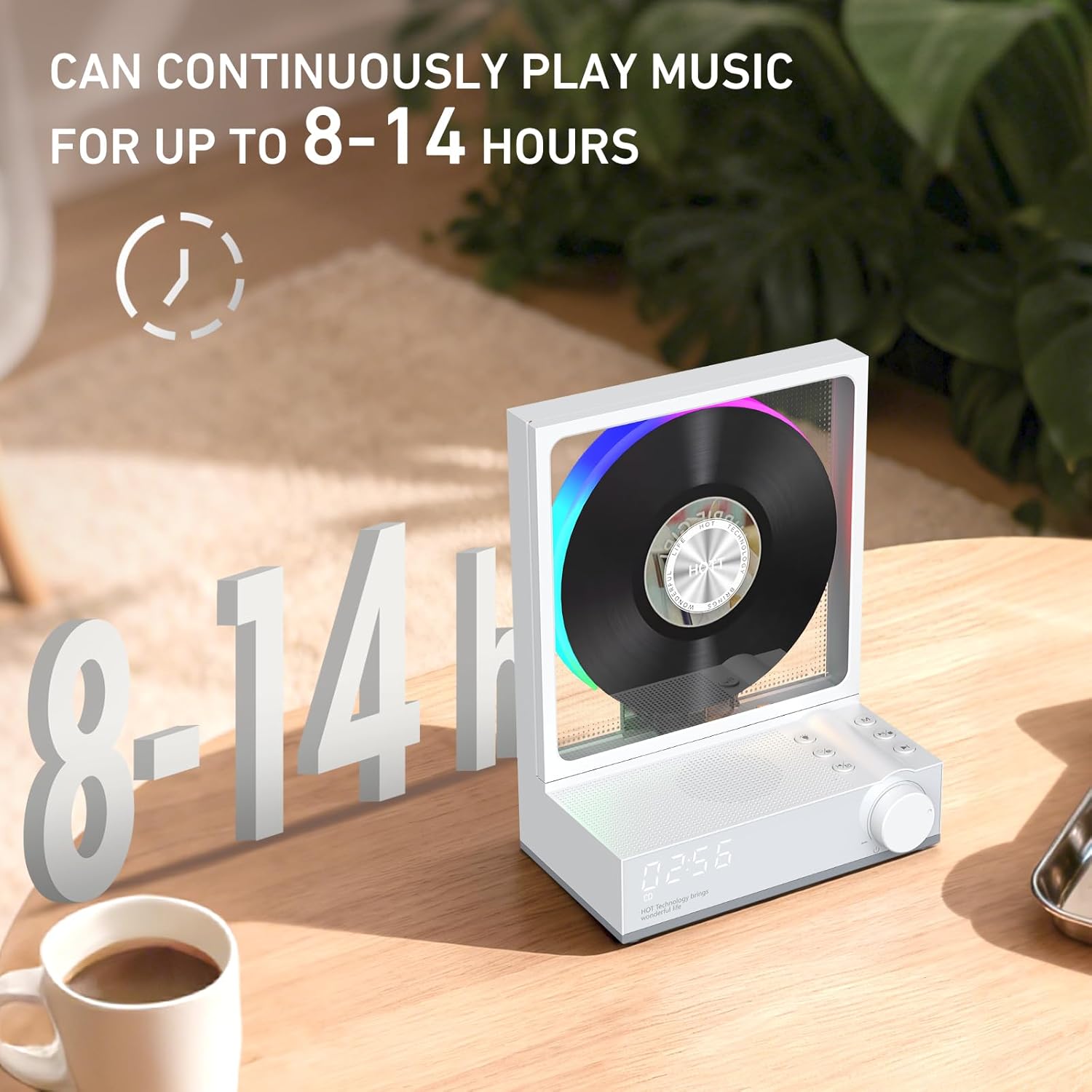
Image: The HOTT C229 CD Player in a bedroom setting, demonstrating its RGB lighting and bedtime timer function. The display shows "90 Min" for the timer, and various lighting options like RGB, RGB Change, White, Blue, Yellow, and Off are illustrated.
5.7 Timer Function
Set a sleep timer for automatic power-off:
- Press the Timer button (often combined with Previous track button) on the unit or remote.
- Cycle through available timer settings: 30 minutes, 60 minutes, 90 minutes, or OFF.
- The player will automatically power down after the selected time.
5.8 Remote Control Usage
The included remote control allows convenient operation from a distance. Ensure the remote has working batteries and is pointed towards the front of the CD player.
- Power Button: Turns the unit on or off.
- VOL+/-: Adjusts the volume.
- Previous/Next: Skips tracks.
- Play/Pause: Controls playback.
- Mode: Cycles through input sources (CD, Bluetooth, AUX, USB, TF).
- Lighting: Changes RGB lighting modes.
- Timer: Sets the automatic power-off timer.
6. Maintenance
- Cleaning: Use a soft, dry cloth to clean the exterior of the CD player. Do not use abrasive cleaners or solvents.
- CD Care: Handle CDs by the edges to avoid fingerprints and scratches. Store them in their cases when not in use.
- Laser Lens: Do not touch the laser lens directly. If cleaning is necessary, use a specialized CD lens cleaner disc.
- Storage: Store the device in a cool, dry place away from direct sunlight and extreme temperatures.
7. Troubleshooting
| Problem | Possible Cause | Solution |
|---|---|---|
| Player does not turn on. | Low battery or no power. | Charge the player using the Type-C cable. Ensure the power adapter is working. |
| CD does not play. | CD inserted incorrectly, dirty/scratched CD, or incorrect mode. | Reinsert CD correctly. Clean the CD. Ensure player is in CD mode. |
| No sound from speakers. | Volume too low, muted, or external device connected. | Increase volume. Check if muted. Disconnect headphones/external speakers if not intended for use. |
| Bluetooth device not pairing. | Device not in pairing mode, too far, or already connected. | Ensure both devices are in pairing mode and within range. Disconnect from other devices. |
| Remote control not working. | Dead batteries or obstruction. | Replace remote batteries. Ensure no obstructions between remote and player. |
8. Specifications
- Brand: HOTT
- Model Number: C229
- Connectivity Technology: Auxiliary, Bluetooth 5.3, USB
- Speaker Type: Stereo
- Power Source: Battery Powered (4000mAh)
- Battery Life: 8-14 hours (continuous playback)
- Supported Media: CD, CD-R, TF Card (1GB-128GB), MP3 U-drive
- Item Weight: 1.83 pounds
- Package Dimensions: 7.8 x 6.81 x 4.84 inches
9. Warranty and Support
HOTT products are designed for reliability and performance. For specific warranty details, please refer to the warranty card included in your product packaging or visit the official HOTT website. If you encounter any issues or require technical assistance, please contact HOTT customer support. Our dedicated support team is available to provide prompt and thorough assistance.
For further information or support, please visit the HOTT Store on Amazon.

Image: A customer support representative wearing a headset, smiling and looking at the camera, symbolizing HOTT's commitment to customer satisfaction and support.
Related documentsC229


Ask a question about this manual
Ask about setup, troubleshooting, compatibility, parts, safety, or missing instructions. Manuals+ will review the question and use this page’s manual context to help answer it.