
1. Introduction
Thank you for choosing the ORACURA OB100 Oscillating Electric Toothbrush. This manual provides essential information for the safe and effective use of your new toothbrush. Please read these instructions carefully before first use and retain them for future reference.
The ORACURA OB100 is designed for effective plaque removal and improved oral hygiene, featuring 5000 strokes per minute oscillation and an IPX6 water-resistant design. It operates on batteries for convenience and portability.
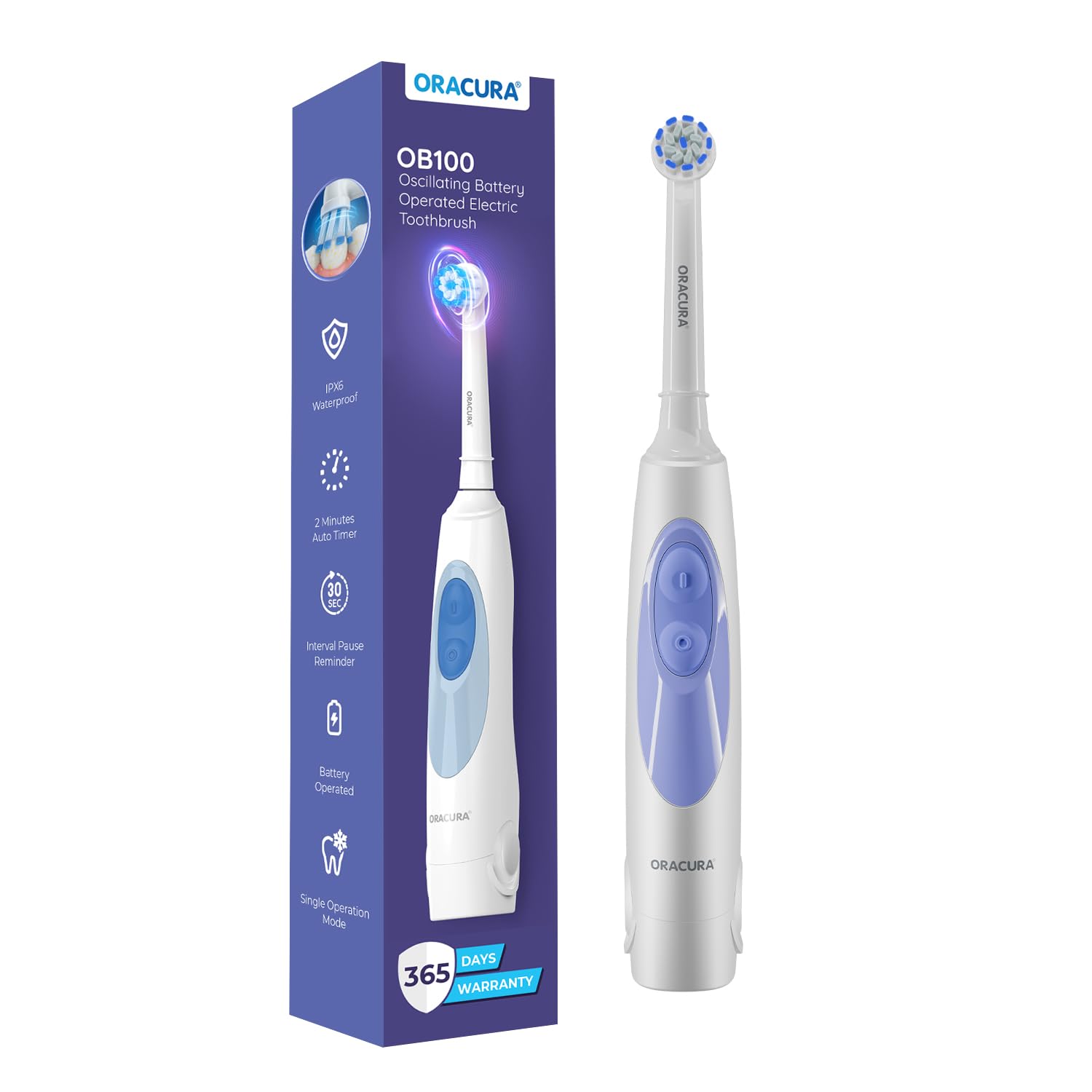
The ORACURA OB100 Oscillating Electric Toothbrush in white.
2. Package Contents
Please check the package for the following items:
- 1 x ORACURA OB100 Toothbrush Handle
- 1 x Brush Head
- 1 x Operating Manual
- 2 x AA Batteries (included)
- 1 x Brush Head Cap

Illustration of the ORACURA OB100 package contents, including the toothbrush handle, brush head, operating manual, 2 AA batteries, and brush head cap.
3. Setup
3.1. Battery Installation
- Twist the battery cover at the bottom of the toothbrush handle counter-clockwise to open.
- Insert two AA batteries, ensuring the positive (+) and negative (-) terminals match the indicators inside the compartment.
- Replace the battery cover and twist clockwise until securely closed. Ensure it is tightly sealed to maintain water resistance.
3.2. Attaching the Brush Head
- Align the brush head with the metal shaft on the toothbrush handle.
- Push the brush head down firmly until it clicks into place. Ensure it is securely attached before use.
4. Operating Instructions
4.1. Power ON/OFF
- To turn on the toothbrush, press the power button located on the handle.
- To turn off the toothbrush, press the power button again.

Close-up of the ORACURA OB100 toothbrush handle highlighting the single button for power on/off and its function.
4.2. Brushing Technique
- Wet the brush head and apply a small amount of toothpaste.
- Place the brush head against your teeth at a slight angle towards the gumline.
- Turn on the toothbrush.
- Guide the brush head slowly from tooth to tooth, allowing the oscillating motion to clean each surface. Do not scrub vigorously.
- Brush all surfaces of your teeth: outer, inner, and chewing surfaces.
- The toothbrush features a built-in timer to assist with recommended brushing duration.

Diagram illustrating the deep oscillating cleaning action of the ORACURA OB100 toothbrush head.
5. Maintenance
5.1. Cleaning the Toothbrush
- After each use, rinse the brush head thoroughly under running water while the toothbrush is still on.
- Turn off the toothbrush and remove the brush head. Rinse both the brush head and the handle separately.
- Wipe the handle with a damp cloth. Do not immerse the entire handle in water for extended periods, despite its water resistance.
- Allow all parts to air dry before reassembling or storing.

Image showing the ORACURA OB100 toothbrush with water splashes, indicating its IPX6 water resistance.
5.2. Brush Head Replacement
Dentists recommend replacing your toothbrush head every 3 months, or sooner if the bristles are frayed or worn. To replace, simply pull the old brush head off the shaft and push a new ORACURA compatible brush head onto the shaft until it clicks into place.
5.3. Battery Replacement
When the toothbrush performance diminishes, it is time to replace the AA batteries. Follow the battery installation steps in Section 3.1.
6. Troubleshooting
| Problem | Possible Cause | Solution |
|---|---|---|
| Toothbrush does not turn on. | Batteries are depleted or incorrectly installed. | Check battery orientation or replace with new AA batteries. |
| Weak oscillation or reduced power. | Low battery power. | Replace AA batteries. |
| Brush head feels loose. | Brush head not properly attached. | Remove and re-attach the brush head, ensuring it clicks into place. |
If you experience issues not listed here, please contact ORACURA customer support.
7. Specifications
| Feature | Detail |
|---|---|
| Model Name | OB-100 |
| Power Source | 2 x AA Batteries (included) |
| Oscillation Speed | 5000 strokes/minute |
| Water Resistance | IPX6 |
| Bristle Material | Nylon (Dupont Bristles) |
| Handle Material | ABS, TPE |
| Operation Mode | Automatic (Single Mode) |
| Special Features | Brushing Timer, Comfortable Grip |
| Product Dimensions (LxWxH) | 23.1 x 8 x 15.9 cm |
| Item Weight | 257.2 g |
| Age Range | Above 12 Years |

Diagram showing the dimensions (height, width, depth) of the ORACURA OB100 toothbrush.
8. Warranty and Support
8.1. Manufacturer Warranty
The ORACURA OB100 Oscillating Electric Toothbrush comes with a standard warranty period of 365 Days from the date of purchase. Extended warranty options are available:
- 730 Days (1 Year Additional)
- 1095 Days (2 Years Additional)
Please note that the warranty does not cover product accessories.
8.2. Customer Support
For any product-related queries, doubts, or warranty claims, please contact our support team:
- Phone: +91 7738733700 (10 am - 6 pm IST)
- Email: support@oracura.in
- Manufacturer: Oracura Solutions Private Limited
- Address: Ground Floor, Plot No. D-141, TTC Industrial Area, MIDC Shirawane, Nerul East, Navi Mumbai - 400706, India


