1. Introduction
Thank you for choosing the Philips TAT1269 Bluetooth Truly Wireless Earbuds. This manual provides essential information for setting up, operating, maintaining, and troubleshooting your earbuds to ensure optimal performance and a satisfying audio experience. These earbuds feature 13mm drivers for immersive sound, up to 40 hours of playtime with the charging case, IPX5 water and sweat resistance, fast charging capabilities, intuitive touch controls, and voice assistant support.
2. What's in the Box
Verify that all items are present in your package:
- 1 x Earphone set (Left and Right earbuds)
- 3 x Pairs of Eartips (Sizes: S, M, L)
- 1 x Wireless Charging Case
- 1 x USB-C Charging Cable
- 1 x User Manual
- 1 x Warranty Certificate
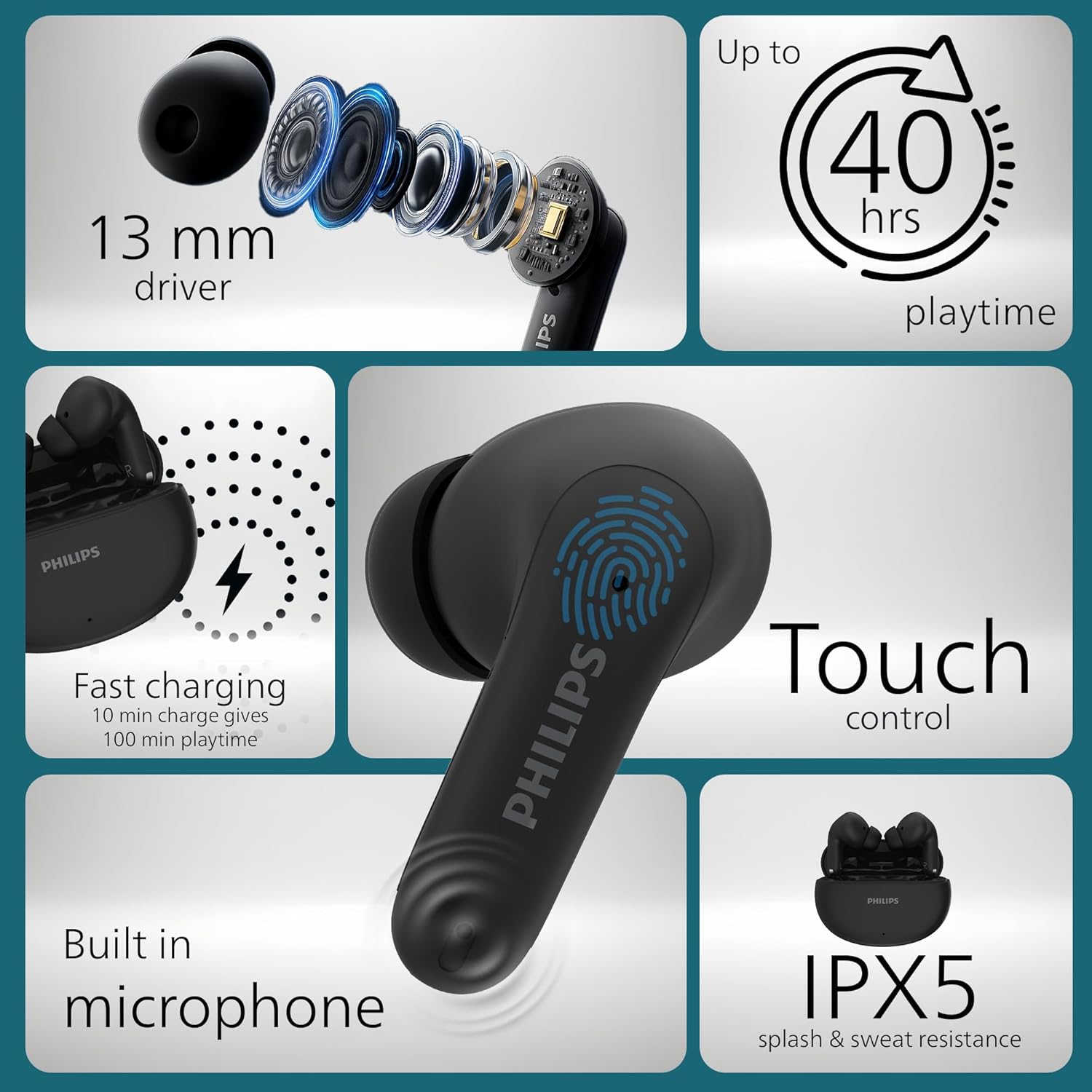
Image: Detailed view of Philips TAT1269 earbuds highlighting 13mm drivers, 40-hour playtime, fast charging, touch control, built-in microphone, and IPX5 rating.
3. Setup
3.1 Charging the Earbuds and Case
Before first use, fully charge the earbuds and the charging case. The charging case provides additional power for your earbuds, extending their playtime.
- Place the earbuds into the charging case. Ensure they are correctly seated in their respective slots.
- Connect the USB-C charging cable to the charging port on the case and then to a power source.
- The LED indicator on the charging case will show the charging status. A full charge typically takes approximately 2 hours.
Fast Charging: A quick 10-minute charge of the case can provide up to 100 minutes of additional playtime for your earbuds.

Image: Philips TAT1269 earbuds in their charging case, illustrating the fast charging feature.
3.2 Pairing with a Bluetooth Device
The earbuds will automatically enter pairing mode when taken out of the charging case for the first time.
- Ensure the earbuds are charged and removed from the charging case. They will automatically power on.
- On your Bluetooth device (smartphone, tablet, laptop), enable Bluetooth.
- Search for available devices and select "Philips TAT1269" from the list.
- Once connected, the earbuds will indicate successful pairing, and the LED indicators will change status (e.g., turn off or flash slowly).
For subsequent use, the earbuds will automatically connect to the last paired device when removed from the case, if Bluetooth is enabled on the device.
4. Operating the Earbuds
4.1 Wearing the Earbuds
Insert the earbuds gently into your ears, ensuring a snug and comfortable fit. Rotate them slightly to find the best seal for optimal sound quality and stability. Experiment with the different eartip sizes (S, M, L) to find the most suitable fit for your ears.
4.2 Touch Controls
The Philips TAT1269 earbuds feature intuitive touch controls on each earbud for managing audio playback, calls, and voice assistant activation.
- Play/Pause: Single tap on either earbud.
- Next Track: Double tap on the right earbud.
- Previous Track: Double tap on the left earbud.
- Answer/End Call: Single tap on either earbud.
- Reject Call: Press and hold either earbud for 2 seconds.
- Activate Voice Assistant: Triple tap on either earbud.

Image: A user interacting with the touch control area on a Philips TAT1269 earbud.
4.3 Mono Mode
You can use either the left or right earbud independently in mono mode. Simply take one earbud out of the charging case, and it will automatically connect to your device. The other earbud can remain in the case or be used later.
4.4 Voice Assistant
The earbuds support voice assistant functionality. Triple tap either earbud to activate your device's default voice assistant (e.g., Google Assistant, Siri).
5. Maintenance
5.1 Cleaning
- Regularly clean the earbuds and charging case with a soft, dry, lint-free cloth.
- Remove eartips and clean them with mild soap and water, then dry thoroughly before reattaching.
- Do not use abrasive cleaners, alcohol, or chemical solvents.
5.2 Water and Sweat Resistance (IPX5)
The earbuds are rated IPX5, meaning they are resistant to splashes and sweat. This makes them suitable for workouts and outdoor activities. However, they are not designed for submersion in water. Avoid exposing them to strong jets of water or swimming.

Image: A woman engaged in physical activity, demonstrating the IPX5 splash and sweat resistance of the Philips TAT1269 earbuds.
5.3 Storage
When not in use, store the earbuds in their charging case to protect them from dust and damage. Store the case in a cool, dry place away from direct sunlight and extreme temperatures.
6. Troubleshooting
If you encounter issues with your Philips TAT1269 earbuds, refer to the following common solutions:
- Earbuds not pairing:
- Ensure both earbuds are fully charged.
- Place both earbuds back into the charging case, close the lid, wait a few seconds, then open the lid and remove them again to re-enter pairing mode.
- On your device, forget or delete "Philips TAT1269" from the Bluetooth list and attempt to pair again.
- Try pairing with a different device to rule out device-specific issues.
- No sound or low volume:
- Check the volume level on both your earbuds and your connected device.
- Ensure the earbuds are properly connected to your device via Bluetooth.
- Clean any debris from the earbud nozzles and ensure eartips are correctly attached.
- Charging issues:
- Verify that the USB-C cable is securely connected to both the charging case and the power source.
- Try using a different USB-C cable or power adapter.
- Ensure the charging contacts on the earbuds and inside the case are clean and free of obstruction.
- Voice assistant not responding:
- Ensure your device's voice assistant is enabled and configured correctly.
- Confirm the earbuds are properly connected to your device.
7. Specifications
| Model Name | TAT1269BK/94 |
| Connectivity Technology | Wireless (Bluetooth) |
| Bluetooth Version | 5.4 |
| Audio Driver Type | Dynamic Driver (13mm) |
| Battery Life | Up to 40 Hours (with charging case) |
| Fast Charging | 10 minutes charge for 100 minutes playtime |
| Water Resistance Level | IPX5 (Water Resistant) |
| Control Type | Touch Control |
| Item Weight | 38.5 Grams |
| Product Dimensions | 6.7 x 2.5 x 5.1 cm |
| Compatible Devices | Cellphones, Desktops, Laptops, Tablets |
| Included Components | Earphone set, Eartips (S/M/L), USB-C cable, User Manual, Warranty Certificate, Wireless Charging Case |
8. Warranty and Support
8.1 Warranty Information
Your Philips TAT1269 earbuds come with a warranty. Please refer to the included Warranty Certificate for detailed information regarding warranty terms, conditions, and duration. Keep your proof of purchase for warranty claims.
8.2 Customer Support
For further assistance, technical support, or service inquiries, please visit the official Philips support website or contact their customer service department. Contact details can typically be found on the Philips website or in the warranty documentation.


