Introduction
Thank you for choosing the VECHTEL A2747 4G+64G Android 15 Car Stereo. This manual provides essential information for the proper installation, operation, and maintenance of your new car stereo system. Please read this manual thoroughly before use to ensure optimal performance and safety.
Product Overview
The VECHTEL A2747 is an advanced Android 15 car stereo system designed specifically for Toyota Camry models from 2006 to 2011 equipped with a JBL sound system. It features a 9-inch 1280*720 HD touch screen, 4GB RAM, and 64GB ROM, offering a comprehensive in-car entertainment and navigation experience.
Key Features:
- Android 15 System: Latest operating system for smooth performance.
- Wireless CarPlay/Android Auto: Seamless smartphone integration via Bluetooth.
- 9-Inch HD Touch Screen: 1280*720 resolution for clear visuals.
- Built-in GPS Navigation: Supports online and offline maps.
- Bluetooth 5.0: For hands-free calls and audio streaming.
- WiFi Connectivity: Access to online content and app downloads.
- FM/RDS Radio: Enhanced radio listening experience.
- 32-Band EQ: Customizable audio settings.
- Steering Wheel Control (SWC): Retains original vehicle controls.
- AHD Backup Camera Support: Includes a backup camera for safer reversing.
- Dual USB Ports: For media playback and charging.
Setup and Installation
Before proceeding with installation, ensure your vehicle is a Toyota Camry (2006-2011) with a JBL sound system and that the shape of your center console matches the compatible configuration shown below. Professional installation is recommended.
Compatibility Check:

This image illustrates the compatible (Fit) and incompatible (Not Fit) dashboard configurations for Toyota Camry 2006-2011. Ensure your vehicle's console matches the 'Fit' example, specifically for models with a big screen and JBL sound system.
Wiring Diagram:
Refer to the detailed wiring diagram for connecting the power cable, GPS antenna, rear camera input, RCA cables, and USB cables. Ensure all connections are secure before powering on the unit.

This diagram shows the various connection points on the back of the car stereo unit, including ports for USB, rear camera input, radio antenna, power cable, RCA cable, 8-pin Canbus plug, and GPS antenna. It also details the pinouts for the main power and RCA harnesses.
Product Identification:
The model number and other identification details are located on the back of the unit.

This image displays the product identification label, indicating the Model: A2747, IC ID: 29149-A2747, and HVIN: A2747.
Operating Instructions
Power On/Off:
Press and hold the power button (if available) or turn on your vehicle's ignition to power on the unit. To power off, turn off the ignition.
Touch Screen Operation:
The unit features a responsive 9-inch HD touch screen. Navigate through menus, select applications, and control functions by tapping, swiping, and pinching gestures.

This image highlights the 9-inch HD touchscreen with 1280*720P resolution, showcasing the Android 15 operating system, 4GB RAM, and 64GB ROM.
Wireless CarPlay / Android Auto:
Connect your smartphone wirelessly via Bluetooth to access CarPlay or Android Auto. This allows for navigation, hands-free calls, messaging, and music playback directly from the car stereo interface.
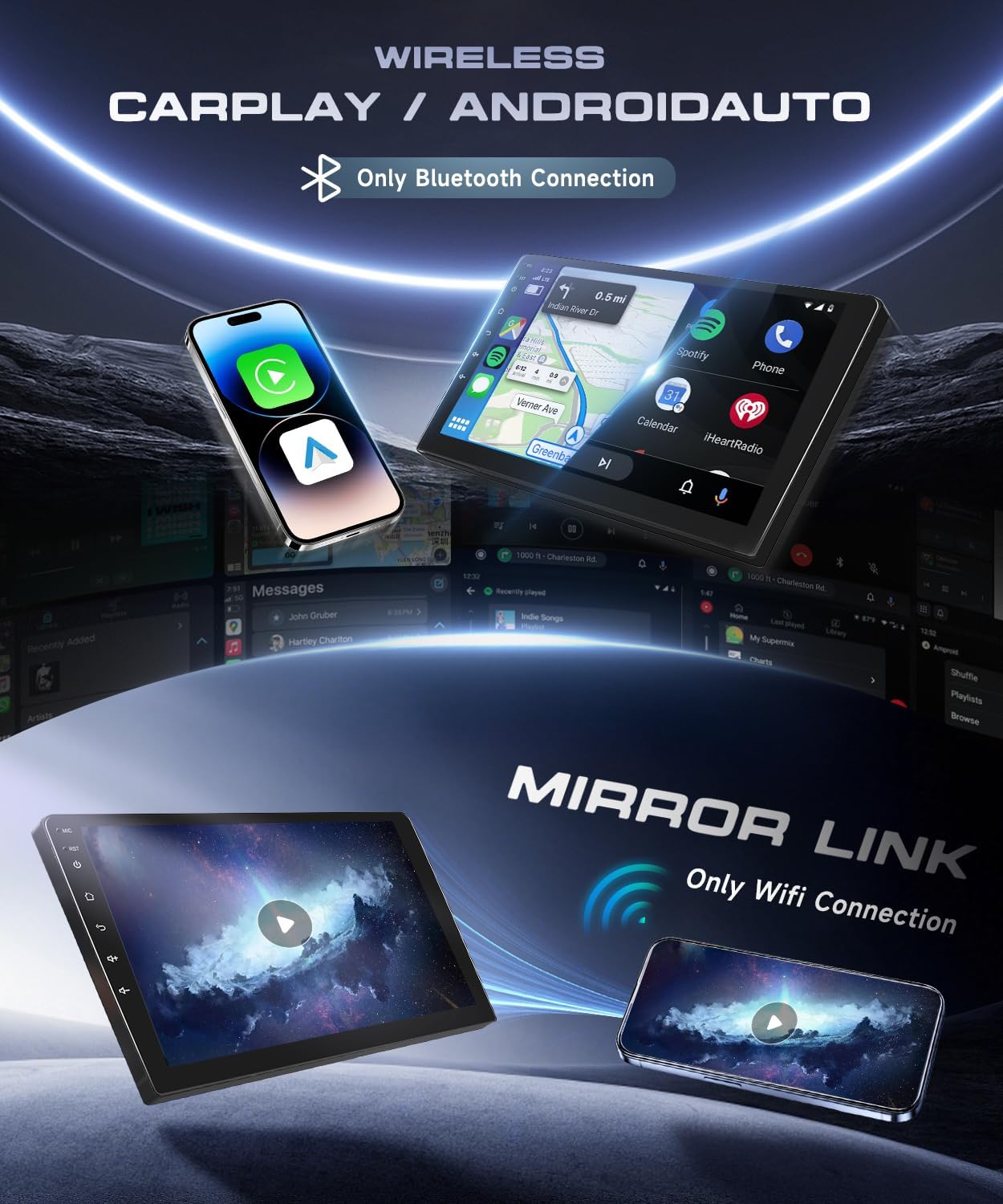
This image demonstrates the wireless CarPlay and Android Auto functionality, indicating that connection is made via Bluetooth.
GPS Navigation:
The unit comes with built-in offline maps. For online navigation and real-time traffic updates, connect to WiFi. You can also download additional navigation apps from the app store.

This image displays the GPS navigation interface, showing a map with route information, along with an illustration of the WiFi function for internet access.
Bluetooth 5.0 and FM/RDS Radio:
Utilize Bluetooth 5.0 for stable hands-free calling and high-quality music streaming. The integrated FM/RDS radio allows you to tune into your favorite stations and receive broadcast information.
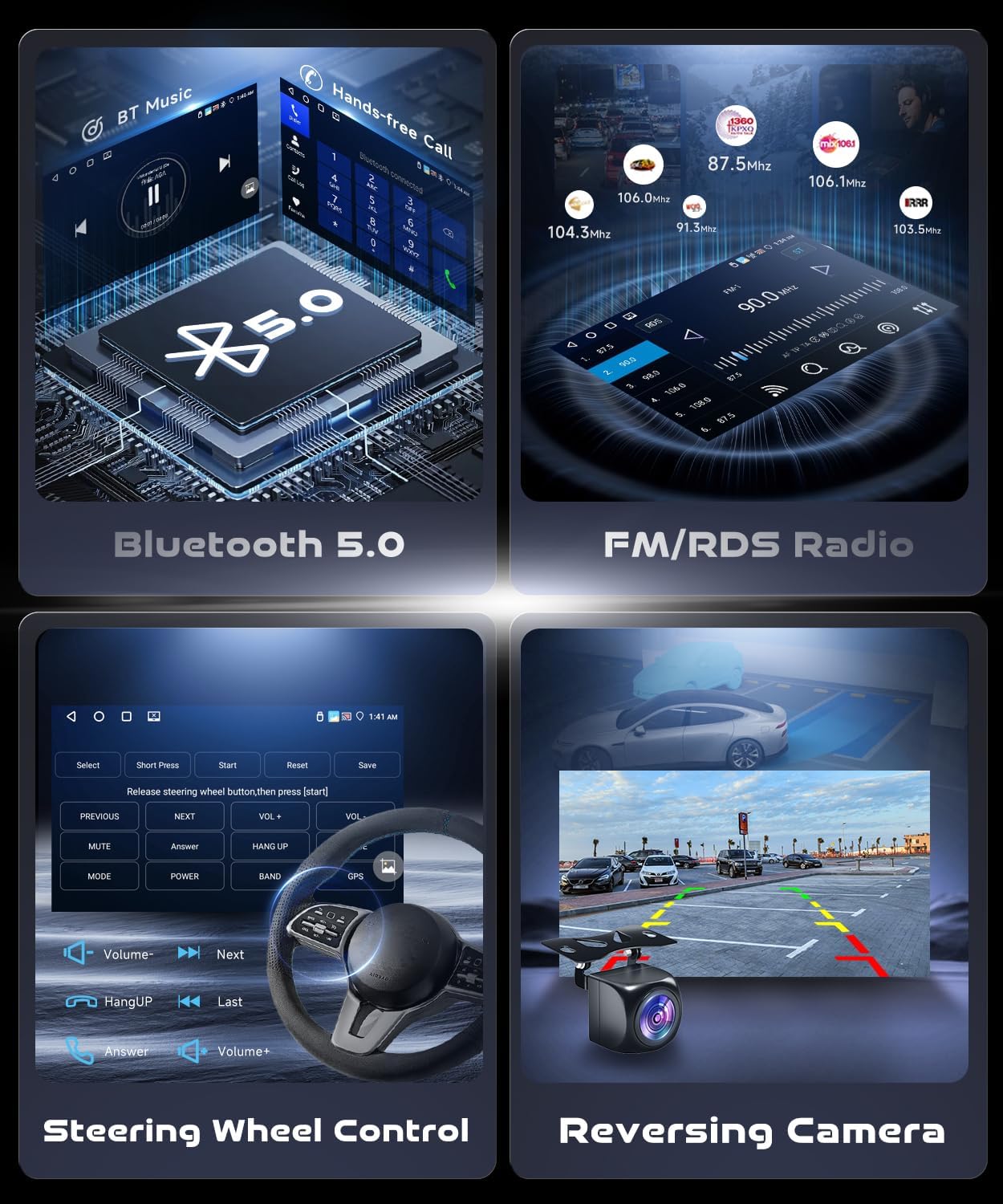
This image illustrates the Bluetooth 5.0 interface for music playback and hands-free calls, alongside the FM/RDS radio interface displaying various frequencies.
Steering Wheel Control (SWC):
The system supports your vehicle's original steering wheel controls. This allows you to adjust volume, change tracks, and answer calls without taking your hands off the wheel.
Reversing Camera:
The included AHD backup camera provides a 170-degree wide-angle view with HD night vision, automatically displaying the rear view when the vehicle is in reverse gear.

This image displays the on-screen interface for steering wheel controls and a simulated view from the reversing camera, showing parking guidelines.
Mirror Link:
The Mirror Link function supports wireless connection only, allowing you to mirror your smartphone screen onto the car stereo display.
Audio Equalizer (EQ):
Customize your audio experience with the 32-band EQ, allowing for precise sound adjustments to suit your preferences.
Maintenance
To ensure the longevity and optimal performance of your car stereo, follow these maintenance guidelines:
- Cleaning: Use a soft, dry cloth to clean the screen and unit. Avoid abrasive cleaners or solvents that may damage the surface.
- Temperature: Avoid exposing the unit to extreme temperatures, direct sunlight for prolonged periods, or high humidity.
- Software Updates: Periodically check for and install software updates to ensure the system runs efficiently and securely.
- Connections: Ensure all cables and connections are secure and free from damage.
Troubleshooting
If you encounter any issues with your car stereo, refer to the following common troubleshooting steps:
- No Power: Check all power connections and fuses. Ensure the vehicle's ignition is on.
- No Sound: Verify volume settings, check speaker connections, and ensure the audio source is correctly selected. If using Android Auto/CarPlay, ensure the audio output is correctly routed.
- Touch Screen Unresponsive: Restart the unit by turning off and on the vehicle's ignition. If the issue persists, a factory reset may be required (see below).
- GPS Signal Lost: Ensure the GPS antenna is properly installed and has a clear view of the sky.
- Bluetooth Connectivity Issues: Ensure Bluetooth is enabled on both the stereo and your device. Try unpairing and re-pairing the devices.
- Backup Camera Not Displaying: Check the camera's power and video input connections. Ensure the vehicle is in reverse gear.
Factory Settings:
If advanced troubleshooting is needed, the factory setting keyword is 8888. Use this with caution as it may reset all custom settings.
Specifications
| Feature | Specification |
|---|---|
| System | Android 15 |
| Chipset | 4 Cores |
| Screen Size | 9 Inches |
| Memory (RAM) | 4GB |
| Storage (ROM) | 64GB |
| Screen Resolution | 1280*720 |
| Radio Chip | UMW2652 |
| Power Output | 4*45W |
| Bluetooth Version | 5.0 |
| Reversing Input | AHD/CVBS |
| External Microphone | Supported |
| Maps | Built-in offline maps (requires internet to download data) |
| CarPlay/Android Auto | Wireless connection only |
| Mirror Link | Wireless connection only |
| USB | Double USB interface |
| Audio Format Support | APE/FLAC/WAV/MP3/WMA etc. |
| Video Format Support | MKV/RMVB/AVI/MP4/MDV etc. |
| Picture Format Support | PNG/JPEG/JPG/GIF/WBMP/BNP etc. |
| Languages | Chinese/English/French/Italian/Korean/Japanese/Arabic/Spanish/Portuguese/Russian/Turkish/Vietnamese/Hebrew/Polish/German/Spanish |
| Parcel Dimensions | 25 x 16 x 8 cm; 1.5 kg |
| Country of Origin | China |
Warranty Information
This VECHTEL car stereo comes with a 2-year warranty from the date of purchase. This warranty covers manufacturing defects and malfunctions under normal use. Please retain your proof of purchase for warranty claims. The warranty does not cover damage caused by improper installation, misuse, accidents, or unauthorized modifications.
Support
For technical assistance, troubleshooting beyond this manual, or warranty claims, please contact VECHTEL customer support. You can find contact information on the official VECHTEL website or through your purchase platform.
Visit the VECHTEL Store for more information and support resources.