
1. Introduction
This manual provides detailed instructions for the safe and effective use of your GODOX iT20 Mini TTL Camera Flash Light. Please read this manual thoroughly before using the product to ensure optimal performance and to prevent damage.
The GODOX iT20 is an ultra-compact and lightweight TTL camera flash designed for various camera systems, including Sony. It features TTL auto-flash and manual control, magnetic accessory compatibility, and a built-in rechargeable battery.
2. Product Overview and Components
Familiarize yourself with the components included with your GODOX iT20 flash unit.

Image: GODOX iT20 Mini TTL Camera Flash Light with its accessories, including a USB-C charging cable, magnetic spreader, storage bag, and magnetic color filters.
2.1 What's in the Box
- Flash Body x1
- USB-C Charging Cable x1
- Magnetic Spreader x1 (Diffuser)
- Storage bag x1
- 1/1 CTO and 1/2 CTO Magnetic Color Filter x1
3. Setup
3.1 Charging the Flash
Before initial use, fully charge the GODOX iT20 flash unit.
- Connect the supplied USB-C charging cable to the USB-C port on the flash unit.
- Connect the other end of the USB-C cable to a USB power source (e.g., power bank, laptop, USB wall adapter).
- The charging indicator on the flash will show charging status. A full charge typically takes approximately 90 minutes.

Image: Two GODOX flash units (iT20 and iT22) connected to USB-C charging cables, illustrating the charging process.
3.2 Attaching to Your Camera
The GODOX iT20 is designed to mount onto your camera's hot shoe.
- Ensure your camera is powered off.
- Slide the flash unit's hot shoe mount into your camera's hot shoe slot until it clicks into place.
- Ensure the flash is securely seated to maintain proper electrical contact.
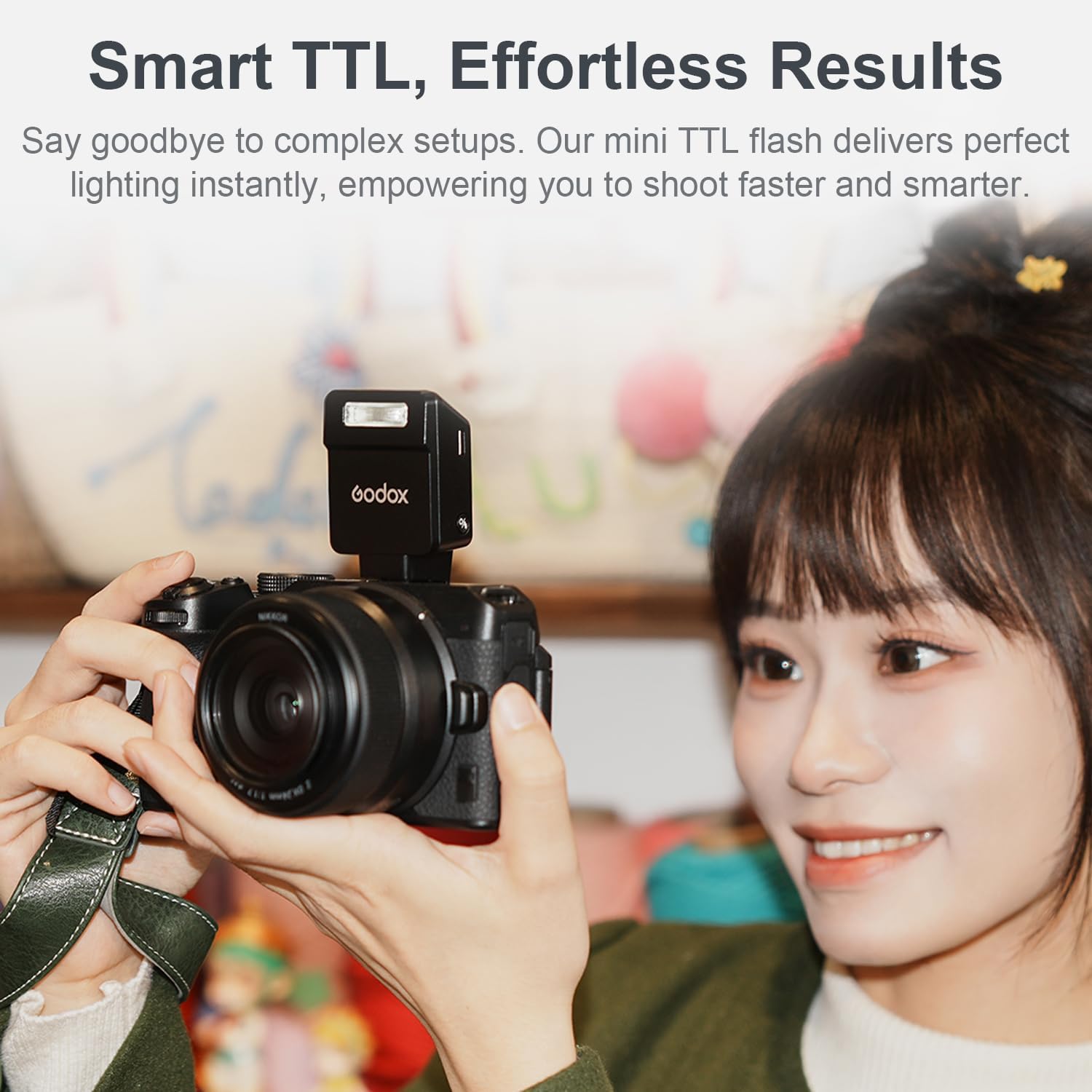
Image: A GODOX iT20 flash unit mounted on a mirrorless camera, ready for use.
3.3 Attaching Magnetic Accessories
The iT20 features a magnetic front for quick attachment of modifiers.
- Align the desired magnetic accessory (e.g., diffuser, color filter) with the front of the flash head.
- The magnets will automatically secure the accessory in place.

Image: A collage showing the GODOX iT20 flash with different magnetic accessories like diffusers and color gels, demonstrating how they attach and their effects on lighting.
4. Operating Instructions
4.1 Powering On/Off
To power on the flash, press and hold the power button located on the side of the unit. Repeat to power off.
4.2 Mode Switching (TTL / Manual)
The GODOX iT20 supports both TTL (Through-The-Lens) auto-flash and Manual power control.

Image: A split image showing the GODOX iT20 flash in both Manual (M) mode and TTL mode, highlighting the mode button and display.
- TTL Mode: This mode automatically adjusts flash output for correct exposure, ideal for beginners or fast-paced shooting.
- Manual Mode: Provides precise control over flash power from 1/32 to 1/1. Use the '+' and '-' buttons to adjust the power level.
Press the 'MODE' button on the flash unit to toggle between TTL and Manual modes.
4.3 Adjusting Flash Intensity (Manual Mode)
In Manual mode, use the '+' and '-' buttons to adjust the flash output in 1/3-stop increments across 6 stops (1/32 to 1/1 power).
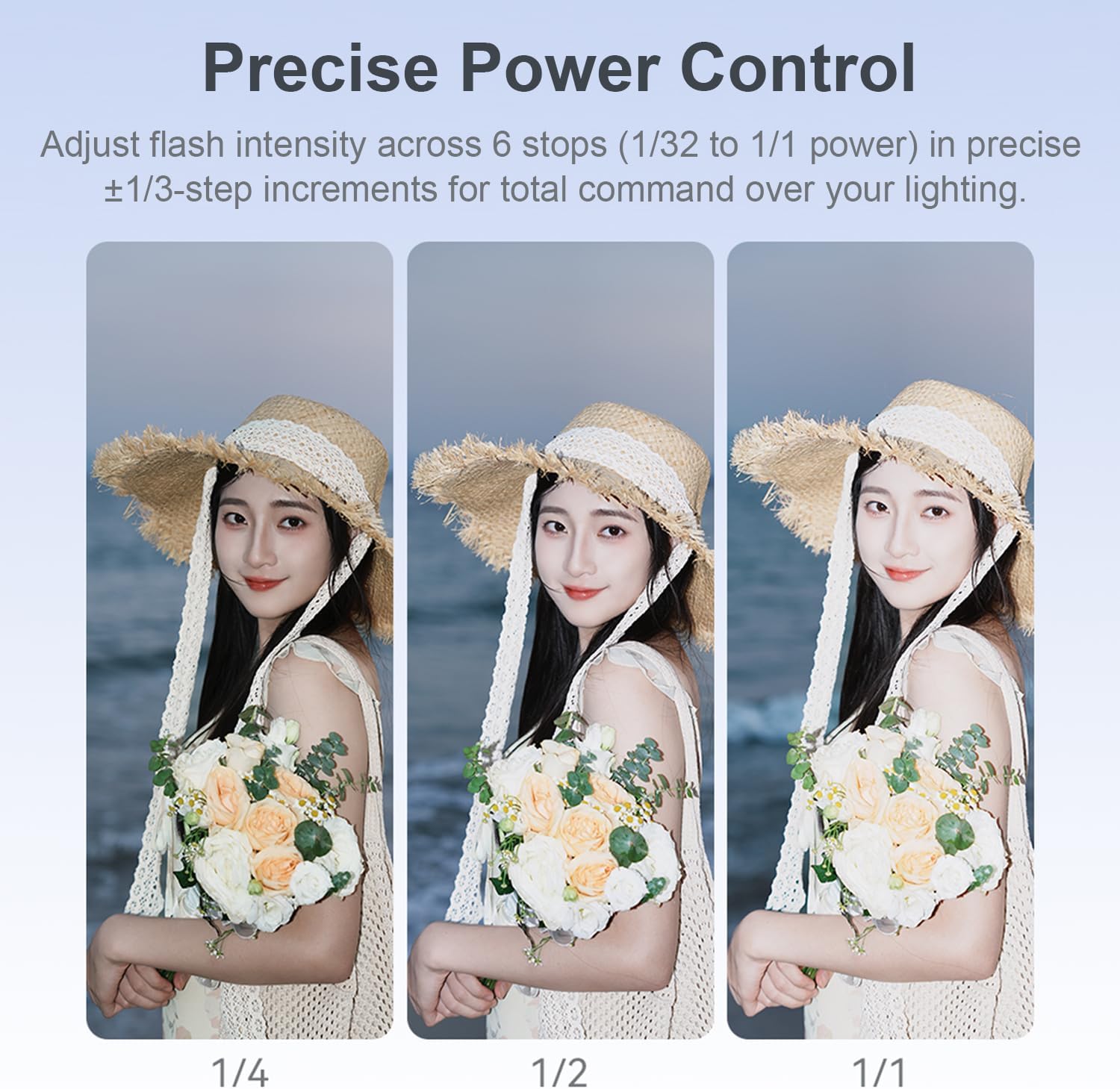
Image: A three-panel image demonstrating the visual difference in lighting on a subject when the flash power is set to 1/4, 1/2, and 1/1.
4.4 Battery Life and Recycling Time
The GODOX iT20 provides approximately 700 full-power flashes on a single charge. The recycle time at full power is approximately 1.5 seconds.

Image: A GODOX iT20 flash mounted on a camera, with overlaid text highlighting its capacity for 700+ flashes and a 1.5-second recycling time.
5. Maintenance
5.1 Cleaning
- Use a soft, dry cloth to clean the flash unit.
- For stubborn dirt, lightly dampen the cloth with water or a mild cleaning solution. Avoid harsh chemicals.
- Keep the hot shoe contacts clean and free of debris to ensure proper communication with the camera.
5.2 Storage
- Store the flash unit in a cool, dry place, away from direct sunlight and extreme temperatures.
- If storing for extended periods, ensure the battery is partially charged (around 50%) to prolong its lifespan. Recharge every few months.
- Use the provided storage bag to protect the flash and its accessories from dust and scratches.
6. Troubleshooting
If you encounter issues with your GODOX iT20 flash, refer to the following common problems and solutions:
| Problem | Possible Cause | Solution |
|---|---|---|
| Flash does not fire. |
|
|
| Flash output is too weak/strong. |
|
|
| Flash does not recycle quickly. |
|
|
7. Specifications
Detailed technical specifications for the GODOX iT20 Mini TTL Camera Flash Light:
| Feature | Specification |
|---|---|
| Model | iT20 |
| Unit Weight | Approx. 45g (0.1 lbs) |
| Dimensions | 1.63 x 1.26 x 1.61 inches (4.14 x 3.20 x 4.09 cm) |
| Battery Type | Nonstandard Battery (included, rechargeable) |
| Battery Life (Full Flashes) | Approx. 700+ |
| Recycle Time (Full Power) | Approx. 1.5 seconds |
| Charging Port | USB-C |
| Charging Time | Approx. 90 minutes |
| Flash Modes | TTL Auto-Flash, Manual (1/32 to 1/1 power) |
| Compatible Mountings | Canon, Nikon, Sony, Fuji, Olympus Cameras (specific hot shoe variant required) |
| Included Accessories | USB-C Charging Cable, Magnetic Spreader (Diffuser), Storage Bag, Magnetic Color Filters (CTO) |
8. Warranty and Support
GODOX products are designed for reliability and performance. For warranty information and technical support, please refer to the official GODOX website or contact your local distributor.
- Online Support: Visit the official GODOX website for FAQs, firmware updates, and contact information.
- Customer Service: For direct assistance, please contact GODOX customer service through their official channels.
Please retain your proof of purchase for warranty claims.


