
1. Introduction and Overview
This manual provides detailed instructions for the safe and efficient operation, installation, and maintenance of your Duluth Forge Ventless Liquid Propane Gas Log Set, Model DLS-L24R-1. This 24-inch log set features a Split Oak design, delivers 33,000 BTUs of heat, and includes a remote control for convenient operation. Please read all instructions carefully before installation and use.
Key Features:
- High Heat Output: Generates 33,000 BTUs to heat spaces up to 1,300 sq. ft.
- Hand-Crafted Log Detail: 9 ceramic logs molded from real wood with hand-painted bark, split, and charred features.
- Premium Ember Burner System: Features a glowing ember bed and single flame row for a lifelike fire appearance.
- Thermostat Remote Control: Set desired temperature and control flame operation with the included LCD remote.
- Advanced Safety & Efficiency: 99.9% vent-free efficiency with Oxygen Depletion Sensor (ODS) and automatic shut-off. ANSI and PFS certified for safe indoor use.

Image 1: Duluth Forge Ventless Liquid Propane Gas Log Set with active flames, showcasing the realistic log design and glowing ember bed.
2. Safety Information
Your safety and the safety of others are paramount. Always adhere to the following safety guidelines:
- Read and understand all instructions before installing or operating this appliance.
- This appliance is for indoor use only.
- Do not store or use gasoline or other flammable vapors and liquids in the vicinity of this or any other appliance.
- Proper installation, adjustment, alteration, service, or maintenance can cause injury or property damage. Consult a qualified installer, service agency, or gas supplier.
- This appliance must be installed in a masonry or agency-approved firebox.
- Minimum Firebox Size Required: 20” H x 28” W in front (23” W at rear) x 15” D.
- Always ensure adequate ventilation.
- Never operate the appliance if any part has been submerged in water.
- Keep children and pets away from the appliance when in operation.
- Install a carbon monoxide detector in your home.
3. Package Contents
Verify that all components are present and undamaged before proceeding with installation:
- U-Burner Chassis - Qty. 1
- Hand Painted Ceramic Fiber Logs - Qty. 9
- Thermostat Remote Control - Qty. 1
- Bag of Embers - Qty. 1
- Receiver Box - Qty. 1
- AA Battery - Qty. 4
- AAA Battery - Qty. 3
- Hardware Pack - Qty. 1
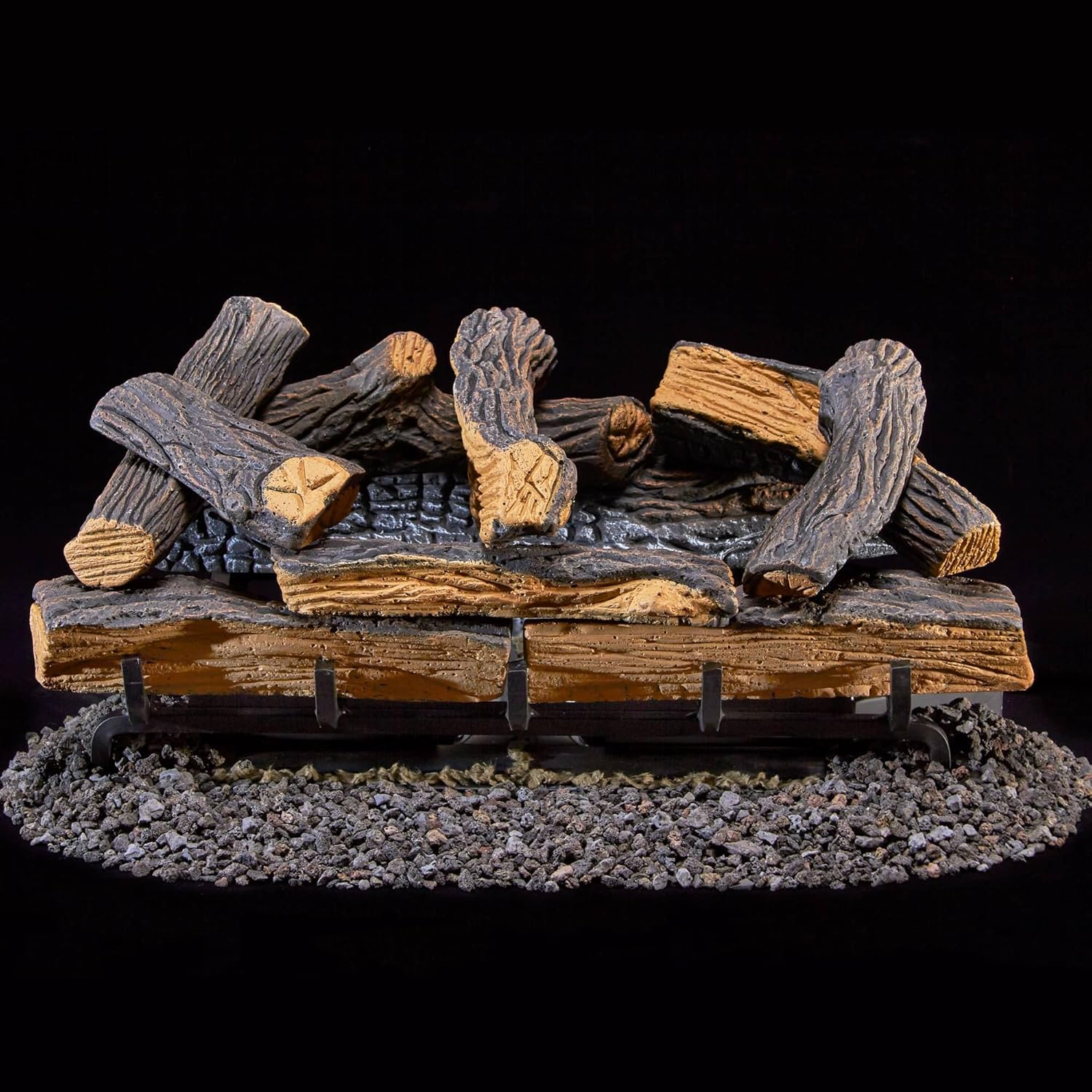
Image 2: The Duluth Forge Ventless Liquid Propane Gas Log Set components, including the burner chassis and ceramic logs, ready for assembly.
4. Setup and Installation
Follow these steps for proper setup and installation of your gas log set. It is recommended that installation be performed by a qualified professional.
- Prepare the Firebox: Ensure your firebox meets the minimum size requirements and is clean and free of debris.
- Install Batteries: Insert one AAA battery into the IGNITION component, tightening clockwise. Insert 4 AAA batteries into the RECEIVER box. Insert 2 AAA batteries into the remote control.
- Connect Receiver: Connect the main unit with the receiver, ensuring the receiver is in the OFF position.
- Gas Connection: Connect the gas supply line to the U-Burner chassis. Ensure all connections are secure and leak-free. (Note: Gas fitting from gas valve to pipe is not included and must be purchased separately).
- Place Lava Rocks: Distribute the provided lava rocks around the burner chassis.
- Arrange Logs: Carefully place the ceramic logs onto the burner according to the instruction manual's log placement diagram. Each log is marked with a number for correct positioning.
- Test for Leaks: After connecting the gas line, perform a leak test using a soapy water solution on all connections.
Setup Video:
Video 1: This video demonstrates the installation of batteries, connecting the receiver, and log placement for a ventless fireplace. It provides a visual guide for the setup process.
5. Operating Instructions
Operating your Duluth Forge gas log set is simple with the included remote control.
- Activate Pilot: Set the receiver to the REMOTE position. Press lightly on the control knob and turn it counterclockwise to the PILOT position.
- Ignite Pilot: While holding the control knob in the PILOT position, press and hold the IGNITION button until the pilot flame lights and stabilizes (approximately 30-60 seconds).
- Turn On Main Burner: Once the pilot is stable, release the IGNITION button, then press lightly on the control knob and turn it counterclockwise to the ON position.
- Remote Control Operation: Press any button on the remote control to wake it up. After the display shows normally, press the ON button on the remote control to ignite the main flame.
- Adjust Temperature/Mode: Use the MODE button to switch between manual mode and automatic constant temperature mode. Use the up/down arrows to adjust the desired temperature.
- Turn Off: To turn off the main flame, press the OFF button on the remote control. To turn off the pilot flame, rotate the control knob to the OFF position.

Image 3: The remote control for the Duluth Forge gas log set, featuring an LCD screen and buttons for ON/OFF, MODE, and temperature adjustment.
Operating Video:
Video 2: This video provides a step-by-step guide on how to operate the ventless fireplace, including lighting the pilot, igniting the main flame, and using the remote control for temperature adjustments.
6. Maintenance
Regular maintenance ensures the longevity and safe operation of your gas log set.
- Annual Inspection: Have a qualified service person inspect the appliance and venting system annually.
- Cleaning: Keep the appliance area clear and free from combustible materials, gasoline, and other flammable vapors and liquids.
- Log Cleaning: Periodically clean the ceramic logs with a soft brush to remove dust or soot. Do not use abrasive cleaners.
- Pilot and Burner: Ensure the pilot and burner ports are free of lint and debris.
- Battery Replacement: Replace batteries in the remote control and receiver as needed.
7. Troubleshooting
If you encounter issues with your gas log set, refer to the following common problems and solutions:
- Pilot will not light: Check gas supply, ensure control knob is in PILOT position, and press IGNITION button firmly. Verify AAA battery in IGNITION is fresh and correctly installed.
- Main burner will not light: Ensure pilot is lit. Check remote control batteries (2 AAA) and receiver batteries (4 AAA). Ensure receiver is in REMOTE or ON position.
- Pilot goes out: Ensure gas supply is consistent. Check for drafts or blockages around the pilot assembly.
- Unusual odors: A slight odor may occur during initial use. If odors persist, ensure proper ventilation and check for gas leaks. If a gas odor is strong, immediately turn off the gas supply and contact a qualified service person.
- Receiver box beeping: This typically indicates low battery in the receiver. Replace the 4 AAA batteries.
8. Specifications
| Brand | Duluth Forge |
| Model Name | DLS-L24R-1 |
| Power Source | Gas Powered (Liquid Propane) |
| Product Dimensions | 24"D x 12.5"W x 11.5"H |
| Material | Ceramic |
| Finish Type | Painted |
| Installation Type | Floor Mount |
| Heat Output | 33,000 British Thermal Units |
| Special Feature | Safety Shut Off (Oxygen Depletion Sensor) |
| Style | Rustic |
| Color | Propane |
| Included Components | Log Set, Burner Chassis, Remote Control, Receiver, Embers, Batteries |
| Number of Batteries | 3 AA batteries required (included), 4 AAA batteries for receiver (included), 2 AAA batteries for remote (included) |
| UPC | 815192024525 |
| Size | 24 Inch |
| Item Weight | 52 pounds |
9. Warranty and Support
This Duluth Forge product comes with a Limited Warranty. For specific details regarding warranty coverage, terms, and conditions, please refer to the documentation included with your product or contact Duluth Forge customer support.
For technical assistance, troubleshooting, or to inquire about replacement parts, please contact the manufacturer, Factory Buys Direct, or visit their official website. Ensure you have your model number (DLS-L24R-1) and proof of purchase available when contacting support.


