
Raycon RBO715
Raycon Essential Open Earbuds
User Manual
Model: RBO715 | Brand: Raycon
1. Introduction
Welcome to the user manual for your Raycon Essential Open Earbuds. These true wireless Bluetooth 6.0 headphones are designed for comfort and awareness, featuring an ultra-lightweight, open-ear design with comfort hooks and IPX5 water resistance. This manual provides detailed instructions to help you get the most out of your new earbuds.

Image: Raycon Essential Open Earbuds (Blue)
2. What's in the Box
Your Raycon Essential Open Earbuds package includes the following items:
- Raycon Essential Open Earbuds (Left and Right)
- Charging Case
- USB Charging Cable
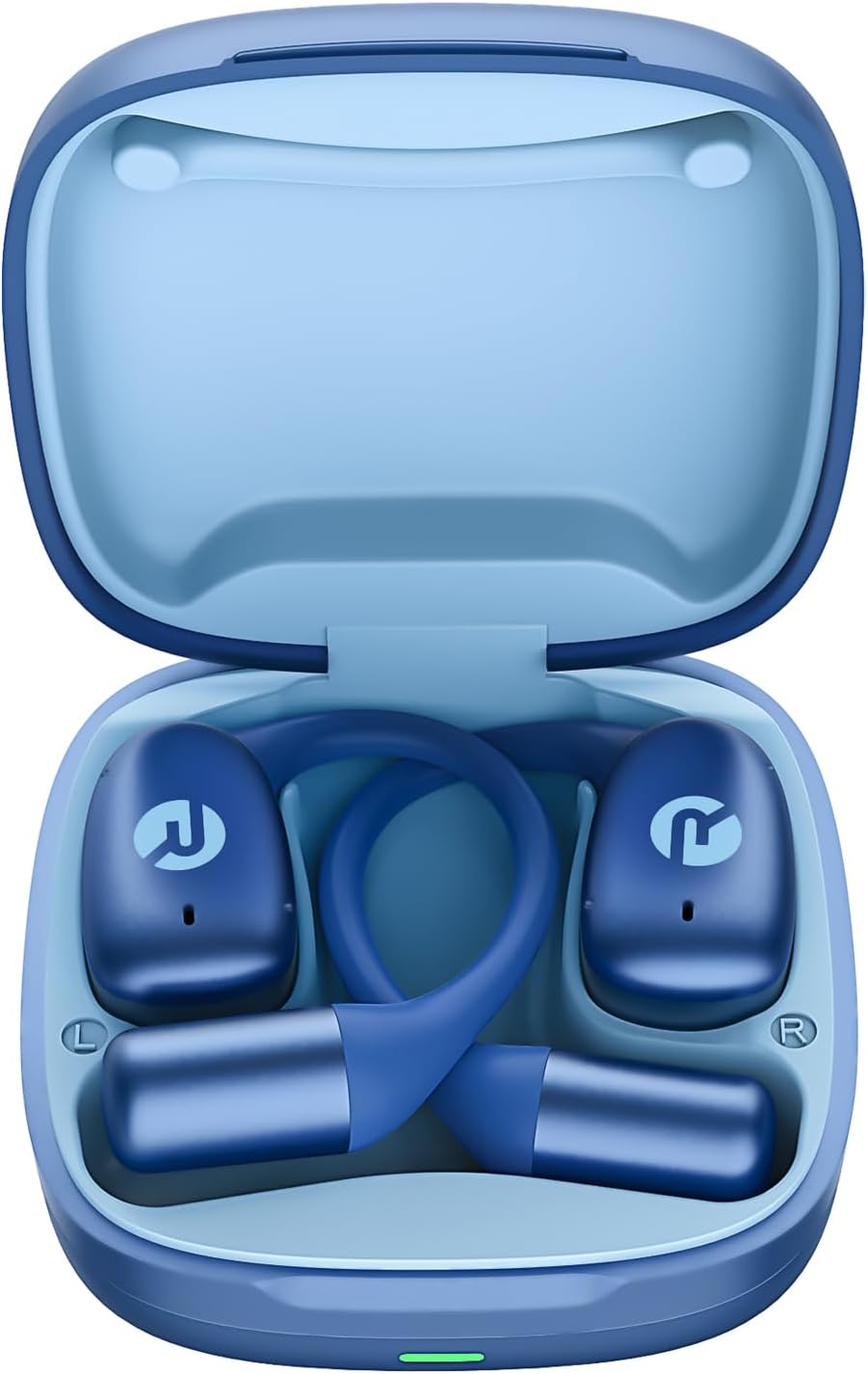
Image: Raycon Essential Open Earbuds in Charging Case
3. Key Features
The Raycon Essential Open Earbuds are packed with features designed for an optimal listening experience:
- Open-Ear Design: Experience clear audio while maintaining full awareness of your surroundings. This design is ideal for activities where situational awareness is crucial, such as workouts or outdoor runs.
- Featherlight Fit: Designed to be ultra-lightweight (approximately 13.3g per earbud) and comfortable, ensuring a secure fit that remains stable during movement without causing discomfort.
- Built for On-The-Go: These earbuds are sweat-resistant and designed for active lifestyles, making them suitable for gym sessions, cycling, and daily commutes. Their portable size ensures easy transport.
- Long Battery Life: Enjoy up to 8 hours of continuous playback on a single charge, with an additional 28 hours provided by the charging case, totaling up to 36 hours of battery life.
- IPX5 Water Resistant: Engineered to withstand sweat and light splashes, making them durable for various environments and activities.
- Flexible Ear Hook: The ergonomic ear hook is designed to bend and conform to the shape of any ear, ensuring a comfortable and secure fit for all users.
- Multipoint Connection: Seamlessly connect to two devices simultaneously and switch between them without manual re-pairing.

Image: Open-Ear Design Illustration

Image: Ultra-Lightweight Design

Image: Compact Design

Image: 36 Hours of Battery Life

Image: IPX5 Water Resistant

Image: Flexible Ear Hook

Image: Multipoint Connection
4. Setup
4.1 Charging Your Earbuds
Before first use, fully charge your Raycon Essential Open Earbuds and their charging case. The charging case provides additional battery life for on-the-go power.
- Place both earbuds into the charging case, ensuring they are properly seated.
- Connect the provided USB charging cable to the charging port on the case and plug the other end into a USB power source (e.g., wall adapter, computer USB port).
- The indicator light on the charging case will show charging status. Once fully charged, the light will change or turn off.
4.2 Initial Pairing
Follow these steps to pair your earbuds with your device for the first time:
- Ensure the earbuds are charged and inside the charging case.
- Open the charging case. The earbuds will automatically enter pairing mode, indicated by flashing lights on the earbuds.
- On your device (smartphone, tablet, laptop), go to the Bluetooth settings.
- Search for available devices and select "Raycon Essential Open Earbuds" from the list.
- Once connected, the earbud indicator lights will stop flashing, and you will hear a confirmation tone.
Video: Essential Open Earbuds - Our Most Compact Open Audio Yet. This short video demonstrates the compact design and ease of use of the earbuds.
5. Operating Instructions
5.1 Wearing the Earbuds
The Essential Open Earbuds feature a comfort hook design for a secure and comfortable fit. Gently place the earbud over your ear, ensuring the hook rests comfortably behind your ear and the speaker portion is positioned near your ear canal without blocking it, allowing for open-ear listening.
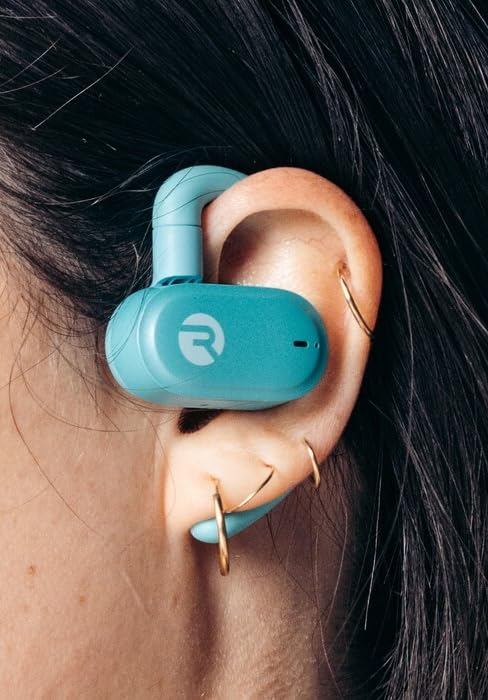
Image: Earbud worn on ear (Mint)
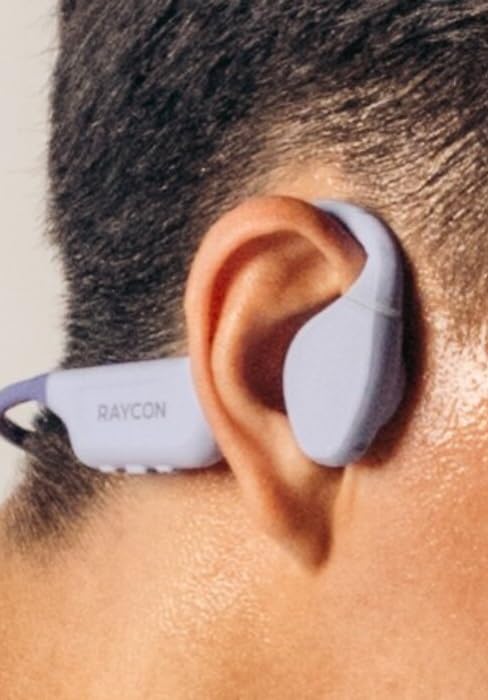
Image: Earbud worn on ear (Purple)
5.2 Touch Controls
The earbuds feature intuitive touch controls for managing your audio and calls:
| Action | Control |
|---|---|
| Play/Pause | Single tap on either earbud |
| Next Track | Double tap on the right earbud |
| Previous Track | Double tap on the left earbud |
| Volume Up | Triple tap on the right earbud |
| Volume Down | Triple tap on the left earbud |
| Answer/End Call | Single tap on either earbud during a call |
| Reject Call | Press and hold either earbud for 2 seconds |
| Activate Voice Assistant | Press and hold either earbud for 3 seconds |
6. Maintenance
Proper care and maintenance will extend the lifespan of your Raycon Essential Open Earbuds.
- Cleaning: Regularly wipe the earbuds and charging case with a soft, dry, lint-free cloth. Do not use harsh chemicals or abrasive materials.
- Water Resistance: The earbuds are IPX5 water resistant, meaning they can withstand sweat and light splashes. Do not submerge them in water or expose them to strong jets of water. Ensure they are dry before placing them back in the charging case.
- Storage: When not in use, store the earbuds in their charging case to protect them from dust and damage. Store in a cool, dry place away from extreme temperatures.
7. Troubleshooting
If you encounter issues with your earbuds, try the following solutions:
| Problem | Solution |
|---|---|
| Earbuds not pairing | Ensure earbuds are charged. Turn off and on your device's Bluetooth. Forget the device in Bluetooth settings and re-pair. |
| No sound from one earbud | Place both earbuds back in the case, close it, then open it again. Check device's audio output settings. |
| Low volume | Increase volume on both the earbuds (triple tap right) and your connected device. |
| Charging issues | Ensure the charging cable is securely connected. Try a different USB port or power adapter. Clean charging contacts on earbuds and case. |
| Earbuds falling out | Adjust the flexible ear hook to better fit your ear shape. Ensure proper placement as described in the 'Wearing the Earbuds' section. |
8. Specifications
Detailed technical specifications for the Raycon Essential Open Earbuds:
| Feature | Detail |
|---|---|
| Model Name | Raycon Essential Open Earbuds |
| Model Number | RBO715 |
| Connectivity Technology | Wireless |
| Wireless Communication Technology | Bluetooth |
| Bluetooth Version | 6.0 |
| Included Components | Cable |
| Material | Plastic, Silicone |
| Specific Uses For Product | Sport |
| Compatible Devices | Smartphones, Laptops, Tablets, Smart Speakers |
| Control Type | Touch Control |
| Water Resistance Level | IPX5 Water Resistant |
| Frequency Range | 20 Hz - 20,000 Hz |
| Audio Driver Type | Balanced Armature Driver |
| Earpiece Shape | Hook |
| Ear Placement | Open Ear |
| Item Weight | 4.6 ounces |
| UPC | 811162032996 |
| Manufacturer | Raycon Global |
| Battery Life (Earbuds) | Up to 8 hours |
| Total Battery Life (with case) | Up to 36 hours |
9. Warranty and Support
For detailed warranty information, product registration, and customer support, please visit the official Raycon website or contact their customer service directly. Keep your proof of purchase for any warranty claims.
Raycon Official Website: www.rayconglobal.com
Related documentsRBO715


Ask a question about this manual
Ask about setup, troubleshooting, compatibility, parts, safety, or missing instructions. Manuals+ will review the question and use this page’s manual context to help answer it.