
LELO A0285
LELO SWITCH Double-Ended Vibrator Wand User Manual
Model A0285
Introduction
The LELO SWITCH is a sophisticated double-ended vibrator wand designed for versatile pleasure. It features two built-in motors, sensorial ribs, and Bluetooth connectivity for app control, offering 12 pleasure settings. Crafted from ultra-smooth silicone, it is fully waterproof and USB rechargeable, ensuring a premium and durable experience.

Image: The LELO SWITCH vibrator in lilac, shown alongside its packaging and a smartphone displaying the LELO app interface. This illustrates the product's design and its app-connected functionality.
Product Components

Image: A diagram of the LELO SWITCH highlighting its key physical features: (1) Double Stimulation points on both ends, (2) Sensorial Ribs for enhanced sensation, (3) Smart App Connectivity via Bluetooth, and (4) Cordless and Hassle-Free design.
Key Features
- Double-Sided Design: Allows for both external massage and internal stimulation.
- App-Connected: Control via the LELO app for remote use, custom patterns, and partner play.
- Sensorial Ribs: Textured surface designed to enhance sensitivity.
- 12 Pleasure Settings: Accessible through the device and the LELO app.
- Waterproof (IPX7): Safe for use in water and easy to clean.
- USB Rechargeable: Convenient and fast charging.
- Signature Swedish Design: Made from body-safe, ultra-smooth silicone.

Image: An infographic highlighting the key features of the LELO SWITCH, including its dual motors, textured ribs, app connectivity, multiple settings, and waterproof design.
What's Included
Your LELO SWITCH package contains the following items:

Image: A visual representation of all items included in the LELO SWITCH package: the device itself, a user manual, a lubricant sachet, a USB charging cable, a satin storage pouch, and a warranty registration card.
- LELO SWITCH Double-Ended Wand Vibrator
- USB Charging Cable
- Satin Storage Pouch
- Personal Moisturizer Sachet (5 ml / 0.17 fl. oz.)
- User Manual
- Warranty Registration Card
Setup
Initial Charging
Before first use, fully charge your LELO SWITCH for 2 hours. Connect the provided USB charging cable to the device's charging port and plug the other end into a USB power source. The indicator light will show charging status.
App Connection
To unlock additional modes and remote control features, connect your LELO SWITCH to the LELO app:
- Download the LELO app from your device's app store.
- Ensure your LELO SWITCH is charged and turned on.
- Open the LELO app and follow the on-screen instructions to pair your device via Bluetooth.
Operating Instructions

Image: A visual guide demonstrating the basic operation of the LELO SWITCH, including power, mode, and intensity controls.
Basic Operation
- To Turn It On: Press the + button or the central power button.
- To Switch Between Modes: Press the central button shortly.
- To Adjust Intensity: Press the + or - button.
- To Turn It Off: Press and hold the central button.
Travel Lock
To activate or deactivate the travel lock, hold the + and - buttons simultaneously for 3 seconds. This prevents accidental activation during travel or storage.
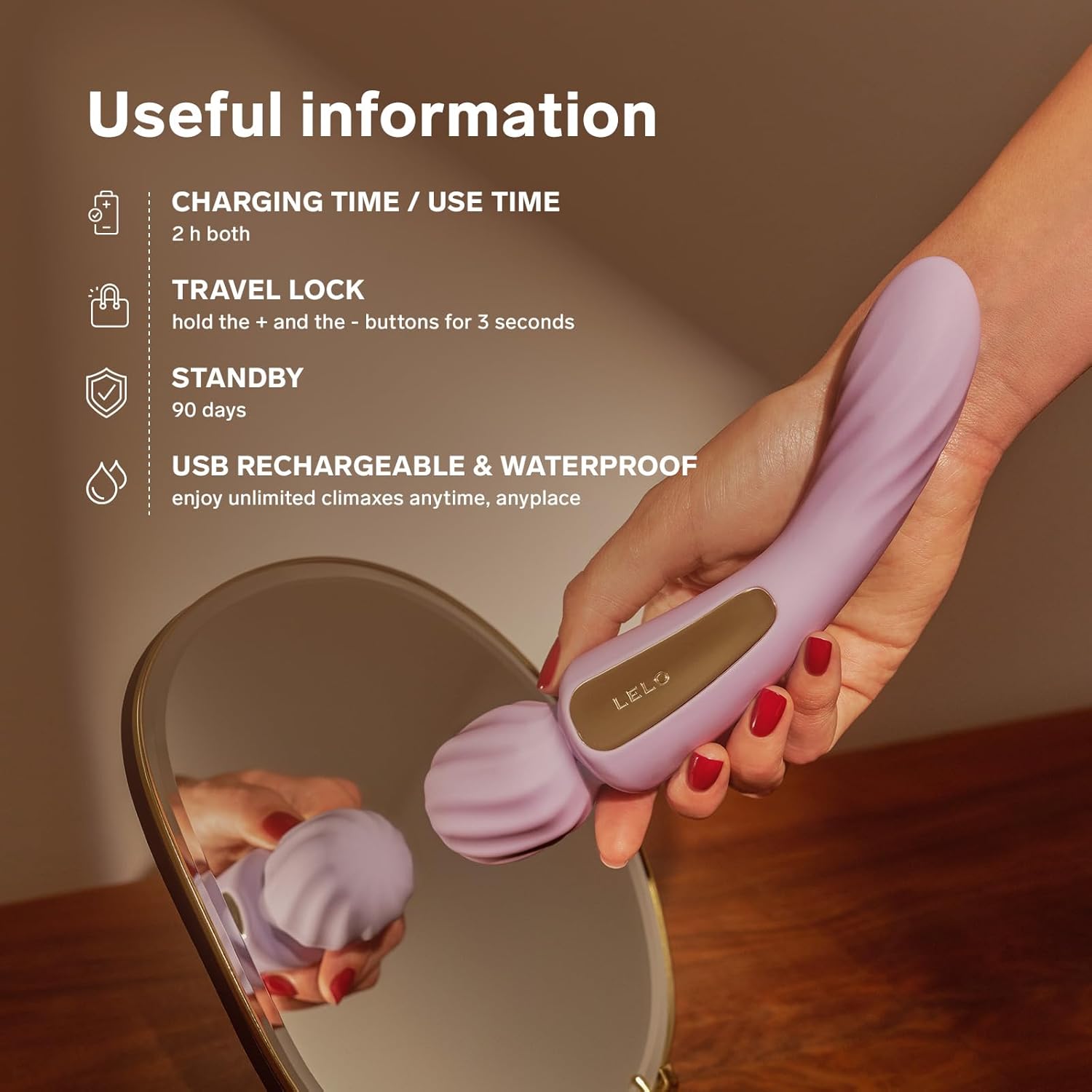
Image: An infographic providing useful information about the LELO SWITCH, including charging and use times, travel lock function, standby duration, and its waterproof and rechargeable nature.
Maintenance
Cleaning
The LELO SWITCH is fully waterproof (IPX7 certified) and can be easily cleaned. After each use, wash the device with warm water and a mild, toy-safe soap or a specialized toy cleaner. Rinse thoroughly and pat dry with a lint-free cloth. Avoid using cleaners containing alcohol, petroleum, or acetone, as these can damage the silicone.
Storage
Store your LELO SWITCH in the provided satin pouch in a cool, dry place, away from direct sunlight and extreme temperatures. Ensure it is fully dry before storing. Keep it separate from other toys made of different materials to prevent material degradation.
Battery Care
For optimal battery life, charge the device fully before long periods of inactivity. The device has a standby time of approximately 90 days.
Troubleshooting
- Device Not Turning On:
Ensure the device is fully charged. If it's been stored for a long time, it might require a longer initial charge. Check if the travel lock is activated (deactivate by holding + and - for 3 seconds).
- App Connectivity Issues:
Make sure Bluetooth is enabled on your smartphone and the LELO SWITCH is turned on and within range. Try restarting both the device and the app. Ensure the app is updated to the latest version.
- Weak Vibrations:
The battery might be low. Charge the device fully. If the issue persists after charging, contact LELO customer support.
Specifications
| Feature | Detail |
|---|---|
| Brand | LELO |
| Model Number | A0285 |
| Product Dimensions | 4.3 x 6.4 x 21.7 cm |
| Item Weight | 340 g |
| Material | Body-safe Silicone |
| Waterproof Rating | IPX7 |
| Battery Type | 1 Lithium Polymer (rechargeable) |
| Charging Time | 2 hours |
| Standby Time | Up to 90 days |
| Connectivity | Bluetooth (App-connected) |
Warranty and Support
Warranty Information
Your LELO SWITCH comes with a warranty. Please refer to the included Warranty Registration Card for specific terms and conditions. Registering your product ensures you receive full warranty benefits and support.
Customer Support
For further assistance, product inquiries, or troubleshooting not covered in this manual, please visit the official LELO website or contact LELO customer support. Contact details can typically be found on the LELO website or on your product packaging.
Note: Always purchase LELO products from authorized retailers to ensure authenticity and valid warranty coverage.
Ask a question about this manual
Ask about setup, troubleshooting, compatibility, parts, safety, or missing instructions. Manuals+ will review the question and use this page’s manual context to help answer it.