
1. Introduction
Thank you for choosing the TOWILD CL1200 Bike Light. This manual provides detailed instructions for the safe and effective use, installation, and maintenance of your new bike light. Please read this manual thoroughly before operating the device and retain it for future reference.
2. Product Overview
The TOWILD CL1200 is a high-performance bicycle front light designed for night riding, offering a maximum output of 1200 lumens. It features a 5000mAh rechargeable battery, USB-C charging, and compatibility with Garmin/GoPro mounts for versatile installation. The light also functions as a mobile power bank for emergency charging of other devices.
2.1 Package Contents
- TOWILD CL1200 Bike Light
- Handlebar Mount (Garmin/GoPro compatible)
- USB-C Charging Cable
- Allen Key for installation
2.2 Key Features
- Super Bright Output: Up to 1200 lumens for enhanced visibility.
- Long-lasting Battery: Integrated 5000mAh rechargeable battery.
- Versatile Mounting: Compatible with Garmin quarter-lock and GoPro mounts.
- USB-C Rechargeable: Convenient and fast charging.
- Power Bank Function: Can charge external devices.
- Durable Construction: Designed for various weather conditions.


3. Setup
3.1 Initial Charging
Before first use, fully charge the CL1200 bike light. Connect the supplied USB-C cable to the light's charging port and plug the other end into a USB power source (e.g., computer, wall adapter). The indicator light will show charging status and turn solid when fully charged. A full charge typically takes approximately four hours.
3.2 Mounting the Light
- Attach the Handlebar Mount: Place the handlebar mount around your bicycle's handlebar (compatible with standard 31.8mm handlebars). Use the provided Allen key to tighten the stainless steel hexagon socket screws securely. Ensure the rubber ring is in place to protect your handlebar and prevent slippage.
- Secure the Light: The CL1200 bike light is compatible with Garmin quarter-lock mounts. Align the light with the mount and twist it until it locks into place. The stable bracket is designed to prevent vibration on rough roads.
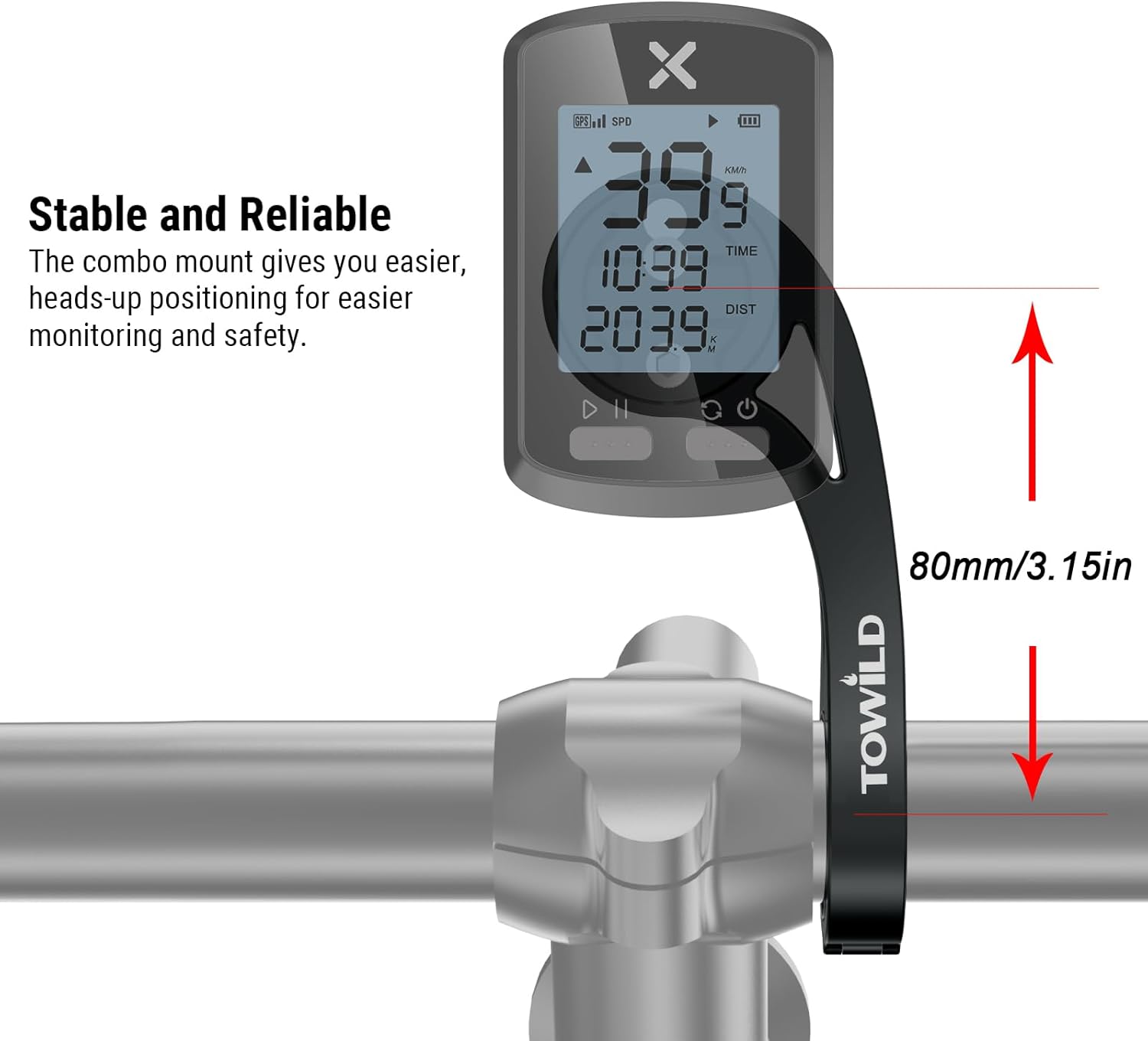
- Adjust Angle: You can adjust the angle of the device according to your preferences by turning the dial on the mount, allowing for flat or hanging styling. The effective length of the extension bracket is 80mm (3.15in).

4. Operating Instructions
4.1 Power On/Off
To power on the CL1200, press and hold the power button located on the top of the light for approximately 1-2 seconds. To power off, press and hold the power button again for 1-2 seconds.
4.2 Light Modes
Once powered on, short press the power button to cycle through the available light modes. The CL1200 offers various modes to suit different riding conditions:
- Low: 300 lumens, approximately 10 hours runtime.
- Medium: 600 lumens, approximately 5 hours runtime.
- High: 1200 lumens, approximately 2 hours 45 minutes runtime.
- Night Warning: 300 lumens, approximately 15 hours runtime.
- Day Warning: 600 lumens, approximately 15 hours runtime.


4.3 Battery Indicator
The power button also serves as a battery level indicator. Refer to the light's specific color codes or flashing patterns to determine the remaining battery life. A blue light indicates sufficient charge, while a red light typically indicates low battery, prompting a recharge.
5. Charging and Power Bank Function
5.1 Charging the CL1200
To charge the CL1200, use the provided USB-C cable. Connect the cable to the USB-C port on the light and to a compatible USB power source. The light will indicate charging status. Ensure the charging port cover is securely closed after charging to maintain water resistance.

5.2 Power Bank Function
The CL1200's 5000mAh battery can also be used to charge other USB-powered devices, such as your smartphone or cycling computer, in emergency situations during long-distance cycling. Connect your device to the light's USB-C port using an appropriate cable. This feature provides a convenient backup power source on the go.

6. Maintenance
6.1 Cleaning
Regularly clean the light's lens and body with a soft, damp cloth. Avoid using abrasive cleaners or solvents that could damage the surface or lens. Ensure the charging port cover is closed during cleaning.
6.2 Water Resistance
The CL1200 is designed to be waterproof, suitable for use in various weather conditions. However, avoid submerging the light in water. Always ensure the USB-C port cover is tightly sealed to maintain its water-resistant properties.
6.3 Storage
When not in use for extended periods, store the bike light in a cool, dry place. It is recommended to charge the battery to approximately 50-70% before long-term storage and recharge it every 3-6 months to prolong battery life.
7. Troubleshooting
- Light not turning on: Ensure the battery is charged. Press and hold the power button for 1-2 seconds to power on. If the issue persists, try charging the light.
- Light not charging: Check the USB-C cable and power source. Ensure the cable is securely connected to both the light and the power adapter. Try a different cable or power source.
- Mount feels unstable: Re-tighten the handlebar mount screws using the Allen key. Ensure the rubber ring is correctly positioned. Verify the light is securely locked into the mount.
- Short battery life: Ensure the light is fully charged before use. Operating in high lumen modes will consume battery faster. Check if the light has been stored correctly.
8. Specifications
| Feature | Specification |
|---|---|
| Model | CL1200 |
| Max Lumen Output | 1200 Lumens |
| Battery Capacity | 5000mAh (Li-ion 5V/2 Amps/hr) |
| Charging Port | USB-C |
| Charging Time | Approx. 4 hours |
| Mount Compatibility | Garmin Quarter-Lock, GoPro |
| Handlebar Diameter | 31.8mm (Standard) |
| Mount Extension Length | 80mm / 3.15in |
| Water Resistance | Waterproof (for cycling use) |
9. Safety Information
- Do not look directly into the light beam when the light is on, as it can cause temporary vision impairment.
- Ensure the light is securely mounted to your bicycle before riding to prevent it from falling off.
- Use appropriate light modes for your riding environment and conditions. High lumen modes are very bright and should be used responsibly.
- Keep the device away from children.
- Do not disassemble or attempt to repair the light yourself, as this may void the warranty and cause damage.
- Dispose of the battery according to local regulations. Do not dispose of in fire.
10. Warranty and Support
For warranty information and customer support, please refer to the official TOWILD website or contact your retailer. Keep your purchase receipt as proof of purchase for warranty claims.
For further assistance, please visit the TOWILD Store on Amazon.


