
1. Introduction
Thank you for purchasing the SFOOEOJ Portable Boombox CD Player with Bluetooth and Cassette. This versatile audio system combines modern and classic audio playback options, including CD, cassette, AM/FM radio, Bluetooth 5.3, USB, and AUX input. It is designed for both home use and portability, offering dual power options. Please read this manual thoroughly before use to ensure proper operation and to maximize your enjoyment of the product.
2. What's in the Box
- SFOOEOJ Portable Boombox CD Player
- AC Power Cord
- Remote Control
- User Manual
3. Key Features
- 7-in-1 Entertainment Hub: Combines a top-loading CD Player, classic Cassette Player, AM/FM Radio, Bluetooth 5.3 streaming, MP3 playback via USB, and a 3.5mm AUX input.
- Advanced CD Player: Supports CD, MP3-CD, CD-R/RW formats with programmable tracks, repeat functions (song/folder), and A-B repeat. Features a large LCD display for easy navigation.
- Bluetooth 5.3 & AM/FM Radio: Stream audio wirelessly from smart devices with stable Bluetooth 5.3. Tune into AM/FM stations with clear reception, enhanced by a telescopic antenna.
- Cassette Player with Recording: Plays cassette tapes and allows direct recording onto blank tapes from Radio, CD, Bluetooth, USB, or AUX sources.
- Dual Power Options: Operates with the included AC power cord for home use or 6 "C" batteries (not included) for portability. Includes a 3.5mm headphone jack for private listening.
4. Setup
4.1 Powering the Boombox
The SFOOEOJ Boombox can be powered in two ways:
- AC Power: Connect the included AC power cord to the AC input jack on the back of the unit and then plug it into a standard wall outlet.
- Battery Power: For portable use, open the battery compartment on the bottom of the unit and insert 6 "C" size batteries (not included), ensuring correct polarity. Close the compartment securely.
4.2 Initial Power On
Press the POWER button to turn on the unit. The LCD display will illuminate.
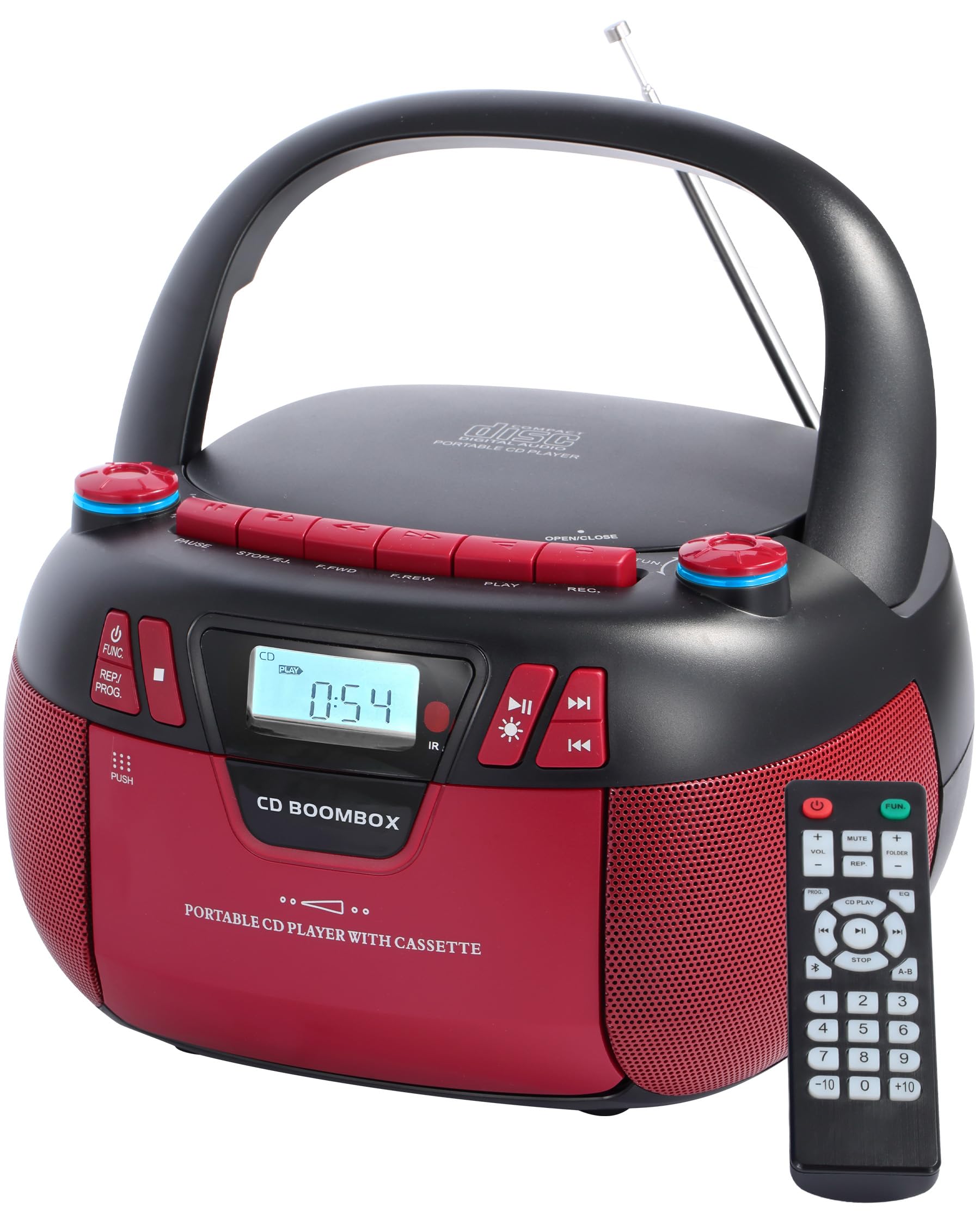
Figure 1: Front view of the SFOOEOJ Portable Boombox, showing the display and control buttons.
5. Operating Instructions
5.1 Mode Selection
Press the FUNC./PROG. button repeatedly to cycle through the available modes: CD, USB, Bluetooth (BT), AUX, and Radio (RAD).
Video 1: An official product video demonstrating the various functions and features of the SFOOEOJ Portable Boombox, including mode switching and media playback.
5.2 CD Player Operation
- Switch to CD mode.
- Open the CD compartment cover by gently lifting it.
- Place a CD (CD, MP3-CD, CD-R/RW) onto the spindle with the label side facing up.
- Close the CD compartment cover. The unit will read the disc, and the track number will appear on the display.
- Press PLAY to start playback.
- Use F.FWD and F.REW buttons to skip tracks or fast forward/rewind within a track.
- Press PAUSE to temporarily stop playback, and press again to resume.
- Press STOP/EJ. to stop playback.

Figure 2: The CD player compartment and supported CD formats (CD, CD-R, CD-RW, CD-MP3).
5.3 Cassette Player Operation
- Switch to TAPE mode.
- Press the PUSH button on the cassette compartment door to open it.
- Insert a cassette tape into the compartment, ensuring the open side faces up.
- Close the cassette compartment door.
- Press PLAY to start playback.
- Use F.FWD and F.REW buttons for fast forward/rewind.
- Press PAUSE to temporarily stop playback, and press again to resume.
- Press STOP/EJ. to stop playback and eject the tape.
5.3.1 Recording to Cassette
To record to a cassette tape:
- Insert a blank cassette tape into the compartment.
- Select the desired source (Radio, CD, Bluetooth, USB, or AUX).
- Start playback on the source.
- Press the REC. button on the boombox. Recording will begin.
- Press STOP/EJ. to stop recording.
Note: Recording is from internal audio sources only. External audio cannot be recorded.

Figure 3: The cassette player compartment and its recording capabilities.
5.4 AM/FM Radio Operation
- Switch to RADIO mode.
- Extend the telescopic antenna for optimal FM reception.
- Rotate the TUNING knob to select your desired AM or FM station. The frequency will be displayed on the LCD.
- Adjust the VOLUME knob to your preferred listening level.
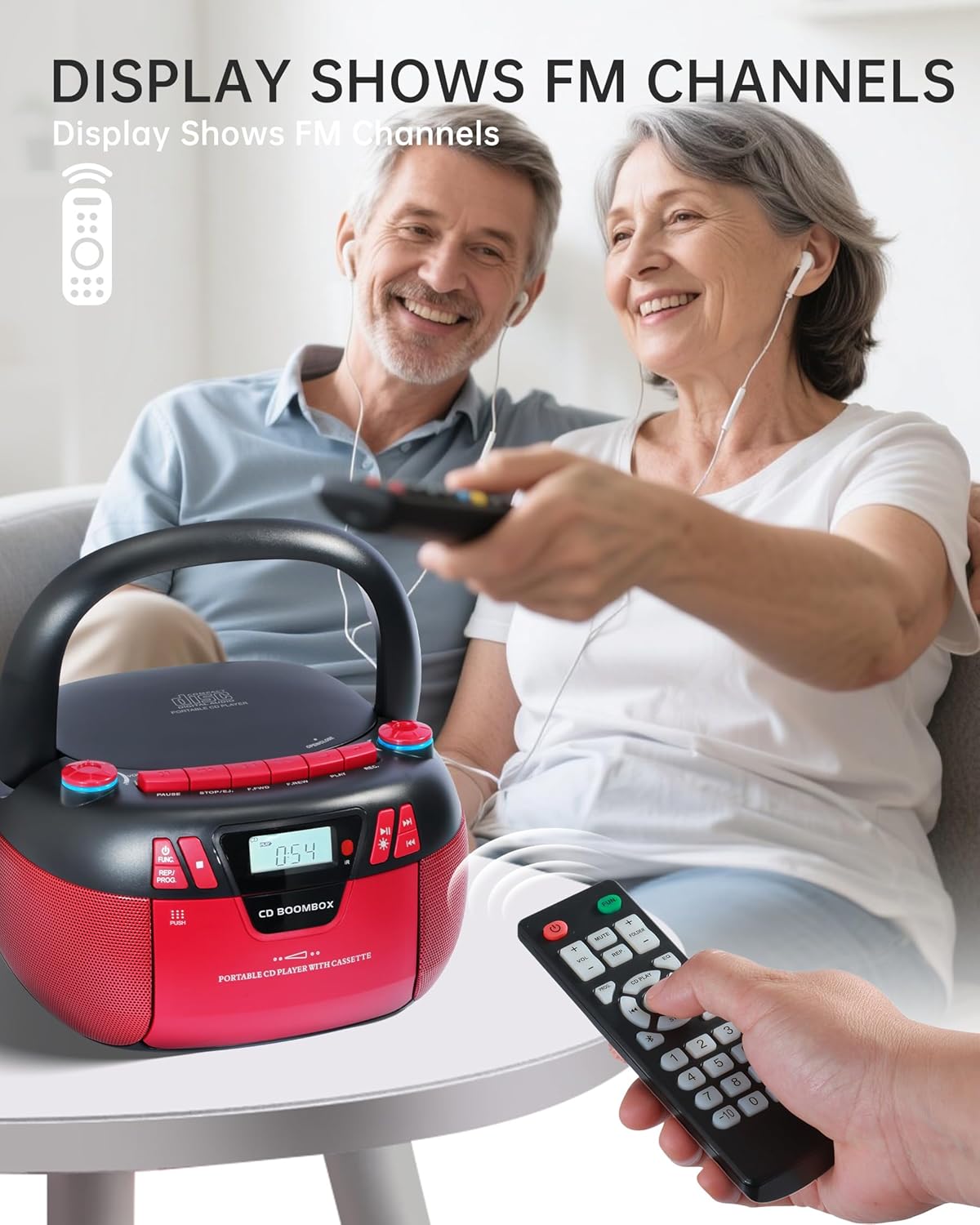
Figure 4: The boombox displaying FM channels on its LCD screen, with a remote control in use.
5.5 Bluetooth (BT) Streaming
- Switch to BT mode. The display will show "BT" and the unit will enter pairing mode.
- On your smartphone or other Bluetooth-enabled device, enable Bluetooth and search for available devices.
- Select "CD-BOOMBOX" (or similar name) from the list to pair.
- Once paired, you can play audio from your device through the boombox.

Figure 5: The boombox operating in Bluetooth mode, wirelessly connected to a smartphone.
5.6 USB Playback
- Switch to USB mode.
- Insert a USB flash drive containing MP3 audio files into the USB port.
- The unit will automatically detect and begin playing MP3 files.
- Use playback controls (PLAY, PAUSE, F.FWD, F.REW) as needed.
5.7 AUX Input
- Switch to AUX mode.
- Connect an external audio device (e.g., MP3 player, smartphone) to the 3.5mm AUX input jack using an audio cable (not included).
- Play audio from your external device. The sound will be output through the boombox speakers.
5.8 Knob Adjustment and Lights
The boombox features illuminated knobs that change colors. These lights provide visual feedback and can enhance the listening experience.

Figure 6: Close-up of the boombox knobs, illustrating the light off, light on, and multiple color options.
6. Maintenance
- Cleaning: Use a soft, dry cloth to clean the exterior of the unit. Do not use abrasive cleaners or solvents.
- CD Lens Care: If CD playback issues occur, use a specialized CD lens cleaner disc (not included) to clean the laser lens.
- Cassette Head Cleaning: Regularly clean the cassette player's heads with a cotton swab lightly dampened with isopropyl alcohol to ensure optimal sound quality.
- Storage: When not in use for extended periods, remove batteries and store the unit in a cool, dry place away from direct sunlight and extreme temperatures.
7. Troubleshooting
| Problem | Possible Cause | Solution |
|---|---|---|
| Unit does not power on. | No power supply; batteries depleted or incorrectly inserted. | Check AC power cord connection or replace/reinsert batteries. |
| CD does not play or skips. | CD is dirty, scratched, or inserted incorrectly. | Clean the CD, try another disc, or reinsert correctly. Clean CD lens if necessary. |
| Cassette player not working. | Tape inserted incorrectly; dirty tape heads; mechanical issue. | Ensure tape is inserted correctly. Clean tape heads. If issue persists, contact customer support. |
| Poor radio reception. | Antenna not extended; weak signal. | Fully extend the telescopic antenna. Reposition the unit for better signal. |
| Bluetooth pairing failure. | Device too far; Bluetooth not enabled on source; incorrect pairing procedure. | Ensure devices are within range. Enable Bluetooth on your device. Re-initiate pairing. |
8. Specifications
- Model: B0FHH6C59J
- Brand: SFOOEOJ
- Product Dimensions: 8.2 x 8.5 x 4.5 inches
- Item Weight: 3.6 pounds
- Connectivity Technology: Auxiliary, Bluetooth
- Speaker Type: Stereo
- Power Source: AC (cord included) or 6 "C" batteries (not included)
- Supported CD Formats: CD, MP3-CD, CD-R/RW
- Bluetooth Version: 5.3
9. Warranty and Support
For warranty information or technical support, please refer to the contact details provided on the product packaging or the official SFOOEOJ website. Keep your purchase receipt as proof of purchase for any warranty claims.