
Introduction
Thank you for choosing DUSKTEC Smart Recessed Lighting. This manual provides essential information for the safe installation, operation, and maintenance of your new 6-inch RGBCW LED recessed lights. Please read these instructions thoroughly before installation and keep them for future reference.
Safety Information
- Always turn off power at the circuit breaker before installation, removal, or maintenance.
- Consult a qualified electrician if you are unsure about the installation process.
- Do not modify the product in any way. Unauthorized modifications may void the warranty and create safety hazards.
- Ensure all electrical connections are secure and comply with local electrical codes.
- This product is designed for indoor use only.
- Not compatible with traditional dimmer switches. Control dimming via the BRmesh App or voice assistants.
What's in the Box
- Smart Recessed Lighting (6 units)
- Instruction Manual (1 unit)
Specifications
| Feature | Description |
|---|---|
| Brand | DUSKTEC |
| Model Number | TD3C002 |
| Size | 6 Inch |
| Light Type | RGBCW LED Recessed Downlight |
| Wattage | 16 Watts |
| Brightness | 1500 Lumens |
| Color Temperature | 2700K-6000K (Warm White to Cool Daylight) |
| Color Options | 16 Million Colors |
| Dimmable | 1-100% (via App/Voice Control) |
| Control Method | BRmesh App, Voice (Alexa, Siri, Google Assistant) |
| Connectivity | Bluetooth 5.0 (BT Mesh Technology) |
| CRI | >90 |
| Product Dimensions | 6.7"L x 6.7"W x 1.65"H |
| Certifications | CE, ETL, FCC, RoHS, UKCA |
The DUSKTEC Smart Recessed Lighting features a high Color Rendering Index (CRI >90) for accurate color display and flicker-free operation to reduce eye fatigue.
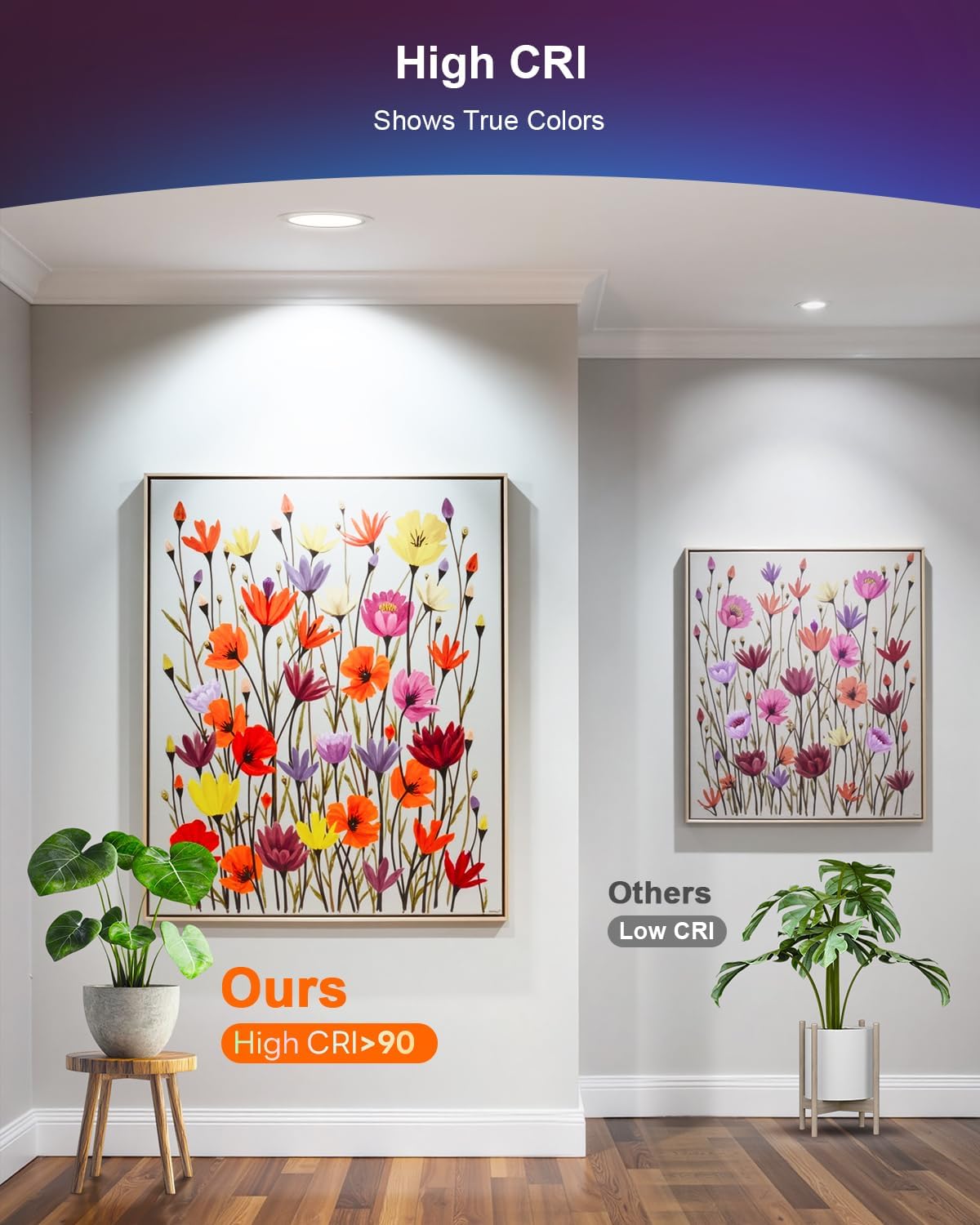
Figure 1: High CRI ensures true color representation.
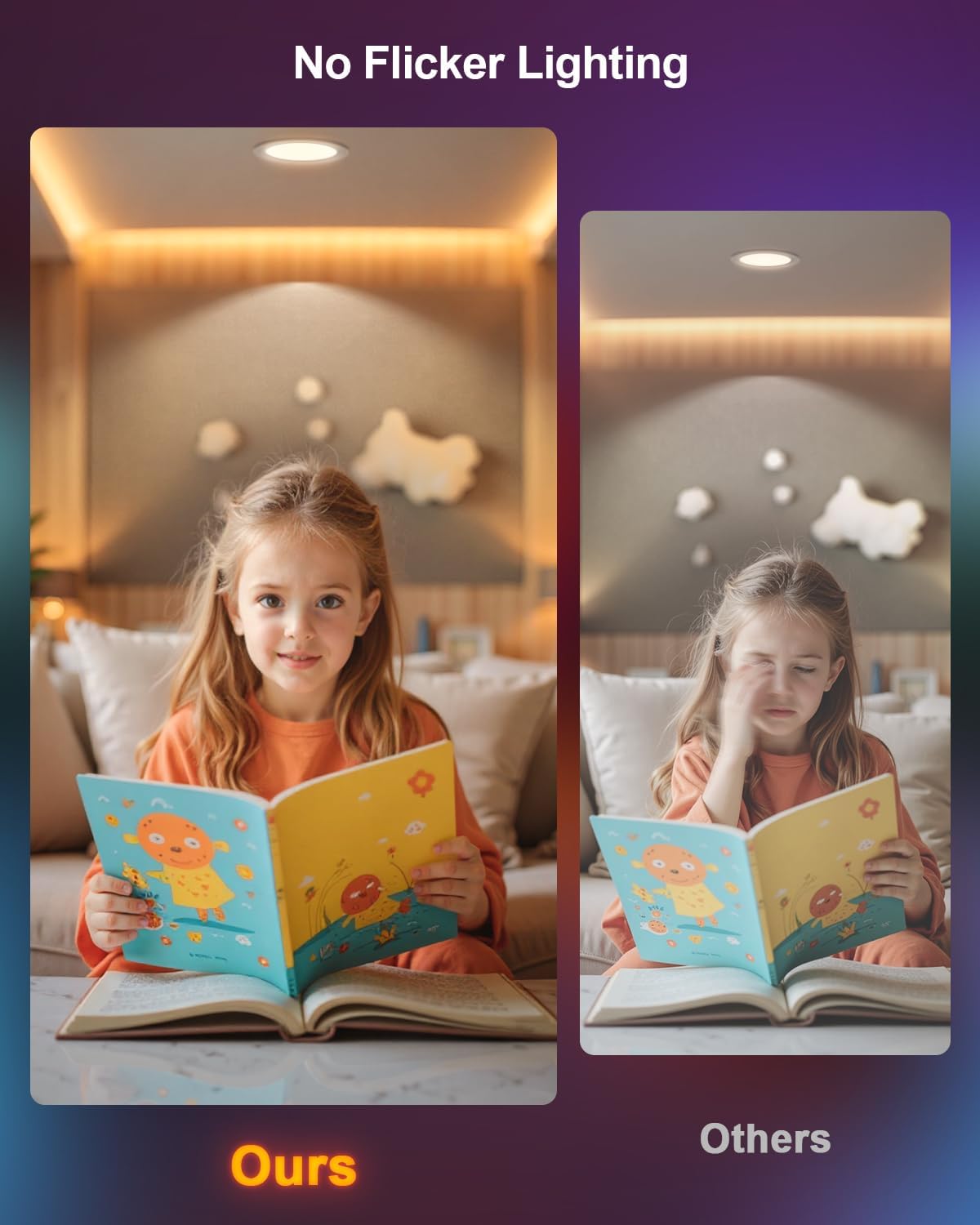
Figure 2: Flicker-free lighting for reduced eye strain.

Figure 3: Product dimensions for installation planning.
Installation
Follow these steps for safe and proper installation. If you are not comfortable with electrical work, please consult a professional electrician.
- Prepare the Ceiling: Turn off power at the circuit breaker. Cut a 6-inch diameter hole in the ceiling at the desired location. Ensure there are no obstructions (like pipes or wires) in the ceiling space.
- Connect the Junction Box: Open the junction box cover. Connect the household electrical wires (live, neutral, and ground) to the corresponding wires inside the junction box using the provided push-in connectors. Ensure connections are secure.
- Connect Light to Junction Box: Connect the cable from the recessed light fixture to the cable from the junction box. Ensure the connectors are fully engaged.
- Insert Junction Box: Place the connected junction box into the ceiling hole.
- Install the Light Fixture: Squeeze the spring clips on the sides of the recessed light fixture upwards. Insert the fixture into the ceiling hole. Release the clips to secure the light flush against the ceiling.
- Restore Power: Turn on power at the circuit breaker.
Video 1: Detailed installation guide for DUSKTEC 6-inch Smart Recessed Lighting with Junction Box.
Operating Instructions
1. BRmesh App Control
The DUSKTEC Smart Recessed Lighting uses Bluetooth 5.0 with mesh functionality, allowing direct connection via the BRmesh App without requiring Wi-Fi or registration. This ensures faster response times and enhanced privacy.
- Download App: Download the 'BRmesh' app from your smartphone's app store.
- Pairing: Ensure your phone's Bluetooth is enabled. Open the BRmesh app. Power off and then power on the light fixture. The light will flash to indicate it's in pairing mode. The app should automatically detect the light. Follow the in-app instructions to add the device.
- Adjusting Settings: Once paired, you can control brightness (1-100%), color temperature (2700K-6000K), and choose from 16 million RGB colors.
- DIY Multi Modes: Access various preset scene modes (e.g., Night, Reading, Work, Leisure, Relax, Dance Party) or create custom scenes.
- Music Sync: Utilize the music sync mode to make the lights change color and rhythm with your music.
- Group Control: Create groups for multiple lights to control them simultaneously or by room.
- Sharing Control: Share control of your lights with other phones via the app's sharing function.
- Timer Function: Set schedules for lights to turn on/off automatically.

Figure 4: Multiple lighting modes available through the BRmesh App.
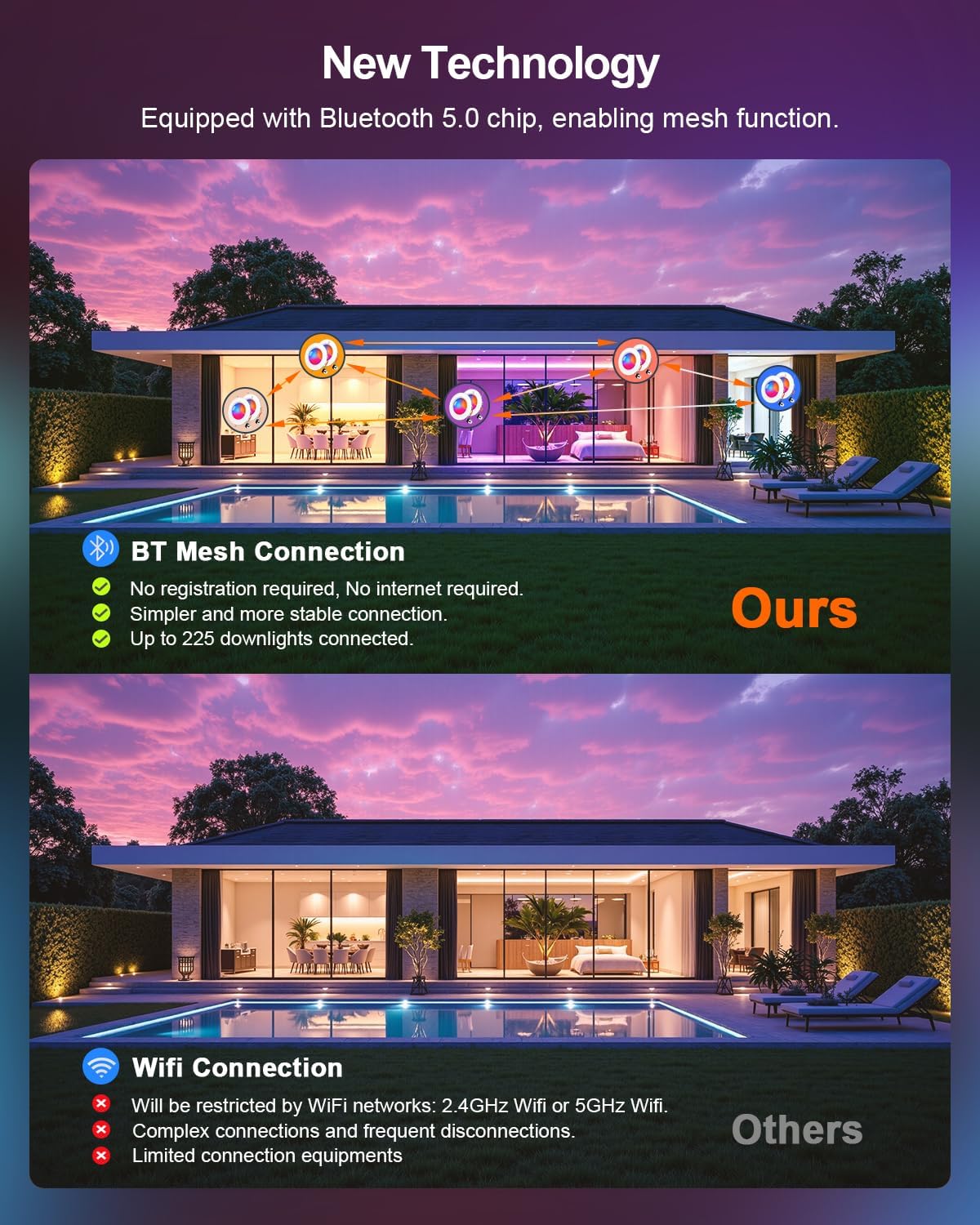
Figure 5: Benefits of BT Mesh Technology for DUSKTEC lights.
Video 2: Demonstrating app control for DUSKTEC Smart Recessed Lighting.
2. Voice Control (Alexa, Siri, Google Assistant)
Your DUSKTEC lights are compatible with popular voice assistants for hands-free control.
- Enable Skill/Add Device: For Alexa and Google Assistant, enable the BRmesh skill or add the device through their respective apps. For Siri, add shortcuts within the BRmesh app settings.
- Voice Commands: Use simple commands to adjust brightness, change colors, or activate scenes. For example:
- "Alexa, turn on the living room lights."
- "Hey Google, set the bedroom light to blue."
- "Hey Siri, dim the kitchen lights to 50%."

Figure 6: Smart Voice Control with Alexa, Siri, and Google Assistant.
Video 3: Tutorial for setting up Google Assistant shortcut commands.
Video 4: Tutorial for setting up Siri Voice Assistant shortcut commands.
3. Multiple Lighting Options
Explore the full range of lighting possibilities with your DUSKTEC lights:
- RGBCW: Access 16 million colors for vibrant ambient lighting.
- Dimmable White: Adjust color temperature from 2700K (warm white) to 6000K (cool daylight) to suit your mood or task.
- Brightness: Fine-tune brightness from 1% to 100% for perfect illumination.

Figure 7: RGB and Dimmable White options for versatile lighting.
4. Group Control
Manage multiple lights efficiently by grouping them:
- In the BRmesh App, navigate to the 'Group Control' section.
- Create new groups (e.g., 'Living Room', 'Bedroom', 'Kitchen').
- Assign individual lights to desired groups.
- Control all lights within a group simultaneously for color, brightness, or scene changes.

Figure 8: Group control for managing lights in different areas.
Maintenance
To ensure the longevity and optimal performance of your DUSKTEC Smart Recessed Lighting, follow these simple maintenance guidelines:
- Cleaning: Ensure the power is off before cleaning. Use a soft, dry cloth to wipe the surface of the light fixture. Do not use abrasive cleaners, solvents, or harsh chemicals, as these can damage the finish or electrical components.
- Inspection: Periodically check the light fixtures for any signs of damage, loose connections, or unusual operation. If any issues are detected, turn off the power and contact customer support.
- No User-Serviceable Parts: The LED components are integrated and not user-replaceable. Do not attempt to open or repair the fixture.
Troubleshooting
If you encounter issues with your DUSKTEC Smart Recessed Lighting, refer to the following common problems and solutions:
- Light Not Turning On:
- Check the circuit breaker to ensure power is supplied to the fixture.
- Verify all electrical connections in the junction box are secure.
- Ensure the light fixture is properly connected to the junction box.
- Light Not Responding to App/Voice Control:
- Ensure your phone's Bluetooth is enabled and you are within range of the light.
- Confirm the BRmesh App is updated to the latest version.
- For voice assistants, ensure the BRmesh skill is enabled and the device is linked correctly.
- Try power cycling the light (turn off at the switch for 10 seconds, then turn back on) to re-enter pairing mode.
- If using Siri, verify the shortcut commands are correctly set up in the BRmesh app.
- Flickering or Inconsistent Light:
- Ensure the light is not connected to a traditional dimmer switch, as this product is not compatible.
- Check for loose wiring connections.
- If the issue persists, contact customer support.
- Cannot Connect Multiple Lights (BT Mesh):
- Ensure all lights are within Bluetooth range of each other or a central control point.
- The BT Mesh technology supports up to 255 lights. If you exceed this, you may experience connectivity issues.
Warranty and Support
DUSKTEC provides a 2-year limited manufacturer's support for this product. We are committed to providing reliable lighting products and satisfying service.
For any inquiries or support needs, please contact us. We offer a 24-hour quick response service to assist you.
Contact information can typically be found on the product packaging or the official DUSKTEC website.