
VECHTEL A4055H1MI2
VECHTEL A4055H1MI2 Android 15 Car Stereo User Manual
For FIAT Fiorino/Qubo, Peugeot Bipper, Citroen Nemo
Introduction
This manual provides detailed instructions for the installation, operation, and maintenance of your VECHTEL A4055H1MI2 Android 15 Car Stereo. Please read this manual thoroughly before using the product to ensure proper functionality and safety. This car stereo is designed to enhance your driving experience with advanced features such as wireless CarPlay, Android Auto, GPS navigation, and multimedia capabilities.
Vehicle Compatibility
This car stereo is specifically designed for the following vehicle models:
- FIAT Fiorino
- FIAT Qubo
- Peugeot Bipper
- Citroen Nemo
The system features a plug-and-play connection cable, eliminating the need to modify your car's power cables. For optimal fitment, it is recommended to verify compatibility with your vehicle's dashboard configuration.

Comparison of dashboard before and after car stereo installation.
Visual guide for dashboard compatibility. If unsure, consult with a professional or the manufacturer.
Package Contents
Please check the box for the following items:
- 1 x Android Car Stereo Unit
- 2 x Power Cables
- 1 x RCA Cable
- 1 x Rear Camera Input Cable
- 1 x USB Cable
- 1 x GPS Antenna
- 1 x Reversing Camera
- 1 x External Microphone
- 1 x User Manual (this document)
- 1 x Antenna Adapter
- 1 x Canbus Decoder
Setup and Installation
Wiring Diagram
Refer to the following diagram for proper wiring connections. Ensure all cables are securely connected to their respective ports.

Wiring diagram for the car stereo unit. Follow the labels for correct connections.
Installation Steps (General)
- Preparation: Disconnect the car battery's negative terminal before starting any electrical work.
- Remove Old Unit: Carefully remove your existing car stereo unit and any associated trim panels.
- Connect Wiring: Connect the provided power cables, RCA cables, USB cables, GPS antenna, and reversing camera input cable according to the wiring diagram. Ensure the Canbus decoder is correctly connected if your vehicle requires it for steering wheel controls or other integrated functions.
- Test Connections: Before fully securing the unit, reconnect the car battery and perform a basic test of the stereo's functions (power on, radio, sound).
- Secure Unit: Mount the new car stereo securely into the dashboard opening. Reinstall any trim panels.
- Final Check: Verify all functions are working correctly.
Note: Professional installation is recommended if you are unfamiliar with car audio wiring.
Operating Instructions
System Overview (Android 15)
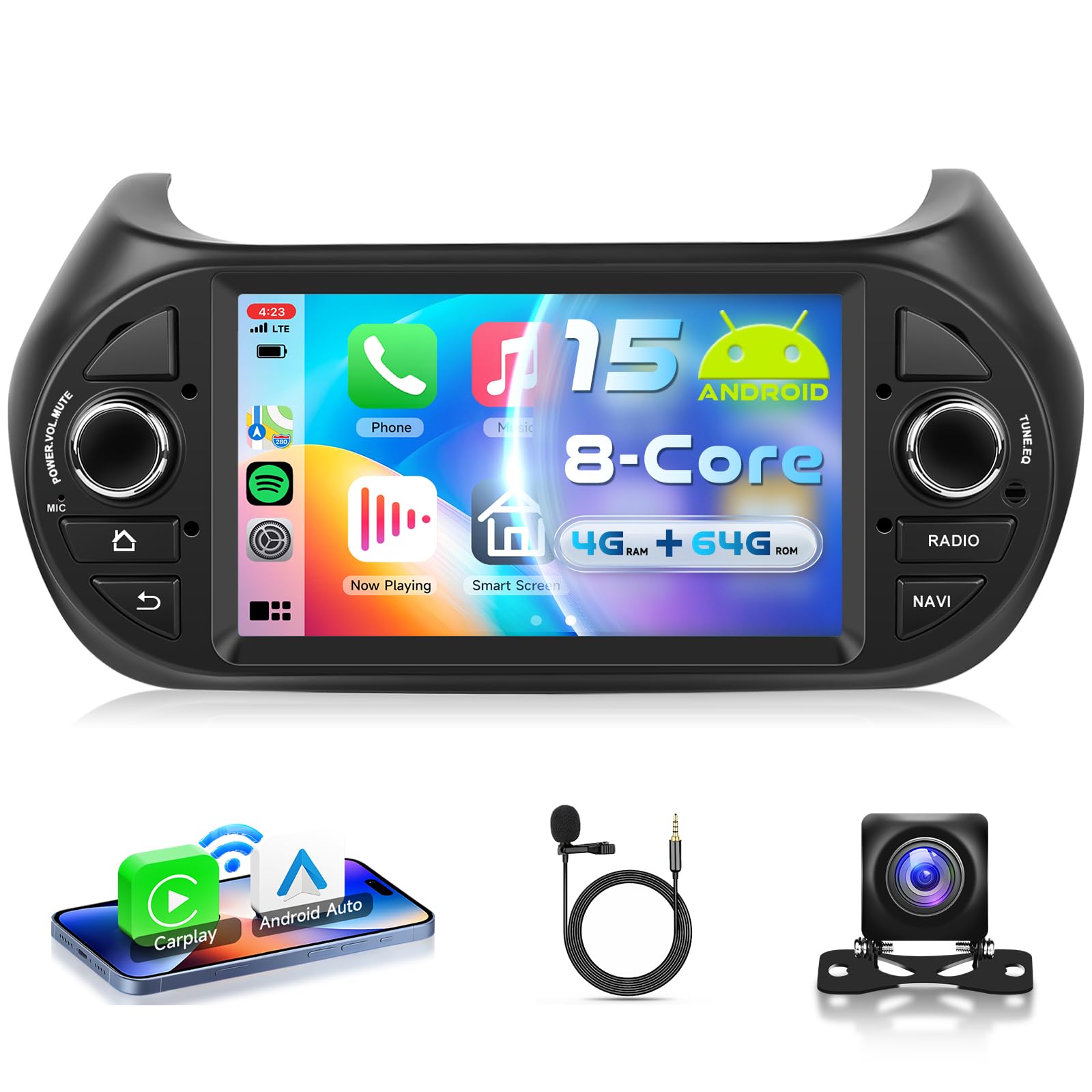
Your car stereo operates on Android 15, powered by an 8-core processor with 4GB RAM and 64GB ROM. This configuration ensures smooth operation and quick response times for various applications.

High-speed operation with Android 15, 8-core processor, and ample memory for GPS and WiFi functions.
7-inch IPS Touch Screen & Split Screen
The unit features a 7-inch IPS HD touch screen with a resolution of 1024*600. It supports split-screen functionality, allowing you to run two applications simultaneously, such as navigation and music playback.

The 7-inch IPS touch screen supports split-screen mode for multitasking.
Wireless CarPlay and Android Auto
Connect your smartphone wirelessly via CarPlay or Android Auto for seamless integration. Access navigation, make calls, send messages, and listen to music directly from the car stereo's interface. Voice control via Siri or Google Assistant is supported.

Wireless CarPlay and Android Auto provide instant access to phone features and voice control.
GPS Navigation
The car stereo includes a built-in GPS module. You can use pre-installed offline maps or download online maps via a Wi-Fi connection. Ensure an internet connection is available for downloading map data.
WiFi Connectivity
Connect the unit to a Wi-Fi network or your phone's hotspot to access online features. This allows you to download applications from the Play Store, stream online videos, and use online navigation services.
Bluetooth 5.0
Utilize Bluetooth 5.0 for hands-free calling and wireless audio streaming. Pair your smartphone to make and receive calls safely while driving, and enjoy your favorite music wirelessly.
FM/RDS Radio
Tune into your favorite radio stations with the integrated FM/RDS radio tuner. RDS (Radio Data System) provides additional information such as station name and song titles where available.
Steering Wheel Control
The unit supports steering wheel control functionality, allowing you to manage volume, tracks, and other features without taking your hands off the wheel. This requires proper connection via the Canbus decoder (if applicable to your vehicle).
Reversing Camera Input
Connect the included reversing camera to the unit for enhanced safety when parking or backing up. The display automatically switches to the camera view when reverse gear is engaged.

Features include Bluetooth, FM/RDS Radio, Steering Wheel Control, and Reversing Camera support.
Mirror Link
The Mirror Link function allows you to mirror your smartphone's screen (Android or iOS) onto the car stereo display. This enables you to view apps and content from your phone directly on the larger screen.
Mirror Link feature for displaying smartphone content on the car stereo screen.
Technical Specifications
| Feature | Specification |
|---|---|
| System | Android 15 |
| Chipset | 8257 (8-Core) |
| Screen Size | 7 inches |
| Memory (RAM+ROM) | 4GB RAM + 64GB ROM |
| Screen Resolution | 1024*600 |
| Radio Chip | 8035 |
| Output Power | 4*45W |
| Bluetooth Version | 5.0 |
| Operating Temperature | -20℃ to 75℃ |
| Amplifier Chip | YD7388 |
| Radio Band | FM/RDS |
| Video Output | Supported |
| Reversing Input | AHD/CVBS |
| External Microphone | Supported |
| Split Screen | Supported |
| Offline Maps | Built-in (requires internet for data download) |
| WiFi | Supported |
| USB Interface | Dual USB |
| Audio Formats | APE/FLAC/WAV/MP3/WMA, etc. |
| Video Formats | MKV/RMVB/AVI/MP4/MDV, etc. |
| Image Formats | PNG/JPEG/JPG/GIF/WBMP/BNP, etc. |
| Factory Settings Keyword | 1234 |
| Supported Languages | Chinese, English, French, Italian, Korean, Japanese, Arabic, Spanish, Portuguese, Russian, Turkish, Vietnamese, Hebrew, Polish, German |
Maintenance
To ensure the longevity and optimal performance of your VECHTEL car stereo, follow these maintenance guidelines:
- Cleaning: Use a soft, dry cloth to clean the screen and exterior. Avoid abrasive cleaners or solvents that could damage the surface.
- Software Updates: Periodically check for software updates to ensure you have the latest features and bug fixes. Updates can typically be performed via a Wi-Fi connection.
- Environmental Conditions: Avoid exposing the unit to extreme temperatures, direct sunlight for prolonged periods, or excessive moisture.
- Cable Connections: Periodically check all cable connections to ensure they are secure and free from damage.
Troubleshooting
If you encounter issues with your car stereo, refer to the following common troubleshooting steps:
- No Power: Check all power cable connections. Ensure the car battery is charged and properly connected. Check the fuse in the car's fuse box and on the stereo's wiring harness.
- No Sound: Verify speaker connections. Check volume levels and ensure the mute function is not activated. Confirm audio output settings in the system menu.
- GPS Not Working: Ensure the GPS antenna is properly installed and has a clear view of the sky. Check GPS settings in the system menu. Downloaded map data may require an internet connection for updates.
- Bluetooth Connection Issues: Ensure Bluetooth is enabled on both the stereo and your smartphone. Delete previous pairings and try pairing again.
- Touch Screen Unresponsive: Try restarting the unit. If the issue persists, a factory reset might be necessary (use keyword '1234' for factory settings).
- CarPlay/Android Auto Not Connecting: Ensure your phone's operating system is up to date. Check USB cable connection (if wired) or Wi-Fi/Bluetooth connection (if wireless).
If these steps do not resolve the issue, please contact customer support.
Warranty Information
The VECHTEL A4055H1MI2 car stereo comes with a three-year warranty from the date of purchase. This warranty covers manufacturing defects and malfunctions under normal use. Please retain your proof of purchase for warranty claims. The warranty does not cover damage caused by improper installation, misuse, accidents, or unauthorized modifications.
Customer Support
For further assistance, technical support, or warranty inquiries, please contact VECHTEL customer service through the platform where you purchased the product. When contacting support, please provide your product model number (A4055H1MI2) and a detailed description of the issue.
Related documentsA4055H1MI2

Ask a question about this manual
Ask about setup, troubleshooting, compatibility, parts, safety, or missing instructions. Manuals+ will review the question and use this page’s manual context to help answer it.