Introduction
The Samsung Galaxy A17 5G is a feature-rich smartphone designed for a seamless user experience. It integrates advanced AI capabilities, a high-resolution camera system, and a vibrant display, all within a durable and elegant design. This manual provides essential information for setting up, operating, maintaining, and troubleshooting your device.

Image: Samsung Galaxy A17 5G smartphone in black.
Setup
1. Unboxing and Package Contents
Verify that your package contains the following items:
- 1 x Samsung Galaxy A17 5G Smartphone
- 1 x USB-C to USB-C Cable
- 1 x SIM Ejection Tool
- 1 x Quick Start Guide

Image: Box contents of the Samsung Galaxy A17 5G.
2. SIM Card Installation
- Locate the SIM card tray on the side of your device.
- Insert the SIM ejection tool into the small hole next to the tray and press gently until the tray pops out.
- Place your Nano-SIM card(s) and/or microSD card (if applicable) into the tray with the gold contacts facing down.
- Carefully push the tray back into the slot until it clicks into place.
3. Initial Charging and Power On
- Connect the provided USB-C to USB-C cable to your phone and a compatible power adapter (sold separately).
- Plug the adapter into a power outlet. It is recommended to fully charge the device before its first use.
- To power on, press and hold the Power button (located on the side) until the Samsung logo appears on the screen.
4. Initial Configuration
Follow the on-screen prompts to complete the initial setup, which includes selecting your language, connecting to a Wi-Fi network, signing in to your Google account, and setting up security features like a PIN, pattern, or fingerprint.
5. Data Transfer with Smart Switch
Use the Smart Switch application to easily transfer contacts, photos, messages, and other data from your old smartphone (Android or iOS) to your new Galaxy A17 5G.
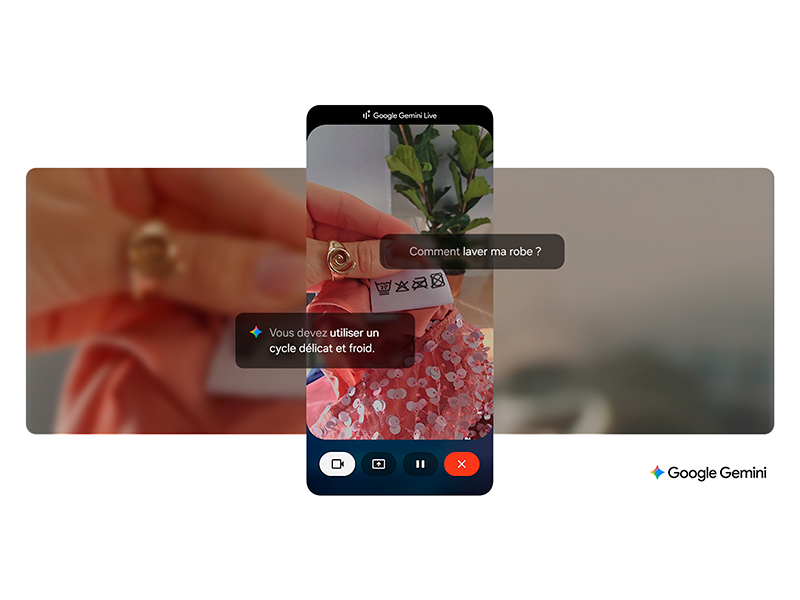
Image: Data transfer using Samsung Smart Switch.
Operating Instructions
1. Basic Navigation
The Galaxy A17 5G features a responsive touchscreen. Navigate through menus, open applications, and interact with content using gestures such as tapping, swiping, and pinch-to-zoom.
2. AI Features with Gemini
- Gemini Assistant: Engage with Gemini, your integrated AI assistant, to perform complex tasks, plan, summarize, create content, and explore information more efficiently.
- Circle to Search: Easily find information about anything on your screen by simply circling it with your finger, without needing to switch applications.

Image: Using Google Gemini Live on the Galaxy A17 5G.
Image: Circle to Search with Google on the Galaxy A17 5G.
3. Camera Features
- The 50MP rear camera allows you to capture high-resolution photos with excellent detail.
- Optical Image Stabilization (OIS) minimizes blur from camera shake, resulting in sharper videos and brighter, clearer photos, even in challenging low-light conditions.

Image: Capturing clear and bright images with optical stabilization, day or night.
4. Display
The 6.7-inch Super AMOLED FHD+ display offers vibrant colors and deep blacks. With a 90Hz refresh rate, you'll experience smooth scrolling and fluid visuals, ideal for streaming, gaming, and social media.

Image: The 6.7-inch Super AMOLED display with 90Hz refresh rate.
5. Connectivity
Your Galaxy A17 5G supports various connectivity options:
- 5G Network: Enjoy high-speed mobile data connectivity.
- Wi-Fi: Connect to wireless networks for internet access.
- Bluetooth: Pair with wireless headphones, speakers, and other compatible devices.
- NFC: Use for contactless payments and quick pairing with other NFC-enabled devices.
- USB-C: For charging and wired data transfer.
Maintenance
1. Battery Care
- The 5000 mAh battery provides extended usage, with up to 48 hours of talk time.
- The device supports 25W fast charging. Use a compatible charger for optimal charging speed.
- To prolong battery life, avoid exposing your device to extreme temperatures.
2. Durability and Protection
The Samsung Galaxy A17 5G is IP54 certified, meaning it offers protection against limited dust ingress and water splashes from any direction. This rating indicates splash resistance, not full waterproofing. Avoid submerging the device in water.

Image: IP54 dust and splash resistance.
3. Software Updates
Your Galaxy A17 5G is designed for longevity, guaranteed to receive up to 6 generations of Android OS updates and 6 years of security updates. Regularly install these updates to ensure optimal performance, security, and access to new features.

Image: 6 generations of Android OS and security updates.
4. Cleaning
To clean your device, gently wipe the screen and body with a soft, lint-free cloth. Avoid using abrasive materials or harsh chemical cleaners, which can damage the screen or finish.
Troubleshooting
Common Issues and Solutions
- Device Unresponsive: If your device becomes unresponsive, press and hold the Power button and Volume Down button simultaneously for approximately 7-10 seconds to force a restart.
- Connectivity Problems (Wi-Fi/Mobile Data):
- For Wi-Fi, ensure your router is powered on and you are entering the correct password. Try restarting your router.
- For mobile data, check that your SIM card is properly inserted and your mobile data settings are enabled. Contact your service provider if issues persist.
- Rapid Battery Drain: Close unused applications running in the background, reduce screen brightness, and disable features like GPS, Bluetooth, or Wi-Fi when not in use. Check battery usage in settings to identify power-hungry apps.
- Performance Issues (Slow/Lagging): Clear the cache of frequently used apps, uninstall unnecessary applications, or consider performing a factory reset as a last resort (ensure all important data is backed up before proceeding).
- Screen Not Responding: If the touchscreen is not responding, try restarting the device. If the issue continues, ensure the screen is clean and free of damage.
Specifications

Image: Samsung Galaxy A17 5G dimensions.
| Feature | Detail |
|---|---|
| Model Name | Galaxy A17 5G |
| Model Number | SM-A176B/DS |
| Operating System | Android 15, One UI 7 |
| Weight | 192 g |
| Dimensions (L x W x H) | 16.44 x 7.79 x 0.75 cm |
| Connectivity | Bluetooth, NFC, USB, Wi-Fi |
| GPS | Yes |
| Special Features | Dual SIM, IP54 Dust and Splash Resistant, Fast Charging Support |
| Display Size | 6.7 inches Super AMOLED |
| Display Resolution | 1080 x 2340 |
| Refresh Rate | 90 Hz |
| Human Interface Input | Touchscreen |
| Battery Capacity | 5000 mAh |
| Talk Time | 48 Hours |
| RAM | 4 GB |
| CPU Model | Exynos 1330 S5E8535 |
| CPU Speed | 2.4 GHz |
| Memory Storage Capacity | 128 GB |
| Color (variant) | Black |

Image: EU Energy Label for Samsung SM-A176B/DS. For more details, visit eprel.ec.europa.eu/qr/2364744.
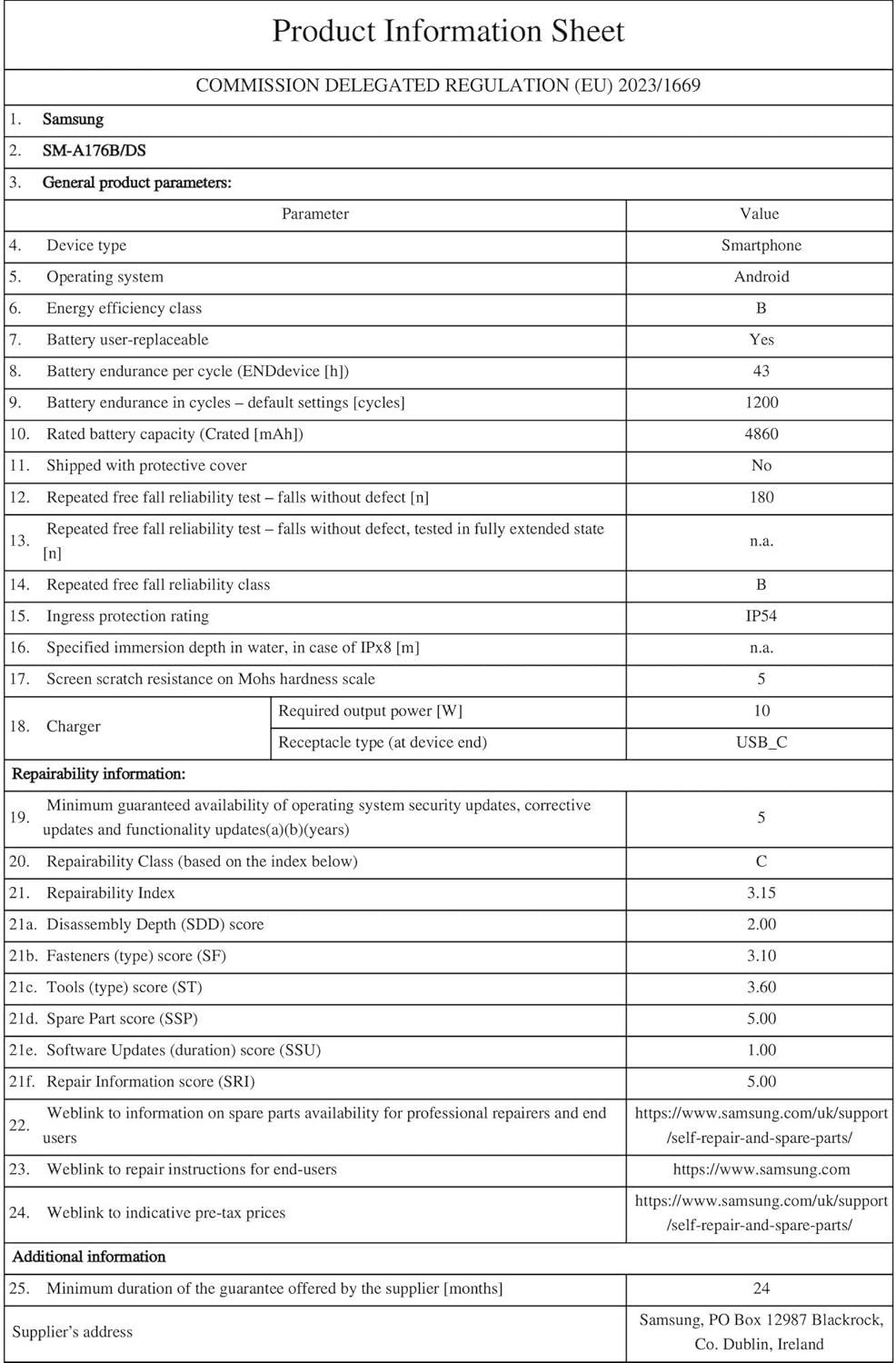
Image: Product Information Sheet for Samsung SM-A176B/DS. For more details, visit eprel.ec.europa.eu/qr/2364744.
Warranty and Support
1. Product Warranty
The Samsung Galaxy A17 5G comes with a minimum guarantee of 24 months provided by the supplier, covering manufacturing defects under normal use.
2. Spare Parts and Repair Information
Spare parts for the Galaxy A17 5G are available for 6 years from the product's launch date. For detailed repair instructions and information on purchasing spare parts, please visit the official Samsung support website:
Samsung Self-Repair and Spare Parts
3. Additional Support
For further assistance, frequently asked questions (FAQs), software downloads, and contact information for customer service, please refer to the Quick Start Guide included in your product packaging or visit the official Samsung support website.