
1. Introduction
Thank you for choosing the DUMOS Air Purifier JHQ-D22-WT. This manual provides essential information for the safe and efficient operation, maintenance, and troubleshooting of your new air purifier. Please read this manual thoroughly before use and retain it for future reference.
2. Safety Instructions
- Always place the air purifier on a firm, level surface.
- Keep the appliance away from water or other liquids.
- Do not block air inlets or outlets. Maintain at least 8 inches (20 cm) clearance from walls and furniture.
- Unplug the air purifier before cleaning or performing any maintenance.
- Do not operate the appliance with a damaged cord or plug.
- This appliance is for indoor use only.
- Keep out of reach of children and pets.
3. Package Contents
Verify that all items are present in the package:
- DUMOS Air Purifier unit
- Built-in filter (pre-installed)
- Replacement filter
4. Product Overview
The DUMOS Air Purifier JHQ-D22-WT is designed to improve indoor air quality through a multi-stage filtration system. It features a user-friendly control panel and quiet operation.
4.1 Components
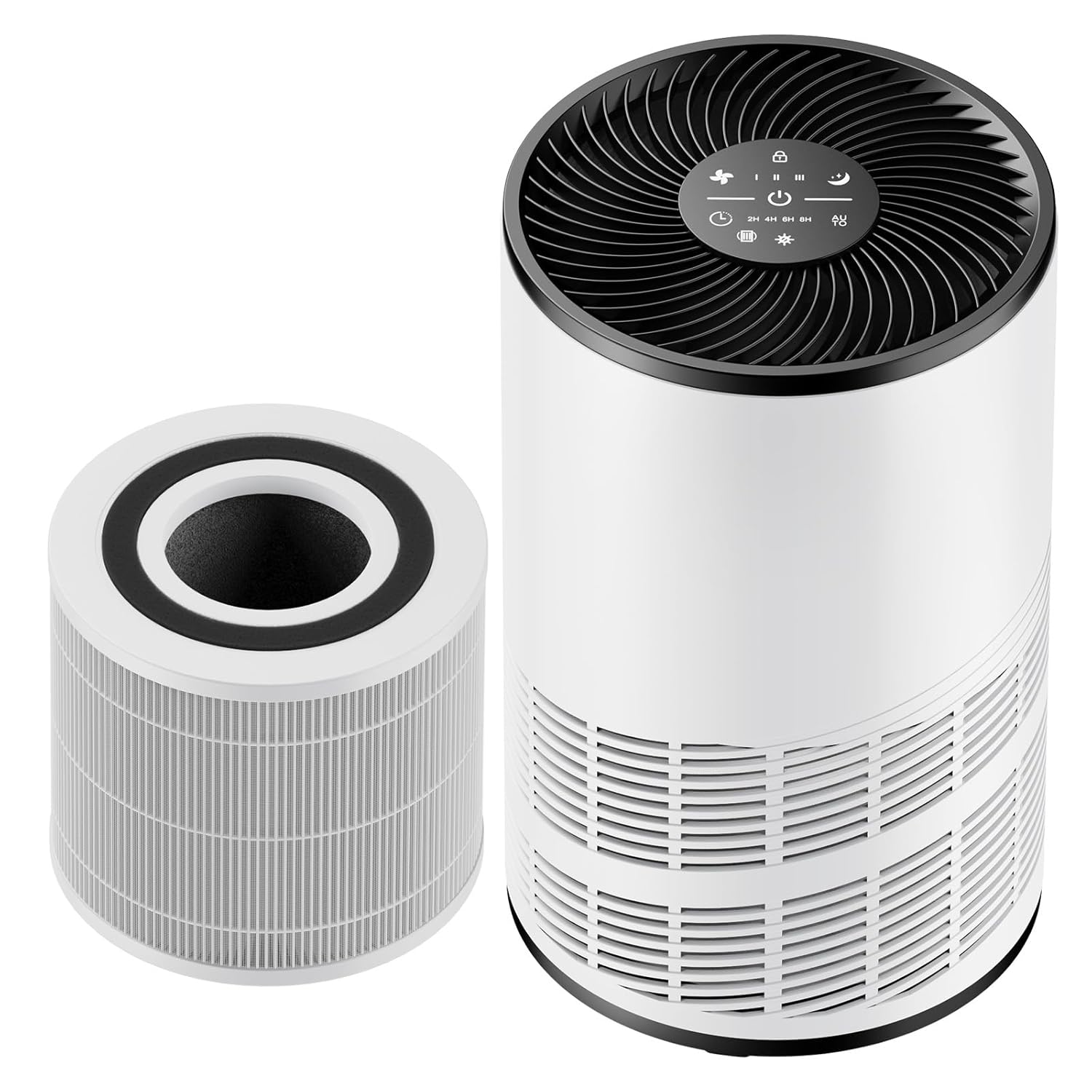
Image: The DUMOS Air Purifier unit shown next to its cylindrical filter, highlighting the main components.
4.2 Filtration System
The air purifier utilizes a 3-stage advanced filter system to capture various airborne particles and odors:
- Primary Filter: Captures large particles such as dust, lint, and pet dander.
- H13 True HEPA Filter: Removes 99.97% of airborne particles as small as 0.3 microns, including pollen, dust mites, and fine dust.
- Activated Carbon Filter: Absorbs odors from pets, cooking, smoke, and volatile organic compounds (VOCs).

Image: A cutaway diagram illustrating the multi-layer structure of the efficient H13 composite filter, showing the preliminary filter, H13 True HEPA layer, and activated carbon layer.
5. Setup
Follow these steps to set up your DUMOS Air Purifier for first use:
- Unpack: Carefully remove the air purifier from its packaging.
- Filter Installation: The filter is pre-installed. Before first use, ensure the filter is unwrapped from its protective plastic bag. Refer to the 'Filter Replacement' section for detailed instructions on accessing the filter compartment.
- Placement: Place the air purifier on a stable, flat surface. Ensure there is at least 8 inches (20 cm) of clear space around all sides for optimal airflow.
- Power Connection: Plug the power cord into a standard electrical outlet.
6. Operating Instructions
The control panel is located on the top of the unit. Familiarize yourself with the functions:

Image: A close-up view of the DUMOS Air Purifier's smart control panel, showing icons for fan speed, sleep mode, timer, child lock, auto mode, filter reset, night light, and PM 2.5 indicator.
- Power Button: Press to turn the unit On or Off.
- Fan Speed: Cycle through 4 adjustable fan speeds (I, II, III, and Sleep Mode) to control airflow.
- Sleep Mode: Activates the lowest fan speed for quiet operation (approx. 25dB) and dims indicator lights for an undisturbed environment.
- Timer: Set the purifier to operate for 2, 4, 6, or 8 hours before automatically shutting off.
- Auto Mode: The purifier automatically adjusts fan speed based on real-time air quality detected by its sensors.
- Child Lock: Press and hold the child lock button to prevent accidental changes to settings. Repeat to unlock.
- Night Light: Toggles the night light function.
- PM 2.5 Indicator: Displays the current PM 2.5 level in the air, providing real-time air quality feedback.
- Filter Reset Indicator: Illuminates when it's time to replace the filter.

Image: An air purifier operating quietly in a bedroom setting, with a graph illustrating noise levels: 70dB (outdoor conversation), 50dB (library), and 25dB (whisper) for sleep mode.
7. Maintenance
7.1 Cleaning the Exterior
Wipe the exterior of the air purifier with a soft, dry cloth. Do not use abrasive cleaners or solvents.
7.2 Filter Replacement
The filter should be replaced every 3-6 months, depending on usage and air quality. The Filter Reset Indicator will illuminate when replacement is due.

Image: A four-step visual guide demonstrating how to replace the air purifier filter: 1) Filter reset light on, 2) Turn off and remove old filter, 3) Insert new official filter, 4) Press and hold reset button for 3 seconds.
- Unplug the air purifier from the power outlet.
- Turn the unit upside down. Twist the base cover counter-clockwise to unlock and remove it.
- Carefully pull out the old filter.
- Remove the new filter from its protective plastic packaging.
- Insert the new filter into the unit, ensuring it is seated correctly.
- Replace the base cover and twist clockwise to lock it into place.
- Plug in the air purifier.
- Press and hold the 'Filter Reset' button on the control panel for 3 seconds until the indicator light turns off. This resets the filter lifetime counter.
8. Troubleshooting
If you encounter issues with your air purifier, refer to the following common problems and solutions:
| Problem | Possible Cause | Solution |
|---|---|---|
| Unit does not turn on | No power supply | Check if the power cord is securely plugged into the outlet and the unit. Try a different outlet. |
| Reduced airflow or purification efficiency | Clogged filter | Replace the filter if the filter reset indicator is on or if it appears visibly dirty. |
| Unusual noise | Obstruction in fan or loose filter | Unplug the unit and check for any foreign objects. Ensure the filter is correctly installed and the base cover is securely locked. |
| Odor persists | Filter saturation | Replace the activated carbon filter. Ensure the room is adequately ventilated. |
9. Specifications
Detailed specifications for the DUMOS Air Purifier JHQ-D22-WT:

Image: The DUMOS Air Purifier unit displayed with its height (14.33 inches) and width (8.86 inches) clearly labeled.
- Model Number: JHQ-D22-WT
- Product Dimensions: 8.86"D x 8.86"W x 14.3"H
- Weight: 5.9 lbs
- Clean Air Delivery Rate (CADR): 210 m³/H
- Coverage Area: Up to 1200 ft²
- Noise Level (Sleep Mode): 25dB
- Filter Type: 3-Stage (Primary, H13 True HEPA, Activated Carbon)
- Certifications: CARB Certified, FCC Certified
10. Warranty Information
No specific warranty information was provided in the product details. Please refer to the product packaging or contact DUMOS customer support for warranty details.
11. Support
No specific support contact information was provided in the product details. For assistance, please refer to the contact information provided with your purchase or visit the official DUMOS website.