1. Introduction
Thank you for choosing the JXJXQU Wireless Lavalier Microphone. This device is designed to provide high-quality audio recording for various applications, including video recording, podcasting, live streaming, and online teaching. Featuring smart noise reduction, a reverb effect, and extended battery life, it offers a versatile and portable solution for content creators.
2. Package Contents
Please verify that all items are present in your package:
- Wireless Lavalier Microphone (Transmitter)
- Receiver (Lightning or USB Type-C, depending on model)
- Charging Case
- USB Charging Cable
- User Manual (this document)

Image: The JXJXQU Wireless Lavalier Microphone, including the transmitter, receiver, charging case, and charging cable.
3. Product Overview
The JXJXQU Wireless Lavalier Microphone system consists of a compact transmitter (microphone) and a receiver. The transmitter features a clip for easy attachment and control buttons for various functions. The receiver plugs directly into your smartphone or tablet.
Key Features:
- Smart Noise Reduction: Filters out ambient noise for clear audio.
- Reverb Effect: Adds a professional touch to vocal recordings.
- Plug-and-Play: Automatic connection upon power-on, no app or Bluetooth required.
- Long Battery Life: Up to 30 hours of combined use with the charging case.
- Compact Design: Lightweight and portable for on-the-go use.
- Wide Compatibility: Supports iOS (Lightning) and Android (USB Type-C) devices.

Image: Overview of the microphone's professional recording capabilities, including 360-degree sound pickup and 48 kHz sampling rate.
4. Setup
- Charge the Device: Before first use, ensure both the microphone transmitter and the charging case are fully charged. Connect the charging case to a power source using the provided USB charging cable. The digital display on the case will show the battery level.
- Identify Receiver Type: Determine if your device uses a Lightning port (for iPhones/iPads) or a USB Type-C port (for Android phones/tablets). Select the appropriate receiver.
- Connect Receiver: Plug the receiver directly into the charging port of your smartphone or tablet. The receiver's indicator light will illuminate, indicating it is powered on.
- Power On Transmitter: Take the microphone transmitter out of the charging case. It will automatically power on and attempt to pair with the receiver. A blue light on the transmitter indicates a successful connection.

Image: Visual guide for the plug-and-play setup process, highlighting compatibility with iOS and Android devices without requiring apps or Bluetooth.
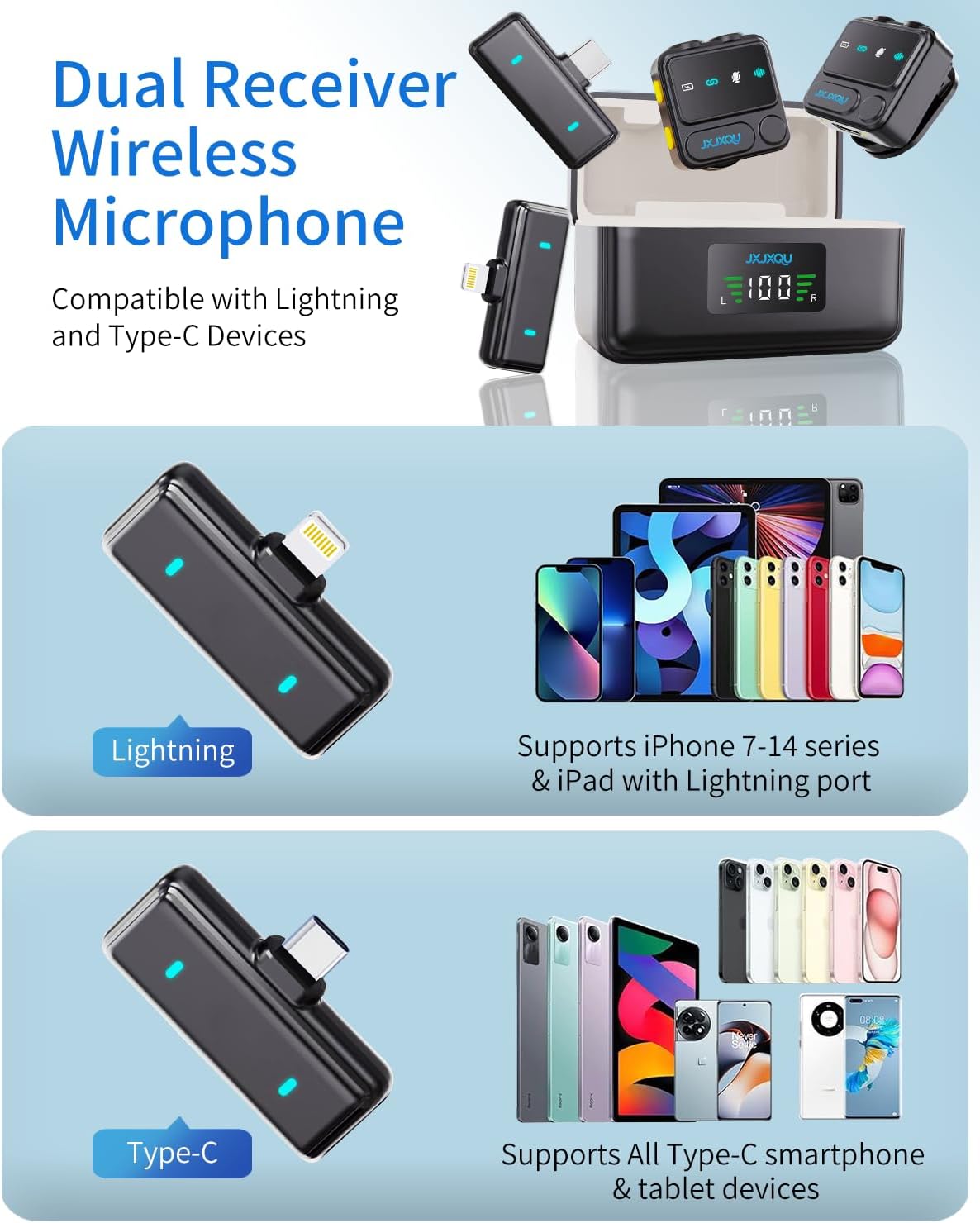
Image: Illustration of the dual receiver system, compatible with both Lightning (iOS) and USB Type-C (Android) devices.
5. Operating Instructions
5.1 Basic Recording
Once the microphone transmitter and receiver are successfully paired (indicated by a steady blue light on the transmitter), open your preferred recording app (e.g., camera app, voice recorder, streaming app) on your smartphone or tablet. The microphone will automatically be recognized as the audio input device. Begin recording as usual.
5.2 Noise Reduction
The JXJXQU microphone features smart noise reduction to minimize background interference. To activate or deactivate noise reduction:
- Activate Noise Reduction: Press the "Denoise/Reverb" button (often marked with a waveform icon) once. The indicator light will change or blink to confirm activation.
- Deactivate Noise Reduction: Press the "Denoise/Reverb" button again.

Image: Visual representation of the advanced noise cancellation feature, demonstrating its ability to isolate your voice from environmental sounds.
5.3 Reverb Effect
To apply a reverb effect to your audio:
- Activate Reverb: Double-press the "Denoise/Reverb" button. The indicator light will confirm the change.
- Deactivate Reverb: Double-press the "Denoise/Reverb" button again.
5.4 Mute Function
To temporarily mute the microphone during recording or streaming:
- Mute: Press the "Mute" button (often marked with a microphone icon) once. The indicator light will change to show the muted status.
- Unmute: Press the "Mute" button again to resume audio capture.

Image: Detailed view of the microphone's controls, including the mode button for one-click noise canceling and mute functions.
5.5 Real-time Monitoring
Some models may support real-time audio monitoring. If your receiver has a 3.5mm audio jack, you can connect headphones to monitor your audio during recording.
6. Charging and Battery Life
The JXJXQU Wireless Lavalier Microphone system is designed for extended use.
- Charging Case: The charging case provides additional power, extending the total battery life to over 30 hours. It has a digital display to show the current battery percentage.
- Transmitter Battery: The microphone transmitter itself offers approximately 7-10 hours of continuous recording on a single charge.
- Charging Time: A full charge for the charging case and transmitter typically takes less than 1 hour.
- Charging Indicator: The charging case's digital display indicates charging status and battery level. The transmitter's indicator light may also change during charging.
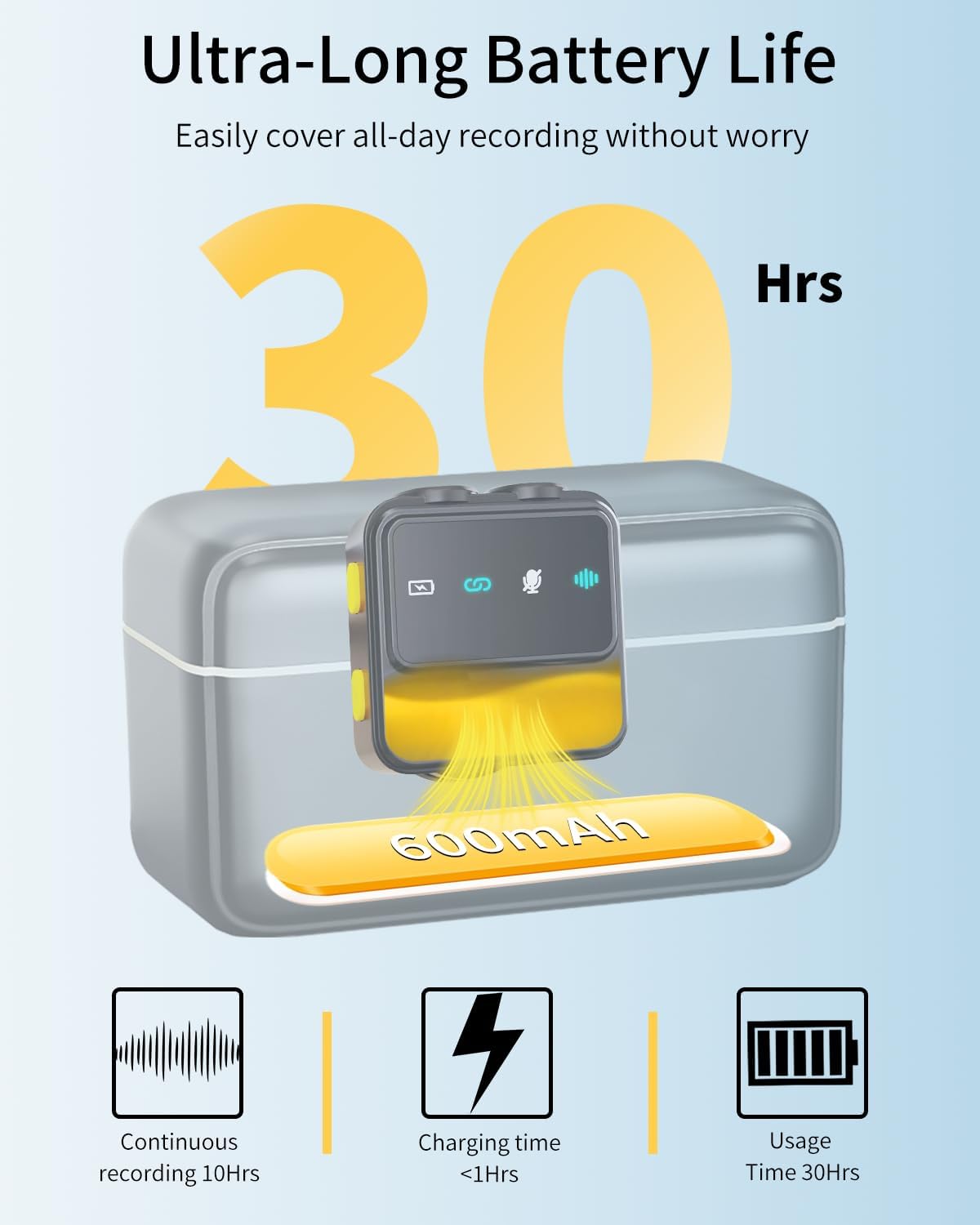
Image: Details on the ultra-long battery life, showing the 30+ hours of combined usage with the 600mAh charging case.
7. Maintenance
- Cleaning: Use a soft, dry cloth to clean the microphone and receiver. Do not use liquid cleaners or solvents.
- Storage: When not in use, store the microphone and receiver in the charging case to protect them and keep them charged.
- Avoid Moisture: Keep the device away from water and high humidity.
- Temperature: Avoid exposing the device to extreme temperatures.
8. Troubleshooting
| Problem | Possible Cause | Solution |
|---|---|---|
| No audio output |
|
|
| Poor audio quality / Excessive background noise |
|
|
| Microphone not charging |
|
|
9. Specifications
| Feature | Detail |
|---|---|
| Model Name | JX-F35LJM-B-001 |
| Brand | JXJXQU |
| Microphone Form Factor | Lavalier |
| Connectivity Technology | Wi-Fi (Wireless Digital Transmission) |
| Connector Type | Lightning, USB Type-C |
| Special Features | 1-Touch Recording, Battery Indicator Light, Clip, Noise Reduction, Voice Activated Recording |
| Compatible Devices | Smartphone (iOS and Android) |
| Power Source | Battery Powered |
| Battery Type | Lithium Ion |
| Battery Life (Transmitter) | Approx. 7-10 hours continuous recording |
| Total Battery Life (with Charging Case) | Over 30 hours |
| Charging Time | Less than 1 hour |
| Item Weight | 5.9 ounces (0.17 Kilograms) |
| Product Dimensions (L x W x H) | 3.3 x 1.5 x 1.9 inches |
| Recommended Uses | Gaming, Karaoke, Singing, Streaming, Video Conference |
10. Warranty and Support
JXJXQU provides a 24-month warranty service for this product. This warranty covers manufacturing defects and issues arising from normal use.
For technical support, warranty claims, or any questions regarding your JXJXQU Wireless Lavalier Microphone, please contact our customer service team. You can typically find contact information on the product packaging or through the official JXJXQU brand store on Amazon.
We are committed to providing +12-Hour Rapid Reply and 360° Customer Care, including expert troubleshooting, to ensure your satisfaction.

Image: JXJXQU customer support information, highlighting rapid response and comprehensive care.