1. Introduction
This manual provides detailed instructions for the setup, operation, and maintenance of your PELADN WI6 N100 Mini PC. Please read this manual thoroughly before using the device to ensure proper functionality and longevity.

Image 1.1: Front and rear view of the PELADN WI6 N100 Mini PC, showcasing its compact design and various ports.
2. What's in the Box
Verify that all items are present in the package:
- Mini PC
- Power Adapter & Cable
- User Manual
- HD Cable
- VESA Mount with Screws
3. Product Overview
The PELADN WI6 N100 Mini PC features a compact design with essential ports for connectivity and expansion. Familiarize yourself with the port layout:
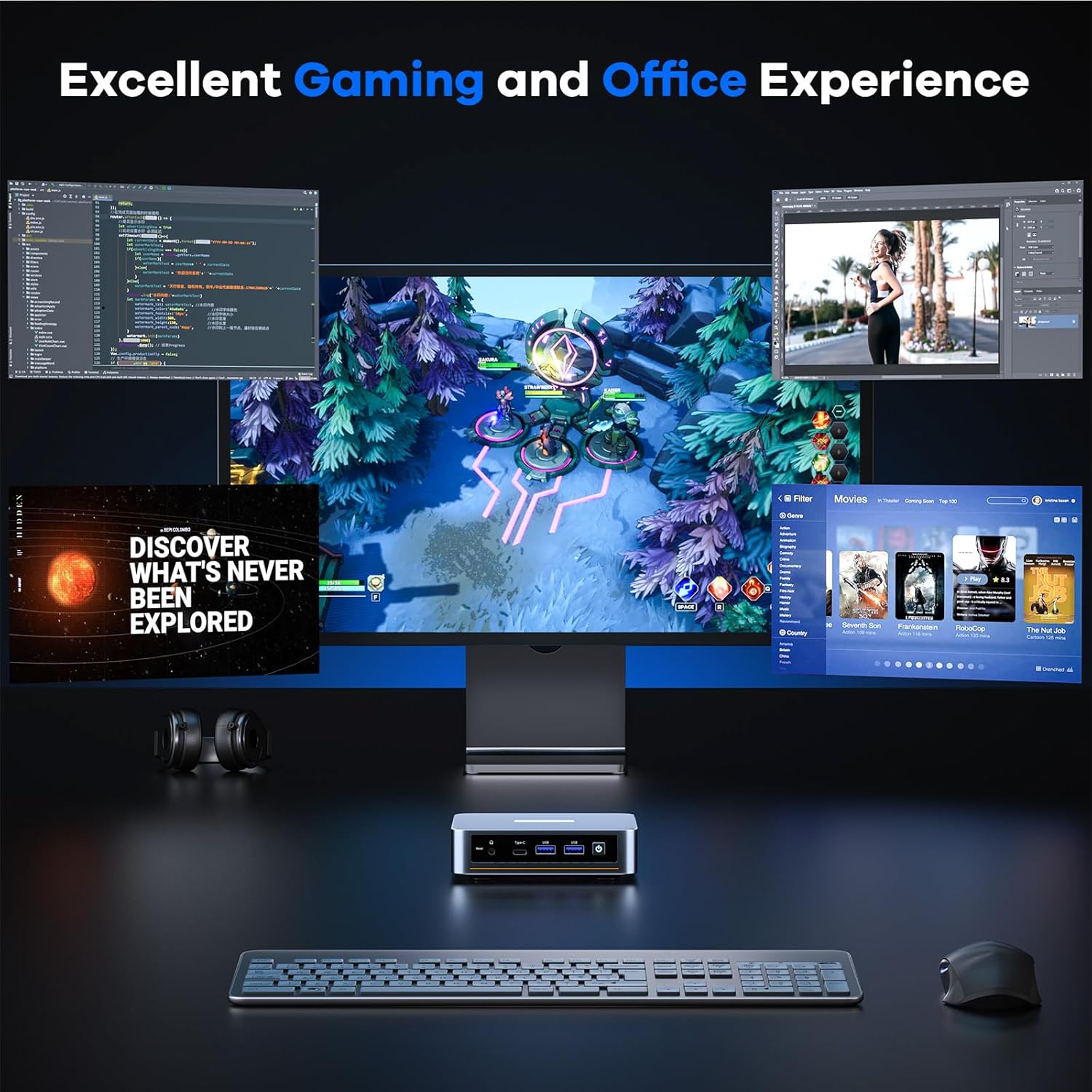
Image 3.1: Diagram illustrating the various ports on the PELADN WI6 N100 Mini PC, including USB, HDMI, Type-C, LAN, and power input.
Front Panel:
- Reset Button: For system reset.
- Type-C Port: Supports USB 3.2, DP1.4 output, and PD power input (10Gbps transfer speed).
- USB 3.0 Ports (x2): For high-speed peripheral connections (up to 5Gbps).
- Power Button: To turn the device on/off.
- 3.5mm Audio Jack: For headphones or microphones.
Rear Panel:
- DC Power Input: Connect the included power adapter.
- RJ45 LAN Port: For Gigabit Ethernet network connection (1000Mbps).
- USB 2.0 Ports (x2): For standard peripheral connections.
- HDMI 2.0 Ports (x2): Supports 4K@60Hz display output.
4. Setup Instructions
- Connect Peripherals: Connect your keyboard, mouse, and other USB devices to the available USB ports.
- Connect Display: Connect your monitor(s) to the HDMI ports or the Type-C port using appropriate cables.
- Connect Network (Optional): For a wired connection, connect an Ethernet cable from your router to the RJ45 LAN port. For wireless, ensure your WiFi network is available during initial setup.
- Connect Power: Plug the power adapter into the DC power input on the mini PC, then plug the adapter into a power outlet.
- Power On: Press the power button on the front panel to turn on the mini PC.
5. Operating Instructions
Power On/Off:
- To Power On: Press the power button once.
- To Power Off: From the operating system, select 'Shut Down'. Alternatively, press and hold the power button for 5 seconds for a forced shutdown (use only when necessary).
Initial Operating System Setup:
Upon first boot, the pre-installed operating system (e.g., Windows 11 Pro) will guide you through the initial setup process, including language selection, network configuration, and user account creation. Follow the on-screen prompts.
6. Storage and RAM Expansion
The PELADN WI6 N100 Mini PC supports upgrades for both RAM and SSD storage.

Image 6.1: Internal view of the PELADN WI6 N100 Mini PC, highlighting the locations for RAM and SSD upgrades.
RAM Upgrade:
- The device comes with 16GB DDR4 RAM (SO-DIMM 3200MHz).
- It is expandable up to 32GB DDR4 RAM.
- To upgrade, carefully open the mini PC casing and replace the existing SO-DIMM module with a compatible higher-capacity module.
SSD Storage Expansion:
- The device includes a pre-installed 512GB SATA SSD (M.2 2280 NVMe slot).
- Storage can be expanded up to 4TB via PCIe 3.0 or SATA M.2 2280 SSD.
- To upgrade, carefully open the mini PC casing and install a compatible M.2 2280 SSD in the available slot or replace the existing one.
Caution: Opening the device for upgrades may void the warranty if not performed correctly. Consult professional assistance if unsure.
7. Connectivity
Wireless Connectivity:
- WiFi 5 (Dual-Band 5GHz/2.4GHz): Supports multi-user 4x4 MIMO (MU-MIMO) for speeds up to 117MB/s.
- Bluetooth 4.2: For connecting wireless mice, keyboards, and other Bluetooth peripherals.

Image 7.1: Diagram illustrating the stable wireless network connections supported by the PELADN WI6 N100 Mini PC, including Dual-Band WiFi 5 and Bluetooth 4.2.
Wired Connectivity:
- Gigabit Ethernet (RJ45): Provides a stable 1000Mbps wired network connection.

Image 7.2: Close-up of the PELADN WI6 N100 Mini PC's rear panel, highlighting the 1000Mbps Ethernet port for high-speed wired connections.
8. Multi-Display Setup
The mini PC supports triple-screen display output for enhanced productivity.
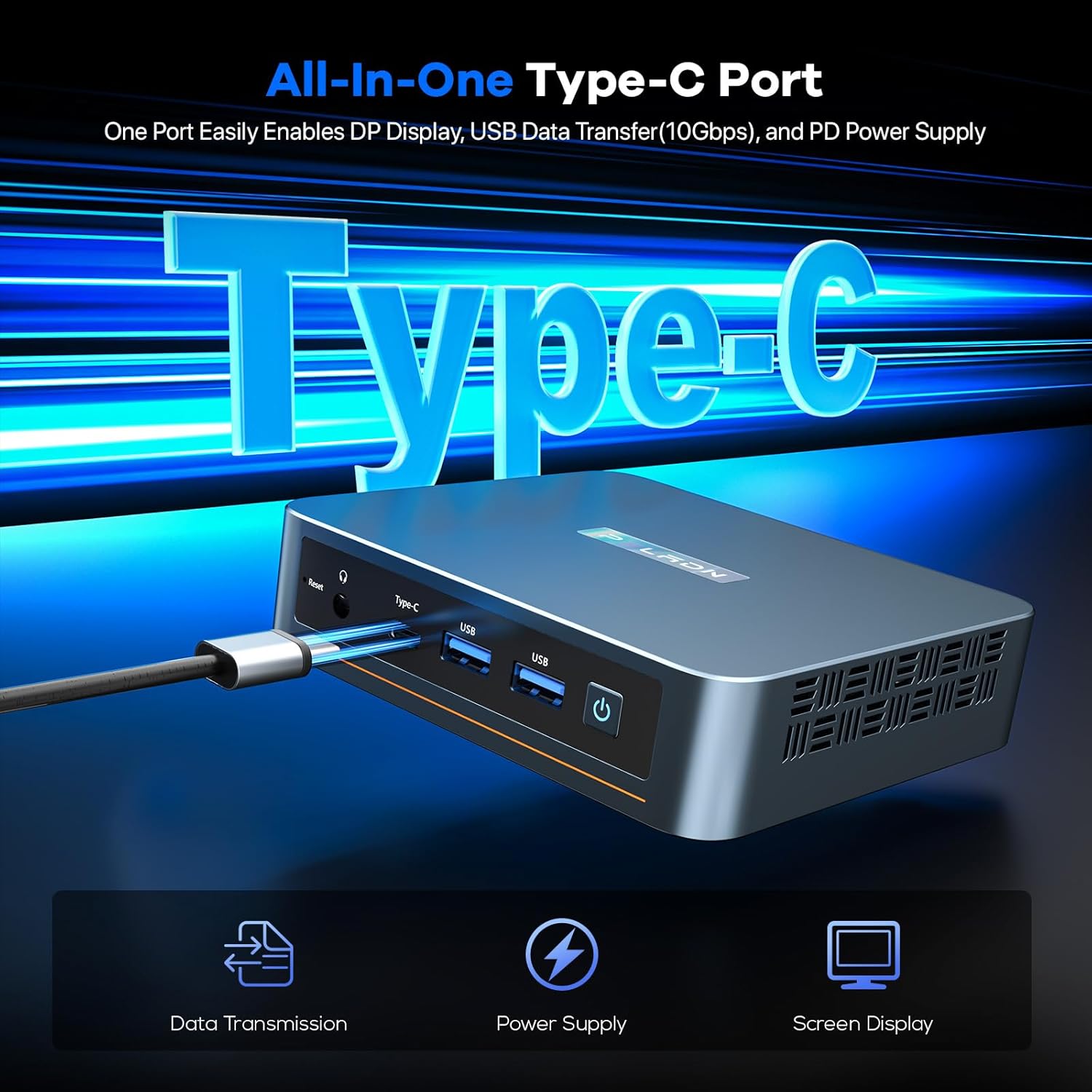
Image 8.1: Illustration of the PELADN WI6 N100 Mini PC connected to three monitors, demonstrating its triple-screen display capability for office, design, and gaming applications.
- 2 x HDMI 2.0 Ports: Each supports a maximum resolution of 4K at 60Hz.
- 1 x Type-C Port: Supports DP1.4 output for display, with a maximum resolution of 4K at 60Hz.
Connect up to three monitors simultaneously to extend your desktop or mirror displays.
9. Operating System Compatibility
The PELADN WI6 N100 Mini PC is compatible with various operating systems:
- Windows (11 Pro, 11, 10 Pro, 10)
- Ubuntu
- Linux
- Firewall Server
It also supports advanced features such as LAN wake-up, PXE boot, RTC wake-up, and auto power-on.
10. Maintenance
- Cleaning: Use a soft, dry cloth to clean the exterior of the mini PC. Avoid liquid cleaners. Ensure ventilation grilles are free from dust to maintain optimal cooling.
- Ventilation: Ensure the mini PC is placed in a well-ventilated area. Do not block the cooling vents.
- Software Updates: Regularly update your operating system and drivers to ensure system stability and security.
- Power Supply: Use only the original power adapter provided with the device.
11. Troubleshooting
No Power:
- Ensure the power adapter is securely connected to both the mini PC and a working power outlet.
- Test the power outlet with another device.
No Display:
- Verify that the monitor is powered on and the correct input source is selected.
- Check the HDMI or Type-C cable connections between the mini PC and the monitor.
- Try a different display cable or monitor if available.
Network Connectivity Issues:
- Wired: Ensure the Ethernet cable is properly connected to both the mini PC and the router. Check router status.
- Wireless: Verify WiFi is enabled in the operating system. Check if the correct WiFi network is selected and the password is entered correctly. Restart your router.
Peripheral Not Recognized:
- Try connecting the peripheral to a different USB port.
- Ensure the peripheral has the necessary drivers installed (if applicable).
- Some USB-powered peripherals may require an external power source or a powered USB hub due to the mini PC's low power consumption design.
12. Specifications
| Feature | Specification |
|---|---|
| Processor | Intel N100 (4C/4T, 6MB Cache, up to 3.4GHz) |
| Graphics | UHD Graphics 750 MHz |
| RAM | 16GB DDR4 SO-DIMM 3200MHz (Expandable to 32GB) |
| Storage | 512GB M.2 2280 NVMe SSD (Expandable to 4TB via PCIe3.0 or SATA) |
| Operating System | OS (e.g., Windows 11 Pro) |
| Video Output | 2 x HDMI 2.0 (4K@60Hz), 1 x Type-C (DP1.4, 4K@60Hz) |
| USB Ports | 2 x USB 3.2, 2 x USB 2.0, 1 x Type-C |
| Network | WiFi 5 (Dual-Band 5GHz/2.4GHz), Bluetooth 4.2, 1 x RJ45 Gigabit LAN |
| Audio | 3.5mm Audio Jack |
| Dimensions | 4.88 x 4.41 x 1.38 inches |
| Weight | 1.46 pounds |
13. Warranty and Support
PELADN provides a 12-month limited warranty for each mini PC, effective from the date of purchase. This warranty covers defects in design and workmanship. For technical assistance, troubleshooting, or warranty claims, please contact PELADN customer support through their official channels. Refer to the warranty card included in your package for specific terms and conditions.


