
1. Introduction
The GODOX iT20 C is a compact and lightweight TTL wireless camera flash designed for use with Canon cameras. It offers smart TTL functionality for effortless lighting, a quick 1.5-second recycling time, and a long-lasting battery for over 700 full-power flashes. Its intuitive design includes one-touch mode switching and magnetic accessory compatibility for creative lighting control.
This manual provides essential information for the safe and effective use of your iT20 C Mini Flash. Please read it thoroughly before operation.
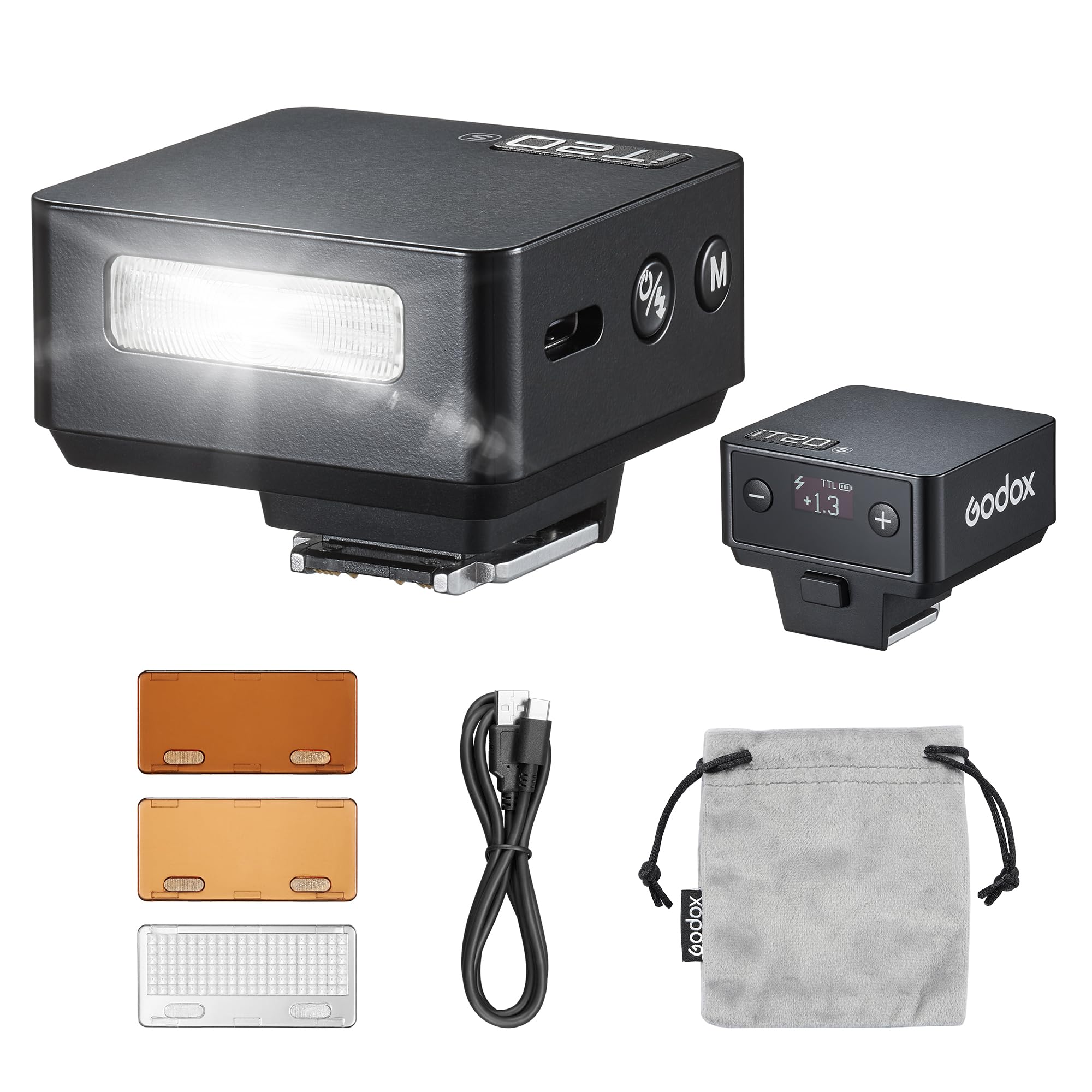
Image: The GODOX iT20 C Mini Flash mounted on a camera, showcasing its compact design.
2. Safety Information
- Do not disassemble or modify the flash unit.
- Keep the unit dry. Do not operate with wet hands or expose to rain or moisture.
- Do not use the flash unit in the presence of flammable gases, chemicals, or other materials.
- Avoid direct eye exposure to the flash light, especially at close range, as it may impair vision.
- Keep out of reach of children.
- Use only the specified charging cable and power source.
3. What's in the Box
Verify that all items are present in your package:
- Flash Body x1
- USB-C Charging Cable x1
- Magnetic Spreader x1
- Magnetic Color Filter (1/2 CTO) x1
- Magnetic Color Filter (1/1 CTO) x1
- Storage Bag x1

Image: An illustration of the GODOX iT20 C package contents, including the flash unit, USB-C cable, magnetic spreader, color filters, and storage bag.
4. Setup
4.1 Charging the Battery
- Locate the USB-C port on the flash unit.
- Connect the provided USB-C charging cable to the flash unit and a compatible USB power adapter (not included).
- The battery indicator on the flash display will show charging status. A full charge takes approximately 1 hour and 10 minutes.

Image: The GODOX iT20 C Mini Flash being charged via its USB-C port, with a battery icon indicating charging status.
4.2 Mounting the Flash
- Ensure your camera is powered off.
- Slide the iT20 C Mini Flash onto your camera's hot shoe until it clicks into place.
- Secure the flash if your camera's hot shoe mechanism requires it.

Image: The GODOX iT20 C Mini Flash securely attached to the hot shoe of a mirrorless camera.
5. Operating Instructions
5.1 Power On/Off
Press and hold the power button (usually marked with a power symbol) to turn the flash unit on or off.
5.2 Mode Switching (TTL/Manual)
The iT20 C features a dedicated button for instant switching between TTL (Through-The-Lens) and Manual (M) modes. The high-definition display will show the current mode and settings.
- TTL Mode: The flash automatically adjusts its output for correct exposure based on camera metering.
- Manual Mode: Allows you to manually set the flash power output.
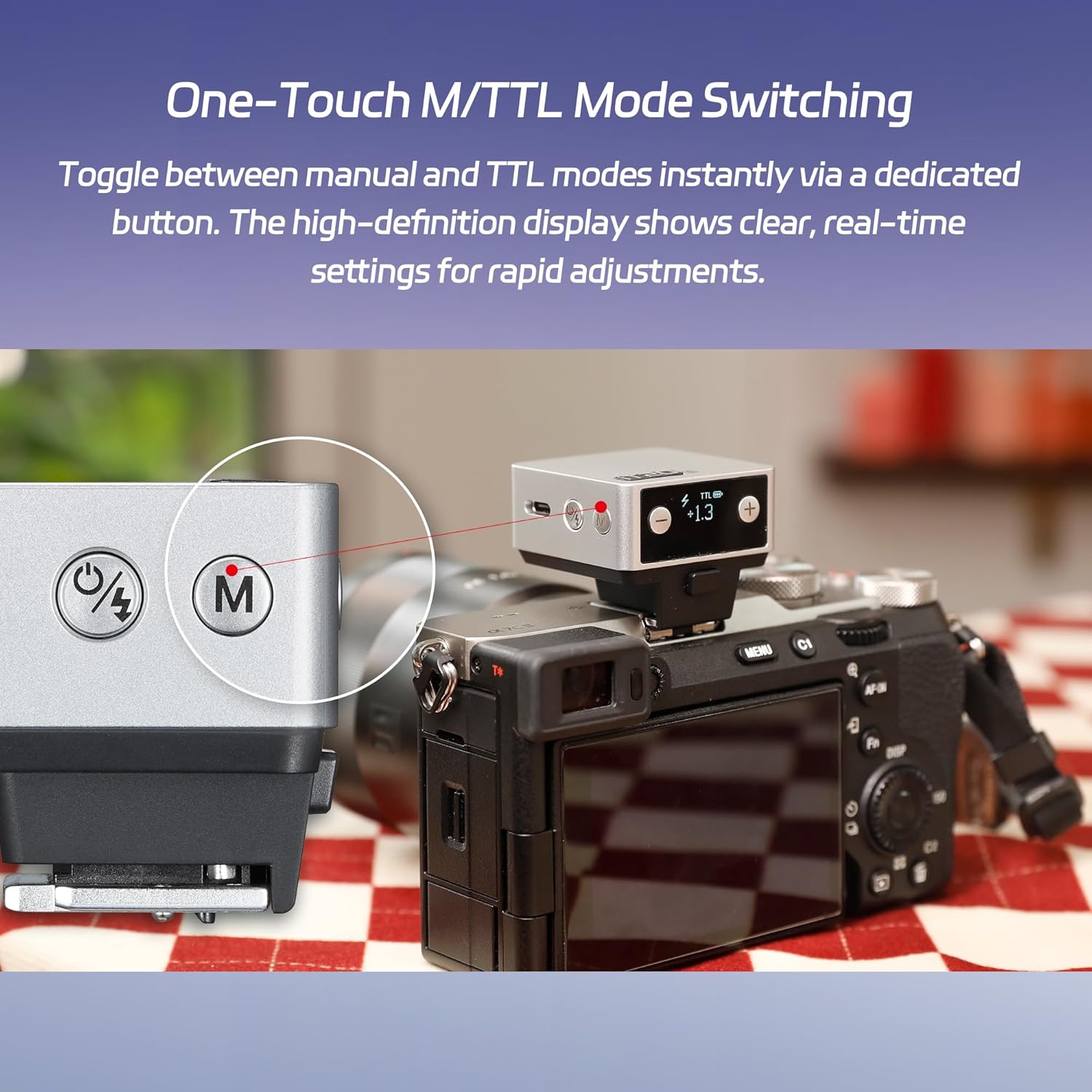
Image: A close-up of the GODOX iT20 C Mini Flash showing the dedicated 'M' button for switching between Manual and TTL modes, with the display showing current settings.
5.3 Adjusting Flash Power (Manual Mode)
In Manual mode, use the '+' and '-' buttons to adjust the flash intensity across 6 stops, from 1/32 to 1/1 power, in precise ±1/3-step increments. This provides total command over your lighting output.

Image: Three example photos demonstrating the effect of different manual flash power settings (1/4, 1/2, 1/1) on a subject, illustrating precise control over lighting.
5.4 Using Magnetic Accessories
The iT20 C is compatible with magnetic snap-on accessories such as diffusers, color filters (CTO/CTB), creative gels, and honeycomb grids. These accessories attach quickly and securely to the flash head, allowing for rapid light effect switching and creative atmospheric effects.

Image: Two comparative photos showing the effect of using a magnetic CTO color filter with the GODOX iT20 C, demonstrating creative lighting possibilities.
5.5 Recycling Time and Battery Endurance
The flash boasts a rapid 1.5-second recycle time at full power, ensuring you can capture moments without significant delays. A fully charged battery provides over 700 full-power flashes.
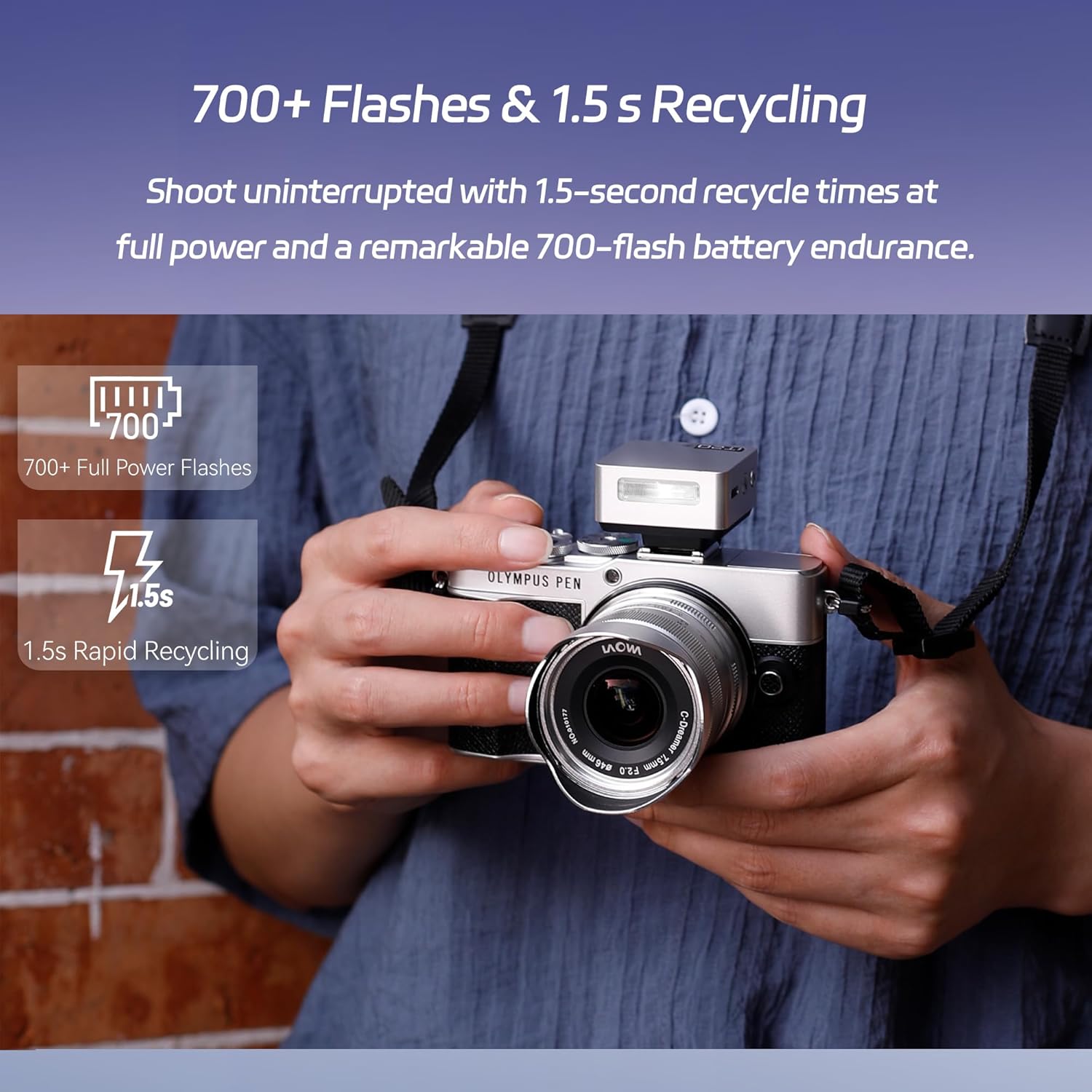
Image: The GODOX iT20 C Mini Flash mounted on a camera, with visual indicators highlighting its capability of 700+ full power flashes and 1.5-second rapid recycling time.
6. Maintenance
- Cleaning: Use a soft, dry cloth to clean the flash unit. For stubborn dirt, a slightly damp cloth can be used, followed by immediate drying. Do not use solvents or abrasive cleaners.
- Storage: Store the flash unit in a cool, dry place, away from direct sunlight and extreme temperatures. If storing for extended periods, ensure the battery is partially charged (around 50%) and recharge every few months to maintain battery health.
- Battery Care: Avoid fully discharging the battery frequently. Charge the battery regularly, even if not in use, to prolong its lifespan.
7. Troubleshooting
| Problem | Possible Cause | Solution |
|---|---|---|
| Flash does not fire. | Battery low or depleted. Flash not securely mounted. Camera settings incorrect. | Charge the battery. Re-mount the flash firmly on the hot shoe. Check camera flash settings (e.g., ensure flash is enabled, not in silent mode). |
| Flash output is too weak/strong. | Incorrect flash power setting (Manual mode). TTL metering issue. | Adjust flash power using '+' and '-' buttons. Ensure subject is within flash range. Check camera exposure compensation. |
| Flash unit does not turn on. | Battery completely depleted. Unit malfunction. | Charge the battery for at least 15 minutes. If still unresponsive, contact support. |
8. Specifications
| Feature | Detail |
|---|---|
| Model | IT20 C |
| Compatible Cameras | Canon cameras (E-TTL II auto flash) |
| Built-in Battery | 7.4V, 300mAh Lithium Battery |
| Input | 5V=0.6A |
| Charging Time | Approx. 1h 10min |
| Flash Times (1/1 Power) | Approx. 700 |
| Recycling Time (1/1 Power) | Approx. 1.5s |
| Flash Power Levels | 1/32 - 1/1, adjustable in ±1/3 increments |
| Operating Environment Temperature | -10°C to +50°C |
| Synchronization Trigger | Hot Shoe |
| Dimensions | 41.5mm x 41mm x 32mm |
| Net Weight | Approx. 45g |
9. Warranty and Support
GODOX products are covered by a limited warranty. Please refer to the warranty card included with your product for specific terms and conditions. For technical support, service, or warranty claims, please contact your retailer or visit the official GODOX website for contact information.
GODOX Official Website: www.godox.com