
1. Product Overview
The TIMEURE TU-2509 Pedometer Watch is designed for straightforward fitness tracking without the need for a smartphone or complex applications. It provides essential data such as step count, calories burned, and distance covered directly on its large digital display. This watch is also waterproof, making it suitable for various activities.
Key Features:
- No App/Phone Required: Operates independently, no Bluetooth pairing needed.
- Accurate Step Tracking: Filters out minor movements, recording only continuous activity.
- Large, Clear Digital Display: Easy to read time, steps, calories, and distance.
- 50M Waterproof: Suitable for showering and swimming.
- Long Battery Life: Powered by a CR2032 battery lasting over one year.
- Alarm Function: Set daily alarms directly on the watch.
Components:
The watch features a clear digital display, four control buttons (usually labeled MODE, LIGHT/SET, CHECK, SWITCH), and a comfortable silicone strap with a metal buckle.

Figure 1: Front view of the TIMEURE TU-2509 Pedometer Watch.

Figure 2: Overview of the watch's tracking capabilities and features.

Figure 3: Emphasizing the watch's standalone and user-friendly design.
2. Setup
2.1 Activating the Watch
Upon first use or after a battery change, the watch may display "SHIP" mode to conserve power. To activate the watch:
- Locate the two activation buttons, typically on the sides of the watch.
- Press and hold both buttons simultaneously for a few seconds until the display changes from "SHIP" to the current time.

Figure 4: Activating the watch from 'SHIP' mode.
2.2 Setting Time and Date
Refer to the detailed instructions in the included paper manual for specific button sequences to set the time, date, and 12/24-hour format. Generally, the 'SET' or 'MODE' button is used to cycle through settings, and 'CHECK' or 'SWITCH' buttons are used to adjust values.
2.3 Setting Personal Information
For accurate calorie and distance tracking, it is recommended to set your personal stride length and weight. Consult the full manual for instructions on accessing and adjusting these settings.
3. Operation
3.1 Navigating Modes
Press the 'MODE' button to cycle through different display modes:
- Time Display: Shows current time and date.
- Step Count: Displays total steps taken for the day.
- Calories Burned: Shows estimated calories consumed.
- Distance Covered: Displays total distance in kilometers or miles.
- Alarm: Access alarm settings.
- Stopwatch: Use for timing activities.
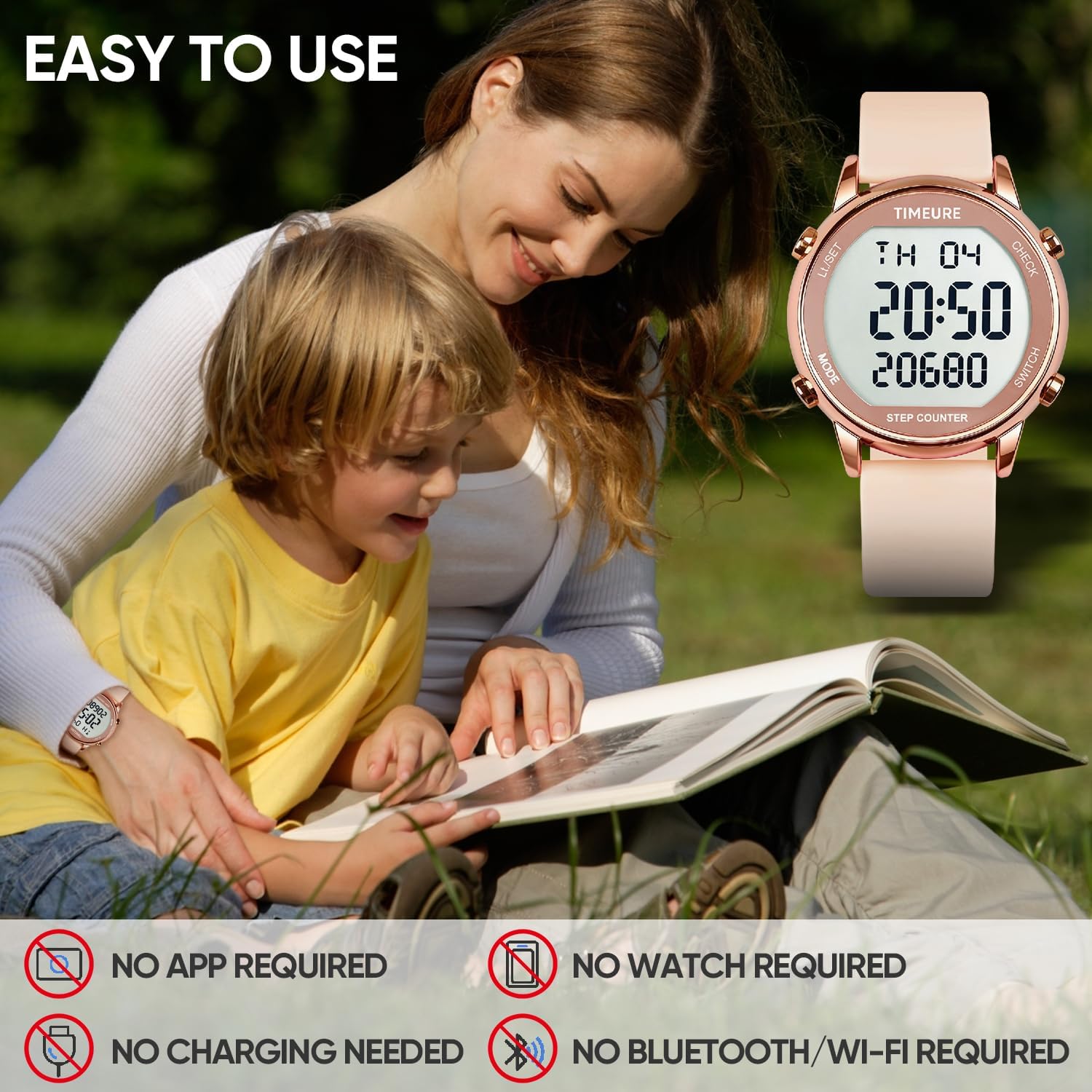
Figure 5: Daily tracking display for calories, distance, and step count.
3.2 Step Tracking Accuracy
The pedometer is designed to filter out incidental movements. Steps are accurately recorded only when your continuous movement exceeds 10 seconds, ensuring that only effective steps contribute to your daily count.
3.3 Water Resistance
The TIMEURE TU-2509 Pedometer Watch is 50M waterproof, meaning it can withstand splashes, rain, showering, and shallow swimming. Important: Do not press buttons underwater, and avoid exposure to hot water or steam, as this can compromise the waterproof seals.

Figure 6: The watch demonstrating its water resistance.
Video 1: Demonstrating the waterproof capability of the TIMEURE Pedometer Watch. The watch is shown being submerged in water, highlighting its durability against water exposure.
3.4 Backlight Function
Press the 'LIGHT' button to activate the 5-second EL bright backlight, allowing you to view the display in low-light conditions.
4. Maintenance
4.1 Cleaning the Watch
Wipe the watch regularly with a soft, damp cloth. Avoid using harsh chemicals or abrasive cleaners, which can damage the watch's finish or seals.
4.2 Battery Replacement
The watch uses a CR2032 coin cell battery, which typically lasts for over one year. When the display dims or functions become erratic, it's time to replace the battery. Battery replacement should ideally be performed by a qualified technician to ensure the waterproof seal is maintained. If replacing yourself, carefully open the back case, replace the battery with a new CR2032, and ensure the gasket is properly seated before closing the case tightly.

Figure 7: Detailed view of the watch's case back, showing the CR2032 battery type.
5. Troubleshooting
Common Issues and Solutions:
- Display is blank: The watch might be in "SHIP" mode (see Section 2.1) or the battery may be depleted. Replace the battery if necessary.
- Inaccurate Step Count: Ensure the watch is worn securely on your wrist. The pedometer requires continuous movement for over 10 seconds to register steps. Activities like pushing a shopping cart or using a walker may not register steps accurately due to lack of arm swing.
- Buttons not responding: The watch might be in a locked mode or require a reset. Try pressing and holding the 'MODE' button for a few seconds to see if it unlocks.
- Water leakage: If water enters the watch, immediately stop using it and contact customer support. Do not attempt to open the watch yourself unless you are performing a battery replacement and are confident in resealing it properly.
Resetting the Device:
If the watch is not functioning correctly, a factory reset may resolve the issue. Refer to your specific paper manual for instructions on how to perform a factory reset, as this will erase all settings and data.
6. Specifications
| Feature | Detail |
|---|---|
| Model Number | TU-2509 |
| Brand | TIMEURE |
| Display Type | Digital |
| Screen Size | 42 Millimeters |
| Material | Metal (case), Silicone (strap) |
| Water Resistance | 50M |
| Battery Type | CR2032 (Replaceable) |
| Battery Life | Approximately 1 year |
| Item Weight | 0.08 Kilograms |
| Wristband Size | Adjustable, fits 141-210mm (5.5-8.2 inches) |

Figure 8: Product dimensions and wristband size guide.
7. Warranty & Support
Warranty Information:
Your TIMEURE TU-2509 Pedometer Watch comes with a standard manufacturer's warranty. Please refer to the packaging or the official TIMEURE website for detailed warranty terms and conditions.
Customer Support:
For any questions, technical assistance, or warranty claims, please contact TIMEURE customer support through the contact information provided on your product packaging or the official TIMEURE website. When contacting support, please have your model number (TU-2509) and purchase details ready.
