
Introduction
Thank you for choosing the ZOPPLM WM189 Wireless Mini Microphone. This 2-pack wireless lavalier microphone system is designed to provide high-quality audio recording for various applications, including video creation, live streaming, interviews, and vlogging. It offers plug-and-play simplicity with USB-C compatible devices such as iPhone 15+, Android phones, and iPads.

The ZOPPLM WM189 Wireless Mini Microphone system in use.
What's in the Box
Please check the package contents to ensure all items are present:
- 2x Lavalier Microphones
- 2x High Density Sponge tips (foam covers)
- 2x Clips (pre-attached to microphones)
- 1x Receiver (USB-C)
- 2x Deadcat tips (wind mufflers)
- 1x Charging Cable (USB-A to USB-C)
- 1x User Manual
- 1x Portable Bag
- 1x Lightning Adapter (for older iPhone models, if included in your specific package)
Setup
The ZOPPLM WM189 microphone system is designed for instant plug-and-play operation without the need for apps or Bluetooth pairing.
- Charge the Microphones: Before first use, ensure both lavalier microphones are fully charged using the provided USB-C charging cable. The indicator light will show charging status.
- Connect the Receiver: Plug the USB-C receiver directly into the USB-C port of your compatible device (iPhone 15+, Android phone, iPad, laptop, or tablet).
Note: This microphone is compatible with devices featuring a USB-C port. It is NOT compatible with devices using a Lightning port unless a Lightning adapter is used (if included). - Power On Microphones: Press the power button on each lavalier microphone. The indicator light will turn on, indicating it's powered and ready to pair. The microphones will automatically pair with the receiver.
- Verify Connection: Once connected, the indicator light on the microphone and receiver will typically show a solid color (e.g., green) to confirm a successful connection.
- Attach Microphone: Clip the microphone to your collar, shirt, or desired location, ensuring it is positioned to capture your voice clearly.
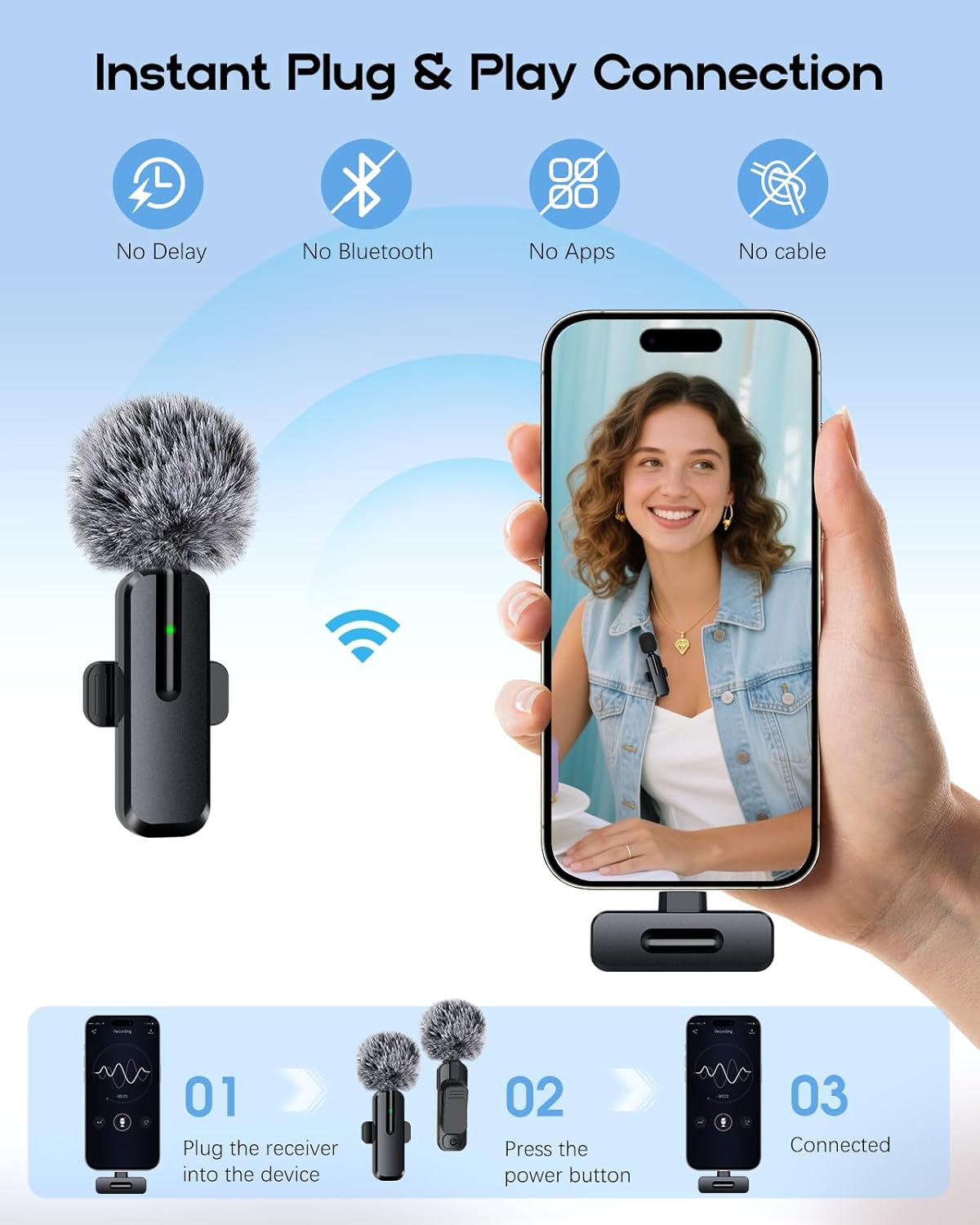
Instant Plug & Play Connection: No apps, no Bluetooth required.

Simplified connection process for quick recording.
Demonstration of the ZOPPLM Mini Microphone setup and basic functionality.
Operating Instructions
Audio Modes
The ZOPPLM WM189 offers three distinct audio modes for various recording needs:
- Standard Mode: Captures original, clear audio without special effects. Ideal for most recording situations.
- Reverb Mode: Adds a reverberation effect to your audio, suitable for musical performances or creative content.
- Mute Mode: Silences the microphone, allowing for privacy during recordings or live streams without disconnecting.
To switch between modes, press the designated button on the microphone (refer to the microphone's physical buttons for exact location, usually indicated by an icon).

Choose from three audio modes for optimal sound.
Real-Time Monitoring
For precise audio control, you can monitor your recording in real-time. Simply plug your headphones into the 3.5mm jack on the receiver to hear exactly what the microphone is capturing.

Real-time monitoring ensures optimal audio quality.
AI Noise Cancellation
The WM189 features an advanced AI DSP chip for effective noise cancellation, ensuring crisp and clear audio even in noisy environments. It provides up to -40dB noise reduction and a +15dB voice boost.
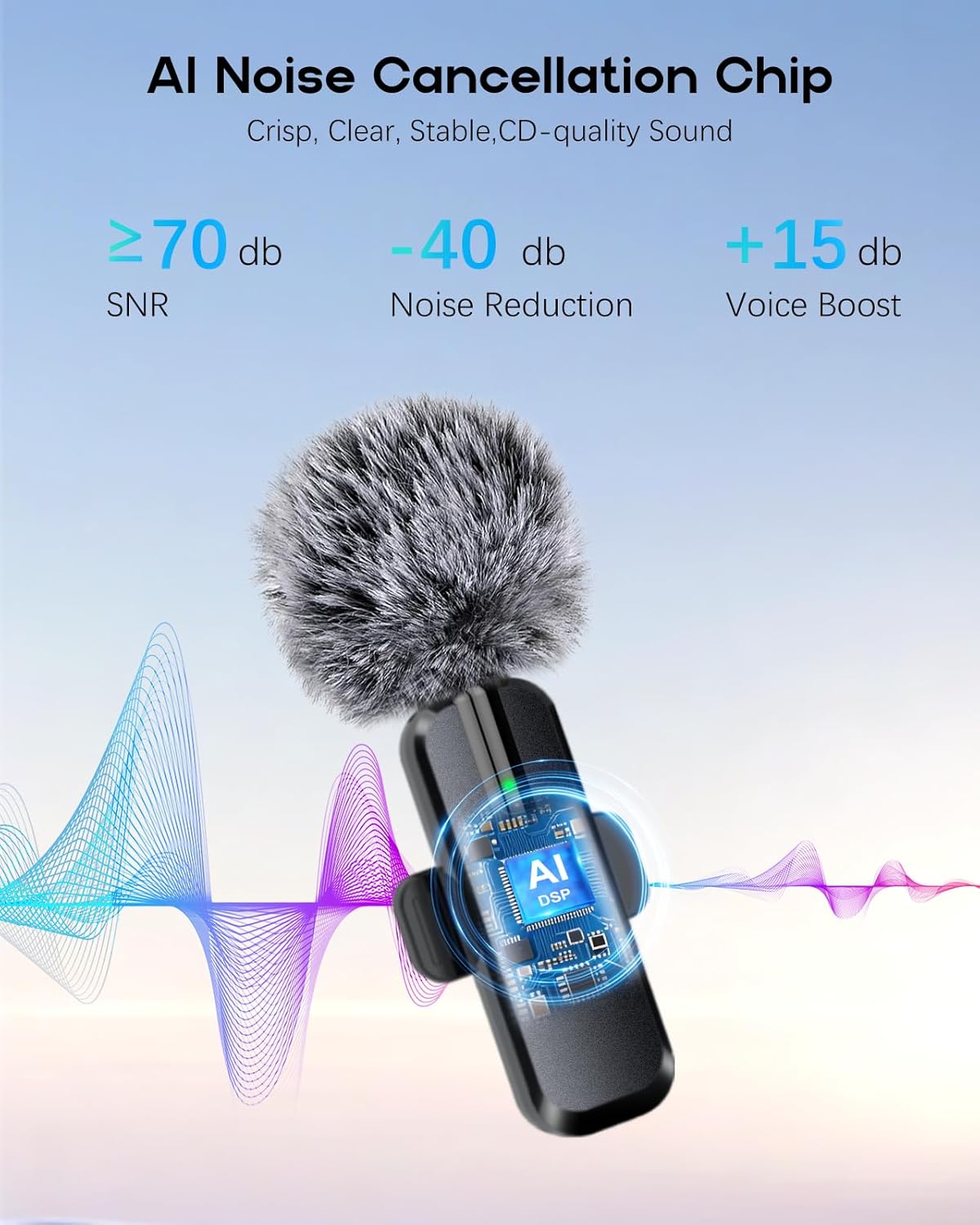
AI Noise Cancellation for superior sound clarity.
Transmission Range & Battery Life
The microphone system offers reliable dual-band (2.4GHz & 5.8GHz) transmission up to 70 feet (21 meters) with low latency. Each microphone provides up to 8 hours of recording on a single charge, totaling 16 hours for the 2-pack when used sequentially or with recharging. A full charge takes approximately 1 hour.
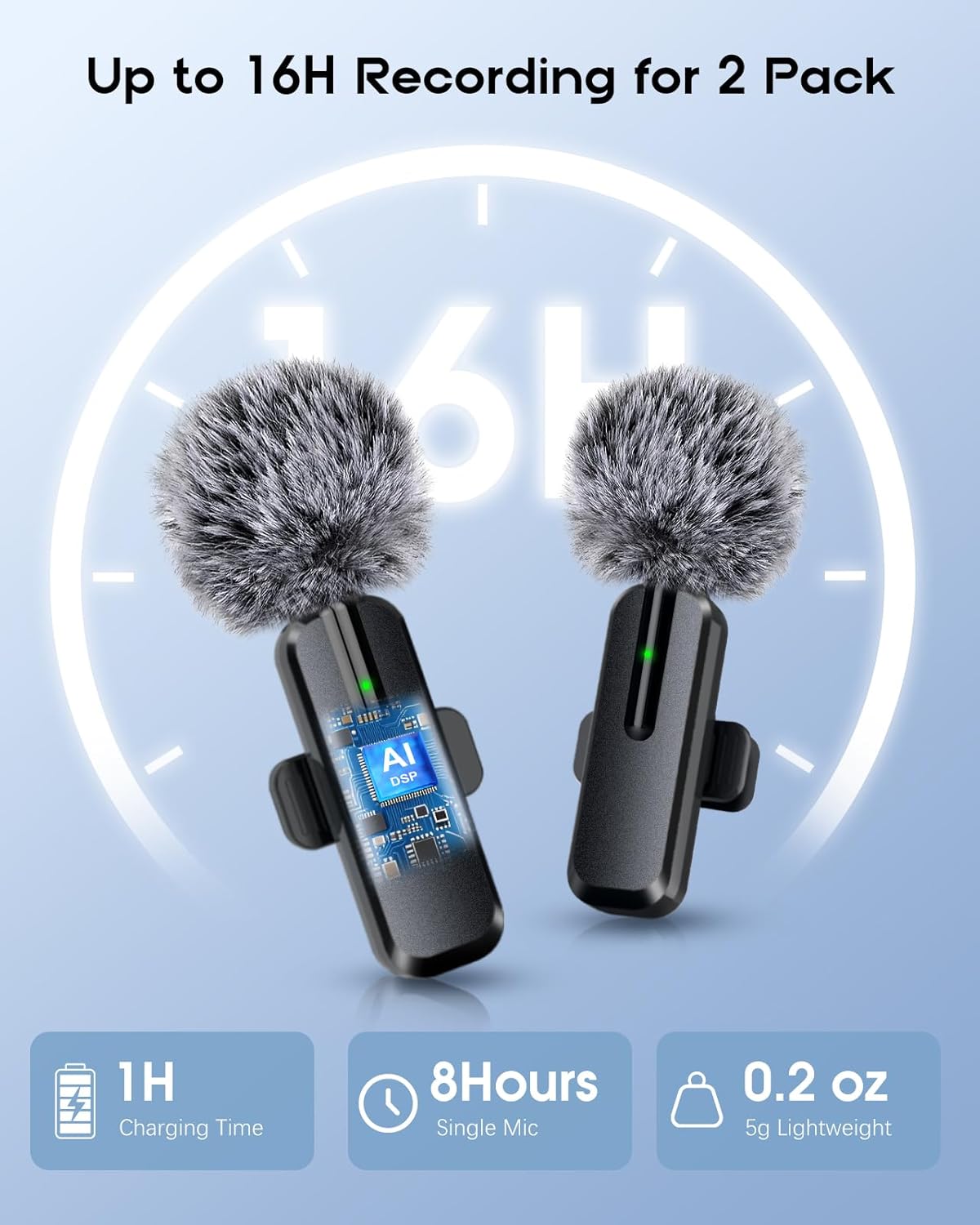
Extended battery life for prolonged recording sessions.
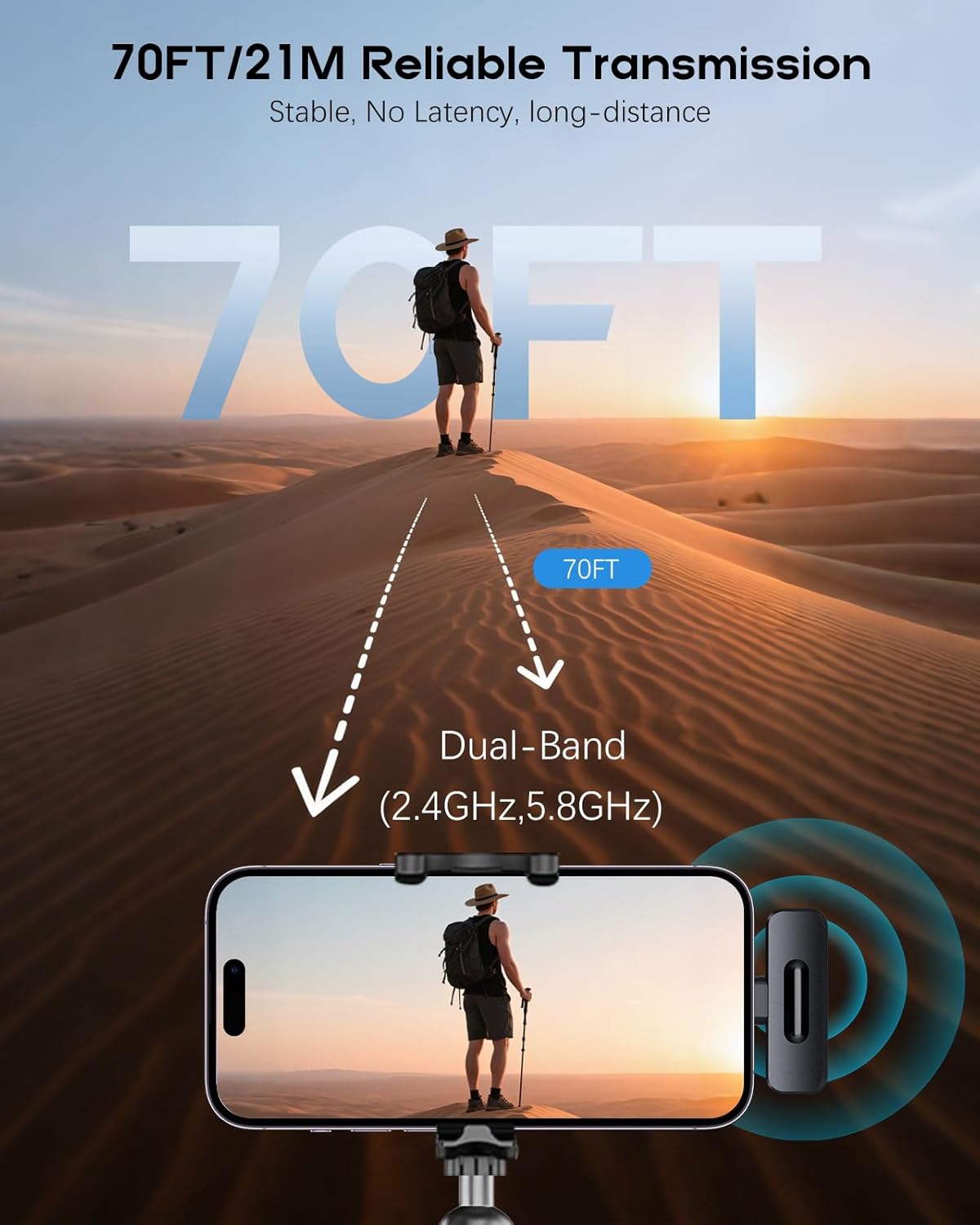
Reliable transmission up to 70 feet (21 meters).
Maintenance
Proper maintenance ensures the longevity and optimal performance of your ZOPPLM WM189 microphones.
- Cleaning: Use a soft, dry cloth to wipe the microphone and receiver. Avoid using liquids or abrasive cleaners.
- Windscreens: The high-density sponge tips are for indoor use, and the deadcat tips are for outdoor use to minimize wind noise. Clean them gently or replace if they become worn.

Choose the appropriate windscreen for your recording environment.
- Storage: Store the microphones and receiver in the provided portable bag in a cool, dry place when not in use.
- Battery Care: To preserve battery life, avoid fully discharging the microphones frequently. Recharge them regularly, especially if storing for extended periods.
Troubleshooting
If you encounter issues with your ZOPPLM WM189 microphone, please refer to the following common solutions:
- No Sound/Microphone Not Connecting:
- Ensure the receiver is fully inserted into your device's USB-C port.
- Verify both microphones are powered on and fully charged.
- Check the indicator lights on both the microphone and receiver for connection status. A solid light usually indicates a successful connection.
- Restart your recording device and try connecting again.
- Ensure your device's audio input settings are configured to use the external microphone.
- Poor Sound Quality/Excessive Noise:
- Ensure the microphone is clipped securely and positioned correctly (e.g., 6-8 inches from your mouth).
- Check if the appropriate windscreen (foam for indoor, deadcat for outdoor) is being used.
- Move away from strong electromagnetic interference sources.
- Ensure the microphone is not in Mute Mode.
- Test in a quieter environment to rule out excessive background noise.
- Short Transmission Range/Signal Drops:
- Ensure there are no major obstructions between the microphone and receiver.
- Avoid using the microphone near other 2.4GHz or 5.8GHz wireless devices that might cause interference.
- Stay within the recommended 70-foot (21-meter) operating range.
- Battery Not Charging:
- Ensure the charging cable is securely connected to both the microphone and a power source.
- Try a different USB-C charging cable or power adapter.
- Check if the charging port on the microphone is clean and free of debris.
Specifications
| Feature | Detail |
|---|---|
| Brand | ZOPPLM |
| Model Name | WM189 |
| Connectivity Technology | USB Wireless (2.4GHz & 5.8GHz Dual-Band) |
| Connector Type | USB Type-C |
| Compatible Devices | Smartphone (iPhone 15+ series, Android), Laptop, Tablet |
| Microphone Form Factor | Lavalier (Clip-on) |
| Power Source | Battery Powered (Rechargeable) |
| Battery Life (Single Mic) | Up to 8 hours |
| Battery Life (2 Mics) | Up to 16 hours (total) |
| Charging Time | Approx. 1 hour |
| Noise Reduction | -40dB (AI DSP Chip) |
| Voice Boost | +15dB |
| SNR (Signal-to-Noise Ratio) | >= 70dB |
| Transmission Range | Up to 70 feet (21 meters) |
| Audio Modes | Standard, Reverb, Mute |
| Included Components | 2x Lavalier Microphones, 1x Receiver, 2x Foam Tips, 2x Deadcat Tips, 1x Charging Cable, 1x User Manual, 1x Portable Bag, 1x Lightning Adapter (if applicable) |

Extensive device compatibility for versatile use.
Warranty and Support
ZOPPLM stands by the quality of its products. Your WM189 Wireless Mini Microphone comes with an official warranty. For any product-related inquiries, technical assistance, or warranty claims, please contact ZOPPLM customer support.
- Customer Support: ZOPPLM offers 24-hour customer support to assist you with any questions or issues.
- Warranty: Refer to your product packaging or the official ZOPPLM website for detailed warranty terms and conditions.

ZOPPLM commitment to quality and customer support.