
1. Introduction
The INTEX Smart Pool Water Analyzer is a WiFi-enabled device designed to simplify pool maintenance by providing automated monitoring of water quality. It connects to your mobile device via the INTEX Link App, offering real-time updates on pH and chlorine levels. This system is compatible with Intex saltwater systems and sand filter pumps, creating an integrated water purification network that activates automatically when adjustments are needed. This manual provides essential information for the proper setup, operation, and maintenance of your water analyzer.
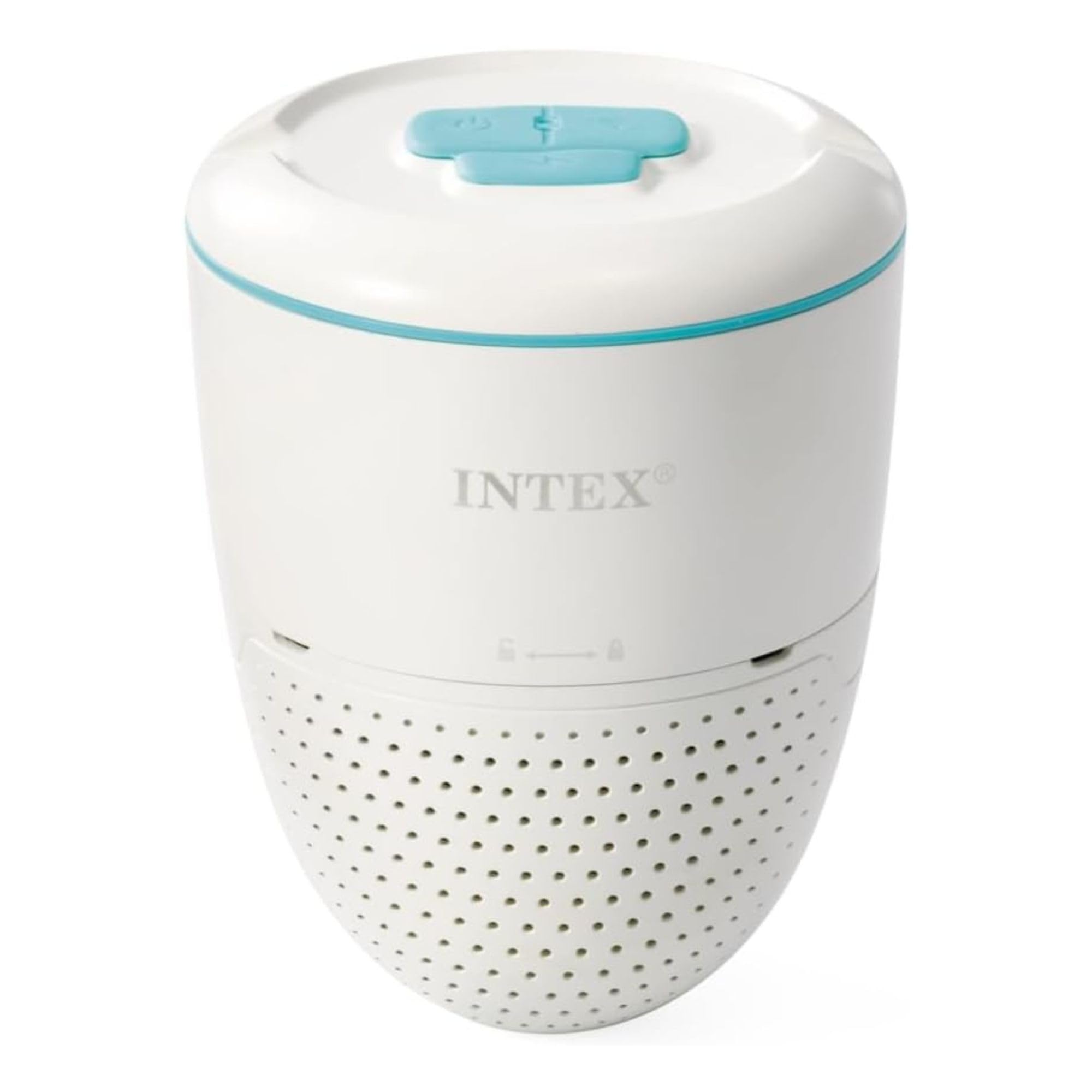
Image: The INTEX Smart Pool Water Analyzer floating in a clear blue pool, demonstrating its in-water operation.
2. Product Features
- Smart Pool Water Analyzer: WiFi-enabled device connects to your mobile device for continuous water quality monitoring.
- Real-Time pH & Chlorine Tracking: Actively tracks water quality data and sends real-time updates to your smartphone via the INTEX Link App.
- Complete Intex Pool System Integration: Syncs with Intex saltwater systems and sand filter pumps to create an automated water purification network.
- Action Alerts with Step-by-Step Guidance: Receives alerts for water quality changes and provides guidance through the Intex Link App to restore water balance.
- Universal Compatibility: Works with a wide range of Intex above-ground pools, and can be paired with Intex sand filter and saltwater systems for comprehensive water care.

Image: A diagram illustrating the INTEX Link Ecosystem, connecting the Water Analyzer with a saltwater system and a sand filter pump for automated pool maintenance.
3. Package Contents
Verify that all components are present in the package before proceeding with setup.
- INTEX Smart Pool Water Analyzer Unit
- Convenient Charging Base
- USB-A Charging Cable
- Cable Clip
- pH Buffer Powder Packs (pH 4.00 and pH 6.86)
- 2 Transparent Cups for Calibration
- Small Cleaning Brush

Image: The main analyzer unit and its dedicated charging base.

Image: Accessories including pH buffer powder packs, transparent cups, USB charging cable, and a small cleaning brush.
4. Setup Instructions
- Charge the Analyzer: Before initial use, fully charge the analyzer unit using the provided USB-A charging cable and charging base. A full charge typically takes about 5 hours.
- Remove Sensor Caps: Locate the bottom cover of the analyzer. Carefully remove the protective sensor caps from underneath this cover. These caps contain small sponges that should be kept moist when the device is not in use or during charging to prevent sensors from drying out.
- Download the INTEX Link App: Download and install the official INTEX Link App on your smartphone from your device's app store.
- Pair with App: Open the INTEX Link App and follow the on-screen instructions to pair your Smart Pool Water Analyzer. The unit connects via Bluetooth initially and then uses Wi-Fi (2.4 GHz only) for continuous monitoring. Ensure your Wi-Fi signal reaches the pool area.
- Initial Placement: Once paired, gently place the analyzer into your pool. Ensure it floats freely and is not obstructed.

Image: A smartphone displaying the INTEX Link App, showing real-time pH, ORP, and temperature readings for pool water.
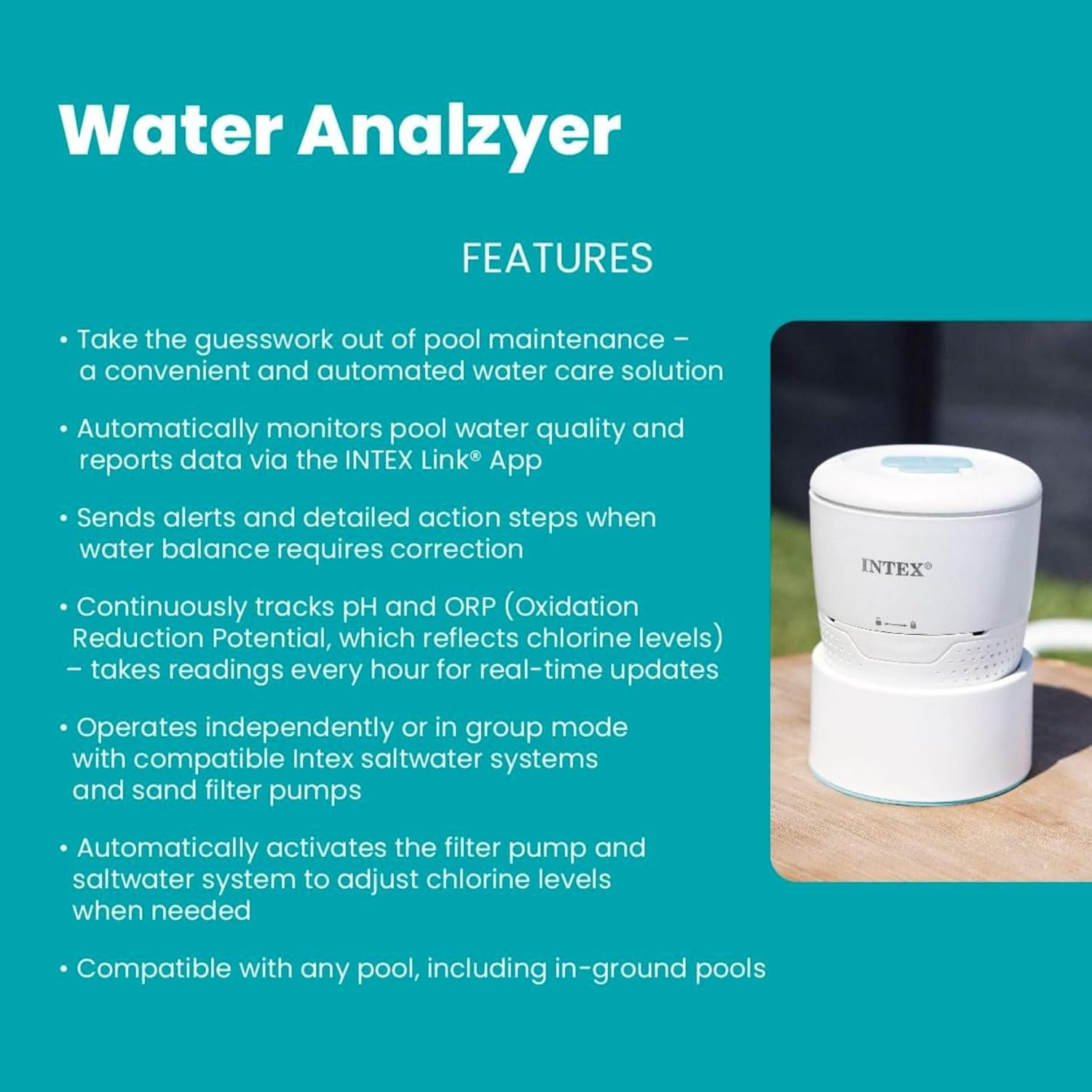
Image: A hand carefully lowering the INTEX Smart Pool Water Analyzer into the pool water.
5. Operating Instructions
The INTEX Smart Pool Water Analyzer continuously monitors your pool's water chemistry and provides actionable insights through the INTEX Link App.
- Real-Time Monitoring: The analyzer takes readings every hour, sending updates on pH, ORP (Oxidation Reduction Potential), and temperature to your smartphone. ORP is used to estimate free chlorine levels.
- App Interface: The INTEX Link App provides a clear layout of your pool's water balance. You can view current readings and historical data.
- Action Alerts: The app will send notifications if water quality parameters drift out of the optimal range. These alerts are accompanied by step-by-step guidance to help you restore balance.
- Automated System Activation: When integrated with compatible Intex saltwater systems and sand filter pumps, the analyzer can automatically activate these systems to adjust chlorine levels as needed.
- Manual Readings: If you require an immediate update, a button within the app allows you to trigger a manual reading outside of the scheduled hourly updates.
Video: An official Intex video demonstrating the features and operation of the INTEX Smart Pool Water Analyzer, including app monitoring and automated adjustments.
6. Maintenance
Regular maintenance ensures the accuracy and longevity of your Smart Pool Water Analyzer.
- Charging: The analyzer typically holds a charge for about two weeks. Monitor the battery level in the INTEX Link App and recharge as needed. When charging, place the unit in its charging holder to protect the sensors.
- Sensor Wetness: Never allow the sensors to dry out. When the analyzer is out of the water for an extended period (e.g., during charging), ensure the protective black caps are placed back on the sensors with a small amount of water to keep the sponges moist.
- Monthly Cleaning: Approximately once a month, inspect the sensors for residue buildup. Soak the sensors in white vinegar for about 4 hours to clean them.
- Quarterly Calibration: Every four months, calibrate the pH and ORP sensors. Use the provided pH buffer powder packs (pH 4.00 and pH 6.86) and transparent cups for pH calibration. ORP calibration powder must be acquired separately. Refer to the detailed instructions in the full product manual for the calibration process.

Image: Steps for preparing calibration solutions using the provided powder packs and cups.
7. Troubleshooting
If you encounter issues with your INTEX Smart Pool Water Analyzer, refer to the following common problems and solutions:
- Inaccurate Free Chlorine (FC) Readings: The analyzer's FC calculation is an estimate based on pH and ORP. The manual states that these results are for reference only and may not be perfectly accurate, especially if cyanuric acid (CYA) levels are high. Always cross-reference with a manual liquid drop test kit for precise FC measurements.
- Connectivity Issues (Wi-Fi/App): Ensure your Wi-Fi router signal extends adequately to the pool area. The unit relies on a local wireless connection for hourly updates. If the signal is weak, the analyzer may struggle to sync data. Try moving the analyzer closer to the router or using a Wi-Fi extender.
- Charging Cable Compatibility: The analyzer uses a proprietary charging cable. Standard USB-C or other common household cables will not work. Ensure you keep the original charging cable safe, as replacements may be specific to this device.
- Broken pH Sensor Glass Bulb: In rare cases, the delicate glass bulb of the pH sensor may arrive broken or become damaged. If this occurs, contact Intex customer support for assistance. This issue prevents accurate pH measurement.
- App Schedule Confusion: Some users find the app's schedule settings unclear. While the analyzer takes hourly readings, you can also use the manual refresh button in the app for immediate updates.
8. Specifications
| Brand | Intex |
| Model Number | 28607E |
| Item Type Name | Pool and Spa Water Tester Analyzer Monitor System |
| Product Benefits | Helps Maintain Saltwater and Sand Filter Systems, Monitors and Alerts for Clean, Safe Water |
| UPC | 078257286072 |
| Number of Items | 1 |
| Unit Count | 1.0 Count |
| Battery Life | Approximately 2 weeks on a single charge |
9. Warranty Information
The INTEX Smart Pool Water Analyzer (Model 28607E) comes with a 1 Year Limited Warranty from the date of purchase. This warranty covers manufacturing defects under normal use. Please retain your proof of purchase for warranty claims. For full details regarding warranty terms and conditions, refer to the official warranty document included with your product or visit the Intex website.
10. Support
For further assistance, technical support, or to inquire about replacement parts, please contact Intex customer service. You can typically find contact information on the Intex official website or in the product packaging. Ensure you have your model number (28607E) and proof of purchase ready when contacting support.
Online Resources:
- Visit the Intex Store on Amazon for product information and accessories.
- Check the INTEX Link App for FAQs and additional troubleshooting tips.