
1. Introduction
This manual provides comprehensive instructions for the installation, operation, and maintenance of the LEDOne Corp Multi-Watt LED Wall Pack. This fixture is designed for demanding outdoor lighting applications, offering selectable wattage (80W, 100W, 120W) and adjustable color temperature (3000K, 4000K, 5000K) to meet various lighting requirements efficiently.
2. Safety Information
WARNING: Risk of electric shock. Installation must be performed by a qualified electrician in accordance with all national and local electrical codes.
- Disconnect power at the circuit breaker before installation or servicing.
- Ensure the supply voltage is compatible with the fixture's operating voltage (120-277V).
- Do not handle energized fixtures with wet hands or when standing on wet or damp surfaces.
- Use only UL/ETL approved components and wiring methods.
- Ensure the fixture is securely mounted to prevent falling.
- Do not look directly into the LED light source when illuminated.
3. Package Contents
Verify that all components are present before beginning installation:
- LEDOne Corp LED Wall Pack Fixture
- Instruction Manual (this document)
- Mounting Hardware
4. Specifications
| Feature | Detail |
|---|---|
| Model Number | EA-LOC-FCWP-MW(80/100/120)MCCT |
| Wattage Selectable | 80W / 100W / 120W |
| CCT Adjustable | 3000K / 4000K / 5000K |
| Lumen Output | 11,340 (80W) / 14,176 (100W) / 17,011 (120W) |
| Efficacy | Up to 141.76 lm/W |
| Voltage Range | 120-277V (Optional 347-480V models available) |
| Color Rendering Index (CRI) | 82 |
| Power Factor / THD | 0.9 / <15% |
| Beam Angle | 110° x 110° Full Cutoff |
| IP Rating | IP65 Weatherproof |
| Construction Material | Die-cast Aluminum with Bronze Powder Coat Finish |
| Product Dimensions | 13.28"L x 9.36"W x 8.11"H |
| Item Weight | 10.63 pounds |
| Rated Lifetime | 50,000 hours |
| Certifications | DLC Premium, UL/ETL Certified |
| Surge Protection | 6kV |
5. Setup and Installation
The LEDOne Corp Wall Pack is designed for wall mounting and compatibility with standard junction boxes. Follow these steps for secure installation:
- Preparation: Ensure power is disconnected at the circuit breaker. Gather necessary tools (screwdriver, wire strippers, drill, mounting hardware).
- Mounting Location: Select a suitable wall surface capable of supporting the fixture's weight (approximately 10.63 lbs). The fixture features reinforced mounting points.
- Mounting Bracket: Attach the wall mount bracket (if separate) or position the fixture directly over the junction box. Mark and drill pilot holes for the mounting screws.
- Secure Fixture: Secure the fixture to the wall using the provided mounting hardware. Ensure it is firmly attached and level.
- Wiring: Open the wiring compartment. Connect the fixture's wires to the supply wires from the junction box:
- Black wire to Line (L)
- White wire to Neutral (N)
- Green wire to Ground (G)
- Close Compartment: Carefully tuck all wires into the junction box and wiring compartment. Close and seal the compartment cover to maintain IP65 rating.
- Power On: Restore power at the circuit breaker and test the fixture.

Image 1: Rear view of the LED wall pack, illustrating the mounting points and the central access for electrical wiring connections.
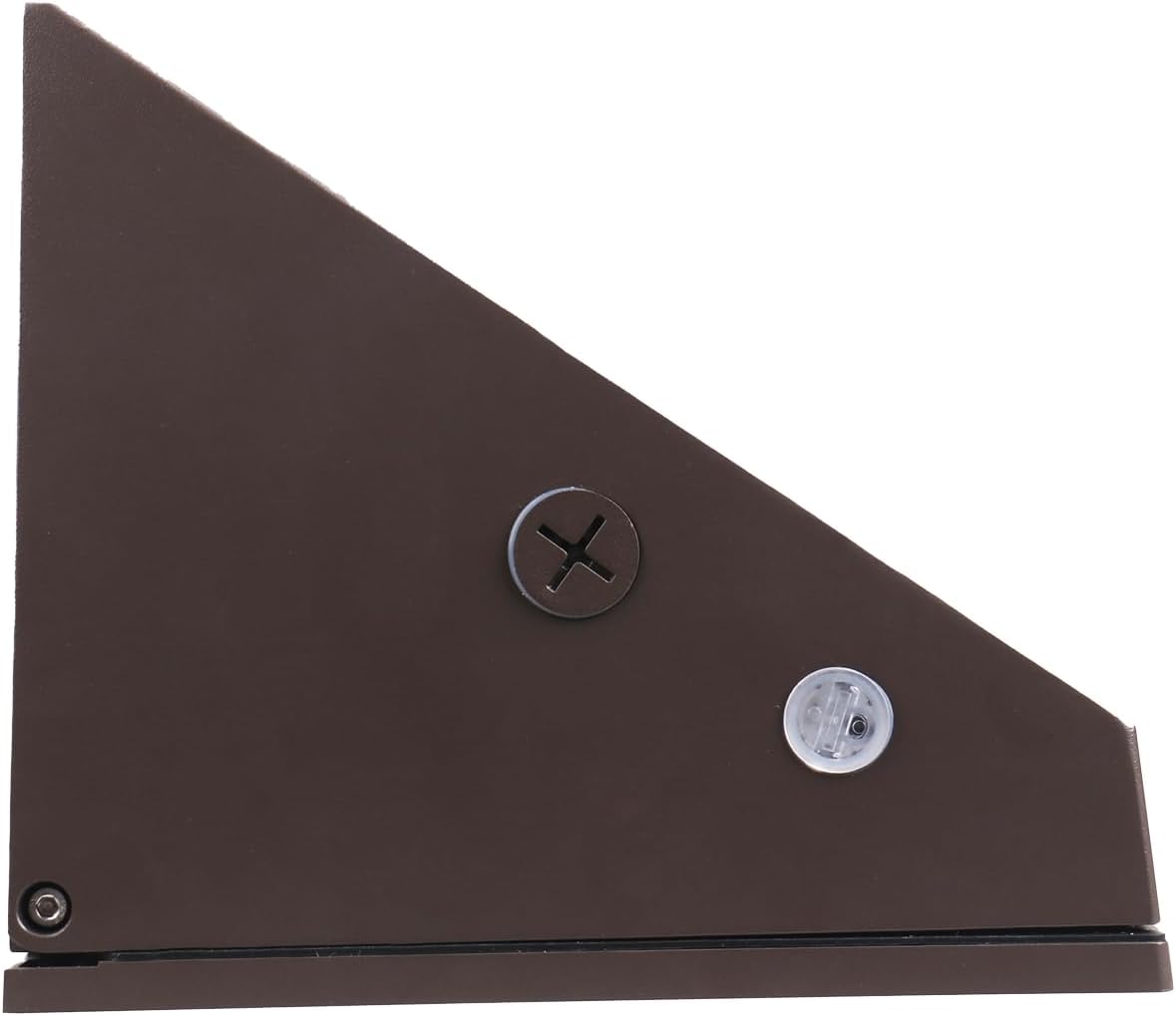
Image 2: Side profile of the LED wall pack, showing the robust construction and a visible screw for secure mounting.
6. Operating Instructions
The LEDOne Corp Wall Pack features adjustable wattage and color temperature settings, typically controlled by internal switches. These switches are usually located within the wiring compartment or on the side of the LED driver housing, accessible after opening the fixture.

Image 3: Front view of the LED wall pack with the protective lens removed, revealing the array of LED chips and the internal switches for adjusting wattage and CCT.
- Adjusting Wattage:
- Ensure power is disconnected before opening the fixture.
- Locate the wattage selection switch (often labeled WATT or POWER).
- Select the desired wattage: 80W, 100W, or 120W.
- Close the fixture securely before restoring power.
- Adjusting Color Temperature (CCT):
- Ensure power is disconnected before opening the fixture.
- Locate the CCT selection switch (often labeled CCT or TEMP).
- Select the desired color temperature: 3000K (warm white), 4000K (cool white), or 5000K (daylight).
- Close the fixture securely before restoring power.
- 0-10V Dimming: This fixture supports 0-10V dimming. Connect a compatible 0-10V dimmer to the purple (DIM+) and gray (DIM-) wires during installation.
- Photocell/Motion Sensor: The fixture may include or be compatible with external photocells or motion sensors for automated operation. Refer to the specific sensor's instructions for integration.
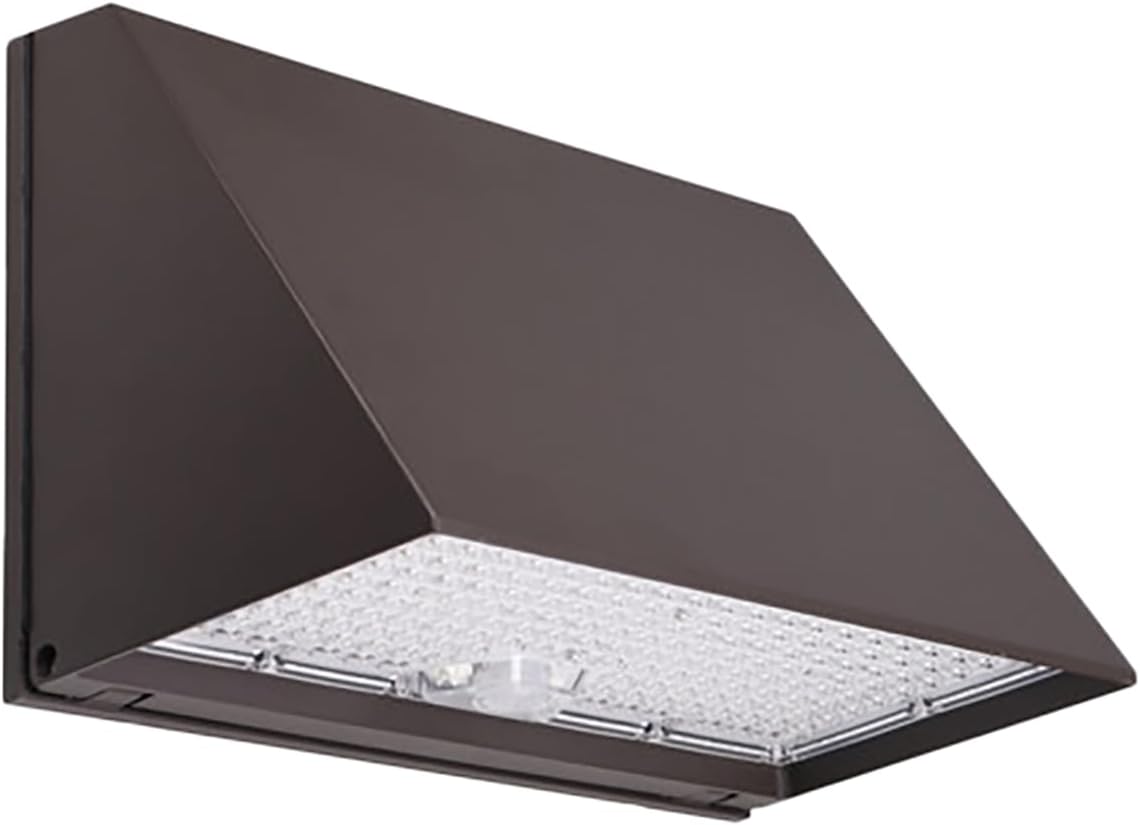
Image 4: Angled view of the LED wall pack, showcasing its complete assembly and the illuminated LED array.
7. Maintenance
The LEDOne Corp Wall Pack is designed for minimal maintenance. Regular inspection and cleaning will ensure optimal performance and longevity.
- Cleaning: Periodically clean the outer lens and housing with a soft, damp cloth to remove dirt, dust, and debris. Do not use abrasive cleaners or solvents. Ensure power is off before cleaning.
- Inspection: Annually inspect the fixture for any signs of physical damage, loose connections, or wear on the wiring. Address any issues promptly.
- Seals: Ensure all seals and gaskets are intact to maintain the IP65 weatherproof rating.
8. Troubleshooting
If the fixture is not operating correctly, refer to the following common issues and solutions:
| Problem | Possible Cause | Solution |
|---|---|---|
| Fixture does not illuminate | No power supply; Loose wiring; Faulty fixture. | Check circuit breaker and power connections. Verify wiring connections are secure. If issues persist, contact support. |
| Light flickers or dims unexpectedly | Unstable power supply; Loose wiring; Incompatible dimmer; Overheating. | Check power stability. Inspect wiring. Ensure dimmer is 0-10V compatible. Ensure adequate ventilation around the fixture. |
| Incorrect wattage or CCT output | Switches set incorrectly. | Disconnect power, open fixture, and verify wattage and CCT switch settings. Adjust as needed. |
If troubleshooting steps do not resolve the issue, contact LEDOne Corp customer support.
9. Warranty Information
The LEDOne Corp Multi-Watt LED Wall Pack is backed by a comprehensive 5-year warranty. This warranty covers defects in materials and workmanship under normal use and service. For warranty claims or detailed terms and conditions, please contact LEDOne Corp customer support.
10. Support and Contact
For further assistance, technical support, or inquiries regarding your LEDOne Corp product, please visit the official LEDONE Store or contact customer service: