
1. Introduction
This manual provides essential instructions for setting up, operating, and maintaining your OPPO K13x 5G smartphone. The device features a durable design, a large 6000mAh battery with 45W SUPERVOOC charging, and integrated AI functionalities for enhanced user experience.

Image 1.1: Front view of the OPPO K13x 5G smartphone, displaying the screen and front camera.
2. What's in the Box
Verify that all items are present in the product packaging:
- Handset (OPPO K13x 5G)
- Charger (45W SUPERVOOC)
- USB Data Cable
- SIM Ejector Tool
- Quick Guide
- Protective Case
3. Setup
3.1. Inserting SIM Card and SD Card
- Locate the SIM card tray on the side of your device.
- Insert the SIM ejector tool into the small hole next to the tray and press gently until the tray pops out.
- Place your Nano-SIM card(s) and/or microSD card (up to 128 GB) into the designated slots on the tray. Ensure the gold contacts face downwards.
- Carefully reinsert the tray into the phone until it clicks into place.
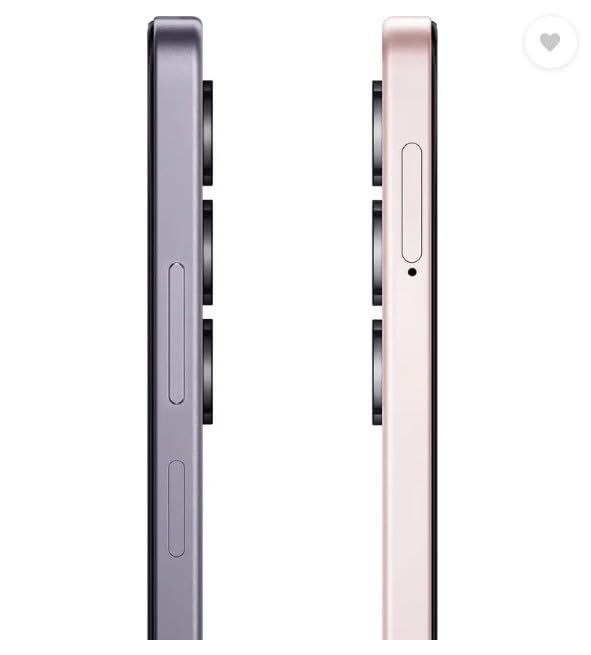
Image 3.1: Side view of the OPPO K13x 5G, showing the location of the SIM card tray and volume buttons.
3.2. Initial Charging and Power On
- Connect the USB data cable to the 45W SUPERVOOC charger and plug it into a power outlet.
- Connect the other end of the cable to the USB Type-C port on your phone.
- Allow the phone to charge for a few minutes before powering it on for the first time.
- To power on, press and hold the Power button (usually on the right side) until the OPPO logo appears on the screen.
- Follow the on-screen instructions to complete the initial setup, including language selection, Wi-Fi connection, and Google account setup.
4. Operating Your Device
4.1. Power On/Off and Restart
- Power On: Press and hold the Power button until the OPPO logo appears.
- Power Off: Press and hold the Power button, then tap 'Power off' on the screen.
- Restart: Press and hold the Power button, then tap 'Restart' on the screen.
4.2. Display Features
- 120 Hz Ultra-Smooth Display: Provides fluid scrolling and animations.
- 1000 nits Ultra-Bright Display: Ensures clear visibility even in bright sunlight.
- Outdoor Mode: Boosts brightness, sound, and network performance for outdoor use.
- Glove Touch: Maintains screen responsiveness when wearing gloves or using a waterproof case.
4.3. Battery and Charging
The OPPO K13x 5G is equipped with a 6000mAh large battery and supports 45W SUPERVOOC Flash Charge for rapid power replenishment.
- A 30% charge can be achieved in approximately 21 minutes.
- A 50% charge can be achieved in approximately 37 minutes.
- The battery is designed for 5 years of dependable use, retaining 80% of its original power after 1700 charge cycles.
- Provides up to 19.3 hours of video playback and 56.8 hours of screen-off calling.
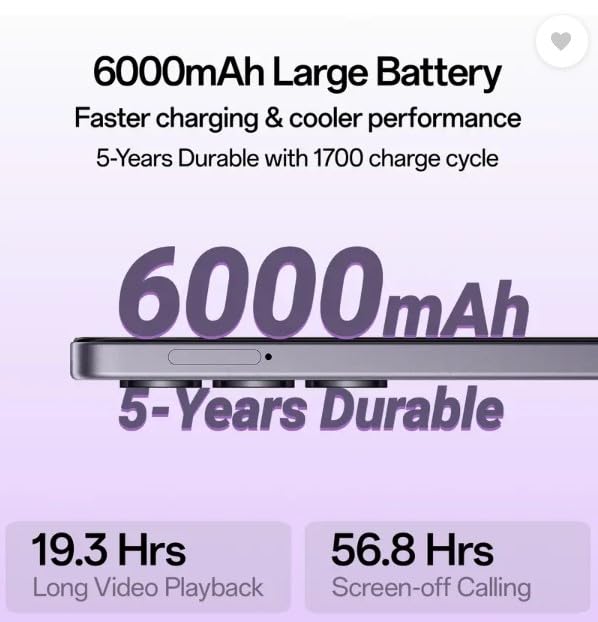
Image 4.1: Illustration highlighting the 6000mAh large battery and its 5-year durability.
4.4. Camera Features
Capture high-quality photos and videos with the advanced camera system.
- Rear Camera: 50MP Main Camera + 2MP Depth Camera.
- Front Camera: 8MP.
- AI Eraser: Removes unwanted objects from photos.
- AI Clarity Enhancer: Boosts image sharpness and detail.
- AI Smart Image Matting 2.0: Enables easy editing, dragging, and dropping of image elements.
- AI Reflection Remover: Reduces reflections in photos.
- AI Unblur: Restores clarity to blurry shots.
- AI Motion Moments: Converts still images into 3-second videos.
- AI Portrait: Blends solo or group photos into one frame with creative templates.
- AI Reimage: Adds artistic styles (Cartoon, Painting, Classic) to photos.
- Dual-view Video: Records simultaneously with front and rear cameras.
4.5. AI Powered Smart Functions
- Screen Translator: Translates entire screens or snippets of text.
- AI Writer: Assists with grammar checks, rewriting, and polishing text.
- AI Summary: Provides quick, accurate summaries of Word documents or PDFs.
- Google Gemini App: AI assistant for learning, writing emails, planning events, and more.
4.6. Audio and Performance
- Ultra-Volume Mode: Provides a 300% sound boost for calls and media.
- MediaTek Dimensity 6300 Processor: 6nm process for balanced power and performance.
- Trinity Engine: OPPO's custom performance engine for smooth operation and lag-free experience.
- RAM Expansion: Storage can be utilized as RAM when needed.
5. Maintenance
- Cleaning: Use a soft, lint-free cloth to clean the screen and body. Avoid harsh chemicals.
- Software Updates: Regularly check for and install system updates to ensure optimal performance and security.
- Storage Management: Periodically clear unnecessary files and apps to free up storage space.
- Water and Dust Resistance: The device has an IP65 rating, meaning it is resistant to spills and splashes. However, avoid intentional submersion in water.
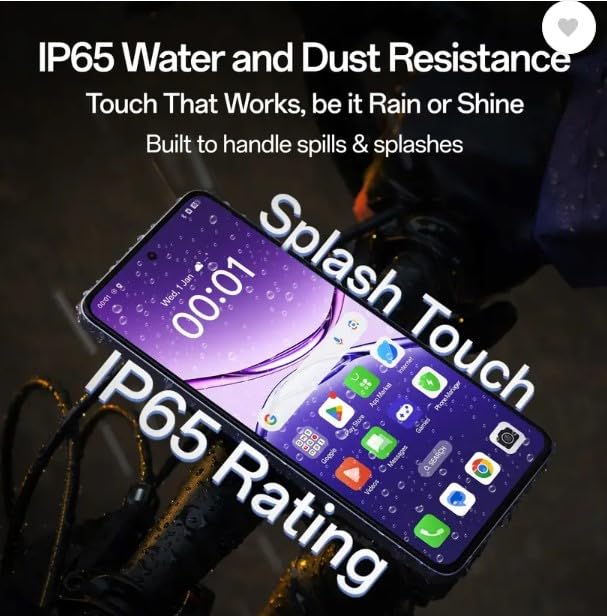
Image 5.1: The OPPO K13x 5G demonstrating its IP65 water and dust resistance, showing the device functioning in wet conditions.

Image 5.2: The OPPO K13x 5G highlighting its Damage-Proof 360° Armour Body and SGS Drop-Resistance Military Certification.
6. Troubleshooting
If you encounter issues with your device, refer to the following common solutions:
- Device Not Turning On: Ensure the battery is charged. Connect the charger and wait a few minutes before attempting to power on again.
- Charging Issues: Check the charging cable and adapter for damage. Try a different power outlet. Ensure the charging port on the phone is clean.
- Network Problems: Verify that your SIM card is correctly inserted. Check if airplane mode is off. Restart the device. Contact your network provider if the issue persists.
- App Crashing/Freezing: Close the problematic app and reopen it. If the issue continues, clear the app's cache and data in Settings, or uninstall and reinstall the app.
- Slow Performance: Close background apps. Clear cache and temporary files. Restart the device. Consider performing a factory reset if performance issues are severe (back up your data first).
7. Specifications
| Brand | OPPO |
| Model | K13x 5G |
| Operating System | Android 15 |
| RAM Memory Installed Size | 4 GB |
| Memory Storage Capacity | 128 GB |
| Processor | Dimensity 6300 Processor |
| CPU Speed | 2, 2.24 GHz |
| Display Type | HD+ LCD |
| Screen Size | 16.94 cm (6.67 inches) |
| Resolution | 720 x 1604 pixels |
| Refresh Rate | 120 Hz |
| Rear Camera | 50 MP + 2 MP |
| Front Camera | 8 MP |
| Battery Capacity | 6000 mAh |
| Charging | 45W SUPERVOOC Flash Charge |
| SIM Card Slot Count | Dual SIM |
| Connector Type | USB Type C |
| Water Resistance Level | IP65 Water Resistant |
| Item Weight | 230 Grams |
| Item Dimensions | 15 x 8 x 6 Centimeters |
8. Warranty Information
Your OPPO K13x 5G smartphone comes with the following warranty coverage:
- Device: 1 Year Manufacturer Warranty
- Inbox Accessories: 6 Months Manufacturer Warranty
Please retain your proof of purchase for warranty claims.
9. Support
For further assistance, technical support, or service inquiries, please visit the official OPPO website or contact OPPO customer service in your region. Refer to the quick guide included in your box for specific contact details.
Manufacturer: OPPO Mobiles India Private Limited
Address: Plot No.1, Sector Ecotech: VII, Greater Noida, Uttar Pradesh 201306