
1. Introduction
This manual provides detailed instructions for the assembly, operation, and maintenance of your ARTIKEL Artidesk Eco Electric Height Adjustable Table. Please read this manual thoroughly before assembly and use to ensure proper function and safety. This electric standing desk is designed to offer ergonomic flexibility, allowing users to switch between sitting and standing positions throughout the day.
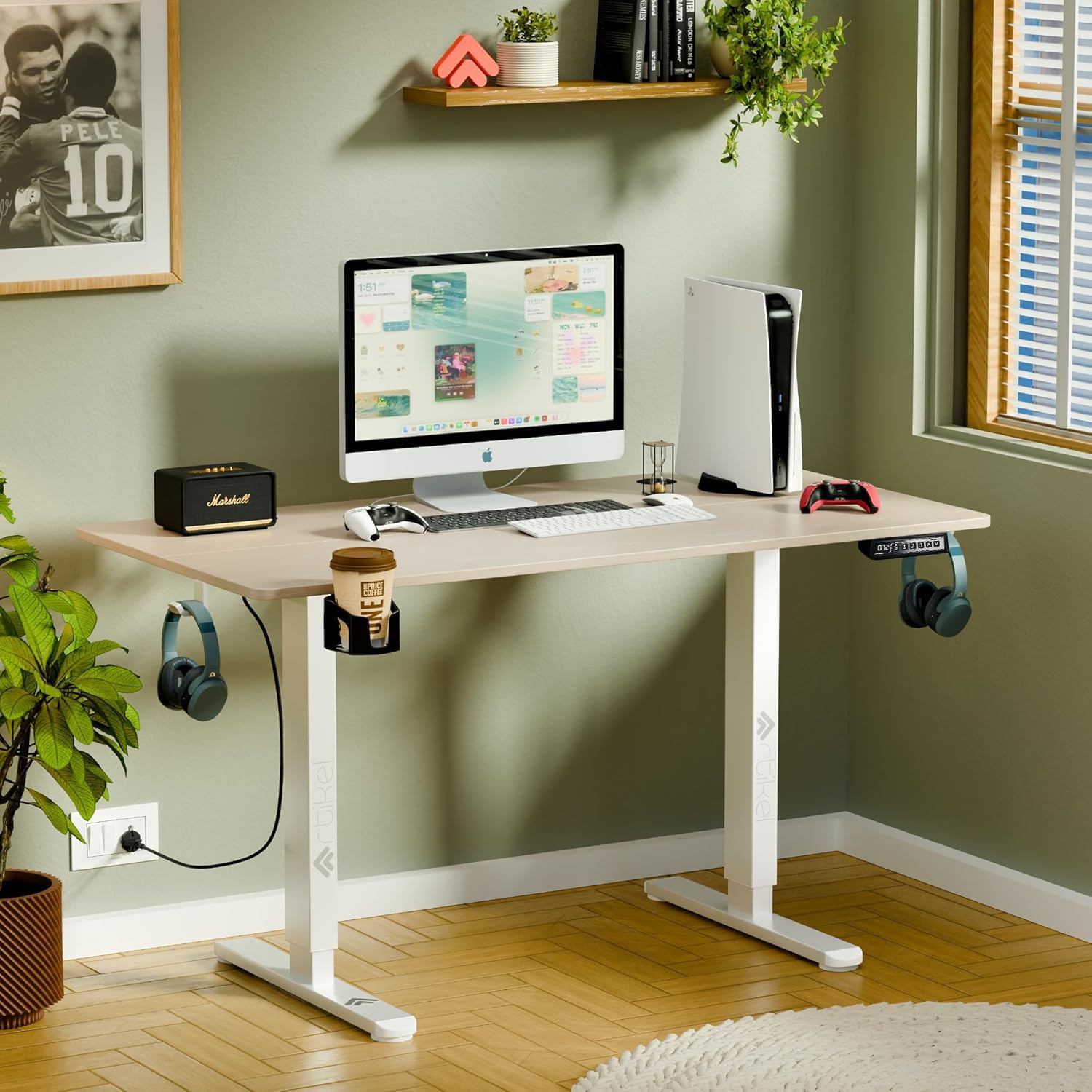
Image 1.1: The ARTIKEL Artidesk Eco Electric Height Adjustable Table in Light Oak finish.
2. Safety Information
Observe the following safety guidelines to prevent injury or damage to the product:
- Weight Capacity: Do not exceed the maximum load capacity of 80 kg (176 lbs). Overloading can cause instability and damage.
- Pinch Points: Keep hands and fingers clear of moving parts during height adjustment to avoid pinching.
- Power Supply: Ensure the power cord is not pinched or damaged. Use only the provided power adapter.
- Level Surface: Operate the desk on a flat, stable surface to prevent tipping.
- Child Safety: Utilize the child lock feature on the control panel to prevent accidental adjustments by children.
- Obstruction Detection: The desk features a collision control system. Ensure no objects obstruct the desk's movement path.

Image 2.1: Illustration of the collision control feature, which stops desk movement upon detecting an obstruction.
3. Package Contents
Verify that all components are present before beginning assembly:
- Tabletop (2-split design)
- Desk Frame (legs and crossbar)
- Motor and Control Box
- Control Panel with LED Display
- Power Adapter and Cable
- 2 Headphone Hooks
- 1 Cup Holder
- Cable Organizers (2)
- Assembly Hardware (screws, Allen keys)
- User Manual

Image 3.1: Included accessories: two headphone hooks, one cup holder, two cable managers, and foot levellers.
4. Setup and Assembly
Assembly typically takes 30-45 minutes. A screwdriver (not included) is recommended in addition to the provided Allen keys.
- Unpack Components: Carefully remove all parts from the packaging and lay them out on a clean, soft surface to prevent scratches.
- Assemble Desk Frame: Attach the legs to the crossbar according to the diagrams in the separate assembly guide.
- Attach Tabletop: Secure the two-split tabletop to the assembled frame using the provided screws. Ensure proper alignment.
- Install Control Box and Motor: Mount the control box and motor unit to the designated positions under the tabletop. Connect all cables securely.
- Attach Control Panel: Mount the control panel to the front edge of the tabletop in a convenient location.
- Install Accessories: Attach the headphone hooks, cup holder, and cable organizers as desired.
- Initial Reset: After assembly, connect the power cable. Press and hold the 'Reset' key (often indicated by 'R' or a down arrow) on the control panel. The desk will move to its lowest point, pause for 3 seconds, then rise to its maximum height. This calibrates the motor.

Image 4.1: Exploded diagram showing the main components and general assembly sequence.
5. Operating Instructions
The Artidesk Eco features an intuitive control panel for height adjustment and memory functions.
5.1. Basic Height Adjustment
- Raise Desk: Press and hold the Up Arrow button. The desk will move upwards. Release the button at the desired height.
- Lower Desk: Press and hold the Down Arrow button. The desk will move downwards. Release the button at the desired height.
5.2. Memory Presets
The desk allows you to save up to three preferred height settings.
- Adjust the desk to your desired height using the Up/Down arrows.
- Press the 'S' button (Set). The LED display will show 'S-'.
- Within 3 seconds, press one of the number buttons (1, 2, or 3) to save the current height to that preset. The display will show 'S-1', 'S-2', or 'S-3' to confirm.
- To recall a saved height, simply press the corresponding number button (1, 2, or 3). The desk will automatically move to the saved position.
5.3. Child Lock Function
The child lock prevents unintended operation of the desk.
- Activate Child Lock: Press and hold both the Up Arrow and Down Arrow buttons simultaneously for 5 seconds. The LED display will show 'Loc' (Lock) to indicate activation.
- Deactivate Child Lock: Press and hold both the Up Arrow and Down Arrow buttons simultaneously for 5 seconds again. The 'Loc' indicator will disappear, and the desk will be operational.

Image 5.1: The control panel with LED display for height adjustment and memory presets. The motor operates quietly, below 55dB.
6. Maintenance
Regular maintenance ensures the longevity and smooth operation of your desk.
- Cleaning: Wipe the tabletop and frame with a soft, damp cloth. Avoid abrasive cleaners or harsh chemicals.
- Cable Management: Periodically check that all cables are securely connected and not tangled or pinched. Use the provided cable organizers.
- Stability Check: Ensure all screws and bolts are tightened. If the desk feels wobbly, re-tighten fasteners.
- Motor Inspection: Keep the motor area free from dust and debris. Do not attempt to open the motor housing.
7. Troubleshooting
If you encounter issues with your desk, refer to the following common problems and solutions:
| Problem | Possible Cause | Solution |
|---|---|---|
| Desk does not move. | Power cable disconnected; Child lock active; Overload. | Check power connections; Deactivate child lock (see Section 5.3); Reduce weight on desk. |
| Desk moves unevenly or stops. | Obstruction detected; Motor calibration issue. | Remove any obstructions; Perform initial reset (see Section 4, Step 7). |
| LED display shows an error code. | Specific system error. | Perform initial reset (see Section 4, Step 7). If the error persists, contact customer support. |
| Desk is wobbly. | Loose fasteners; Uneven floor. | Tighten all assembly screws; Adjust foot levellers to stabilize the desk. |
8. Specifications
- Model: Artidesk Eco
- Height Range: 72 cm to 118 cm (28.3 inches to 46.5 inches)
- Load Capacity: 80 kg (176 lbs)
- Tabletop Dimensions: 100 cm (Width) x 60 cm (Depth)
- Product Dimensions (Max Height): 60D x 100W x 118H Centimeters
- Item Weight: 15 kg (33 lbs)
- Motor Noise Level: <55 dB
- Lift Speed: 2.5 cm/second
- Frame Material: Steel
- Special Features: Electric height adjustment, 3 memory presets, child lock, collision control, 2 headphone hooks, 1 cup holder, 2 cable organizers.

Image 8.1: Dimensions of the Artidesk Eco, illustrating the height range from 72cm to 118cm and tabletop size of 100cm x 60cm.

Image 8.2: The desk's robust construction supports up to 80 kg, maintaining stability even under significant load.
9. Warranty and Support
Your ARTIKEL Artidesk Eco Electric Height Adjustable Table comes with a 3-year warranty covering manufacturing defects and motor malfunctions under normal use conditions.
For warranty claims, technical assistance, or any questions regarding your product, please contact ARTIKEL customer support through the retailer where the product was purchased or visit the official ARTIKEL website for contact information.
Professional installation services may be available in certain regions. Please inquire with your retailer for details.


