
Product Overview
The Volkano Cove Series True Wireless Earphones provide clear audio with active noise cancellation and environmental noise cancellation for calls. This manual details the features, setup, operation, and maintenance of your earphones.
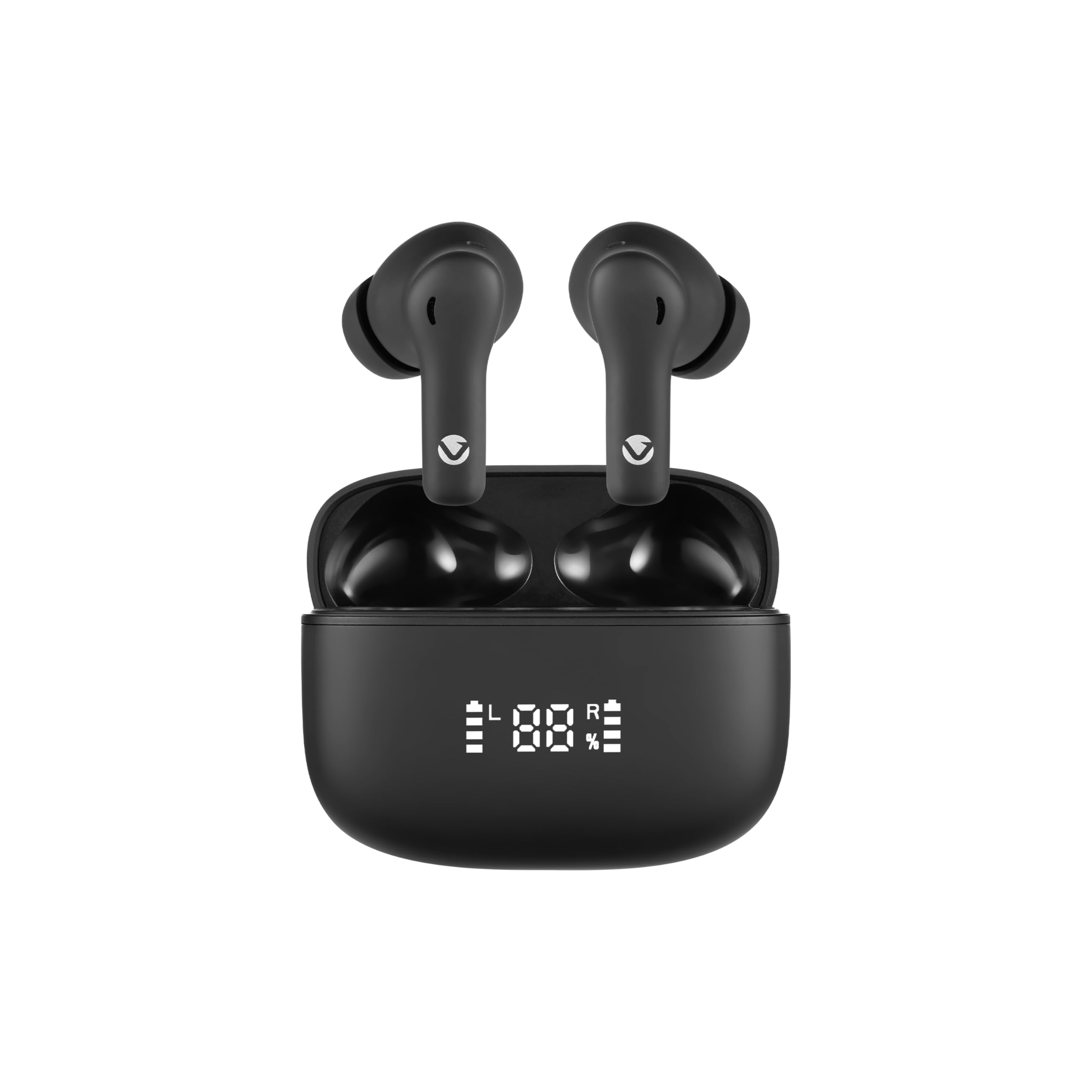
Image: The Volkano Cove Series charging case, displaying battery levels for both earbuds and the case.
Key Features:
- Active Noise Cancellation (ANC): Reduces low-frequency background sounds such as engine noise. Note: Effectiveness depends on fit and environment; not all sounds are blocked.
- Dual Environmental Noise Cancellation (ENC): Enhances call clarity by minimizing background noise during voice calls.
- Extended Playtime: Up to 45 hours total playtime with the charging case (10 hours per charge + 3.5 recharges).
- Digital Battery Display: LED screen on the charging case shows the current battery level.
- Voice Assistant Support: Tap to activate Google Assistant or Siri.
- USB-C Fast Charging: Full charge in approximately 2 hours.
What's in the Box

Image: Contents of the Volkano Cove Series package, including earphones, charging case, and accessories.
Please check the package contents to ensure all items are present:
- 1 x Volkano Cove Series True Wireless Earphones
- 1 x 500mAh Charging Case
- 1 x USB-C Charging Cable
- 3 x Spare Eartips (S/M/L)
- 1 x Instruction Manual
Getting Started
Initial Charge
Before first use, fully charge both earbuds and the charging case. Ensure the earbuds are correctly placed in the case and that the charging indicator light is active.

Image: The charging case opened, showing the earbuds securely seated inside for charging.
Pairing Instructions
- Remove both earbuds from the charging case. They will automatically enter pairing mode.
- On your device (smartphone, tablet, etc.), open the Bluetooth settings.
- Select "Volkano Cove Series" from the list of available devices to connect.
- Once connected, you will hear an audio confirmation.
If the earbuds do not auto-pair or connect, return them to the case and try again.
Operation
Active Noise Cancellation (ANC)
ANC functionality reduces ambient low-frequency sounds. To activate or deactivate ANC, refer to the specific touch controls outlined in the full instruction manual (if provided separately) or experiment with touch gestures on the earbuds.
Environmental Noise Cancellation (ENC)
ENC is automatically active during phone calls to reduce background noise for the person you are speaking with, improving call clarity.
Voice Assistant
Tap the earbud (refer to the full instruction manual for specific tap patterns) to activate your device's voice assistant (Google Assistant or Siri).
Battery Information
Battery Life (Approximate)
- At 50% Volume:
- ANC On: Up to 9.5 hours
- ANC Off: Up to 10 hours
- At 100% Volume:
- ANC On: Up to 8.5 hours
- ANC Off: Up to 9 hours
The charging case provides up to 3.5 additional full charges for the earbuds.
Charging
Use the provided USB-C cable to charge the case. A full charge takes approximately 2 hours. The digital display on the case indicates the charging status and battery level.
Maintenance and Fit
Fit & Comfort Notes
- Use the included S/M/L ear tips to find the best fit and comfort for your ears. A good seal is crucial for optimal sound quality and ANC performance.
- The in-ear design may not be ideal for users sensitive to deep ear insertion.
- For looser fits, consider exploring foam or third-party ear tips.
Cleaning
Regularly clean the charging contacts inside the case and on the earbuds to ensure proper charging and connectivity. Use a dry, soft cloth. Avoid using liquids or abrasive cleaners.
Troubleshooting
Pairing Issues
- If earbuds do not pair automatically, place them back in the case, close the lid, wait a few seconds, then reopen and remove them again.
- Manual Reset:
- On your phone, "Forget" or "Unpair" the Volkano Cove Series from your Bluetooth device list.
- With both earbuds out of the case, hold the touch panels on both earbuds for 10 seconds.
- The LEDs on the earbuds will flash red/blue, indicating they are in pairing mode. Re-attempt pairing from your device.
Charging Troubleshooting
- Clean the charging contacts inside the case and on the earbuds.
- Ensure earbuds are firmly seated in the charging case. Look for the LED light on the earbuds to confirm charging.
- Check for damaged charging cables or power sources. Try a different USB-C cable and power adapter if available.
ANC Tips
- ANC works best with a good in-ear seal. Experiment with all included ear tip sizes to find the best fit.
- ANC is designed to reduce continuous low-frequency background hum (e.g., airplane engines, traffic), not sharp or sudden sounds like voices or alarms.
Model Verification
Some customers may mistakenly receive other models. Confirm your product is the Cove Series by checking for:
- Active Noise Cancellation (ANC) functionality.
- A digital battery display on the charging case.
- USB-C charging port.
Technical Specifications
| Feature | Specification |
|---|---|
| Bluetooth Version | 5.4 |
| Wireless Range | Up to 10 meters |
| Driver Size | 13mm |
| Earbud Battery Capacity | 50mAh (each) |
| Charging Case Battery | 500mAh |
| Charging Port | USB-C |
| Charging Time | Approximately 2 hours |
| Recharges from Case | Up to 3.5 full charges |
| Impedance | 32 Ohms |
| Frequency Response | 20 KHz |
| Sensitivity | 96 dB |
| Noise Control | Active Noise Cancellation |
| Model Number | VK-1163-BK |
Warranty and Support
Warranty Information
This Volkano product is covered by a 1-year limited manufacturer's warranty. You may be eligible for an additional 12-month extension (totaling 24 months coverage) by registering your product. Please refer to the official Volkano website or included warranty card for registration details.
Customer Support
For questions or assistance with your Volkano Cove Series earphones, please contact Volkano customer support via their official website or the platform where you purchased the product. Your satisfaction is important.