
Introduction
Welcome to your Basike F1 (Model: Ba-FON248) Wireless Earbuds manual. These earbuds feature Bluetooth 5.4, Active Noise Cancellation (ANC), Environmental Noise Cancellation (ENC), and intuitive touch controls for a superior audio experience. Please read this manual carefully to ensure proper use and maintenance of your device.
Product Overview
Key Features
- 10mm Drivers: Experience deep bass, balanced mids, and crystal-clear highs for immersive sound.
- Extended Battery Life: Enjoy up to 7 hours of continuous playtime, extended to an impressive 40 hours with the portable charging case.
- Active Noise Cancellation (ANC): Block out up to 52dB of external noise, allowing you to focus on your audio without distractions.
- Environmental Noise Cancellation (ENC): Dual microphones with ENC technology ensure your calls are crystal clear, even in noisy environments.
- Bluetooth 5.4 & Low Latency Mode: Benefit from a stable, high-speed connection with Bluetooth 5.4 and activate low latency mode for perfect audio-video synchronization, ideal for gaming and movies.
- Touch Controls: Easily manage music playback, calls, and various modes with simple touch gestures on the earbuds.
Components Included
- Basike F1 TWS Wireless Earbuds
- Charging Case
- USB Cable
- User Manual
Product Visuals
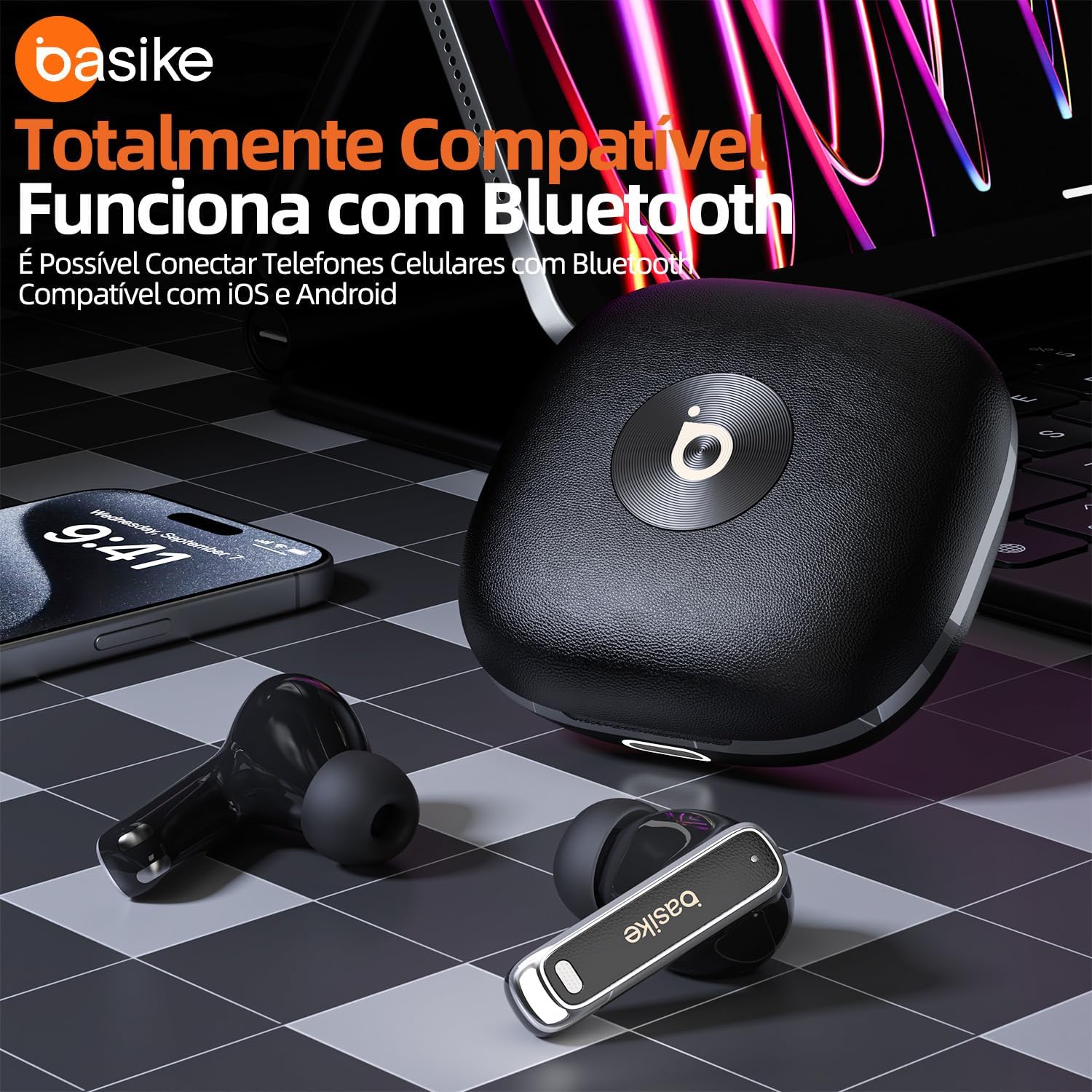
This image displays the Basike F1 Ba-FON248 wireless earbuds alongside their charging case, emphasizing their broad compatibility with various Bluetooth-enabled devices, including iOS and Android smartphones.

A user is shown wearing the Basike F1 Ba-FON248 earbuds, highlighting the Active Noise Cancellation (ANC) feature designed to reduce external noise for an immersive audio experience.

This image depicts a person engaged in a phone call while using the Basike F1 Ba-FON248 earbuds, illustrating the Environmental Noise Cancellation (ENC) technology and dual microphones that ensure clear communication by filtering out background noise.

The Basike F1 Ba-FON248 earbuds are featured with a graphic indicating their powerful -52dB Active Noise Cancellation capability and HD Surround Sound, enhancing the audio experience.

This image illustrates the battery performance of the Basike F1 Ba-FON248 earbuds, showing 7 hours of continuous playtime and a quick 30-minute charging time for the earbuds within the case.

A user is shown enjoying a mobile game with the Basike F1 Ba-FON248 earbuds, emphasizing the ultra-low latency feature and Bluetooth 5.4 connectivity for seamless audio-video synchronization.
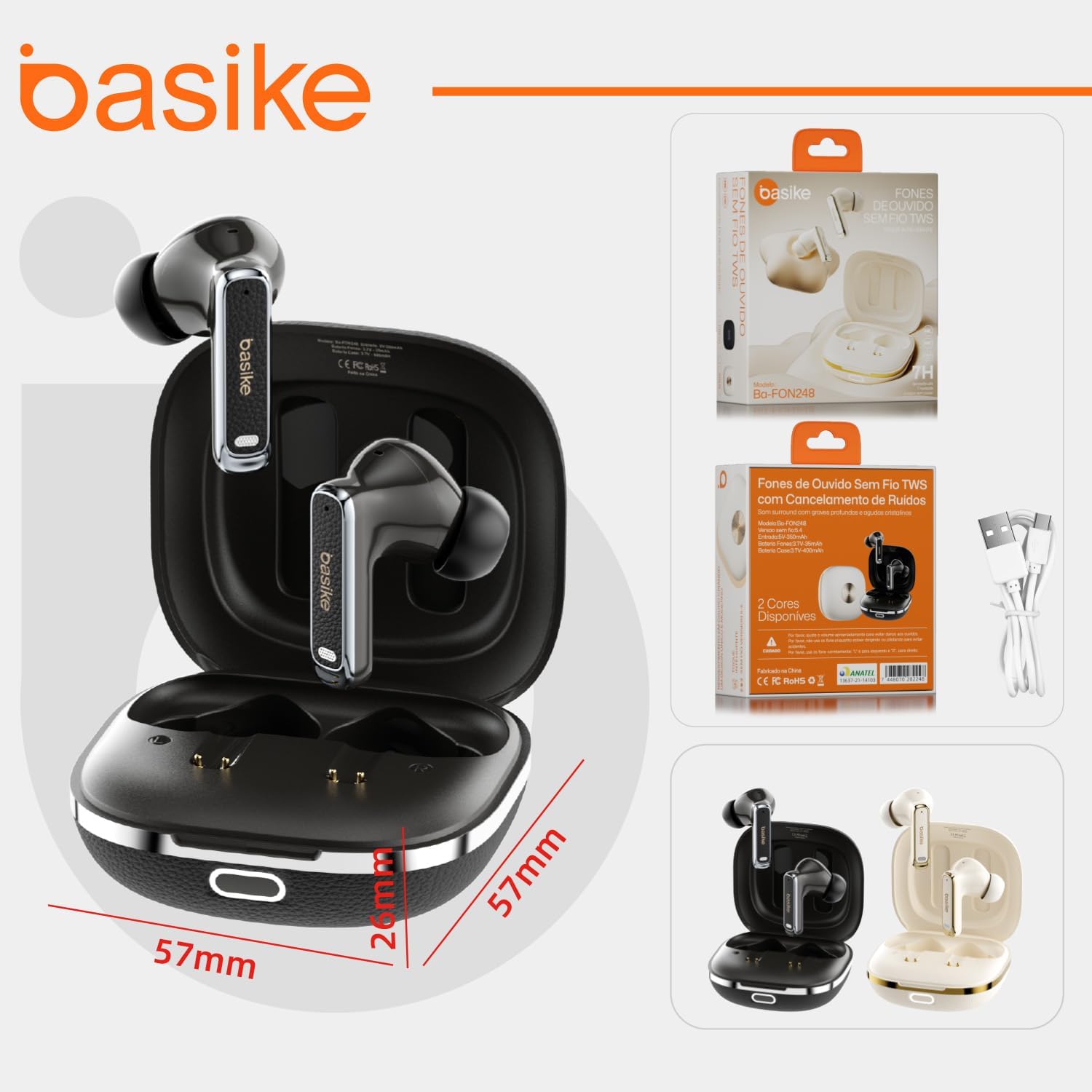
This image provides a view of the Basike F1 Ba-FON248 wireless earbuds, their charging case, and the product packaging, including a visual representation of the case dimensions (57mm x 57mm x 26mm) and the included USB cable.
Setup
Charging the Earbuds and Case
- Connect the charging case to a 5V-350mAh power source using the provided USB cable.
- The charging case has a 3.7V-400mAh battery, and each earbud has a 3.7V-35mAh battery.
- The earbuds will charge automatically when placed inside the case. A full charge for the earbuds takes approximately 30 minutes.
Bluetooth Pairing
- Open the lid of the charging case. The earbuds will automatically power on and enter pairing mode.
- Enable Bluetooth on your smartphone or other audio device.
- In your device's Bluetooth settings, search for available devices and select "Ba-FON248".
- Once connected, you will hear an audible confirmation, and the earbuds are ready for use.
Operating Instructions
Touch Controls (Left Earbud)
- Play/Pause: Tap once.
- Previous Song: Tap twice.
- Volume Down: Tap three times.
- Answer/End Call: Tap once.
- Reject Call: Press and hold for 2 seconds.
- Siri/Voice Assistant: Tap four times.
- ANC/Transparency/Normal Mode Switch: Press and hold for 2 seconds to cycle through modes.
Touch Controls (Right Earbud)
- Play/Pause: Tap once.
- Next Song: Tap twice.
- Volume Up: Tap three times.
- Answer/End Call: Tap once.
- Reject Call: Press and hold for 2 seconds.
- Voice Assistant: Tap four times.
- Game Mode: Press and hold for 2 seconds to activate/deactivate Game Mode.
Maintenance
- Cleaning: Regularly clean your earbuds and charging case with a soft, dry, lint-free cloth. Avoid using harsh chemicals, solvents, or abrasive materials.
- Charging Contacts: Ensure the charging contacts on both the earbuds and inside the case are clean and free of debris to guarantee efficient charging.
- Storage: Always store the earbuds in their charging case when not in use. This protects them from damage and helps maintain battery life.
- Environmental Conditions: Avoid exposing the earbuds to extreme temperatures, high humidity, or direct sunlight for prolonged periods.
Troubleshooting
Common Issues and Solutions
- Earbuds not pairing:
- Ensure both earbuds are in the charging case and fully charged.
- Open the case to activate pairing mode.
- Turn off and then on Bluetooth on your device.
- If issues persist, try forgetting "Ba-FON248" from your device's Bluetooth list and re-pairing.
- No sound from one earbud:
- Check if both earbuds are charged.
- Place both earbuds back into the charging case, close the lid, wait a few seconds, then open it again to reset the connection.
- Try re-pairing the earbuds with your device.
- Poor sound quality:
- Ensure the earbuds are properly seated in your ears for an optimal seal.
- Check the audio source device's volume and equalizer settings.
- Move closer to your device to avoid Bluetooth interference.
- Charging issues:
- Ensure the charging cable is securely connected to both the case and a working power source.
- Clean the charging contacts on the earbuds and inside the case with a dry cotton swab.
- Try a different USB cable or power adapter.
Specifications
| Feature | Specification |
|---|---|
| Brand | Basike |
| Model Number | Ba-FON248 |
| Wireless Version | Bluetooth 5.4 |
| Earbud Battery | 3.7V-35mAh |
| Charging Case Battery | 3.7V-400mAh |
| Input | 5V-350mAh |
| Impedance | 30 Ohms |
| Frequency Response | 20 KHz |
| Bluetooth Range | 10 Meters |
| Noise Control | Active Noise Cancellation (ANC), Environmental Noise Cancellation (ENC) |
| Battery Duration (Earbuds) | Up to 7 hours |
| Battery Duration (with Case) | Up to 40 hours |
| Charging Time (Earbuds in Case) | 30 Minutes |
| Compatible Devices | Android, Cell Phones, Laptops, Tablets, iPhone |
| Control Type | Touch Control |
| Earbud Form Factor | In-ear |
| Item Weight | 42 Grams |
| Case Dimensions (L x W x H) | 5 cm x 5 cm x 2.5 cm |
Warranty and Support
Warranty Disclaimer
Basike is not responsible for damages caused by improper use of the product or by use with an incompatible electrical device. Please ensure you follow all instructions in this manual to prevent damage and ensure product longevity.
Customer Support
For further assistance, please refer to the official Basike website or contact their customer support channels. Keep your purchase receipt for any warranty claims.


