1. Introduction
Thank you for choosing LOBKIN S8 Sleep Earbuds. These wireless Bluetooth 5.4 earbuds are designed for comfort during sleep, offering noise blocking capabilities and clear sound quality. This manual provides detailed instructions for setup, operation, maintenance, and troubleshooting to ensure optimal performance and longevity of your device.
2. Package Contents
Please verify that all items are present in your package:
- LOBKIN S8 Sleep Earbuds (Left and Right)
- Charging Case
- USB Charging Cable
- User Manual
3. Product Overview
The LOBKIN S8 Sleep Earbuds are engineered for a comfortable fit, especially for side sleepers, and feature intuitive touch controls. The compact charging case provides extended battery life.

Image: LOBKIN S8 Sleep Earbuds in their charging case, with one earbud shown outside the case, alongside an image of a woman sleeping, illustrating the product's primary use.

Image: A woman resting comfortably on her side, wearing the LOBKIN S8 Sleep Earbuds, highlighting their design for side sleepers.

Image: A hand demonstrating the compact size of the LOBKIN S8 charging case by easily fitting it into a pocket.
4. Setup
4.1 Charging the Earbuds and Case
Before first use, fully charge the earbuds and charging case.
- Place the earbuds into the charging case. Ensure they are correctly seated; the indicator lights on the earbuds will illuminate.
- Connect the USB charging cable to the charging port on the case and to a compatible USB power source (e.g., computer, wall adapter).
- The indicator lights on the charging case will show the charging status. A full charge for the case and earbuds typically takes approximately 1 hour.
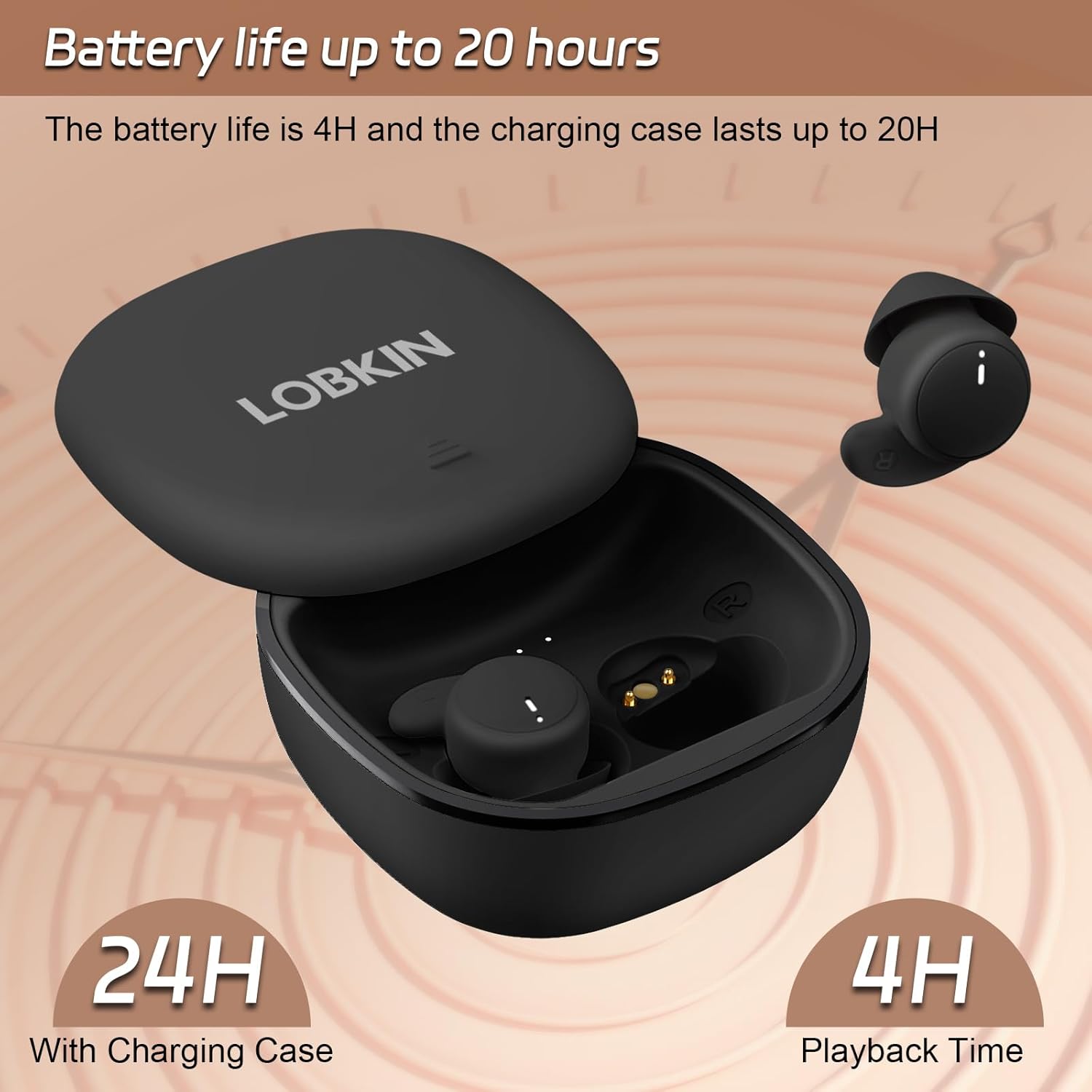
Image: The LOBKIN S8 Sleep Earbuds in their charging case, highlighting the 4-hour playback time for earbuds and 24-hour total battery life with the charging case.
4.2 Bluetooth Pairing
To connect your LOBKIN S8 Sleep Earbuds to a device:
- Ensure the earbuds are charged and placed in the charging case.
- Open the charging case lid. The earbuds will automatically enter pairing mode, indicated by flashing lights (refer to specific light patterns in the quick start guide if available).
- On your device (smartphone, tablet, etc.), enable Bluetooth and search for available devices.
- Select "LOBKIN S8" from the list of found devices.
- Once connected, the earbud indicator lights will stop flashing, and you will hear a confirmation tone.
The earbuds utilize Bluetooth 5.4 for a stable and fast connection.

Image: A detailed view of a single LOBKIN S8 Sleep Earbud, illustrating the integrated Bluetooth 5.4 chip for enhanced connectivity.
5. Operating Instructions
5.1 Power On/Off
- Power On: Open the charging case, and the earbuds will automatically power on. Alternatively, press and hold the touch area on both earbuds for approximately 3 seconds.
- Power Off: Place the earbuds back into the charging case and close the lid. They will automatically power off and begin charging. Alternatively, press and hold the touch area on both earbuds for approximately 5 seconds.
5.2 Music Playback
- Play/Pause: Tap the touch area on either earbud once.
- Next Track: Double-tap the touch area on the right earbud.
- Previous Track: Double-tap the touch area on the left earbud.
5.3 Call Management
- Answer/End Call: Tap the touch area on either earbud once.
- Reject Call: Press and hold the touch area on either earbud for 2 seconds.
5.4 Voice Assistant
- Activate Voice Assistant: Triple-tap the touch area on either earbud.
6. Maintenance
6.1 Cleaning
Regular cleaning helps maintain sound quality and hygiene.
- Use a soft, dry, lint-free cloth to wipe the earbuds and charging case.
- For earwax or debris in the earbud tips, use a small, soft brush or cotton swab.
- Avoid using abrasive materials, alcohol, or chemical cleaners.
6.2 Storage
When not in use, store the earbuds in their charging case to protect them and keep them charged.
- Store in a cool, dry place, away from extreme temperatures and direct sunlight.
- Avoid dropping or subjecting the earbuds and case to strong impacts.

Image: A woman exercising and wiping sweat, demonstrating the IPX6 waterproof rating of the LOBKIN S8 Sleep Earbuds, making them resistant to sweat and rain.
7. Troubleshooting
If you encounter issues with your LOBKIN S8 Sleep Earbuds, refer to the following common solutions:
| Problem | Possible Solution |
|---|---|
| Earbuds not pairing |
|
| No sound from earbuds |
|
| One earbud not working |
|
| Charging issues |
|
8. Specifications
Detailed technical specifications for the LOBKIN S8 Sleep Earbuds:
- Model Name: S8
- Connectivity Technology: Wireless (Bluetooth)
- Bluetooth Version: 5.4
- Bluetooth Range: Up to 15 meters (49 feet)
- Earbud Weight: Approximately 7.4 grams (each)
- Battery Life (Earbuds): Up to 4 hours playback
- Battery Life (with Charging Case): Up to 20 hours total
- Charging Time: Approximately 1 hour
- Water Resistance Level: IPX6 (Sweat-proof, Rain-proof)
- Control Type: Touch Control
- Audio Driver Type: Dynamic Driver
- Audio Driver Size: 6 Millimeters
- Noise Control Features: Passive Noise Control (Sound Isolation)
- Material: Acrylonitrile Butadiene Styrene (ABS)
- Product Dimensions: 0.79 x 0.55 x 0.59 inches (earbud)
- Carrying Case Dimensions: 56 x 56 x 30 Millimeters
- Compatible Devices: Cellphones, Laptops, Tablets
9. Warranty and Support
LOBKIN products are designed for reliability and performance. For warranty information or technical support, please refer to the contact details provided with your purchase or visit the official LOBKIN website. Please retain your proof of purchase for warranty claims.


