1. Introduction
This manual provides essential instructions for the safe and efficient operation, installation, and maintenance of your HCALORY 8KW Diesel Heater Toolbox MAX. Please read this manual thoroughly before using the product and retain it for future reference.
Safety Warnings
- Carbon Monoxide Hazard: Ensure adequate ventilation when operating the heater. Never use in enclosed, unventilated spaces.
- Fire Hazard: Keep flammable materials away from the heater. Do not block air intake or exhaust.
- Burn Hazard: Heater surfaces become hot during operation. Avoid direct contact.
- Fuel Handling: Use only diesel fuel. Do not overfill the tank. Handle fuel in a well-ventilated area away from ignition sources.
- Electrical Safety: Ensure proper power supply (110/12/24V) and connections. Do not operate with damaged cords or plugs.
- Children and Pets: Keep children and pets away from the operating heater.
2. Product Overview
The HCALORY 8KW Diesel Heater Toolbox MAX is an all-in-one portable heating solution designed for RVs, garages, campers, and other outdoor or semi-enclosed spaces. It features a robust design, app control, wireless temperature sensing, and an altitude mode for reliable performance.
Key Components
- Main Heater Unit with Integrated 7.5L Fuel Tank
- Wireless Remote Control with Temperature Sensor
- Control Panel (integrated or external, depending on setup)
- Exhaust Pipe
- Air Intake Pipe
- Hot Air Duct
- Power Adapter (110V AC to 12/24V DC)
- Fuel Pump (internal, silent operation)

Figure 2.1: HCALORY 8KW Diesel Heater Toolbox MAX and accessories.
3. Setup and Installation
Proper setup is crucial for safe and efficient operation. Follow these steps carefully.
3.1 Unpacking and Inspection
- Carefully remove all components from the packaging.
- Inspect all parts for any signs of damage. Contact customer support immediately if any damage is found.
- Verify all listed components are present: Host unit, Remote Control, User Manual, Installation accessories.
3.2 Placement Considerations
- Place the heater on a stable, non-flammable surface.
- Ensure adequate clearance around the heater for proper airflow and to prevent fire hazards. Maintain at least 1 meter (3 feet) from walls, furniture, and other combustible materials.
- For optimal performance and safety, consider placing the main unit outside the heated space (e.g., outside a tent or RV) and directing the hot air duct inside. This allows the wireless remote to accurately sense the indoor temperature.
- Ensure the exhaust pipe is directed away from any combustible materials and areas where fumes could accumulate.
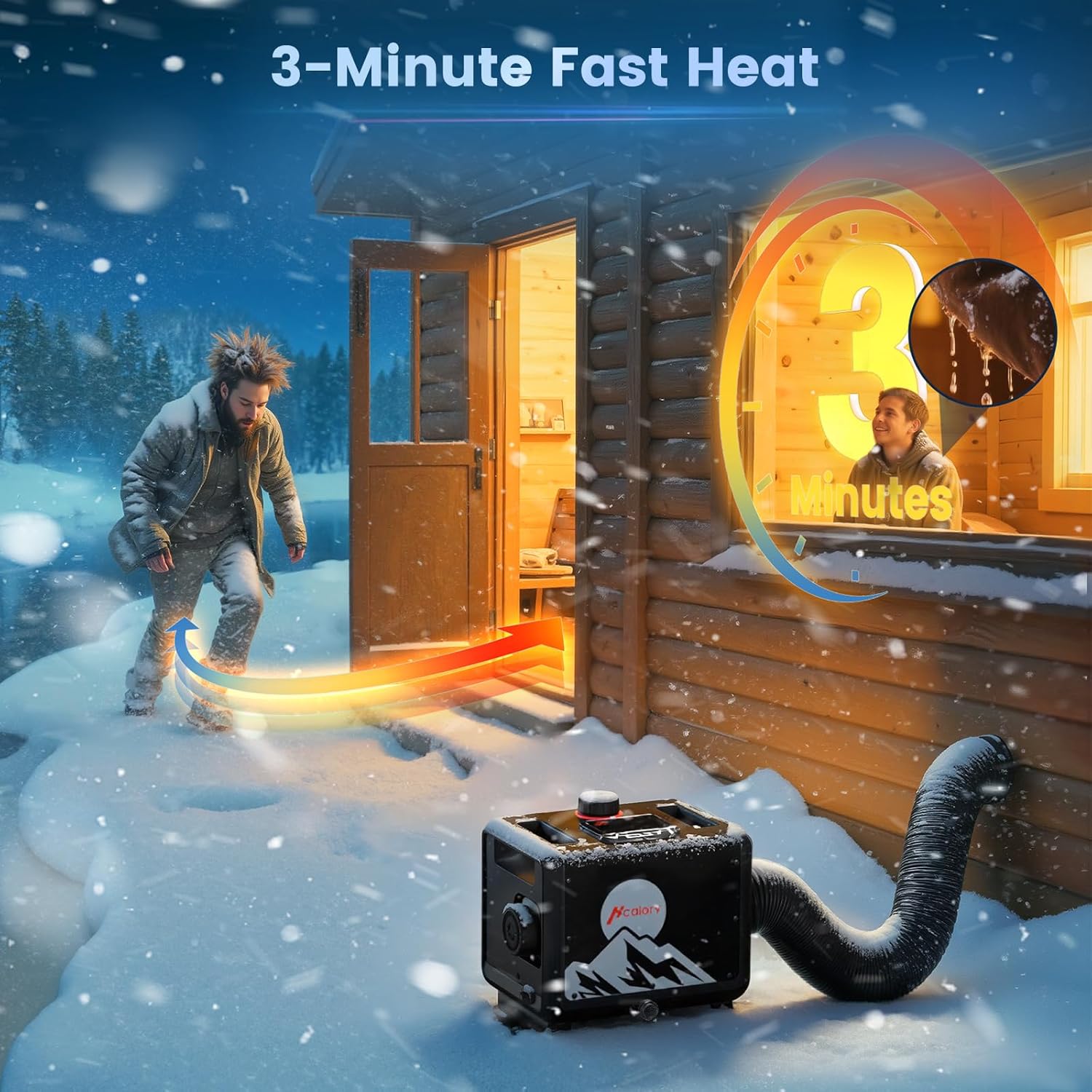
Figure 3.1: Example of external heater placement with hot air ducting.
3.3 Fueling the Heater
- Ensure the heater is turned off and cool before fueling.
- Open the fuel tank cap.
- Fill the 7.5L tank with clean diesel fuel. Do not use gasoline or other flammable liquids.
- Do not overfill. Securely close the fuel tank cap after filling.

Figure 3.2: The 7.5L fuel tank provides extended operation.
3.4 Connecting Power
- The heater supports 110V AC (via adapter), 12V DC, and 24V DC power sources.
- Connect the appropriate power cable to the heater.
- For 110V AC, use the provided power adapter.
- For 12V or 24V DC, ensure correct polarity when connecting to a battery.
4. Operating Instructions
4.1 Initial Start-up (Priming)
For the first use or after running out of fuel, the system may need to be primed to ensure fuel reaches the combustion chamber. This model is designed to minimize the need for manual priming.
- Ensure the fuel tank is filled.
- Turn on the heater. The unit will attempt to start.
- If it fails to ignite after a few attempts, turn it off and on again. The fuel pump will cycle to draw fuel. Repeat this process a few times if necessary.
4.2 Using the Control Panel
The integrated control panel allows direct operation and monitoring of the heater.
- Power Button: Press to turn the heater on or off.
- Temperature/Gear Setting: Adjust the desired temperature or heating power level.
- Mode Selection: Cycle through various modes such as heating, fan, or altitude mode.
- Display: Shows current temperature, power level, voltage, and error codes.

Figure 4.1: Heater control panel interface.
4.3 Wireless Remote Control
The wireless remote control acts as an external thermostat, providing precise temperature regulation from your heated space.
- Pairing: Refer to the remote control's specific instructions for initial pairing with the main unit.
- Temperature Sensing: Place the remote in the area where you want to maintain the desired temperature. The heater will adjust its output based on the remote's readings.
- Functions: Power on/off, adjust temperature, switch modes.

Figure 4.2: Wireless remote control for precise temperature management.
4.4 App Control
Download the HCALORY app from your smartphone's app store to access advanced control features.
- Download App: Search for "HCALORY" in your app store.
- Pairing: Follow in-app instructions to connect your heater via Bluetooth or Wi-Fi.
- Features:
- Altitude Mode activation and adjustment.
- Precise temperature setting.
- Timer functions for scheduled operation.
- Fan mode control.
- Automatic start and stop based on set parameters.

Figure 4.3: App control interface for advanced settings.
4.5 Altitude Mode
The heater automatically adjusts its combustion parameters for optimal performance at altitudes up to 18,000 feet, ensuring consistent heat output and fuel efficiency.
- Activate Altitude Mode via the control panel or the HCALORY app when operating at high elevations.
- The system will intelligently adjust the air-to-fuel ratio for complete combustion.
5. Maintenance
Regular maintenance ensures the longevity and efficient operation of your diesel heater.
5.1 Cleaning
- Exterior: Wipe the exterior with a damp cloth. Do not use abrasive cleaners or solvents.
- Air Intake/Exhaust: Periodically check and clear any obstructions from the air intake and exhaust pipes.
- Fuel Filter: Inspect the fuel filter for debris. Clean or replace as needed.
5.2 Fuel System
- Use only clean, high-quality diesel fuel.
- Avoid storing the heater with old or contaminated fuel for extended periods.
- If storing for the off-season, drain the fuel tank or run the heater until the tank is empty to prevent fuel degradation.
5.3 Storage
- Store the heater in a dry, cool place away from direct sunlight and extreme temperatures.
- Ensure all connections are secure and the unit is clean before storage.
6. Troubleshooting
This section addresses common issues you might encounter. For problems not listed here, contact customer support.
| Problem | Possible Cause | Solution |
|---|---|---|
| Heater does not start/ignite | Low fuel level, air in fuel line, power issue, clogged fuel filter. | Check fuel level and refill. Cycle power to prime fuel pump. Check power connections. Inspect and clean fuel filter. |
| Error Code E042 | Fuel pump malfunction or connection issue. | Check fuel pump connections for looseness or corrosion. Verify voltage to the pump. If issues persist, the pump may need replacement. |
| Weak heat output | Low power setting, clogged air intake/exhaust, incorrect altitude mode. | Increase power setting. Clear any obstructions. Ensure altitude mode is correctly set for your elevation. |
| Excessive smoke | Poor combustion, incorrect fuel type, clogged exhaust. | Ensure clean diesel fuel is used. Check and clear exhaust pipe. Verify altitude mode settings. |
| Remote control not responding | Batteries low, not paired, out of range. | Replace remote batteries. Re-pair the remote with the heater. Ensure remote is within operating range. |
7. Specifications
| Feature | Detail |
|---|---|
| Model | TB-MAX |
| Heating Power | 8KW |
| Fuel Type | Diesel |
| Fuel Tank Capacity | 7.5 Liters |
| Voltage | 110V AC (via adapter), 12V DC, 24V DC |
| Operating Altitude | Up to 18,000 feet (with Altitude Mode) |
| Control Methods | Integrated Control Panel, Wireless Remote Control, Smartphone App |
| Noise Level | Approximately 65 dB (air duct outlet), silent fuel pump |
| Dimensions (Package) | 20.47 x 18.79 x 13.78 inches |
| Weight | 28.7 pounds |
8. Warranty and Support
For warranty information, technical support, or service inquiries, please contact HCALORY customer service through the retailer where the product was purchased or visit the official HCALORY website.
Online Resources:
- HCALORY Official Store on Amazon
- Refer to your purchase documentation for specific warranty terms.


