
GUY-TECH 50710E01075
Contents
GUY-TECH 8V AC-DC Adapter User Manual
Model: 50710E01075
Introduction
This user manual provides essential information for the safe and effective use of your GUY-TECH 8V AC-DC Adapter. This power supply is specifically designed to be compatible with the Brookstone Alarm Clock Model NO.4511 (SKU# 634022). It offers a reliable and efficient power solution for your device.
The adapter is engineered for convenience, portability, and storage, featuring high efficiency and low energy consumption. It operates with minimal heat generation and noise, ensuring stable performance. Built-in protection mechanisms safeguard your device against over-voltage, over-current, and short-circuit conditions.
Safety Information
Please read and understand all safety instructions before using this product. Failure to follow these instructions may result in electric shock, fire, or damage to the adapter or connected device.
- Ensure the adapter's voltage and current ratings match the requirements of your device. This adapter is specifically designed for 8V devices, such as the Brookstone Alarm Clock Model NO.4511.
- Do not expose the adapter to water, moisture, or extreme temperatures.
- Avoid dropping or subjecting the adapter to strong impacts.
- Do not disassemble, modify, or attempt to repair the adapter. Refer all servicing to qualified personnel.
- Unplug the adapter from the power outlet when not in use for extended periods.
- Keep out of reach of children.
- Ensure proper ventilation around the adapter during operation. Do not cover it with cloth or other materials.
- The adapter features Over Voltage Protection, Over Current Protection, and Short Circuit Protection to safeguard your connected device.
Product Overview
The GUY-TECH 8V AC-DC Adapter is a compact and robust power supply unit. It consists of a main adapter body with an integrated AC plug and an attached DC output cable with a compatible connector.

Figure 1: The GUY-TECH 8V AC-DC Adapter, showcasing its compact design and the coiled output cable.

Figure 2: Detailed view highlighting the American plug type, the robust thick copper core within the cable for efficient power transfer, and the flexibility of the power cord for easy handling and storage.

Figure 3: The physical dimensions of the adapter, measuring approximately 1.58 inches in width, 1.18 inches in depth, and 2.92 inches in length, illustrating its compact size.
Setup
Setting up your GUY-TECH 8V AC-DC Adapter is straightforward. Follow these steps to power your compatible device:
- Verify Compatibility: Ensure your device, such as the Brookstone Alarm Clock Model NO.4511, requires an 8V AC-DC power supply with a compatible connector type.
- Connect to Device: Carefully insert the DC output connector of the adapter into the power input port of your Brookstone Alarm Clock or other compatible device. Ensure a snug and secure connection.
- Connect to Power Outlet: Plug the AC prongs of the adapter into a standard AC 100V-240V wall outlet.
- Power On Device: Once connected, your device should receive power. Refer to your device's manual for specific power-on instructions.
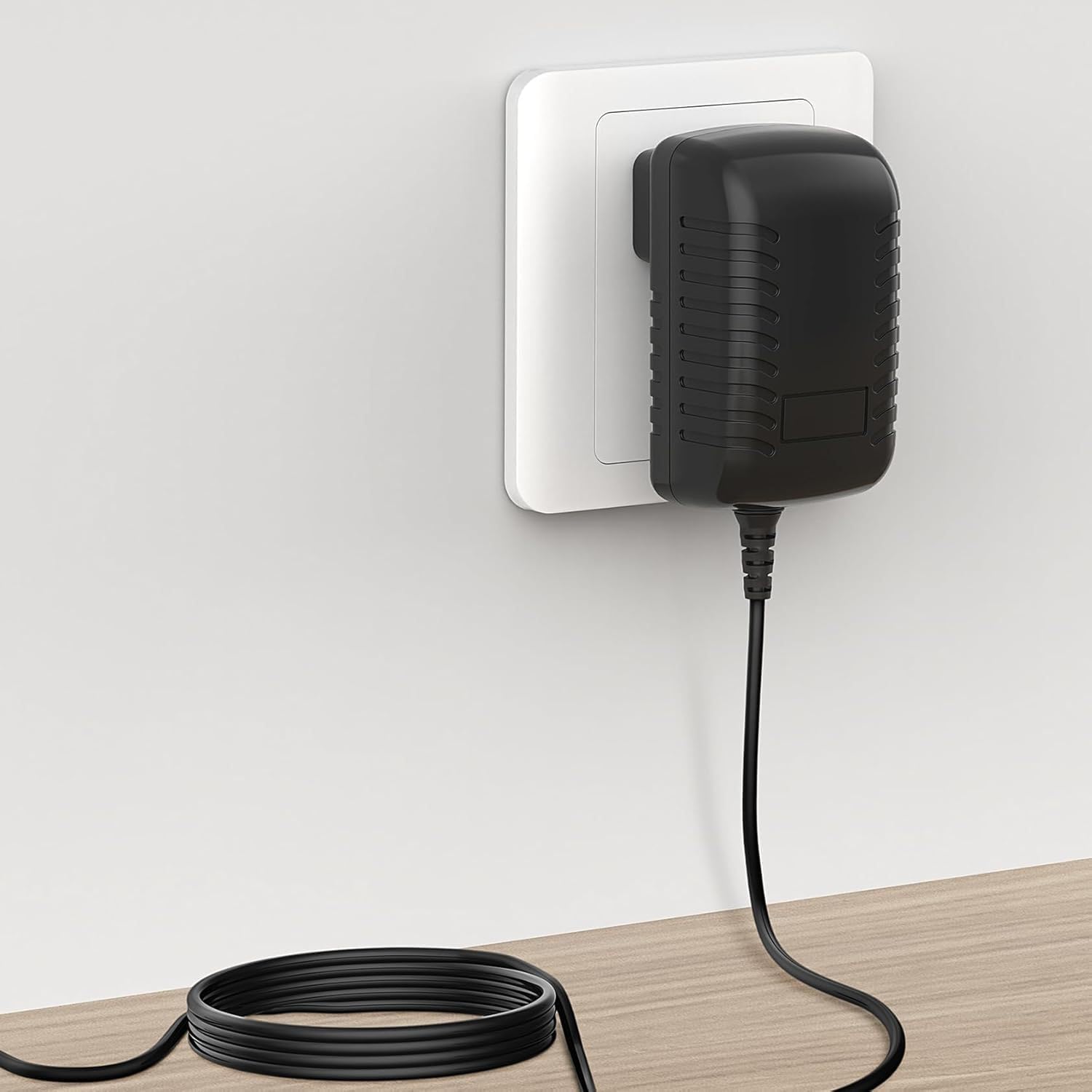
Figure 4: The GUY-TECH AC-DC Adapter securely plugged into a standard wall outlet, ready to provide power.
Operating Instructions
The GUY-TECH 8V AC-DC Adapter operates automatically once connected to a power source and a compatible device. It provides a stable 8V DC output to power your electronics.
- The adapter is designed for continuous operation within its specified limits.
- It features high power exchange efficiency, which helps control the working temperature and ensures stable operation.
- No user intervention is required for its basic function. Simply plug it in and ensure your device is receiving power.
Maintenance
Proper maintenance ensures the longevity and reliable performance of your adapter.
- Cleaning: Disconnect the adapter from the power outlet and the device before cleaning. Use a soft, dry cloth to wipe the exterior. Do not use liquid cleaners or aerosols.
- Storage: When not in use, store the adapter in a cool, dry place, away from direct sunlight and extreme temperatures. Avoid tightly coiling the cable to prevent damage.
- Inspection: Periodically inspect the adapter and cable for any signs of damage, such as frayed wires, bent prongs, or cracks in the casing. If damage is found, discontinue use immediately and replace the adapter.
Troubleshooting
If you encounter issues with your GUY-TECH 8V AC-DC Adapter, refer to the following common problems and solutions:
| Problem | Possible Cause | Solution |
|---|---|---|
| Device not receiving power. |
|
|
| Adapter feels excessively hot. |
|
|
Specifications
The following are the technical specifications for the GUY-TECH 8V AC-DC Adapter:
| Feature | Detail |
|---|---|
| Brand | GUY-TECH |
| Model Number | 50710E01075 |
| Input Voltage | AC 100V - 240V (Worldwide Use) |
| Output Voltage | 8V DC (Specific output current not provided, assume compatible with Brookstone Alarm Clock Model NO.4511) |
| Compatible Devices | Brookstone Alarm Clock Model NO.4511, Monitors, Printers, Speakers, Tablets (requiring 8V power) |
| Special Features | Travel-friendly, Over Voltage Protection, Over Current Protection, Short Circuit Protection |
| Power Source Type | Corded Electric |
| Connector Type | Powerline (DC Barrel Plug) |
| Material Type | Metal Plastic Composite |
| Color | Black |
| Certifications | CCC, CE, RoHS |
Warranty and Support
For information regarding warranty coverage or technical support for your GUY-TECH 8V AC-DC Adapter, please refer to the product packaging or contact the seller directly. Keep your purchase receipt as proof of purchase for any warranty claims.
Documents and downloads
Ask a question about this manual
Ask about setup, troubleshooting, compatibility, parts, safety, or missing instructions. Manuals+ will review the question and use this page’s manual context to help answer it.