
KOSPET PLUSE
Contents
KOSPET Pulse Smart Watch User Manual
Model: PLUSE
Introduction
Welcome to the KOSPET Pulse Smart Watch user manual. This guide provides comprehensive instructions on how to set up, operate, and maintain your new KOSPET Pulse Smart Watch. Designed for an active lifestyle, the KOSPET Pulse features a vibrant 1.96" AMOLED display, extensive health monitoring capabilities, and over 175 sports modes. Please read this manual carefully to ensure optimal performance and longevity of your device.
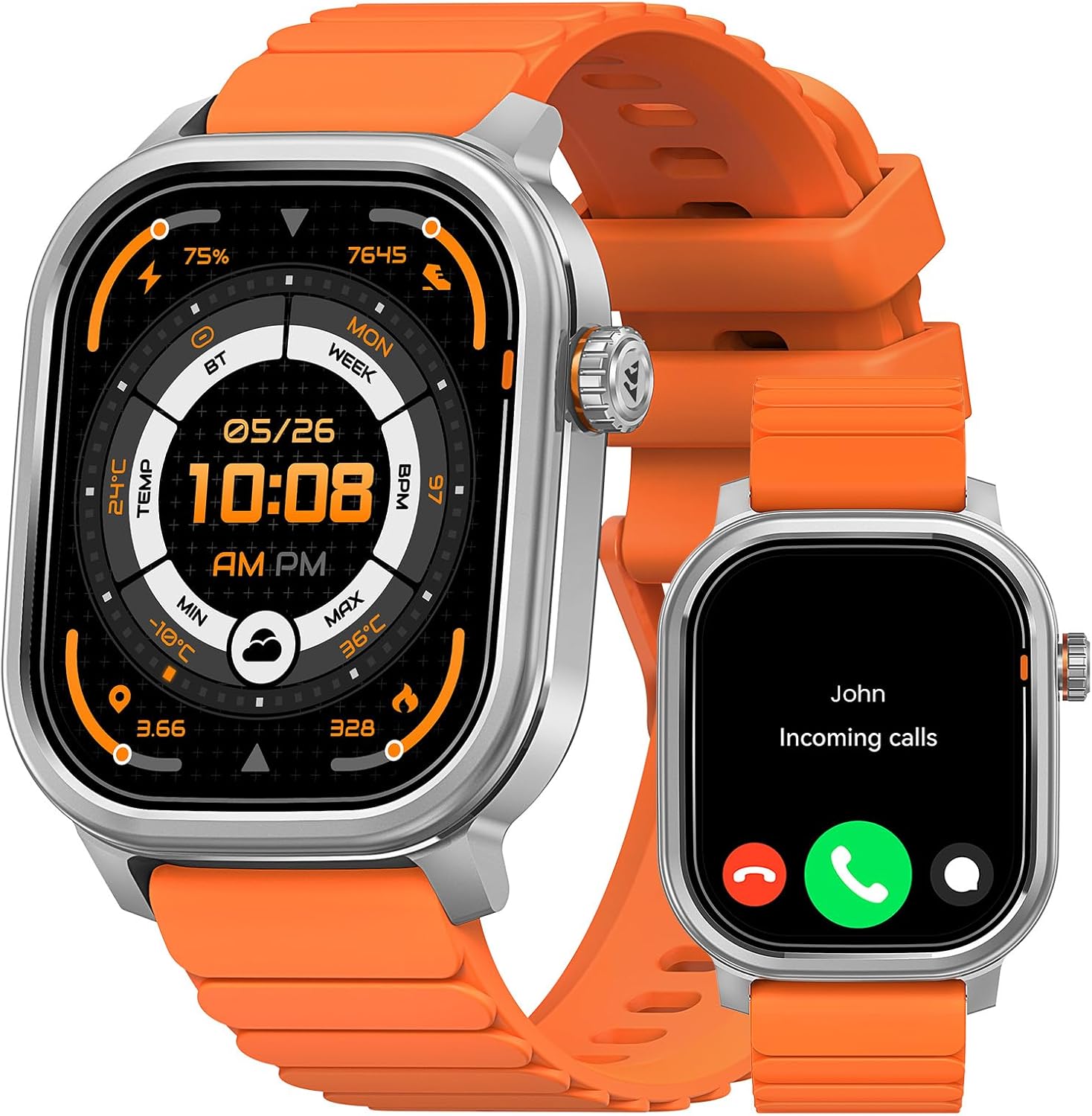
The KOSPET Pulse Smart Watch in Icy Silver, showcasing its main display and a secondary view of an incoming call notification.
What's in the Box
Upon unboxing your KOSPET Pulse Smart Watch, please verify that all the following items are included:
- 1x KOSPET Pulse Smart Watch
- 1x Charging Cable
- 1x User Manual (this document)

An illustration detailing the size and packaging contents of the KOSPET Pulse Smart Watch.
Setup Guide
1. Charging the Device
Before first use, fully charge your KOSPET Pulse Smart Watch. Connect the magnetic charging cable to the charging points on the back of the watch and plug the USB end into a compatible power adapter (not included) or a computer's USB port.

The KOSPET Pulse Smart Watch being charged with its magnetic cable, indicating battery level.
2. Downloading the Apexmove App
The KOSPET Pulse Smart Watch requires the Apexmove app for full functionality, data synchronization, and personalized settings. Download the app from the Apple App Store (for iOS devices) or Google Play Store (for Android devices).
- Search for "Apexmove" in your device's app store.
- Install the application.
- Create an account or log in if you already have one.

The Apexmove app interface and download options for iOS and Android devices.
3. Pairing with Your Smartphone
Follow these steps to connect your KOSPET Pulse to the Apexmove app via Bluetooth:
- Ensure your KOSPET Pulse Smart Watch is powered on and sufficiently charged.
- Open the Apexmove app on your smartphone.
- Navigate to the "Device" section within the app and select "Add a new device."
- The app will search for nearby devices. Select "KOSPET Pulse" from the list.
- Confirm the pairing request on both your watch and smartphone.
- Allow necessary permissions for notifications and data synchronization.

Visual instructions for connecting your KOSPET Pulse Smart Watch to the Apexmove app.
4. Notification Setup (iOS & Android)
To receive messages and app notifications on your watch, configure settings in the Apexmove app and your phone's system settings.
For iOS Devices:
- Ensure the Apexmove app remains active in the background.
- Disable "Do Not Disturb" and "Low Power Mode" on your iPhone.
- In the Apexmove app, go to "Device" and then "SMS Reminder" or "App Notification" to enable desired apps.
- Go to your iPhone's "Settings" > "Notifications" and ensure "Apexmove" has access.

Instructions for setting up notifications on iOS devices.
For Android Devices:
- Ensure the Apexmove app remains active (you may need to add it to the whitelist in battery settings).
- In the Apexmove app, go to "Device" and then "SMS Reminder" or "App Notification" to enable desired apps.
- Go to your Android phone's "Settings" > "Apps & notifications" > "Apexmove" > "Notifications" and enable access.

Instructions for setting up notifications on Android devices.
Operating Your KOSPET Pulse
Basic Navigation
The KOSPET Pulse features a responsive touch screen and a high-sensitivity rotating crown for intuitive navigation.
- Touch Screen: Swipe left/right, up/down to navigate through menus and notifications. Tap to select items.
- Rotating Crown: Rotate to scroll through lists or adjust settings. Press to return to the home screen or confirm selections.

Detailed view of the KOSPET Pulse's design elements, including the rotating crown and display.
Bluetooth Calling & Music Control
With Bluetooth 5.3, you can make and receive calls directly from your watch and control music playback on your paired smartphone.
- Making/Receiving Calls: Access the dialer or contacts on your watch. When a call comes in, you can answer or reject it directly from the watch.
- Music Control: Navigate to the music control interface on your watch to play, pause, skip tracks, and adjust volume for music playing on your phone.
The KOSPET Pulse Smart Watch's capabilities for answering calls, controlling music, and displaying app notifications.
Sports Modes & Activity Tracking
The KOSPET Pulse offers over 175 sports modes and smart recognition for 6 common activities, helping you track your workouts effectively.
- Automatic Recognition: The watch can automatically detect and record activities like walking, running, cycling, and elliptical workouts.
- Manual Selection: For other sports, manually select the desired mode from the watch's sports menu to get accurate tracking of calories, steps, distance, and more.
- Apexmove App Integration: Sync your workout data to the Apexmove app for detailed analysis, personalized training plans, and performance tracking.

The KOSPET Pulse Smart Watch tracking various sports activities and displaying workout data in the Apexmove app.
24/7 Health Monitoring
Monitor your health around the clock with the KOSPET Pulse's advanced sensors.
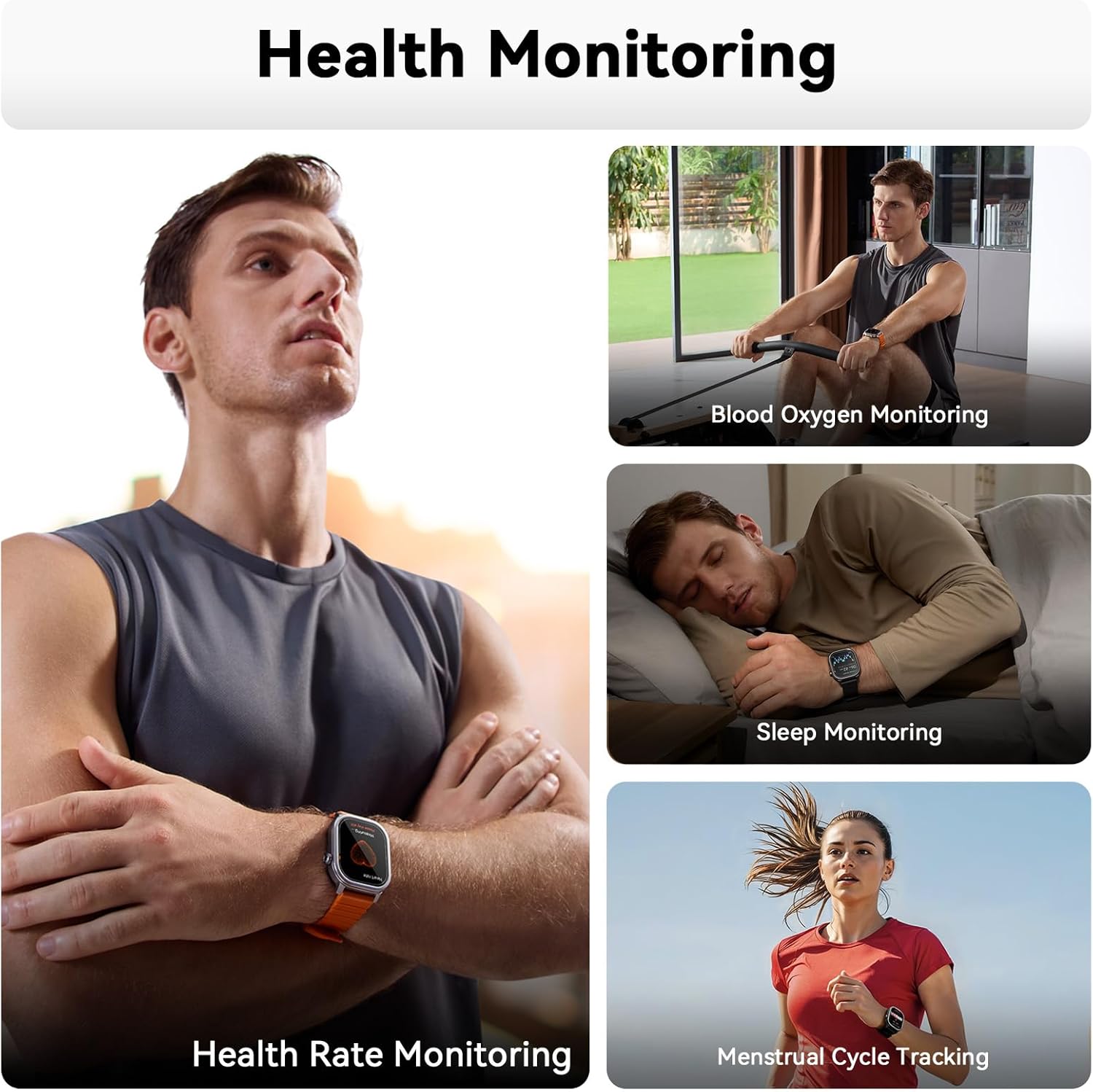
- Heart Rate Monitoring: Continuous heart rate tracking provides insights into your cardiovascular health.
- Blood Oxygen (SpO₂) Monitoring: Measure your blood oxygen saturation levels to assess respiratory health.
- Sleep Tracking: Analyze your sleep patterns, including deep sleep, light sleep, and awake times, to improve sleep quality.
- Stress & Mood Tracking: Understand your stress levels and mood trends throughout the day.
- Menstrual Cycle Tracking: For female users, track and predict menstrual cycles with personalized insights and reminders.

Visual representation of the KOSPET Pulse's health monitoring capabilities.
Maintenance
Water Resistance (IP68)
The KOSPET Pulse Smart Watch is IP68 waterproof, meaning it can withstand splashes, rain, and brief immersion in water. It is suitable for hand washing and light water activities. However, it is not recommended for diving, hot showers, or prolonged submersion.
- After exposure to water, gently wipe the watch dry with a soft cloth.
- Do not press buttons underwater.
- Avoid exposing the watch to hot water or steam, as this can compromise the seals.

The KOSPET Pulse Smart Watch submerged in water, highlighting its IP68 waterproof capability.
Cleaning Your Watch
Regular cleaning helps maintain the appearance and functionality of your watch.
- Wipe the screen and body with a soft, lint-free cloth.
- For stubborn dirt, dampen the cloth slightly with water. Do not use harsh chemicals or abrasive materials.
- Clean the charging contacts periodically to ensure good connection.
Battery Life Optimization
The KOSPET Pulse boasts an ultra-long battery life. To maximize it:
- Reduce screen brightness.
- Limit the use of Always-On Display (AOD) if not needed constantly.
- Turn off unnecessary notifications.
- Disable continuous heart rate monitoring if not required 24/7.

Battery life estimates for the KOSPET Pulse Smart Watch under various usage conditions.
Troubleshooting
If you encounter issues with your KOSPET Pulse Smart Watch, try the following solutions:
| Problem | Possible Solution |
|---|---|
| Watch not turning on | Ensure the watch is fully charged. Connect it to the charger for at least 30 minutes. |
| Cannot pair with phone |
|
| Notifications not appearing |
|
| Inaccurate health data |
|
| Short battery life | Refer to the "Battery Life Optimization" section in Maintenance. Reduce screen brightness, limit AOD, and turn off unnecessary features. |
For further assistance, please refer to the FAQ section within the Apexmove app or contact KOSPET customer support.
Specifications
| Feature | Detail |
|---|---|
| Brand | KOSPET |
| Model Number | PLUSE |
| Screen Size | 1.96 Inches AMOLED |
| Display Resolution | 410x502 (from A+ content image) |
| Peak Brightness | 1,000 nits (from A+ content image) |
| Screen Material | Corning Gorilla Glass |
| Water Resistance | IP68 |
| Battery Capacity | 350 Milliamp Hours |
| Typical Battery Life | 14-17 Days |
| Heavy Usage Battery Life | 9-11 Days |
| Standby Battery Life | 25+ Days |
| Connectivity | Bluetooth 5.3 |
| Operating System | Compatible for Android (5.1+) and iOS (10.0+) |
| Sports Modes | 175+ (including 6 auto-recognized) |
| Health Monitoring | Heart Rate, SpO₂, Sleep, Stress, Menstrual Cycle |
| Item Weight | 6.7 ounces (44.5g - from feature bullets) |
| Dimensions | 4.41 x 4.25 x 2.05 inches (Package) |

Key display specifications of the KOSPET Pulse Smart Watch.

Compatibility chart for KOSPET Pulse Smart Watch with iOS and Android devices.
Warranty and Support
KOSPET products are designed for reliability and performance. For warranty information specific to your region and purchase, please refer to the documentation provided at the time of purchase or visit the official KOSPET website.
Customer Support
If you require technical assistance, have questions about your KOSPET Pulse Smart Watch, or need to report an issue, please contact KOSPET customer support through their official website or the support section within the Apexmove app. Providing your product model (PLUSE) and purchase details will help expedite your request.
Official KOSPET Website: www.kospet.com
Ask a question about this manual
Ask about setup, troubleshooting, compatibility, parts, safety, or missing instructions. Manuals+ will review the question and use this page’s manual context to help answer it.