
Introduction
This manual provides essential information for the safe and efficient operation of your AEROZY Windowless Portable Evaporative Air Cooler, Model BUMAITS05. Please read these instructions carefully before use and retain them for future reference.

Image: The AEROZY BUMAITS05 evaporative air cooler, a tall white tower unit with a digital display, accompanied by its remote control.
Safety Instructions
- Always place the unit on a stable, level surface.
- Do not immerse the unit, power cord, or plug in water or other liquids.
- Unplug the unit from the power outlet when not in use, when moving, or before cleaning.
- Keep the unit away from heat sources and direct sunlight.
- Do not block air inlets or outlets.
- Ensure the water tank is properly secured before operation.
- Keep out of reach of children and pets.
Package Contents
- AEROZY Evaporative Air Cooler (1 unit)
- Instruction Manual (1 unit)
- Ice Boxes (3 units)
- Remote Control (1 unit)
Setup
1. Unpacking and Placement
Carefully remove all packaging materials. This unit features a slim, space-saving design (45.1" H x 8.7" W x 8.9" D) that fits neatly beside furniture or in tight corners. No window or exhaust hose is required for operation.

Image: Visual representation of the unit's handle for portability, the 1-gallon water tank, the tool-free assembly of the base, and the digital display.
2. Tool-Free Assembly
The base of the unit requires simple, tool-free assembly. Align the base with the main body and push firmly until it snaps into place.
3. Filling the Water Tank
The unit features an extra-large 1.06-gallon water tank for extended cooling. To fill, locate the water tank access point, typically at the top or rear of the unit. Pour clean, cool water into the tank, ensuring not to exceed the maximum fill line. The water level is visible at the front of the tower.
Video: A demonstration of filling the water tank of the AEROZY evaporative air cooler and inserting ice packs for enhanced cooling.
4. Using Ice Packs for Enhanced Cooling
For a stronger cooling effect, place the included ice packs (3 units) into the freezer until completely frozen. Once frozen, place them directly into the water tank along with the water. This boosts evaporative cooling, providing faster relief in hot conditions.

Image: Detailed view of the unit's dimensions (45.1" H, 11.8" W, 11.8" L), the three included ice boxes (5.5" x 3.4" x 1.0"), and the new designed remote control (4.7" x 1.6").
Operating Instructions
1. Power On/Off
Plug the unit into a standard electrical outlet. Press the power button on the control panel or the remote control to turn the unit on or off.
2. Digital Display and Controls
The unit features a digital display on the front, showing the current temperature and selected settings. Control buttons are located on the top panel of the unit and on the remote control for convenient operation from a distance.

Image: Illustrates the remote control functionality, showing options for 3 fan speeds, 4 operating modes (Natural, Normal, Cooling, Sleep), and other features like On/Off, Oscillation, and Timer.
3. Fan Speeds and Modes
Select from 3 fan speeds (low, medium, high) and 4 operating modes: Cool, Eco, Natural, or Sleep. Adjust settings based on your comfort preference and time of day.

Image: The air cooler positioned in a room, highlighting its ability to provide significant cooling volume and coverage.
4. Quiet Operation
The unit is designed for quiet operation, producing approximately 36.9dB, making it suitable for bedrooms and other quiet environments.

Image: The AEROZY air cooler operating quietly in a bedroom setting, highlighting its low noise level of 36.9dB.
5. Oscillation Function
Activate the oscillation function for dynamic, room-wide air distribution. The unit can oscillate up to 60 degrees to cover a larger area.
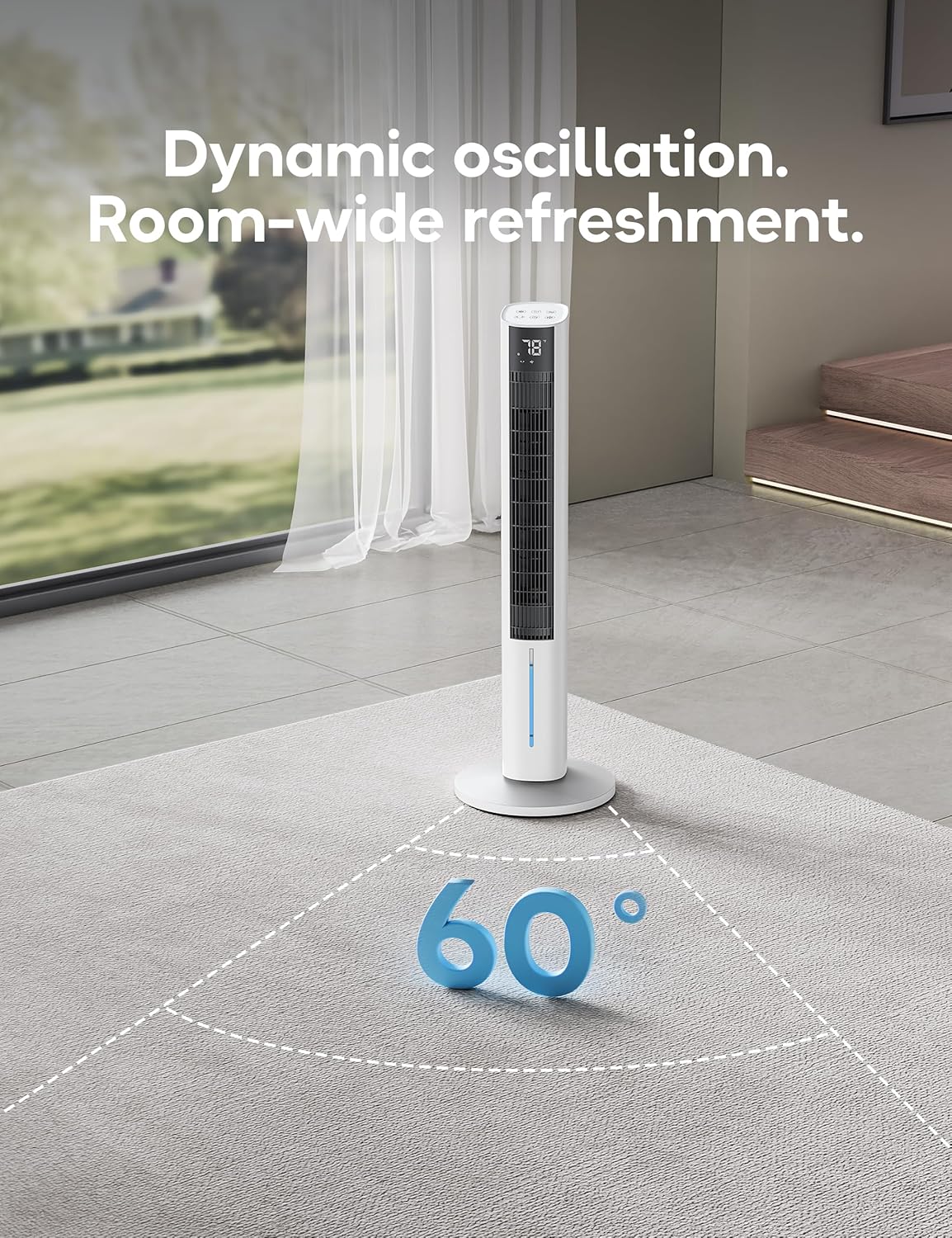
Image: The air cooler demonstrating its 60-degree oscillation feature, showing air being distributed widely across a room.
6. Timer Function
Set the 12-hour timer to automatically turn off the unit after a specified duration, ideal for overnight use or when leaving the room.

Image: The air cooler with a graphic indicating its 12-hour timer capability, suggesting long-lasting comfort.
Maintenance
1. Cleaning the Water Tank
Regularly clean the water tank to prevent mineral buildup and maintain optimal performance. Unplug the unit, remove the water tank, and wash it with mild soap and water. Rinse thoroughly before refilling.
2. Cleaning the Exterior
Wipe the exterior of the unit with a soft, damp cloth. Do not use abrasive cleaners or solvents.
3. Air Filter/Cooling Pad Maintenance
Periodically check the honeycomb cooling pad for dust or debris. Refer to the unit's specific design for instructions on how to access and clean or replace the cooling pad if necessary.
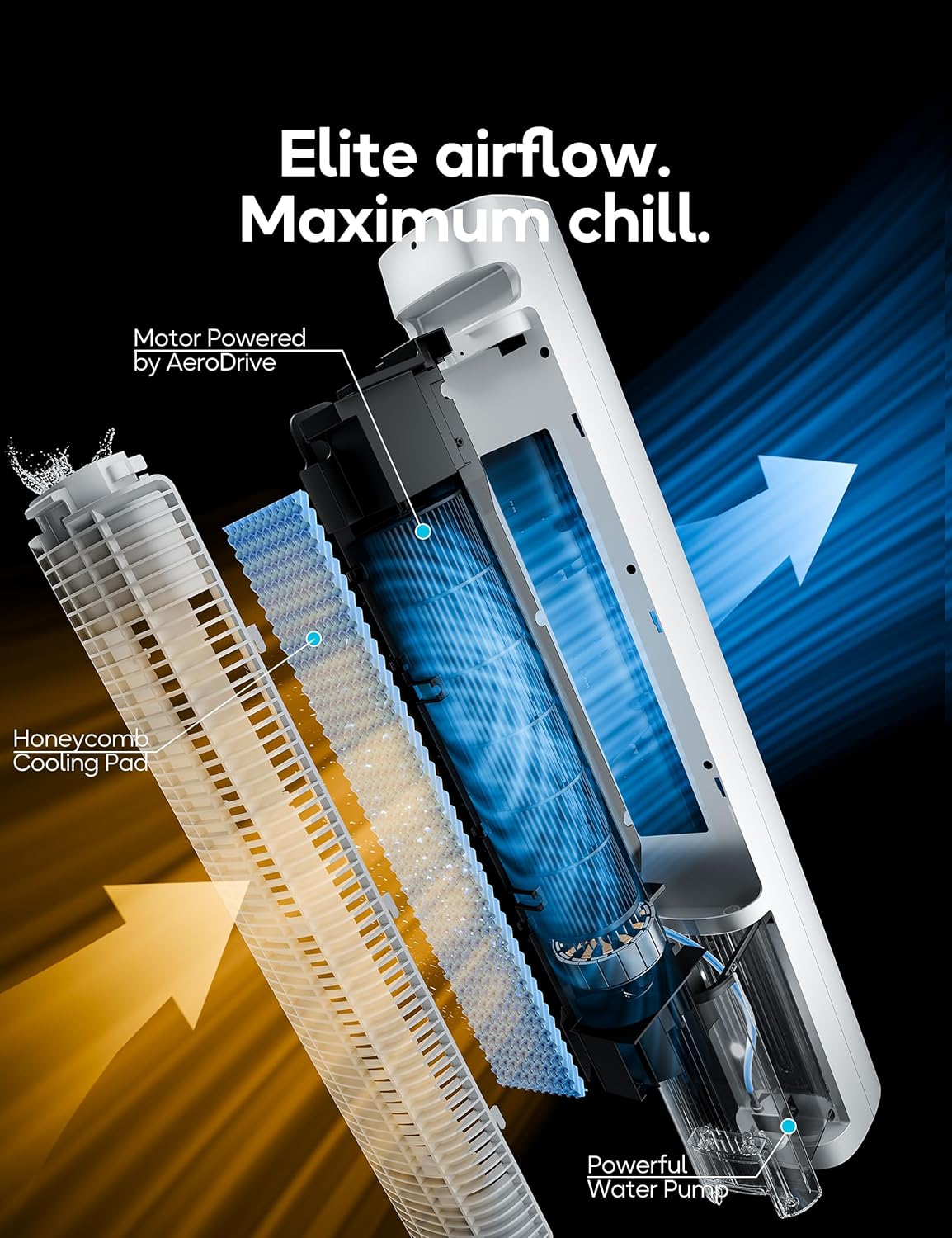
Image: An exploded view of the air cooler's internal components, highlighting the Honeycomb Cooling Pad, Powerful Water Pump, and the AeroDrive motor, which contribute to efficient airflow and cooling.
Troubleshooting
| Problem | Possible Cause | Solution |
|---|---|---|
| Unit does not turn on | No power supply; Power button not pressed. | Ensure the unit is plugged into a working outlet. Press the power button firmly. |
| Weak airflow or no cooling | Low water level; Dirty cooling pad; Fan speed too low. | Refill the water tank. Clean or replace the cooling pad. Increase the fan speed. Add frozen ice packs. |
| Water leakage | Water tank not properly seated; Overfilled water tank; Unit not on a level surface. | Ensure the water tank is securely in place. Do not overfill the tank. Place the unit on a flat, stable surface. |
| Unusual noise | Unit not on a level surface; Obstruction in fan; Water pump noise. | Place the unit on a flat surface. Check for and remove any obstructions. Some water bubbling noise from the pump is normal. |
Specifications
| Feature | Detail |
|---|---|
| Brand | AEROZY |
| Model Name | BUMAITS05 |
| Mounting Type | Freestanding |
| Special Feature | Portable |
| Color | White |
| Controls Type | Remote |
| Reservoir Capacity | 1.06 Gallons |
| Product Dimensions | 45.1"D x 8.7"W x 8.9"H |
| Item Weight | 14.77 pounds |
| Operation Mode | Automatic |
| Batteries Required? | Yes (for remote control) |
Warranty and Support
Warranty Information
This AEROZY product comes with a 1-Year Warranty. Please retain your proof of purchase for warranty claims.
Customer Support
For technical assistance, troubleshooting, or warranty inquiries, please contact AEROZY customer support. Refer to the product packaging or the official AEROZY website for contact details.