
1. Introduction
Thank you for choosing the HONOR Choice Over-Ear Bluetooth Headset. This manual provides essential information for setting up, operating, and maintaining your headphones to ensure optimal performance and longevity. Please read this manual thoroughly before use.
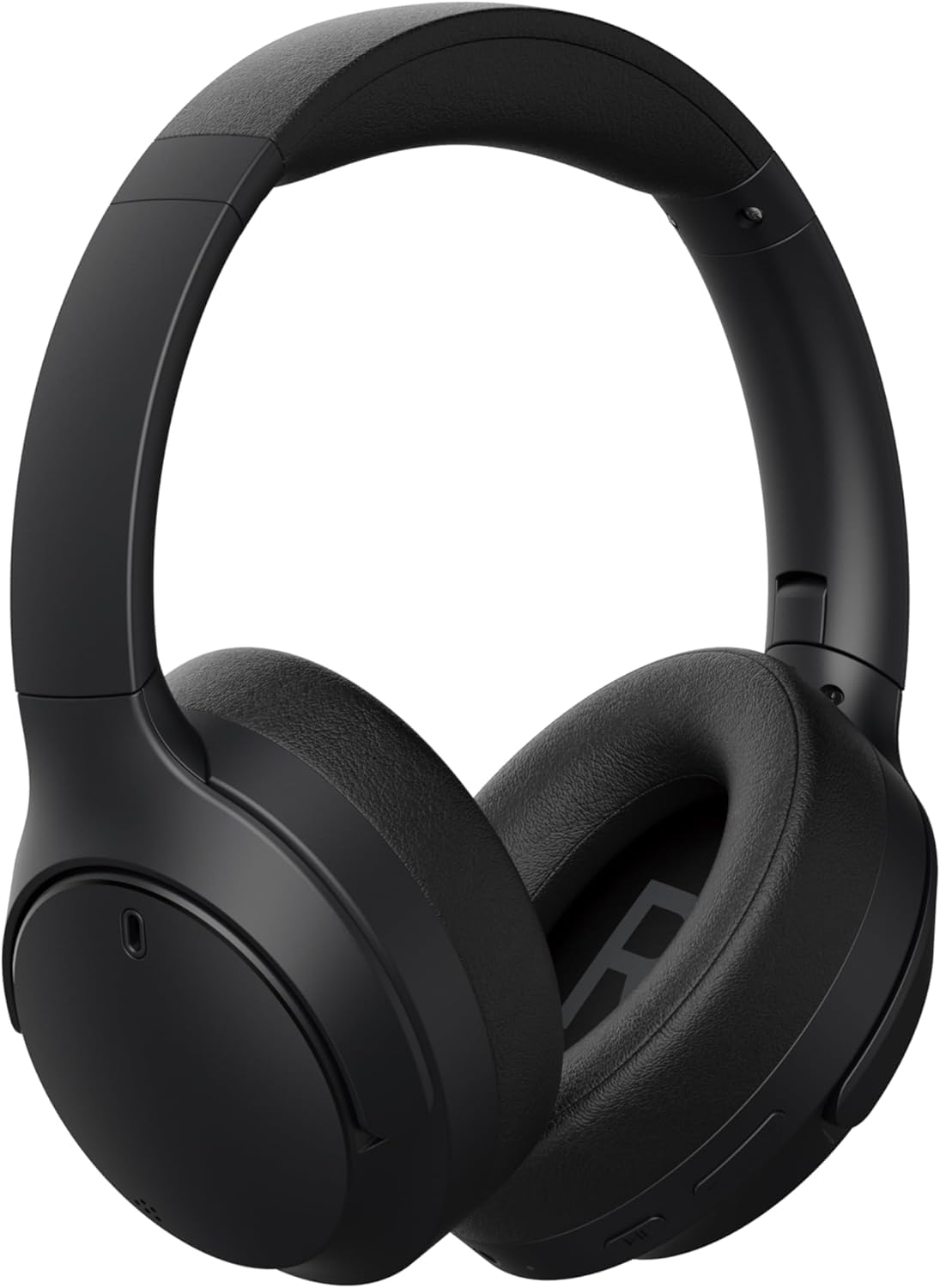
Image 1.1: Front view of the HONOR Choice Headphone.
Key Features:
- Hi-Res Audio Certified 40mm Drivers: Delivers high-resolution audio with deep bass and clear vocals.
- Massive 80-Hour Battery Life: Extended listening time on a single charge.
- ENC for Crystal-Clear Calls: Environmental Noise Cancellation reduces background noise for clear voice communication.
- Bluetooth 5.4 & Wired Connectivity: Offers stable wireless connection and a 3.5mm jack for wired use.
- Lightweight & Comfortable Design: Weighs 219g for extended wear comfort.
2. What's in the Box
Please check the contents of your package. If any items are missing or damaged, contact your retailer.
- HONOR Choice Headphone
- Sling Bag
- AUX Cable (3.5mm audio cable)
- Type-C Charging Cable
- User Manual (this document)
3. Product Overview
Familiarize yourself with the different parts of your HONOR Choice Headphone.

Image 3.1: Close-up view of the headphone controls, including power button, volume buttons, and playback controls.

Image 3.2: Close-up view of the charging port (USB-C) and 3.5mm audio jack.

Image 3.3: Top view of the headphones, showing the headband and earcups.
4. Setup
4.1 Charging the Headphones
Before first use, fully charge your headphones. Use the provided Type-C charging cable.
- Connect the Type-C end of the charging cable to the charging port on the headphone.
- Connect the USB-A end to a compatible USB power adapter (not included) or a computer's USB port.
- The LED indicator will show charging status (e.g., red for charging, blue/green for fully charged).
- A full charge takes approximately 2-3 hours.
4.2 Power On/Off
- To Power On: Press and hold the Power button for approximately 3 seconds until the LED indicator lights up and you hear a power-on prompt.
- To Power Off: Press and hold the Power button for approximately 5 seconds until the LED indicator turns off and you hear a power-off prompt.
4.3 Bluetooth Pairing
Pair your headphones with a Bluetooth-enabled device (e.g., smartphone, tablet, laptop).
- Ensure the headphones are powered off.
- Press and hold the Power button for approximately 5-7 seconds until the LED indicator flashes blue and red alternately, indicating pairing mode.
- On your device, enable Bluetooth and search for available devices.
- Select "HONOR Choice Headphone" from the list of found devices.
- Once connected, the LED indicator will flash blue slowly, and you will hear a connection prompt.
4.4 Wired Connection (AUX Mode)
Use the provided 3.5mm AUX cable for a wired connection, which does not require battery power.
- Plug one end of the 3.5mm AUX cable into the audio jack on the headphone.
- Plug the other end into the 3.5mm audio output of your device.
- The headphones will automatically switch to wired mode.
5. Operating Instructions
The HONOR Choice Headphone features intuitive touch controls and physical buttons for various functions.
5.1 Music Playback Controls
- Play/Pause: Press the Multi-function button once.
- Next Track: Press and hold the Volume Up button for 2 seconds.
- Previous Track: Press and hold the Volume Down button for 2 seconds.
- Volume Up: Short press the Volume Up button.
- Volume Down: Short press the Volume Down button.
5.2 Call Management
- Answer/End Call: Press the Multi-function button once.
- Reject Call: Press and hold the Multi-function button for 2 seconds.
- Activate Voice Assistant: Double-press the Multi-function button.
5.3 Environmental Noise Cancellation (ENC)
The ENC feature is automatically active during calls to reduce ambient noise for clearer communication.
6. Maintenance
6.1 Cleaning
- Wipe the headphones with a soft, dry, lint-free cloth.
- Do not use harsh chemicals, cleaning solvents, or strong detergents.
- Avoid getting moisture into any openings.
6.2 Storage
When not in use, store the headphones in the provided sling bag to protect them from dust and scratches.

Image 6.1: Headphones folded for compact storage in the sling bag.
- Store in a cool, dry place away from extreme temperatures and direct sunlight.
- Avoid placing heavy objects on the headphones.
7. Troubleshooting
If you encounter issues with your headphones, refer to the following common problems and solutions.
| Problem | Possible Solution |
|---|---|
| Headphones do not power on. | Ensure the headphones are charged. Connect to a power source using the Type-C cable. |
| Cannot pair via Bluetooth. |
|
| No sound or low volume. |
|
| Call quality is poor. |
|
8. Specifications
| Feature | Detail |
|---|---|
| Brand | HONOR |
| Model Number | 5504ABSJ |
| Color | Black |
| Ear Placement | Over Ear |
| Impedance | 32 Ohms |
| Connectivity Technology | Wired, Wireless |
| Wireless Technology | Bluetooth |
| Bluetooth Version | 5.4 |
| Headphone Jack | 3.5 mm Jack |
| Item Weight | 219 Grams |
| Noise Control | Environmental Noise Cancellation (ENC) |
| Frequency Range | 20Hz - 40,000Hz |
| Audio Driver Type | Dynamic Driver |
| Audio Driver Size | 40 Millimeters |
| Control Type | Touch Control |
| Battery Average Life | 80 Hours |
| Enclosure Material | Plastic |
| Compatible Devices | Cellphones, Laptops |
9. Warranty Information
This HONOR Choice Headphone comes with a 1-Year Seller Warranty from the date of purchase. This warranty covers manufacturing defects and workmanship under normal use.
The warranty does not cover:
- Damage caused by misuse, accident, abuse, negligence, or improper operation.
- Damage caused by unauthorized modification or repair.
- Normal wear and tear, including cosmetic damage.
- Damage caused by exposure to extreme temperatures or liquids.
Please retain your proof of purchase for warranty claims.
10. Support
For further assistance, technical support, or warranty inquiries, please contact your retailer or visit the official HONOR support website.
You may find additional resources and FAQs online by searching for "HONOR Choice Headphone support" or visiting the HONOR official website.

