
1. Introduction
Thank you for choosing the KOSPET Smart Watch. This manual provides detailed instructions on how to set up, operate, and maintain your new smartwatch. Designed for an active lifestyle, this device features a vibrant AMOLED display, comprehensive health tracking, multiple sports modes, and convenient Bluetooth calling.

Image: The KOSPET Smart Watch in Graphite Grey, showcasing its main display and a secondary image of the watch displaying an incoming call.
2. What's in the Box
Upon opening your KOSPET Smart Watch package, you should find the following items:
- 1 x KOSPET Smart Watch (Aluminum alloy)
- 1 x Charger Cable
- 1 x Watchband
- 1 x User Manual

Image: A visual representation of the KOSPET Smart Watch's dimensions (46mm width, 12mm thickness, 156.6mm-231.6mm strap range) and the contents of the retail packaging, including the watch, charger cable, watchband, and user manual.
3. Setup Guide
3.1. Initial Charging
Before first use, fully charge your KOSPET Smart Watch. Connect the magnetic charging cable to the charging points on the back of the watch and plug the USB end into a compatible power adapter (not included) or a computer's USB port. A full charge typically takes approximately 1-2 hours.

Image: The KOSPET Smart Watch connected to its charging cable, illustrating its 350mAh battery capacity and estimated battery life: 25+ days in Standby Mode, 14-17 days in AOD Mode, 9-11 days with Heavy Usage, and 3-5 days in AOD Mode (Always On Display).
3.2. App Installation (Apexmove)
To unlock the full potential of your KOSPET Smart Watch, download and install the official Apexmove app on your smartphone. This app allows for data synchronization, personalized settings, and advanced health insights.
- Scan the QR code in your physical manual or search for "Apexmove" in your device's app store.
- Download and install the app.
- Create an account or log in if you already have one.

Image: A smartphone displaying the Apexmove app interface, highlighting its features for creating personalized training plans and tracking unique data, with icons for App Store and Google Play downloads.
3.3. Pairing with Your Phone
Follow these steps to pair your KOSPET Smart Watch with your smartphone via Bluetooth:
- Download the 'Apexmove' app from Google Play Store or Apple App Store.
- Turn on your phone's Bluetooth.
- Go to 'Device' in the Apexmove app and click 'Add a new device'.
- Click 'Pair' in the pop-up window of the watch and the app.
- Enable 'Notifications' Permission when prompted.

Image: A five-step visual guide demonstrating how to connect the KOSPET Smart Watch to a smartphone, starting from downloading the Apexmove app, enabling Bluetooth, adding a new device in the app, confirming pairing, and granting notification permissions.
3.4. Enabling Notifications
To receive messages and app notifications on your watch, configure settings in the Apexmove app and your phone's system settings.
For iOS Devices:
- Connect watch & phone via Bluetooth.
- Go to "Device" and click to open "SMS".
- Go to "Device" and click "App", then enable for desired apps.
- Go to your phone's "Settings" to allow "Apexmove" to access "Notifications".

Image: A four-step visual guide for iOS users on how to receive message and app notifications on their KOSPET Smart Watch, including connecting via Bluetooth, enabling SMS and app notifications within the Apexmove app, and granting notification access in iPhone settings.
For Android Devices:
- Connect watch & phone via Bluetooth.
- Go to "Device" and click to open "SMS Reminder".
- Go to "Device" and click the NOTE to allow "Apexmove" to access "Notifications".
- Go to "Device" and click "App", then enable for desired apps.

Image: A four-step visual guide for Android users on how to receive message and app notifications on their KOSPET Smart Watch, detailing steps to connect via Bluetooth, enable SMS reminders, grant notification access to Apexmove, and select specific apps for notifications.
4. Operating Your Smart Watch
4.1. Basic Operation
The KOSPET Smart Watch features a responsive 1.43" AMOLED touchscreen and a high-sensitivity rotating crown for intuitive navigation. Swipe across the screen to access different functions and use the crown to scroll through menus or adjust settings.

Image: A close-up view of the KOSPET Smart Watch, highlighting its key design elements: a 1.43" AMOLED 1,000 nits Peak Brightness Corning Gorilla Glass display, a high-sensitivity rotating crown, an aluminum alloy bezel and frame, a glossy polymer bottom case, and a liquid silicone strap.
4.2. Bluetooth Calling
With Bluetooth 5.3 connectivity, you can make and answer calls directly from your wrist, ensuring you stay connected without needing to reach for your phone.
- Answering Calls: When a call comes in, tap the green answer icon on the watch screen.
- Making Calls: Access the dialer or contacts list on your watch to initiate a call.

Image: The KOSPET Smart Watch on a wrist, showing an incoming call screen and options for music control and notifications. Adjacent to it, a phone screen displays various app notification icons (Facebook, LINE, Instagram, YouTube, TALK, Twitter, Skype, WhatsApp, Gmail).
4.3. Health Monitoring
The KOSPET Smart Watch provides 24/7 health tracking to help you better understand your body and make informed lifestyle decisions.
- Heart Rate: Continuous heart rate monitoring throughout the day.
- SpO₂: Blood oxygen saturation measurement.
- Stress & Mood: Tracks stress levels and mood.
- Sleep Monitoring: Provides detailed sleep stage monitoring, daytime nap tracking, and in-depth sleep analysis.
- Menstrual Cycle Tracking: Designed for women, offering personalized insights and smart reminders.

Image: A man running outdoors with the KOSPET Smart Watch, accompanied by three circular icons illustrating the watch's 24/7 health monitoring capabilities: Blood Oxygen Monitoring (SpO2), One-Tap Health Check, and Menstrual Cycle Tracking.
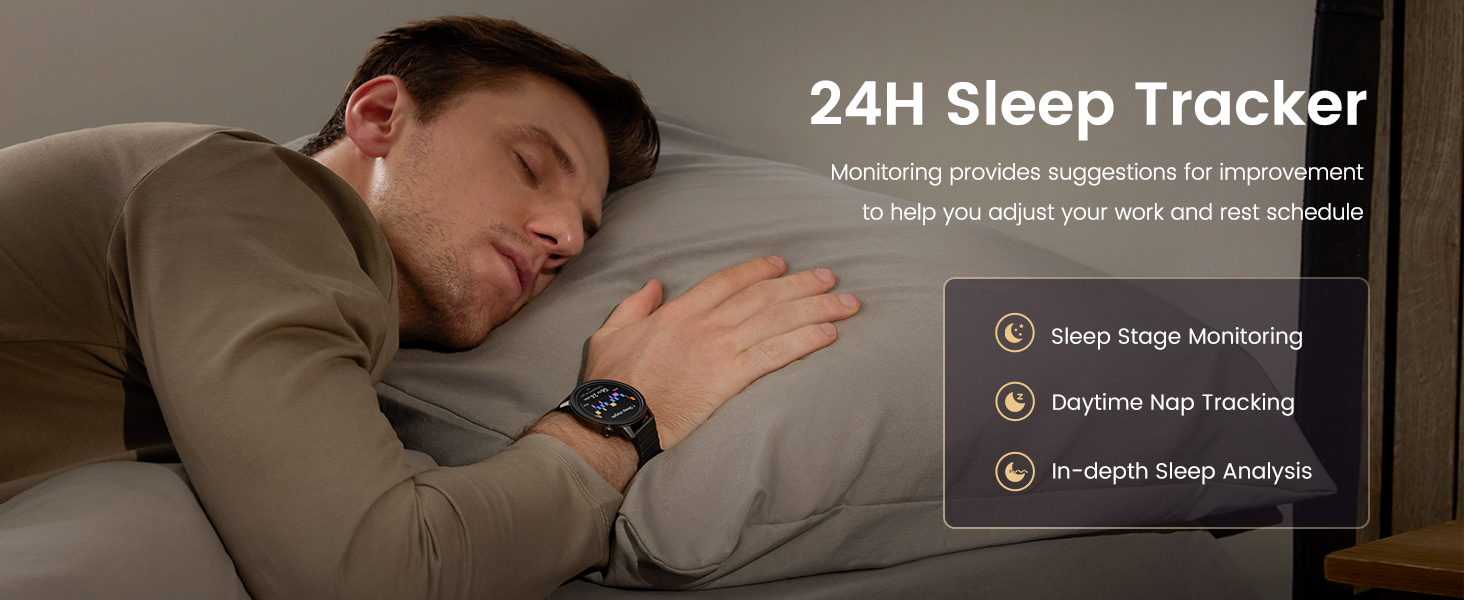
Image: A man sleeping with the KOSPET Smart Watch on his wrist, illustrating the 24-hour sleep tracker feature. Inset boxes highlight Sleep Stage Monitoring, Daytime Nap Tracking, and In-depth Sleep Analysis, with text indicating monitoring provides suggestions for improvement to help adjust work and rest schedules.
4.4. Fitness Tracking
The KOSPET Smart Watch supports over 170 sports modes and features smart recognition for six common activities, making it ideal for various fitness enthusiasts.
- 170+ Sports Modes: Track a wide range of activities including running, cycling, skateboarding, climbing, and more.
- 6 Smart Recognition Sports: Automatically detects walking, running, cycling, and elliptical workouts without manual selection.
- Metrics: Monitor calories burned, steps taken, and distance traveled.

Image: A collage showing individuals engaged in different sports activities (running, rowing, cycling) while wearing the KOSPET Smart Watch, emphasizing its 175+ sports modes and ability to effortlessly track workouts.
4.5. Daily Assistant Features
Your KOSPET Smart Watch is packed with essential tools for everyday convenience:
- Voice Assistant: Control your watch and phone with voice commands.
- Remote Photo Capture: Use your watch as a remote shutter for your phone's camera.
- Music Control: Manage music playback on your paired device.
- Alarm: Set alarms directly from your wrist.
- Calculator: Perform quick calculations.
- Sedentary Reminder: Get alerts to move after periods of inactivity.
- Weather Forecast: Check real-time weather updates.
- Stopwatch: Time your activities.
4.6. Customizing Watch Faces
Personalize your KOSPET Smart Watch with a variety of watch faces to match your style or mood. Choose from stunning built-in designs, dynamic animated watch faces, or upload your own photos.

Image: A central KOSPET Smart Watch displaying a mountain-themed watch face, surrounded by numerous other customizable watch face designs, illustrating the variety of built-in, animated, and photo options available to match any moment.
4.7. Water Resistance (IP68)
The KOSPET Smart Watch is IP68 waterproof, meaning it is resistant to dust and can withstand immersion in water up to 1.5 meters for 30 minutes. This makes it suitable for daily wear, hand washing, and light rain. Avoid hot water, steam, or prolonged immersion in deep water.

Image: The KOSPET Smart Watch partially submerged in water with bubbles, visually representing its IP68 waterproof rating and the ability to enjoy splashes without interruption.
5. Maintenance
Proper care and maintenance will extend the life of your KOSPET Smart Watch.
- Cleaning: Regularly wipe the watch screen and strap with a soft, dry cloth. For stubborn dirt, use a slightly damp cloth and dry thoroughly. Avoid harsh chemicals or abrasive materials.
- Charging: Always use the provided charging cable. Avoid charging in extreme temperatures.
- Storage: Store the watch in a cool, dry place when not in use. Avoid direct sunlight or extreme temperatures.
- Water Exposure: While IP68 rated, it is recommended to dry the watch thoroughly after exposure to water to prevent skin irritation and ensure longevity.
6. Troubleshooting
If you encounter issues with your KOSPET Smart Watch, try the following common troubleshooting steps:
- Watch Not Turning On: Ensure the watch is fully charged. Connect it to the charger for at least 10 minutes before attempting to power it on.
- Bluetooth Connection Issues:
- Ensure Bluetooth is enabled on both your watch and smartphone.
- Make sure the watch is within the Bluetooth range of your phone.
- Forget the device in your phone's Bluetooth settings and re-pair.
- Restart both your watch and smartphone.
- Inaccurate Health Data:
- Ensure the watch is worn snugly on your wrist, but not too tight.
- Clean the sensor on the back of the watch.
- Ensure your personal information (height, weight, age) is accurate in the Apexmove app.
- Notifications Not Appearing:
- Verify notification permissions are granted for the Apexmove app in your phone's settings.
- Check notification settings within the Apexmove app for specific applications.
- Ensure your phone is not in 'Do Not Disturb' or 'Low Power' mode.
- Short Battery Life:
- Reduce screen brightness.
- Limit the use of Always-On Display (AOD) if enabled.
- Disable continuous heart rate monitoring or set a longer interval.
- Close unnecessary background apps on the watch.
7. Specifications
| Feature | Detail |
|---|---|
| Model Number | ORB |
| Display Size | 1.43 Inches AMOLED |
| Screen Type | AMOLED with Corning Gorilla Glass |
| Battery Capacity | 350 Milliamp Hours |
| Typical Usage Battery Life | 14-17 Days |
| Heavy Usage Battery Life | 9-11 Days |
| AOD Mode Battery Life | 3-5 Days |
| Connectivity | Bluetooth 5.3 |
| Water Resistance | IP68 |
| Operating System Compatibility | Compatible for Android (5.1+) and iOS (10.0+) |
| Memory Storage Capacity | 256 MB |
| Item Weight | 8 ounces |
| Dimensions (Package) | 5 x 5 x 1.5 inches |
| Special Features | Activity Tracker, Always On Display, Multisport Tracker, Notifications, Carbonfree Certified, Voice Assistant, Phone Call |
| GPS | No GPS |
| Shape | Round |
8. Warranty and Support
KOSPET products are designed for reliability and performance. For specific warranty details, please refer to the warranty card included in your product packaging or visit the official KOSPET website. If you require further assistance or have questions not covered in this manual, please contact KOSPET customer support.


