
1. Introduction
Thank you for choosing the Homtronics DEKDM02B Electric Dehumidifier. This device is designed to efficiently remove excess moisture from the air in small spaces, helping to prevent mold, mildew, and musty odors. It features a 1.7-liter water tank, automatic shut-off, a timer function, and a 7-color LED night light. Please read this manual thoroughly before operating the dehumidifier to ensure safe and optimal performance.
2. Safety Instructions
- Read all instructions before using the appliance.
- Do not operate the dehumidifier with a damaged cord or plug. If the cord or plug is damaged, contact customer support.
- Ensure the power outlet voltage matches the voltage specified on the dehumidifier's rating label.
- Keep the dehumidifier away from heat sources, direct sunlight, and flammable materials.
- Do not immerse the dehumidifier, power cord, or plug in water or other liquids.
- Always unplug the dehumidifier before cleaning, maintenance, or when not in use.
- Do not block the air inlet or outlet. Maintain at least 10 cm (4 inches) clearance around the unit.
- This appliance is for indoor use only.
- Do not allow children to operate the dehumidifier without supervision.
- Place the dehumidifier on a stable, level surface to prevent tipping and water spillage.
3. Package Contents
Please check the package for the following items:
- Homtronics DEKDM02B Electric Dehumidifier
- Power Adapter
- User Manual (this document)
4. Product Overview
Familiarize yourself with the components of your Homtronics DEKDM02B Dehumidifier.
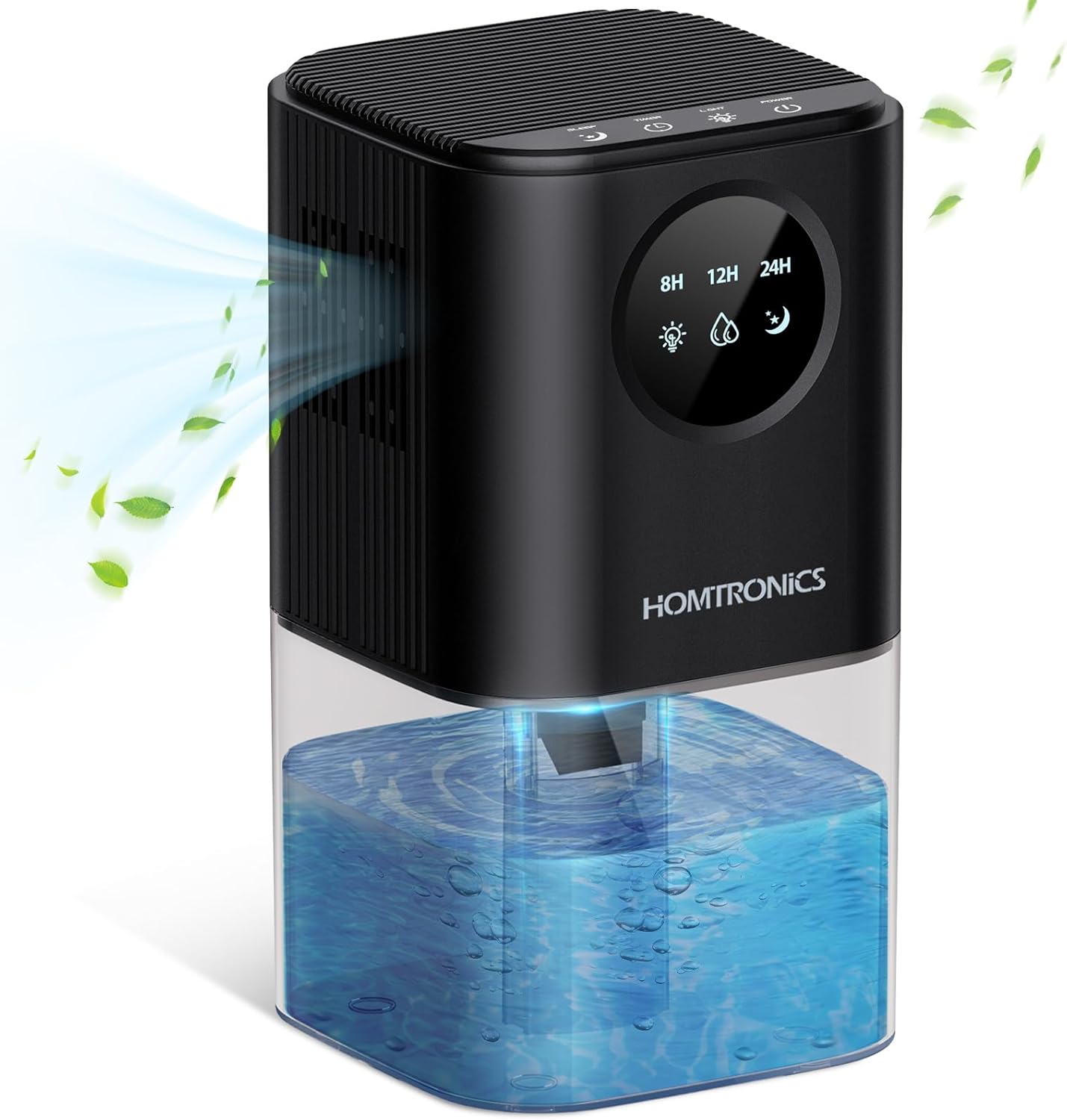
The dehumidifier consists of a main unit with a control panel on top and a removable water tank at the bottom. Air is drawn in through the back/sides, moisture is condensed, and dry air is expelled from the top/front. The transparent water tank allows for easy monitoring of the water level.
The control panel includes buttons for Power, Timer, and Light, along with indicators for timer settings (8H, 12H, 24H), humidity, and sleep mode.
5. Setup
- Unpack: Carefully remove the dehumidifier and all accessories from the packaging.
- Placement: Place the dehumidifier on a firm, level surface in the desired location. Ensure there is at least 10 cm (4 inches) of clear space around all sides for proper airflow. Avoid placing it near walls, furniture, or curtains that could obstruct the air inlets or outlets.
- Power Connection: Connect the power adapter to the dehumidifier's power input port, then plug the adapter into a suitable electrical outlet.
- Initial Check: Ensure the water tank is correctly seated in the unit and empty before first use.
6. Operating Instructions
6.1 Power On/Off
- Press the Power button () once to turn the dehumidifier ON. The unit will start operating in its default mode.
- Press the Power button again to turn the dehumidifier OFF.
6.2 Timer Function
The dehumidifier features a timer function to set operating durations of 8, 12, or 24 hours.

- Press the Timer button () repeatedly to cycle through the timer settings: 8H, 12H, 24H.
- The corresponding indicator (8H, 12H, or 24H) on the display will light up to confirm your selection.
- To deactivate the timer, press the Timer button until no timer indicator is lit.
6.3 LED Night Light
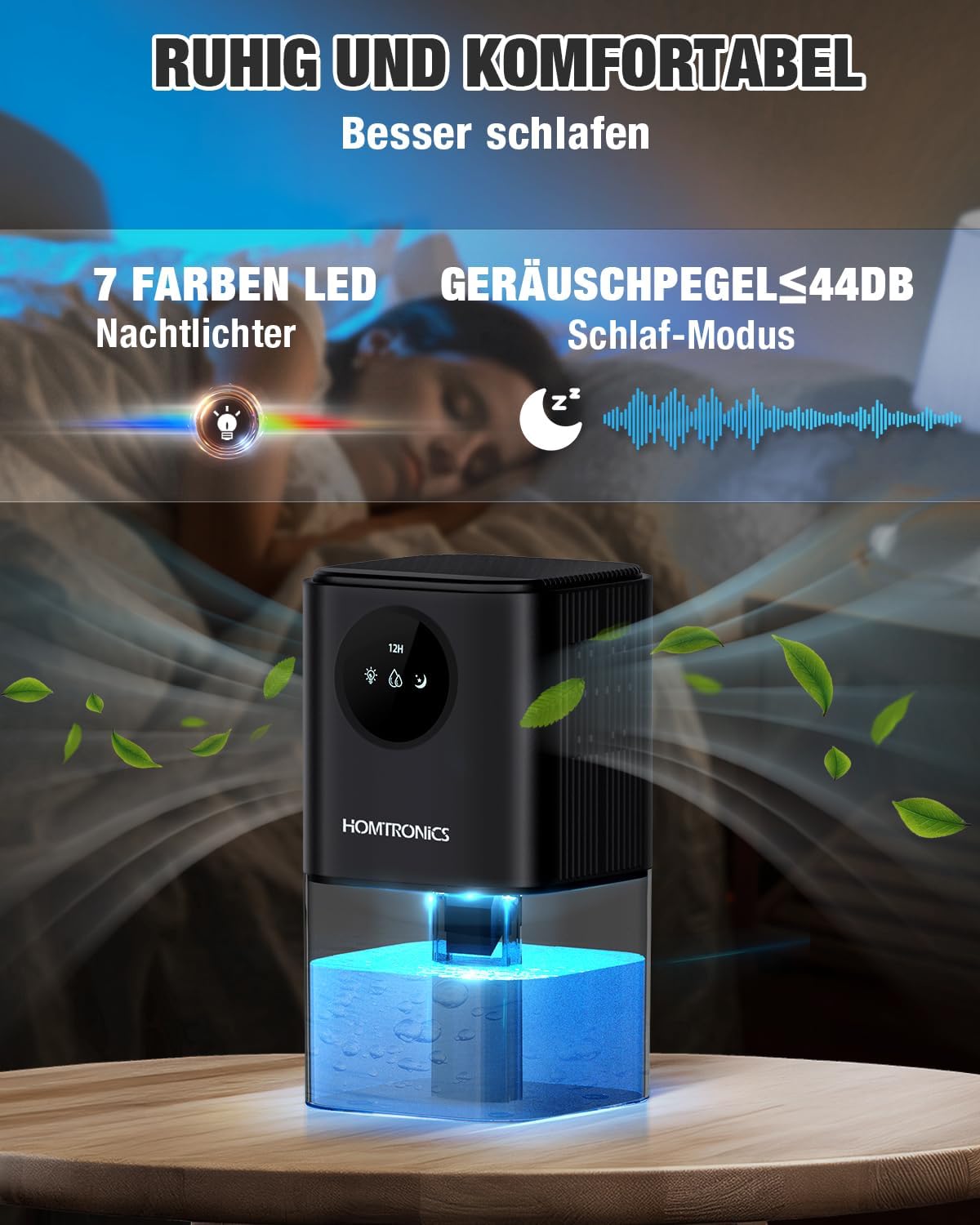
The dehumidifier includes a 7-color LED ambient light feature.
- Press the Light button () once to turn on the LED light. It will cycle through 7 colors automatically.
- Press the Light button again to fix the light on a specific color.
- Press the Light button a third time to turn off the LED light.
6.4 Automatic Shut-off
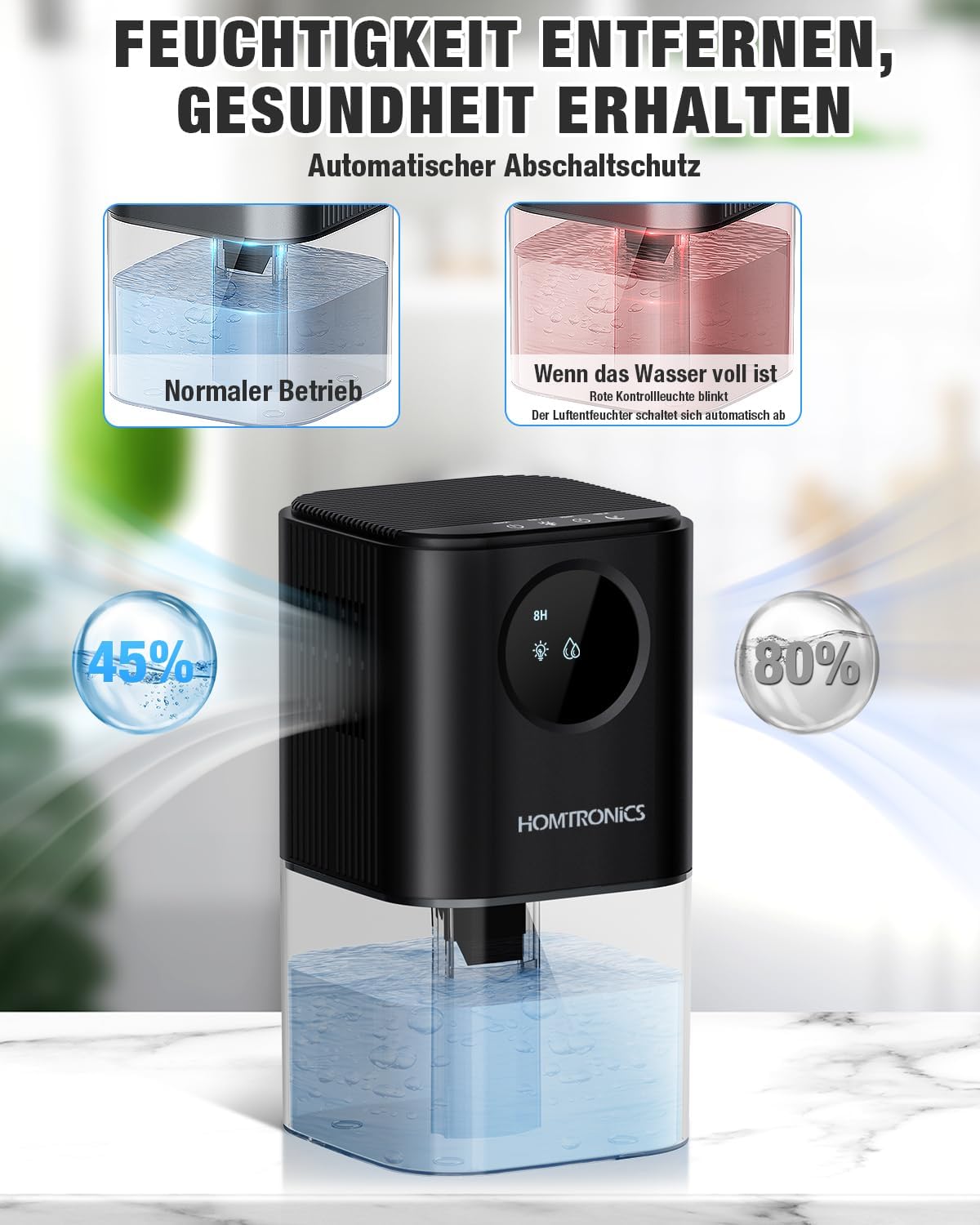
For safety and convenience, the dehumidifier will automatically turn off when the water tank is full.
- When the 1.7-liter water tank reaches its maximum capacity, the dehumidifier will automatically stop operating.
- A red indicator light will flash to alert you that the tank needs to be emptied.
- The dehumidifier will resume operation once the water tank has been emptied and correctly reinserted.
6.5 Water Tank Management
The Homtronics DEKDM02B features a separated upper and lower design for easy water tank removal and cleaning.

- Remove Tank: Gently lift the upper part of the dehumidifier from the water tank.
- Empty Water: Carefully carry the water tank to a sink and pour out the collected water.
- Clean Tank: Rinse the water tank with clean water. Do not use harsh detergents or abrasive materials.
- Reinsert Tank: Place the empty and clean water tank back onto the base, ensuring it is securely seated. Then, carefully place the upper part of the dehumidifier back onto the tank.
7. Maintenance
Regular maintenance ensures the longevity and efficiency of your dehumidifier.
7.1 Cleaning the Water Tank
- Empty and clean the water tank as described in Section 6.5 at least once a week, or more frequently if used in high-humidity environments.
- To prevent mold and bacterial growth, ensure the tank is thoroughly dried before reinserting if the unit will not be used for an extended period.
7.2 Cleaning the Exterior
- Wipe the exterior of the dehumidifier with a soft, damp cloth.
- Do not use abrasive cleaners, solvents, or harsh chemicals, as these can damage the surface.
7.3 Air Inlet/Outlet Cleaning
- Periodically check the air inlet and outlet grilles for dust accumulation.
- Use a soft brush or a vacuum cleaner with a brush attachment to gently remove any dust or debris.
8. Troubleshooting
If you encounter issues with your dehumidifier, refer to the following common problems and solutions:
| Problem | Possible Cause | Solution |
|---|---|---|
| Dehumidifier does not turn on. | No power supply. Power adapter not connected properly. | Ensure the power adapter is securely plugged into both the unit and a working electrical outlet. Check if the outlet is functional. |
| No water collected or low dehumidification. | Room humidity is too low. Temperature is too low. Air inlets/outlets are blocked. Water tank not properly seated. | The dehumidifier works best in environments with relative humidity above 45%. Optimal operating temperature is above 15°C (59°F). Ensure there is clear space around the unit. Remove and reinsert the water tank correctly. |
| Red indicator light flashing. | Water tank is full. Water tank is not properly seated. | Empty the water tank. Ensure the water tank is correctly reinserted into the unit. |
| Unit is noisy. | Unit is not on a level surface. Obstruction in the fan. | Place the dehumidifier on a flat, stable surface. Check for any foreign objects near the fan or air vents (unplug first). |
9. Specifications
| Feature | Specification |
|---|---|
| Brand | Homtronics |
| Model Number | DEKDM02B |
| Color | Black |
| Dimensions (L x W x H) | 14 x 14 x 25.7 cm (5.51 x 5.51 x 10.12 inches) |
| Weight | 1.04 Kilograms (2.29 lbs) |
| Water Tank Capacity | 1.7 Liters (60 oz) |
| Special Features | 7-color LED ambient lights, Automatic Shut-off, Timer (8/12/24H), Portable, Peltier Technology |
| Recommended Use Area | Small spaces like bedrooms, wardrobes, bathrooms, offices (5-25 m² / 54-269 sq.ft) |
10. Warranty and Support
Homtronics products are manufactured to high-quality standards. For any questions, technical support, or warranty claims, please refer to the contact information provided at the point of purchase or visit the official Homtronics website. Please retain your proof of purchase for warranty purposes.